Ensuring analytics tracking is both reliable and easy to audit across web, mobile, and server environments remains a challenge for teams managing complex marketing stacks. Most available tracking monitoring tools either demand heavy manual setup, lack deep integration with design and engineering workflows, or restrict core automation features to enterprise plans with undisclosed pricing. This side-by-side comparison covers automated discovery, no-code test building, team collaboration, real-time alerts, and typical pricing models so you can pick a tracking and monitoring solution that matches your deployment needs and workflow.
Trackingplan

At a Glance
Trackingplan reports being used by over 485 companies, and the combination of Auto-discovery from real user data with an AI debugger is the most concrete capability I noticed. It watches web, mobile, and server-side flows and raises alerts when tracking diverges from expectations.
Core Features
- Auto-discovery of tracking stack using real user traffic that finds implemented pixels, events, and tag manager rules without manual mapping.
- Continuous, real-time monitoring of events, properties, pixels, and consent statuses across web, mobile, and server environments.
- AI-driven anomaly detection and root cause analysis that surfaces discrepancies and gives step-by-step remediation guidance.
- Automated alerts for traffic spikes or drops and integrations with common analytics SDKs and tag managers.
Key Differentiator
Trackingplan’s single standout is pairing automated discovery with an AI debugger that traces failures back to their source. Rather than only flagging missing events, it maps the tracking stack, suggests probable causes, and points at the exact tag or request where the problem originated.
Pros
- Automatic discovery reduces initial setup time. You no longer spend days building an event map before monitoring starts, which accelerates audits for multi-domain clients.
- Real-time alerts mean you catch broken pixels and consent regressions as they happen, not after a campaign has already underreported conversions.
- AI root-cause guidance shortens mean time to repair. The debugger gives concrete next steps so developers and analysts agree on the fix quickly.
- Broad coverage across web, mobile, and server-side tracking avoids blind spots when campaigns use hybrid instrumentation.
- The platform includes monitoring for schema mismatches and campaign misconfigurations, which protects attribution and ad spend accuracy.
Cons
- Pricing is not published on the website, which may make it harder for smaller teams to budget for a trial or proof of concept.
Notable Integrations
- Google Tag Manager
- GA4
- Adobe Analytics
- Segment
- Mixpanel
- TikTok Ads
- Amplitude
- Meta Pixel
Who It Fits
Analytics teams, marketing operations, and engineering groups running multi-channel attribution or managing many client properties will get the most value. QA specialists and agencies responsible for ad fidelity will appreciate the alerting and remediation workflow.
Unique Value Proposition
The product’s concrete advantage is live stack discovery plus an AI debugger that issues step-by-step remediation. That changes the workflow: instead of assigning a generic ticket, you get a targeted fix to hand a developer, which reduces meetings and speeds up ticket resolution.
Real World Use Case
Elogia used Trackingplan to automate analytics QA and reduce manual checks while Rethink relied on its monitoring and diagnostics to improve data reliability. Those examples show the platform in operation across agency and product teams managing multiple client or product properties.
Pricing
Detailed pricing is not publicly available. The vendor asks prospects to contact sales for plans and quotes. Expect enterprise-style packaging and per-account considerations rather than a simple per-seat sticker price.
Website: https://trackingplan.com
QA2L
At a Glance
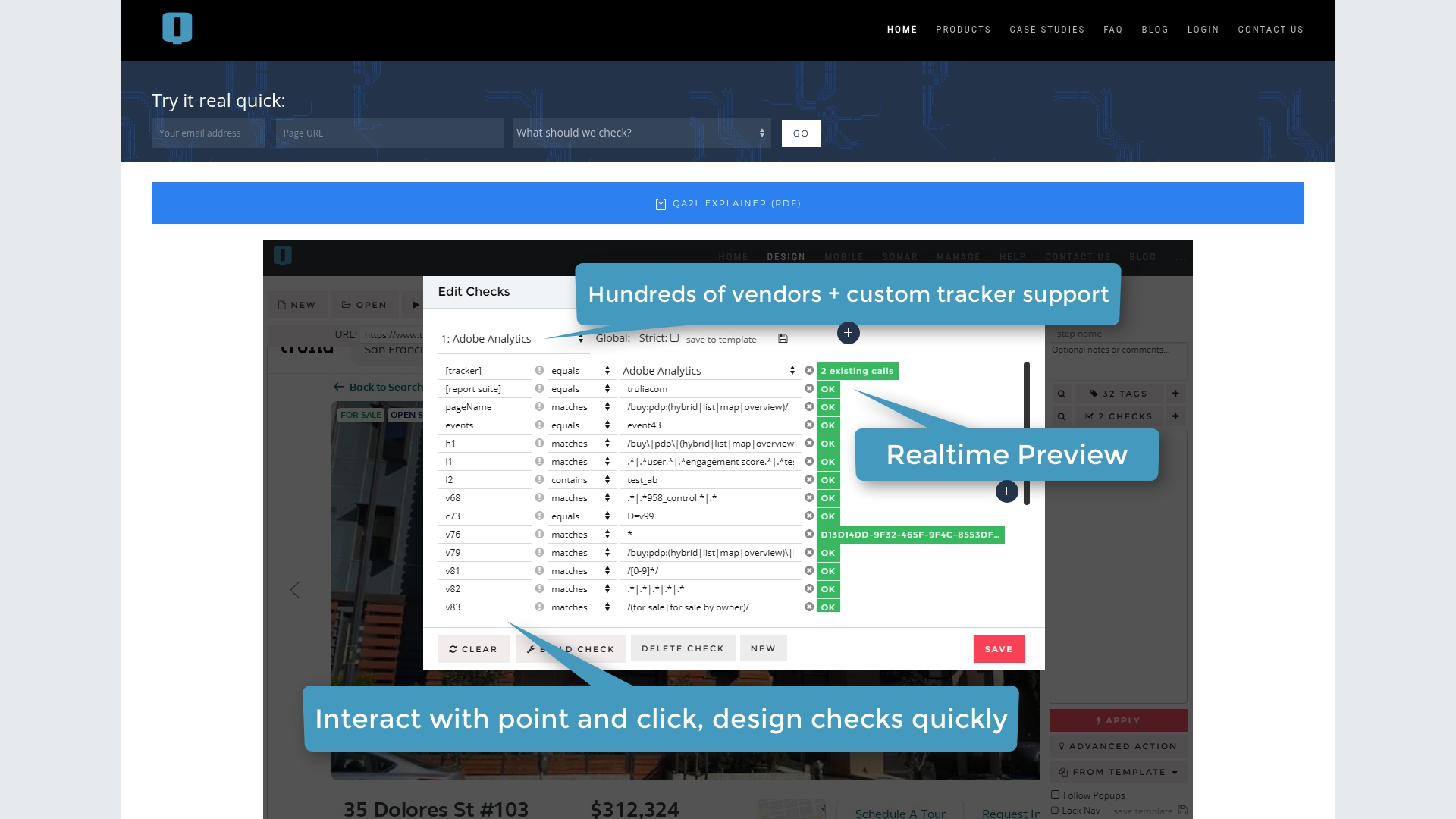
Deterministic browser agents drive QA2L’s inspections, letting teams validate multi step journeys and authenticated pages without writing code. The platform pairs a visual test builder with data layer checks and GDPR scanning so nonprogrammers can run complex tracking QA.
Core Features
QA2L uses deterministic browser agents to replay paths and capture events across dynamic sites and single page applications. The visual test builder lets you craft flows for authenticated and cross domain journeys without scripting.
The product includes data layer validation for GTM, Tealium, and Adobe DTM or Launch. It also offers GDPR compliance checks and PII detection, plus alert hooks into Slack and Microsoft Teams.
Key Differentiator
QA2L centers on a visual, no code test editor purpose built for tracking and data quality validation on complex, dynamic properties. That focus means test design maps directly to tag firing and data layer inspection rather than generic UI checks.
Pros
- Nonprogrammers can build and maintain tests with the visual editor, which reduces backlog for analytics and marketing teams.
- Works well on dynamic and single page applications where tag timing and virtual page events are common failure points.
- The data layer checks support multiple vendors and custom schemas, helping you confirm that event payloads match expected keys and types.
- Integrates with team channels so alerts travel to Slack or Microsoft Teams and stakeholders get notified when a check fails.
- Handles multi domain and authenticated content, so you can validate flows that cross subdomains or require login.
Cons
- No true browser emulation is currently available, so very specific browser quirks may go undetected.
- Mobile emulation is limited to user agent changes rather than a full device environment, which narrows coverage for some mobile bugs.
- Organizations needing strict sandboxed or on premise deployments may require custom arrangements outside the hosted flow.
When It May Not Fit
If your QA mandate includes reproducing obscure browser specific bugs or testing native mobile apps with device level sensors, QA2L’s current environment will feel incomplete. Teams needing full on premise isolation or enterprise sandboxing should plan for additional engineering work.
Notable Integrations
- Slack
- Microsoft Teams
- Confluence
Who It’s For
Data and analytics teams responsible for tag accuracy, privacy checks, and campaign tracking will get the most value. Marketing operations teams that run frequent releases and need assurance that event payloads and consent controls work as intended will find the workflow helpful.
Real World Use Case
A marketing team automates end to end checks before a campaign launch. The visual tests log into the staging site, complete the checkout path, and validate that analytics events and GDPR consent tags fire with expected fields. Alerts flag mismatches for engineers to fix before go live.
Pricing
The vendor lists pricing as “Not applicable — informational only.” Contact QA2L directly for licensing or deployment options and any enterprise hosting needs.
Website: https://qa2l.com
Measurementplan
At a Glance
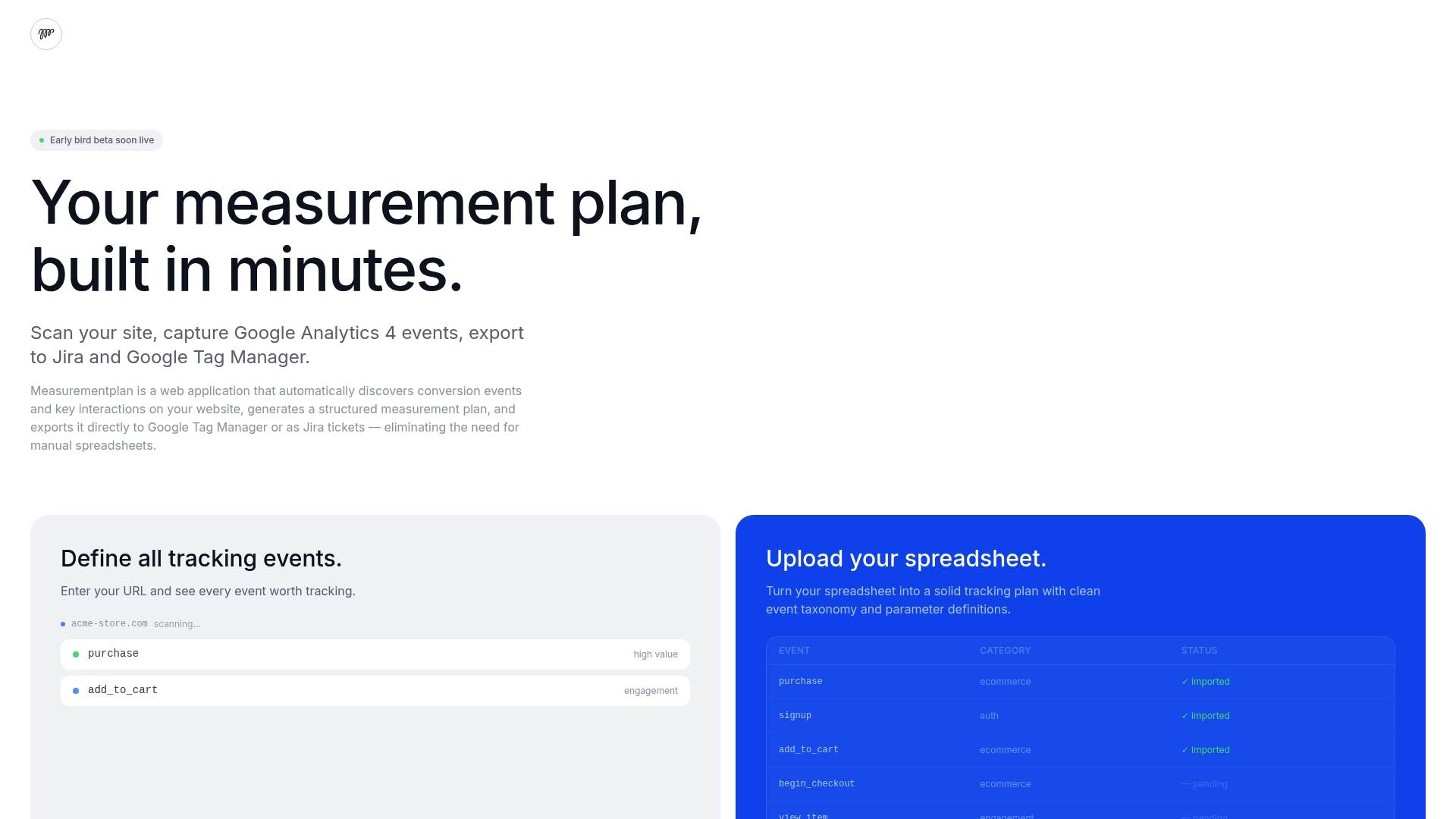
Exports measurement plans directly to Google Tag Manager or as Jira tickets, removing the spreadsheet handoff from analysts to engineers. The product is currently in beta and focuses on automated event discovery and collaborative handoffs for measurement work.
Core Features
- Agentic AI Scanning that crawls pages and surfaces candidate conversion events with contextual snapshots for review.
- Automatic tracking instructions and organized documentation you can export as a GTM container or Jira tasks.
- Measurement plan import and scheduled rescans so plans stay aligned with site changes.
- Snapshots of each event to speed QA and developer handoffs.
Key Differentiator
The standout is the AI-driven scan that tries to discover real interactions rather than relying on manual tagging lists. That scanning plus direct export to GTM and Jira shortens the path from audit to implementation, which matters when time to launch is tight.
Pros
- Automates the discovery and implementation loop, saving analyst hours that would otherwise go into spreadsheets and manual audits.
- Direct GTM and Jira exports reduce translation errors between measurement owners and engineers, speeding developer work.
- Built-in snapshots and documentation make QA faster; you get a visual reference for each suggested event.
- Scheduled rescans help catch drift after releases, useful during migrations or frequent deploy cycles.
- The vendor lists a broad set of analytics and advertising integrations that align with typical Martech stacks.
Cons
- As a beta product, stability and feature completeness are not guaranteed, so you should expect occasional rough edges.
- Automation focus means highly custom or atypical tracking setups may require manual intervention or extra configuration.
- The approach trades flexibility for speed; bespoke server-side or nonstandard event models could be only partially supported.
When It May Not Fit
If your implementation relies on heavy server-side custom events, a bespoke data layer, or complex identity stitching, Measurementplan’s automation model may miss edge cases. Large enterprises with locked-down change controls might prefer a mature platform with long-term SLAs rather than a beta tool.
Notable Integrations
Measurementplan connects to common analytics and tag management systems you already use.
- Google Analytics 4
- Google Tag Manager
- Jira
- Adobe Analytics
- Piwik Pro
- Matomo
- Amplitude
- Mixpanel
Who It’s For
Digital analysts, marketing tech teams, and tag managers who want to move from spreadsheet plans to an automated measurement workflow. It fits teams that value speed for GA4 migrations, launches, and audit-driven cleanup rather than custom engineering-first solutions.
Real World Use Case
A digital marketing team runs a site scan, reviews suggested conversion events with snapshots, exports the plan to GTM, and creates Jira tickets for developers. That workflow compresses what used to take days into a few hours and reduces rework during launch.
Pricing
Pricing details are not published for this beta; the product materials treat pricing as not applicable or informational only. Expect early access or beta terms rather than standard tiered plans until the product leaves beta.
Website: https://measurementplan.com
Glazed Analytics
At a Glance
Glazed’s marketing claims teams can ship tracked features up to 10x faster, a dramatic acceleration tied to its AI-assisted event creation from designs. The vendor also reports up to 50% fewer tracking bugs when teams embed specs directly in design files.
Core Features
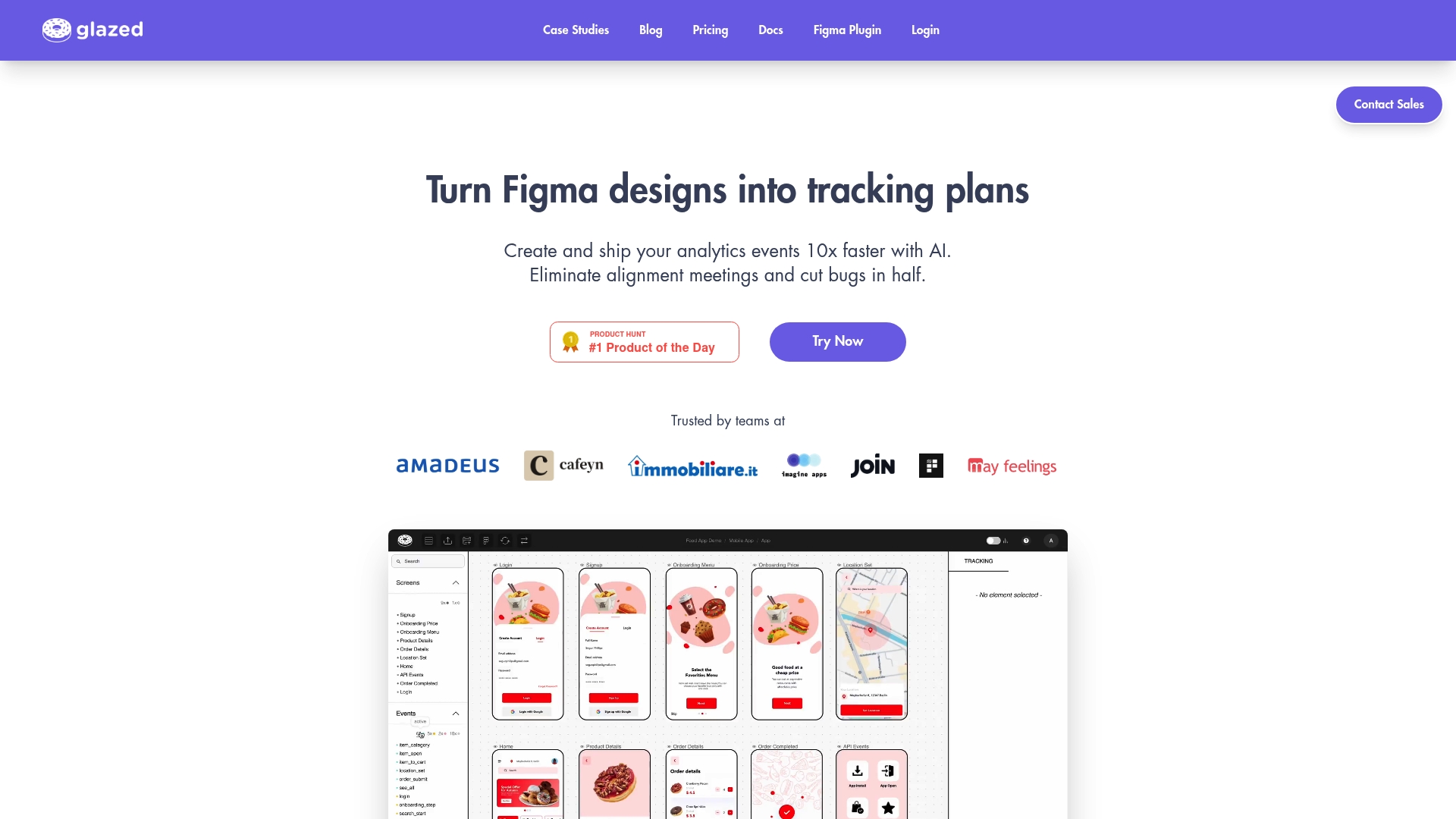
Visual tracking specifications that link to Figma designs let teams see event context next to pixels and components, reducing guesswork at handoff.
AI-powered event suggestion extracts likely events from Figma frames so product and analytics can approve with fewer meetings. The Figma plugin delivers visual handoff, component-level property values, and exact data format examples.
A unified repository maintains consistent event definitions across iOS, Android, and Web to avoid drift between platforms.
Key Differentiator
Glazed embeds tracking specs inside the design workflow so the design file becomes the single source of truth. That direct link removes interpretation layers between designers, product managers, and engineers.
Pros
- The vendor reports a 50% reduction in tracking bugs, which translates to fewer hotfixes and less rework for engineering and analytics teams.
- Visual specs make it easier for non-technical stakeholders to verify events; designers can point to a UI element and show the exact payload expected.
- The Figma plugin shortens handoff cycles by keeping event definitions next to artboards and components, cutting coordination meetings.
- Component-level property values clarify data formats and validation rules, which reduces back-and-forth during QA and implementation.
- AI-assisted creation accelerates initial tracking plans so teams can prototype analytics alongside features rather than retrofitting events later.
Cons
- The vendor does not publish detailed enterprise security or role permission controls, which may be a concern for regulated environments.
- Heavy reliance on Figma means teams that use other design tools will not get the same value and may need a parallel workflow.
- Pricing is tiered and the highest-volume or enterprise options require custom quotes, which can complicate procurement timelines.
When It May Not Fit
If your organization locks design tooling to Sketch or another non-Figma app, Glazed’s core value drops significantly. Also, large enterprises with strict role-based access control or specific security attestations should verify capabilities before committing.
Notable Integrations
- Amplitude
- Mixpanel
- Segment
- PostHog
These integrations let you map Glazed event specs to downstream analytics destinations without manual rewrites.
Who It’s For
Product teams, UX designers, and data analysts who work iteratively with designers and want visual, verifiable tracking documentation embedded in the design process. Also useful for engineering teams that need exact payload examples to implement consistently across platforms.
Real World Use Case
According to Glazed, Cafeyn moved tracking specs into Figma, eliminated alignment meetings, reduced tracking bugs by 50 percent, and saved over 100 hours per month by automating event creation and centralizing definitions.
Pricing
Starter at $29 per month and Team at $145 per month. Premium and enterprise plans are available with custom pricing for higher volume or advanced needs.
Website: https://glazedanalytics.com
Elevar
At a Glance
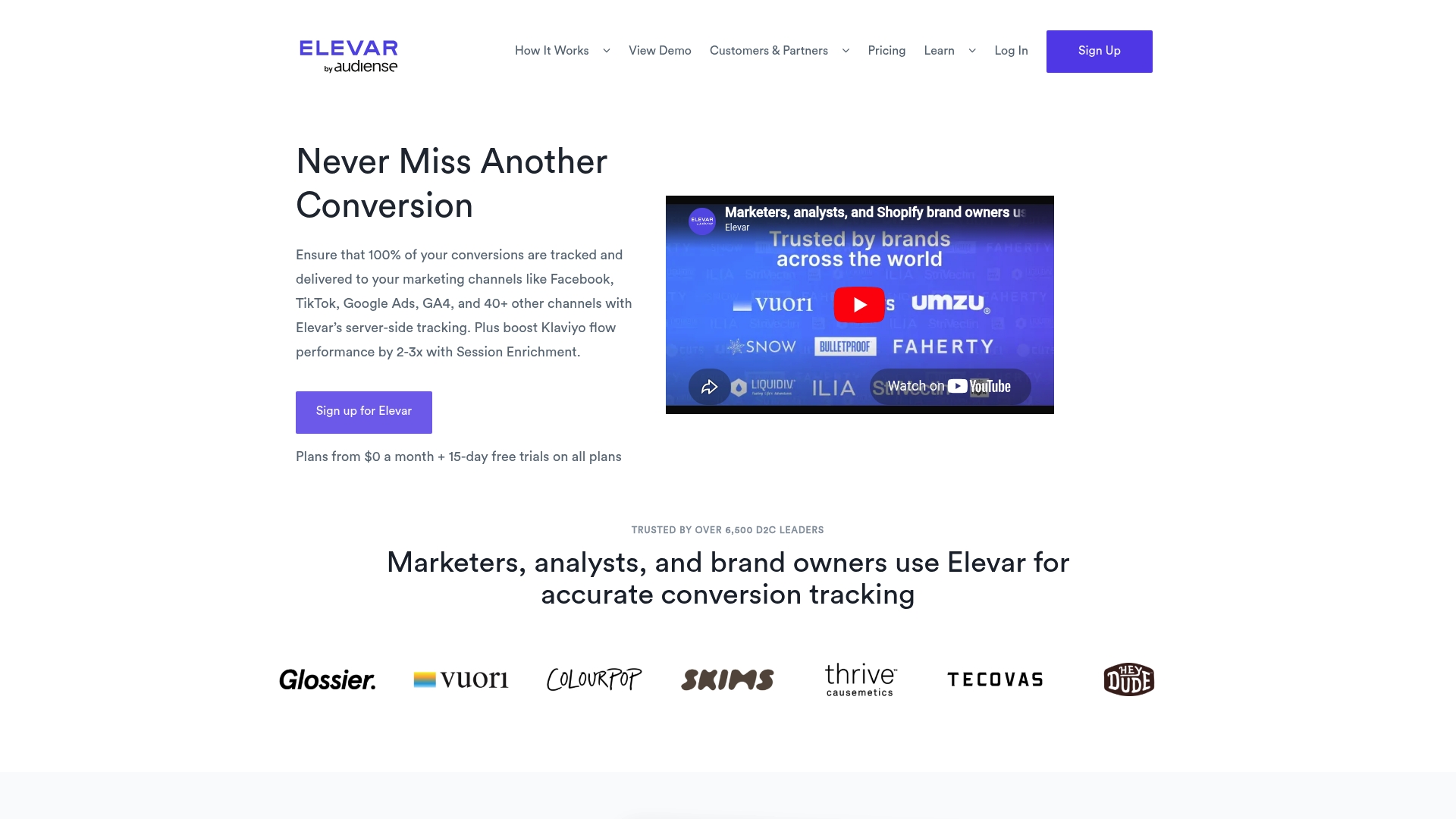
Elevar advertises 99%+ conversion tracking accuracy using managed server-side pipelines across 40+ marketing channels. The vendor reports more than 6,500 brands use the product and positions real-time monitoring and privacy support as core capabilities.
Core Features
- Server-side tracking across more than 40 channels, reducing client-side loss and ad attribution gaps.
- Unified data layer that centralizes customer, order, and attribution events for downstream systems.
- Session Enrichment to recognize returning users and improve attribution accuracy.
- Automated monitoring and alerts for missing pixels, schema mismatches, and tracking failures.
- GDPR and Consent Mode support with integrations for OneTrust and Cookiebot plus a customizable data pipeline.
Key Differentiator
Elevar sells a managed server-side approach rather than a DIY tag setup. That accuracy claim above is the centerpiece: the product layers session enrichment, destination-specific delivery, and active alerting so marketers have fewer blind spots when comparing channel performance.
Pros
- High accuracy focus reduces missed conversions so you can trust cross-channel attribution during campaign tests.
- Wide reach of integrations means you can send the same canonical events to Meta, TikTok, Google Ads, GA4, and email tools without duplicate tagging.
- Automated monitoring cuts down time spent hunting broken pixels and event mismatches, which frees analytics teams for analysis not firefighting.
- The vendor advertises up to 20% improvement in Facebook ad ROI for some customers, a concrete benchmark to test against when you run experiments.
- Flexible plans cover startups through enterprise with optional expert installation and analytics consultancy for complex setups.
Cons
- Advanced setups, especially for headless ecommerce, still require engineering work or paid professional services to implement correctly.
- Very high volume stores often move to custom-priced plans; the lack of a fixed public rate above certain order thresholds can complicate budget forecasting.
- Some users report needing support for initial troubleshooting, which indicates a learning curve for nontechnical teams.
When It May Not Fit
If your marketing team lacks developer support and you cannot budget for an implementation partner, Elevar’s managed server-side model will feel heavy. If you run more than roughly 75,000 orders per month you should expect custom pricing and a procurement process. Small merchants that never need server-side routing will find the product overpowered.
Notable Integrations
- Meta Conversion API
- Google Analytics / GA4
- TikTok
- Klaviyo
- Impact Radius
- Cookiebot and OneTrust
- GTM Data Layer
Who It’s For
Ecommerce marketers and D2C brands that need reliable multi-channel conversion measurement and privacy-aware data collection. Teams that run paid social and programmatic campaigns and want a single, managed pipeline to reduce attribution variance will benefit most.
Real World Use Case
A Shopify D2C brand moved core conversion events to Elevar’s server-side pipeline, unified events to GA4 and Klaviyo, and used session enrichment to reconcile web and email attribution. The team regained confidence in ROAS comparisons and reduced time spent on tracking QA.
Pricing
Plans start from $0 with a 15-day free trial. Core tiers begin around $225/month, while enterprise offerings exceed $3,000/month and include higher order limits and managed services. High volume stores receive custom quotes.
Website: https://getelevar.com
Comparative Analysis of Analytics Tracking Tools
Choosing the right analytics tracking and monitoring solution significantly depends on a user’s specific needs and operational constraints. This analysis compares Trackingplan with competitors QA2L, Measurementplan, Glazed Analytics, and Elevar to provide insights into their ideal use cases.
Automation and Debugging Effectiveness
Trackingplan leads in automated discovery and AI-based debugging, enabling users to quickly identify and rectify data discrepancies with minimal engineering involvement. By integrating real-time monitoring across diverse environments, it safeguards tracking data continuity. However, QA2L excels in accommodating complex workflows with its deterministic browser agents and visual test building capabilities. QA2L’s ability to function without scripting aligns well with workflows involving non-technical roles, making it favored for environments needing frequent compliance and validation tasks.
Integration Depth and Workflow Alignment
Elevar stands out in server-side tracking integration, ensuring high accuracy across multiple marketing channels. This solution effectively handles customer and order data while improving attribution pathways, which is for organizations prioritizing high-volume campaign results. On the other hand, Glazed Analytics innovatively ties tracking specifications directly to design tools, like Figma, streamlining a collaborative workflow among designers, developers, and analysts. This reduces miscommunications during implementation and supports multi-platform consistency adeptly.
Best Fit Scenarios
- Trackingplan: Ideal for teams aiming to mitigate tracking issues promptly while maintaining versatility across web, mobile, and server-side environments.
- QA2L: Preferred for businesses emphasizing privacy compliance and testing dynamic site functionalities without relying heavily on programming.
- Measurementplan: Best suited for rapid GA4 migrations or managing measurement workflows that benefit from integrations with Jira or tag managers.
- Elevar: Recommended for ecommerce brands needing server-side tracking with enriched attribution capabilities to maximize ad ROI.
- Glazed Analytics: Fits creative workflows that require embedded analytics planning within design tools for effective inter-team collaboration.
Our Pick
Trackingplan combines automated stack discovery with AI-enabled debugging, addressing tracking deviations with guidance. Its approach streamlines troubleshooting across diverse infrastructures, minimizing complexity for teams without dedicated QA specialists. However, those prioritizing server-side integrity or design-based analytics specs may find Elevar or Glazed more aligned with their workflows.
Tracking and Monitoring Platforms Comparison
Explore these analytics tracking and monitoring platforms to identify which solution best aligns with your requirements based on automated insights, integration capabilities, and ease of use.
Discover a Powerful Alternative to loopr-analytics.com with Trackingplan
If managing complex tracking setups feels overwhelming, incorporating automated discovery and real-time monitoring can make a difference. Trackingplan eliminates guesswork by continuously auditing your marketing, attribution, and analytics implementations across web, mobile, and server environments. Its AI-driven alerts catch broken pixels, schema mismatches, and campaign misconfigurations so you can fix problems fast and protect your data’s integrity.

Explore how Trackingplan saves time and enhances data quality for digital marketing and analytics teams alike. Visit Blog especialized in Digital Analytics and Blog especialized in Data Quality to learn more. Ready to reduce tracking errors and improve your attribution accuracy? Go to https://www.trackingplan.com/ and start monitoring your stack with confidence today.
Frequently Asked Questions
How does Trackingplan’s auto-discovery help analytics teams?
Trackingplan’s auto-discovery enables analytics teams to quickly identify implemented pixels, events, and tag manager rules using real user traffic. This capability significantly reduces setup time, as teams no longer need to create an event map manually before monitoring begins. As a result, analytics teams can start audits for multi-domain clients much faster, accelerating their overall workflow.
What is the difference between Trackingplan and QA2L?
QA2L excels in allowing non-programmers to validate multi-step journeys and authenticated pages using a visual test builder without writing code. In contrast, Trackingplan offers automated discovery combined with an AI debugger which helps trace issues back to their source, making it ideal for teams needing rapid identification of tracking issues. Depending on the team’s skill set, they may prefer QA2L for its simplicity or Trackingplan for its advanced debugging capabilities.
Which platform provides better real-time monitoring features?
Trackingplan offers continuous, real-time monitoring of events, properties, pixels, and consent statuses across various environments. This is beneficial for teams that need immediate alerts when tracking diverges from expectations, ensuring data accuracy while campaigns are running. Consequently, teams can mitigate issues before they escalate, maintaining a smooth flow of operations.
Can I use Trackingplan for multi-channel attribution?
Yes, Trackingplan is well-suited for multi-channel attribution, as it provides broad coverage across web, mobile, and server-side tracking, which helps in avoiding blind spots in tracking. Its ability to monitor schema mismatches and campaign misconfigurations protects attribution accuracy, making it an ideal choice for teams managing various campaigns.
Does Trackingplan support integrations with popular analytics tools?
Trackingplan integrates with several key analytics tools such as Google Tag Manager, GA4, and Adobe Analytics. These integrations simplify the tracking process, allowing data to flow efficiently between systems and enabling analytics teams to leverage existing setups to their advantage.