
Tracking issues can leave even the best e-commerce teams second guessing every marketing decision. When your analytics miss the full customer journey, budgets get wasted and growth stalls. Marketing analytics, when paired with accurate data collection and strong integrity practices, transforms scattered event logs into actionable insight. Discover what modern marketing analytics really means, why it matters for your team, and how the right approach supports smarter, data-driven strategy across every campaign.
Table of Contents
- What Is Marketing Analytics And Why It Matters
- Major Types Of Marketing Analytics Tools
- Key Metrics, Processes, And Data Flows
- Maintaining Accuracy And Data Integrity
- Common Pitfalls And How To Avoid Them
Key Takeaways
| Point | Details |
|---|---|
| Importance of Marketing Analytics | Marketing analytics is essential for tracking campaign performance, measuring ROI, predicting customer behavior, and optimizing strategies based on data. |
| Data Integrity is Critical | The accuracy of your analytics is crucial; misconfigured tracking can lead to poor decisions and wasted budget. |
| Selecting the Right Metrics | Focus on actionable metrics linked to revenue, such as conversion rates and customer lifetime value, rather than vanity metrics. |
| Building a Cohesive Tool Stack | Use an integrated set of marketing analytics tools that complement each other to ensure comprehensive and accurate data insights. |
What Is Marketing Analytics and Why It Matters
Marketing analytics is the practice of using data to track, measure, and evaluate marketing performance across your campaigns and channels. It answers the fundamental question every marketer asks: Is this working?
At its core, marketing analytics involves collecting data such as page views, conversion rates, email open rates, social media engagement, and customer actions. You then use analytical methods to understand what’s driving those metrics and optimize your strategy accordingly.
Why Your Business Needs This
Without marketing analytics, you’re essentially flying blind. You can’t identify which campaigns deliver actual revenue, where your budget disappears, or why customers behave the way they do.
Here’s what marketing analytics enables:
- Track campaign effectiveness across all channels and touchpoints
- Measure return on investment (ROI) with precision rather than guesswork
- Identify high-performing segments so you can allocate budget smarter
- Predict customer behavior before it happens using historical data patterns
- Optimize customer experiences based on actual performance data
- Make faster decisions with real data instead of assumptions
Consider this: A brand spends $50,000 monthly on paid ads across Google, Facebook, and LinkedIn. Without analytics, they can’t tell which platform actually converts visitors into customers. With it? They discover that LinkedIn generates 3x better ROI than Facebook. Within weeks, they reallocate budget and increase conversions by 167%.
Marketing analytics transforms data from your website, apps, and campaigns into actionable insights that drive growth and improve decision-making.
How Marketing Analytics Works Today
Marketing analytics has evolved significantly from basic counting to sophisticated, data-driven decision systems. Modern approaches use descriptive analytics (what happened), predictive analytics (what will happen), and prescriptive analytics (what should you do).
Your e-commerce business collects data continuously: customer clicks, page visits, add-to-cart actions, checkout abandonment, email responses, and post-purchase behavior. This data flows into analytics platforms that reveal patterns—which products drive repeat purchases, which email subject lines boost opens, which traffic sources deliver loyal customers.

The challenge? Ensuring that data is accurate. Broken pixels, tracking configuration errors, and schema mismatches create blind spots in your analytics. Bad data leads to wrong decisions, wasted ad spend, and missed opportunities.
Why Data Integrity Matters More Than Ever
Your analytics are only as good as the data feeding them. If your tracking is misconfigured, you’re making critical business decisions on incomplete or incorrect information.
Pro tip: Audit your tracking implementation quarterly to catch configuration errors before they distort months of marketing decisions and inflate or deflate your ROI calculations.
Major Types of Marketing Analytics Tools
Marketing analytics isn’t a single tool—it’s an ecosystem. Different tools handle different jobs, and most analytics teams use multiple platforms to get the full picture of their marketing performance.
No single tool captures everything. You’ll combine web analytics platforms, SEO tools, social monitoring, and customer behavior trackers to cover all your channels.
Essential Tool Categories
Here’s what each category does:
Here’s a helpful comparison of marketing analytics tool categories and their typical business impact:
| Tool Category | Main Focus | Typical Benefit | Best Use Case |
|---|---|---|---|
| Web Analytics | Website user behavior | Identify conversion bottlenecks | Optimizing landing pages |
| SEO Analytics | Search performance | Improve organic traffic quality | Content and keyword planning |
| Product/User Behavior | In-app interactions | Enhance user engagement | Feature adoption analysis |
| Visitor Behavior Tracking | Page navigation | Reduce cart abandonment | E-commerce funnel improvement |
| Social Monitoring | Brand engagement | Track reputation and sentiment | Responding to customer feedback |
| Attribution Platforms | Revenue linkage | Correctly credit marketing channels | Multi-channel campaign analysis |
- Web analytics: Track website visitors, page views, conversions, and user paths (think Google Analytics 4)
- SEO analytics: Monitor search rankings, backlinks, keyword performance, and organic traffic quality
- Product and user behavior: Understand how customers interact with your product or app beyond just visiting
- Visitor behavior tracking: See how users move through pages, where they hesitate, and why they leave
- Social media monitoring: Track brand mentions, engagement, competitor activity, and audience sentiment
- Attribution platforms: Connect revenue to specific marketing touchpoints across the customer journey
The Right Tool Stack for Your Team
E-commerce teams typically use 4-6 core tools. A basic stack might include Google Analytics 4 for web traffic, a SEO tool for organic search performance, social listening for brand monitoring, and a data warehouse to combine everything.
Marketing analytics tools help teams capture and organize data from dozens of sources—email campaigns, paid ads, website events, app activity, customer support tickets, CRM systems. The platform then creates dashboards and automated reports that make sense of this complex data.
The key challenge: making sure data from all these sources actually matches. Broken tracking code or configuration errors in one tool create holes in your entire analysis.
The best tool stack connects multiple data sources while maintaining data accuracy across every integration point.
Building your stack isn’t about picking the fanciest tools. It’s about choosing platforms that work together and actually capture what matters to your business.
Pro tip: Start with 2-3 core tools that integrate well with each other, then add specialized tools only when you’ve mastered data from your first layer—too many disconnected tools create more problems than they solve.
Key Metrics, Processes, and Data Flows
Marketing analytics lives and dies by the metrics you choose to track. Pick the wrong ones, and you’re optimizing for vanity instead of revenue. Pick the right ones, and every dollar of marketing spend becomes traceable.
The Metrics That Actually Matter
Key marketing metrics track progress through awareness, consideration, and decision stages of the customer journey. Different funnel stages require different metrics.
Here’s what to measure at each level:
- Awareness metrics: Impressions, reach, website traffic, new visitors
- Consideration metrics: Engagement rate, time on page, click-through rate, video views
- Decision metrics: Conversion rate, cost per acquisition, revenue per visitor, cart abandonment rate
- Retention metrics: Repeat purchase rate, customer lifetime value, churn rate
The mistake most teams make? Obsessing over awareness metrics while ignoring conversion. You can drive 1 million impressions and still make zero sales if your landing page doesn’t convert.
For quick reference, here’s a summary of core marketing analytics metrics by customer journey stage:
| Stage | Primary Metric | Useful Insight | Typical Action |
|---|---|---|---|
| Awareness | Impressions/reach | Brand visibility | Launch new ad campaigns |
| Consideration | Engagement rate | Content effectiveness | Revise content strategy |
| Decision | Conversion rate, CPA | Sales efficiency | Adjust ad spend |
| Retention | Repeat purchase rate, CLV | Long-term value | Plan loyalty programs |
How Data Flows Through Your System
Data enters your analytics ecosystem from multiple sources simultaneously. Marketing analytics collects data from digital channels, offline interactions, CRM systems, and advertising platforms to create a unified customer view.
Typically, data flows like this:
- Customer action happens (click, purchase, email open, form submission)
- Tracking code captures the event and sends it to your analytics platform
- Data gets processed, deduplicated, and enriched with context
- Dashboards and reports pull insights from this cleaned data
- Teams use insights to optimize campaigns and budgets
The problem: if tracking is broken at step 1 or 2, everything downstream is corrupted. One misconfigured pixel makes your entire conversion funnel unreliable.
Accurate metrics require accurate data collection. Without reliable tracking, your KPIs become guesses, not facts.
Why This Matters for Your Decisions
Your analytics should answer specific questions: Which traffic source converts best? What’s your true customer acquisition cost? Which product pages drive repeat purchases?
But you can only answer these questions if your data flows are complete and accurate. Missing events, duplicate transactions, or misattributed conversions distort every metric you rely on.
Pro tip: Audit your conversion tracking every month by comparing your analytics platform numbers to actual revenue in your accounting system—discrepancies reveal broken tracking before they cost you thousands in misdirected budget.
Maintaining Accuracy and Data Integrity
Data integrity isn’t a one-time setup task. It’s an ongoing responsibility that separates teams making smart decisions from those wasting budget on bad data.
Why Data Quality Fails
Most analytics problems start small. A developer pushes code without testing it. A pixel URL changes after a platform update. Someone forgets to configure a new traffic source in Google Analytics.
These aren’t catastrophic failures—at first. But over weeks and months, they compound into massive blind spots. You’re missing conversions, attributing revenue to the wrong channels, and making decisions based on incomplete pictures.
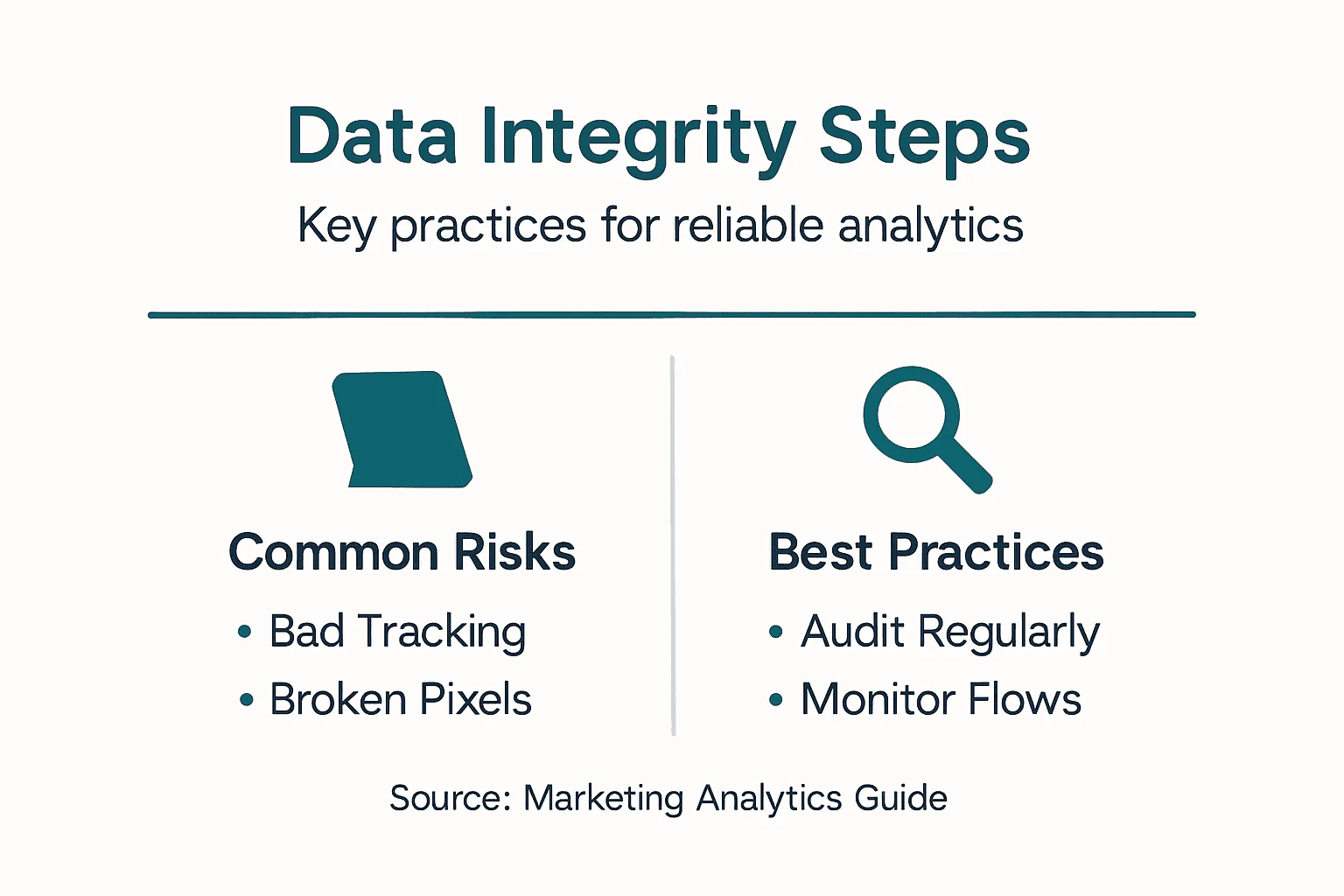
Maintaining data integrity requires validation, cleaning, governance, and continuous monitoring to prevent errors and inaccuracies. Poor data quality leads to costly mistakes and erodes trust in your analytics.
The Core Practices That Work
You can’t maintain data integrity through hope. You need systems and processes.
Here’s what actually prevents data problems:
- Validation rules: Catch bad data before it enters your database (negative values, missing required fields, impossible dates)
- Regular audits: Compare your analytics numbers against source systems monthly to spot discrepancies early
- Automated alerts: Get notified immediately when traffic drops 50%, conversion rates spike, or tracking stops entirely
- Documentation: Document every tracking implementation, tag, and custom event so future team members understand what’s being measured
- Access controls: Limit who can modify tracking code and analytics configurations to prevent accidental breaks
Making It Automatic
Manual checking doesn’t scale. If you’re auditing data by hand every week, you’ll miss issues and burn out your team.
Instead, implement automated monitoring that watches your tracking continuously. Set up alerts in Slack or email so your team knows about problems within minutes, not days.
Real example: An e-commerce client noticed their conversion tracking had stopped without realizing it. Three days of lost data. By the time they fixed it, they’d already made budget decisions based on incomplete information. Automated alerts would have caught this in minutes.
Data quality is not a project—it’s a practice. Build monitoring and validation into your systems so accuracy becomes automatic, not accidental.
The teams that succeed at data integrity treat it like they treat their database backups: a critical system you monitor every single day.
Pro tip: Create a monthly data health checklist: compare analytics totals to source systems, verify all tracking pixels are firing, confirm no data gaps exist, and review any error logs from your tracking platform—consistency catches problems before they become crises.
Common Pitfalls and How to Avoid Them
Every analytics team hits the same walls. You don’t have to learn these lessons the hard way. Here’s what kills analytics projects and how to prevent it.
Mistake 1: Chasing Vanity Metrics
You can drive millions of website visitors and still go bankrupt. Many teams obsess over page views, impressions, and engagement metrics that look impressive in reports but don’t move revenue.
Common marketing analytics mistakes include relying on vanity metrics, which don’t correlate to ROI, and failing to define clear business goals upfront.
Instead, focus on metrics that matter:
- Conversion rate and cost per acquisition
- Customer lifetime value and repeat purchase rate
- Revenue influenced by each channel
- Payback period on ad spend
Ask yourself: Does this metric affect revenue? If not, why are you tracking it?
Mistake 2: Ignoring Data Quality Issues
This one hurts because you don’t realize it’s happening. Bad data feels fine at first. Dashboards load normally. Reports look complete. But underneath, tracking is broken or incomplete.
You’re making decisions on corrupted data. Maybe conversions are undercounted by 30%. Maybe certain traffic sources aren’t being tracked at all. You’ll never know until you audit it.
Mistake 3: Not Understanding Your Full Customer Journey
Customers don’t convert after a single ad click. They see your ad, visit your website, leave, return a week later from organic search, click an email, and finally buy. Where should you credit that revenue?
If you only look at last-click attribution, you’ll think Google organic is your star performer and cut ad spend to brands that deserve credit. You need multi-touch attribution to see which channels actually drive customers toward conversion.
This requires integrating data from multiple sources and building models that reflect how your customers actually behave.
Mistake 4: Letting Analytics Lag Behind Marketing Changes
Your marketing team pivots strategies weekly. New campaigns launch, traffic sources change, product mix shifts. If your analytics can’t keep pace with these changes, you’re always measuring yesterday’s strategy.
The fix: Build agile analytics infrastructure that adapts quickly and keep close collaboration between marketing and your analytics team.
The teams that win at analytics treat it as a strategic priority, not an afterthought. They measure what matters, validate data quality continuously, and adapt as the business changes.
Pro tip: Set up a quarterly business review where you examine your top 3-5 metrics, audit data accuracy against source systems, and discuss how analytics supports next quarter’s marketing goals—this keeps analytics aligned with reality, not assumptions.
Ensure Accurate Marketing Analytics with Trusted Data Integrity
The challenge of maintaining flawless tracking and data quality in marketing analytics is real and costly. If your tracking pixels break or your conversion data is incomplete your entire marketing strategy could be built on false assumptions. This article highlights the critical need for automated auditing and continuous monitoring to catch errors like missing pixels and misconfigured campaigns before they impact your ROI.
Discover how Trackingplan can transform your digital analytics with powerful AI-driven tools designed specifically to monitor your marketing and attribution setups. Reduce manual effort and prevent lost revenue through instant alerts and root-cause analysis. Start making faster data-driven decisions today by visiting Trackingplan. For deeper insights on ensuring data accuracy explore our Blog especialized in Data Quality | Trackingplan and enhance your marketing results with strategies from our Blog especialized in Digital Marketing | Trackingplan. Take control of your marketing analytics now with Trackingplan’s trusted platform.
Frequently Asked Questions
What is marketing analytics?
Marketing analytics is the practice of using data to track, measure, and evaluate marketing performance across campaigns and channels. It helps marketers answer whether their campaigns are effective and how to optimize them.
Why is data integrity important in marketing analytics?
Data integrity is crucial because accurate data is necessary for making informed business decisions. Misconfigured tracking or erroneous data can lead to incorrect insights and wasted budget on ineffective strategies.
What are some common tools used for marketing analytics?
Common tools include web analytics platforms to track user behavior, SEO tools to monitor search performance, and attribution platforms to analyze revenue contributions. Each tool serves different roles in creating a complete view of marketing performance.
How can businesses maintain the accuracy of their marketing analytics?
Businesses can maintain accuracy by implementing validation rules, conducting regular audits, setting up automated alerts for unusual data patterns, and documenting their tracking processes. Consistent monitoring ensures data quality and reliability.