tpTrackingplan answers
Sure, Trackingplan supports complex validation rules for your UTMs to allow marketing teams to validate that the campaigns they run comply with their naming conventions.
With it, Trackingplan will automatically alert you any time your campaign names don’t meet the custom rules or the naming conventions you’ve defined to get it fixed before compromising the performance of your marketing campaigns.
Here's a breakdown of how Trackingplan can help you:
Campaign Validation
Trackingplan allows setting up rules and validations using regex or enums. This enables you to define specific criteria and formats for UTMs, ensuring consistency across various teams and campaigns.
Complex Validation Functions
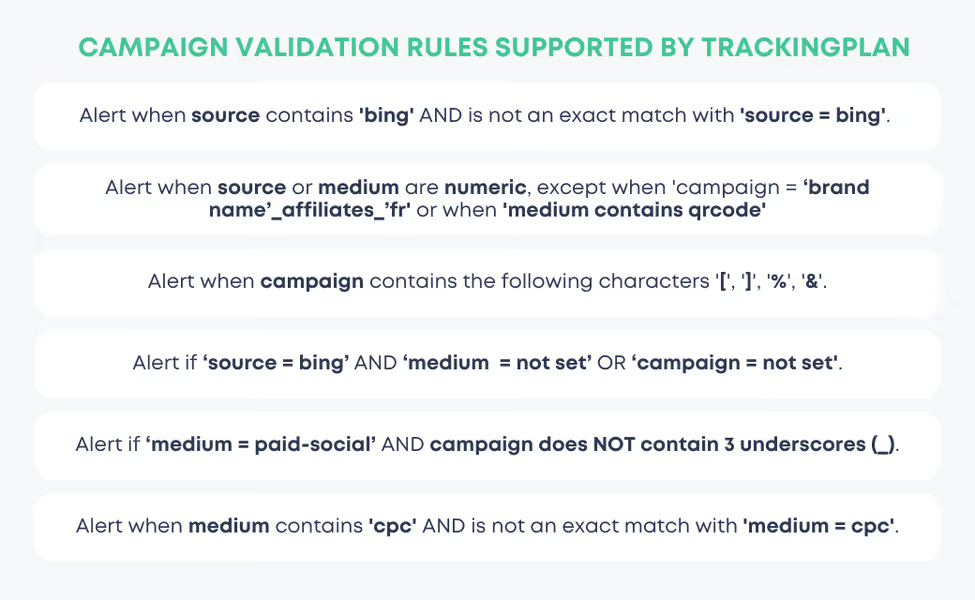
Yet, Trackingplan also supports more intricate validations. For example, it can detect combinations that don't align with your specified conventions, like disallowing 'Black Friday' as a campaign keyword if the medium is 'press', among many others.
Validation Beyond Campaigns
Trackingplan’s validation functions are not limited to campaigns alone. Indeed, Trackingplan allows setting validations for various acquisition data points, including landings, referrals, pages, mediums, sources, and even event attributions.
Automated Monitoring and Documentation
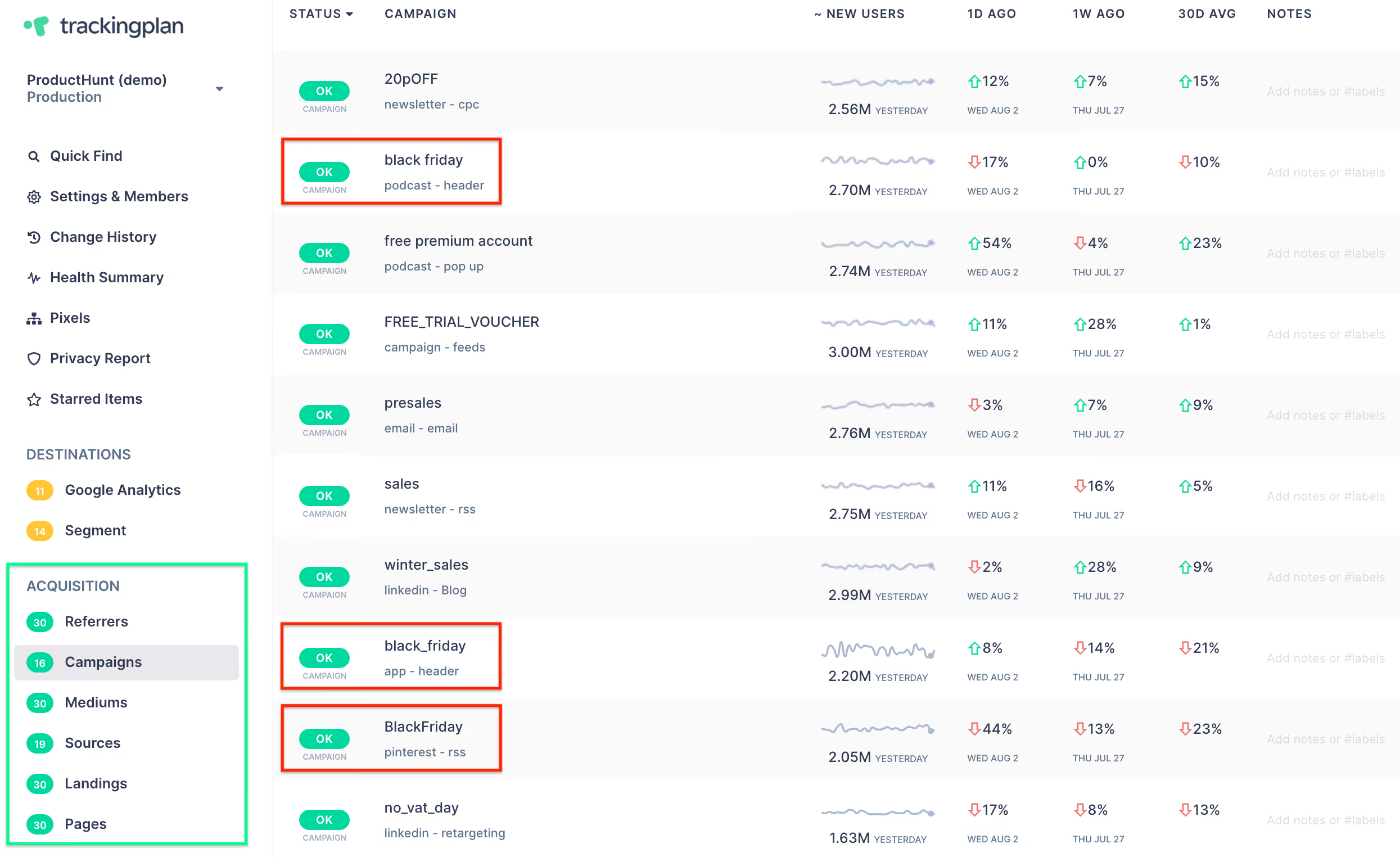
The tool automatically documents statistics for various elements, such as referrers, campaigns, mediums, etc., providing a centralized view to check the consistency of your UTMs. That’s how you can spot inconsistencies in your naming conventions at a glance, highlighting areas that might need optimization for better tracking and ROI calculation.
To learn more about utm naming conventions, we have a special blog post for it.
Trackingplan's UTM Builder Tool
Use Trackingplan's UTM Builder Tool, a Free Campaign URL Generator designed to simplify and enhance your campaign tracking across multiple marketing channels. This tool allows you to easily create customized, UTM-tagged URLs that follow best practices for tracking source, medium, and campaign information in a standardized format. With Trackingplan's UTM Builder Tool, you’ll receive proactive alerts if your UTM parameters deviate from recommended best practices, helping to maintain data accuracy and uniformity.
By setting up error-free UTM parameters, this tool provides you with consistent, high-quality data, ensuring that each campaign's performance metrics are correctly attributed.