
Accurate Commission Junction tracking is the lifeblood of a successful affiliate program. It's the only way you can be sure every click, sale, and commission is accounted for. Without it, you're flying blind, risking misattributed sales, unhappy partners, and making business decisions on shaky ground.
Why Flawless Commission Junction Tracking Is Not Negotiable

Think about the real-world fallout from bad tracking. You launch a huge promotion with dozens of top affiliates, but a broken pixel causes 50% of the sales to go untracked. The financial hit is instant, but the damage to your reputation and partner relationships can be permanent. Getting your Commission Junction tracking right isn't just a technical nice-to-have; it's fundamental to your program's survival.
With solid tracking in place, you can finally answer the questions that actually drive growth:
- Which affiliates are sending you high-value customers, not just clicks?
- What’s the true ROI of your affiliate channel?
- Where are people dropping off between the affiliate click and the final conversion?
Without that data, you're just guessing. You might end up rewarding underperformers or, even worse, cutting ties with partners who are quietly driving real value, all because your tracking was failing you.
The Financial and Relational Cost of Errors
Even small tracking errors can have a massive ripple effect. A single misconfigured parameter on your confirmation page could mean thousands of dollars in sales are never attributed correctly. That hits your bottom line, and it directly shorts the affiliate partners who delivered those customers in good faith.
In the world of performance marketing, trust is currency. When partners suspect tracking issues, they are quick to shift their promotional efforts to merchants with more reliable systems. Consistent, accurate attribution is your best retention tool.
This is precisely why Commission Junction holds a strong position in the industry. The platform's reliable tracking has earned it an 8.21% market share, supporting over 18,983 companies—many of them in the retail space where accurate e-commerce tracking is critical.
Understanding the Core Tracking Methods
Before you can build a bulletproof tracking setup, you need to know your options. Understanding the mechanics is central to grasping how affiliate marketing functions as a performance-based channel. CJ gives you two main ways to track conversions, each with its own pros and cons.
To help you decide, here’s a quick comparison of the primary methods.
Choosing Your CJ Tracking Method
| Tracking Method | Implementation Type | Primary Use Case | Key Advantage |
|---|---|---|---|
| Universal Tag | Client-Side (JavaScript) | Standard e-commerce websites | Easy to implement and manage |
| S2S Tracking | Server-to-Server | Advanced setups needing high accuracy | Bypasses ad blockers and browser issues |
While the Universal Tag is a great starting point for most advertisers, Server-to-Server (S2S) tracking is quickly becoming the gold standard. It offers the highest level of accuracy by communicating directly between your server and CJ's, making it the most resilient option for serious affiliate programs.
How to Implement the CJ Universal Tag on Your Website
Getting the CJ Universal Tag set up is your first step into client-side Commission Junction tracking. It's a single snippet of JavaScript that captures referral data and conversion events right from the user’s browser. The idea is simple, but this is exactly where a lot of businesses go wrong, leading to silent data loss and reports that just don't add up.
Before you jump into the tag itself, it's a good idea to have a solid grasp of the bigger picture of tracking affiliate links. This context is key to ensuring your attribution is accurate. The Universal Tag is CJ's main tool for the job, and it’s built to live on every single page of your website.
This all-page approach lets the tag follow the user's journey, drop the right tracking cookies when an affiliate link gets clicked, and attribute sales correctly when they happen. The tag itself is lightweight and asynchronous, so it loads in the background without dragging down your site’s performance—a huge deal for both user experience and SEO.
Placing the Universal Tag Correctly
The most critical part of this whole process is putting the tag in your site's global header. This is non-negotiable. It guarantees the tag loads on every page, from your homepage all the way to the order confirmation screen. You can typically do this by editing your theme’s header.php file, a global header template, or by using a tag manager.
For example, on a Shopify store, you’d go to Online Store > Themes > Actions > Edit code. From there, you'd paste the CJ script into the <head> section of your theme.liquid file. If you're using Google Tag Manager, you’d create a new "Custom HTML" tag, drop in the script, and set the trigger to "All Pages."
By loading everywhere, the tag can do its two main jobs reliably:
- Listen for affiliate traffic: It spots when a visitor arrives from a CJ affiliate link and sets the
cjeventcookie. - Fire conversion events: When a user buys something, it sends all the conversion data back to CJ from your confirmation page.
Dynamically Populating Conversion Parameters
Just placing the tag isn't enough to get paid. You have to feed it transaction data on the order confirmation page. This is where the actual tracking magic happens. You need to pass specific parameters to CJ so it can attribute the sale and figure out commissions.
The essential parameters you'll need are:
- Order ID: A unique ID for the transaction (e.g.,
12345-ABC) to stop duplicate commissions. - Item Price: The price of a single item in the cart.
- Item SKU: The product's unique identifier.
- Quantity: How many units of that item were purchased.
- Discount: Any discount applied to that specific item.
- Currency: The three-letter currency code (like
USD).
These details have to be dynamically inserted into the CJ tag on your confirmation page, using variables from whatever e-commerce platform you’re on.
A common mistake is hardcoding values or using the wrong variable syntax. For instance, if your platform’s order ID variable is
{{ order.id }}but you write{{ order_id }}, the tag won't capture the sale. Always, always double-check your platform's documentation for the correct variable names.
Let's make this real. Say a customer buys two units of a t-shirt (SKU: TS-BLUE-LG) for $25 each, with a $5 discount on each one. The item-level data you’d send to CJ in your script would look something like this:
_cj.push(['trackTransaction', { 'orderId': '12345-ABC', 'currency': 'USD', 'items': [ { 'sku': 'TS-BLUE-LG', 'price': 25.00, 'quantity': 2, 'discount': 5.00 } ] }]);
This level of detail is exactly what CJ needs for accurate reporting and commission payouts. Getting these dynamic parameters right from day one is the difference between a successful affiliate program and one that's constantly chasing down attribution gaps.
While the Universal Tag is a good starting point, if you're serious about attribution, you need to go server-to-server (S2S). In a world of ad blockers and ever-stricter browser privacy settings, relying solely on client-side scripts for Commission Junction tracking is a risky bet. S2S tracking creates a direct, reliable connection between your server and CJ's, giving you a much more resilient system.
Think of it this way: instead of a JavaScript tag firing from the user's browser on your thank-you page, your own server sends a secure postback request straight to CJ. This completely bypasses the browser for the final conversion event, making your tracking almost bulletproof against common client-side disruptions. You’ll capture every legitimate sale, without fail.
Of course, this reliability comes with more technical responsibility. S2S requires a developer's touch. You'll need to handle user session data carefully, keep credentials locked down, and build solid server-side logic. It's an investment, but one that pays off massively in data accuracy.
At its core, the logic is simple: you have to capture a unique click ID generated by CJ when a user lands on your site and then pass it back to CJ when they convert. The philosophy is the same whether you're working client-side or server-side—it's all about getting the right parameters in the right place.
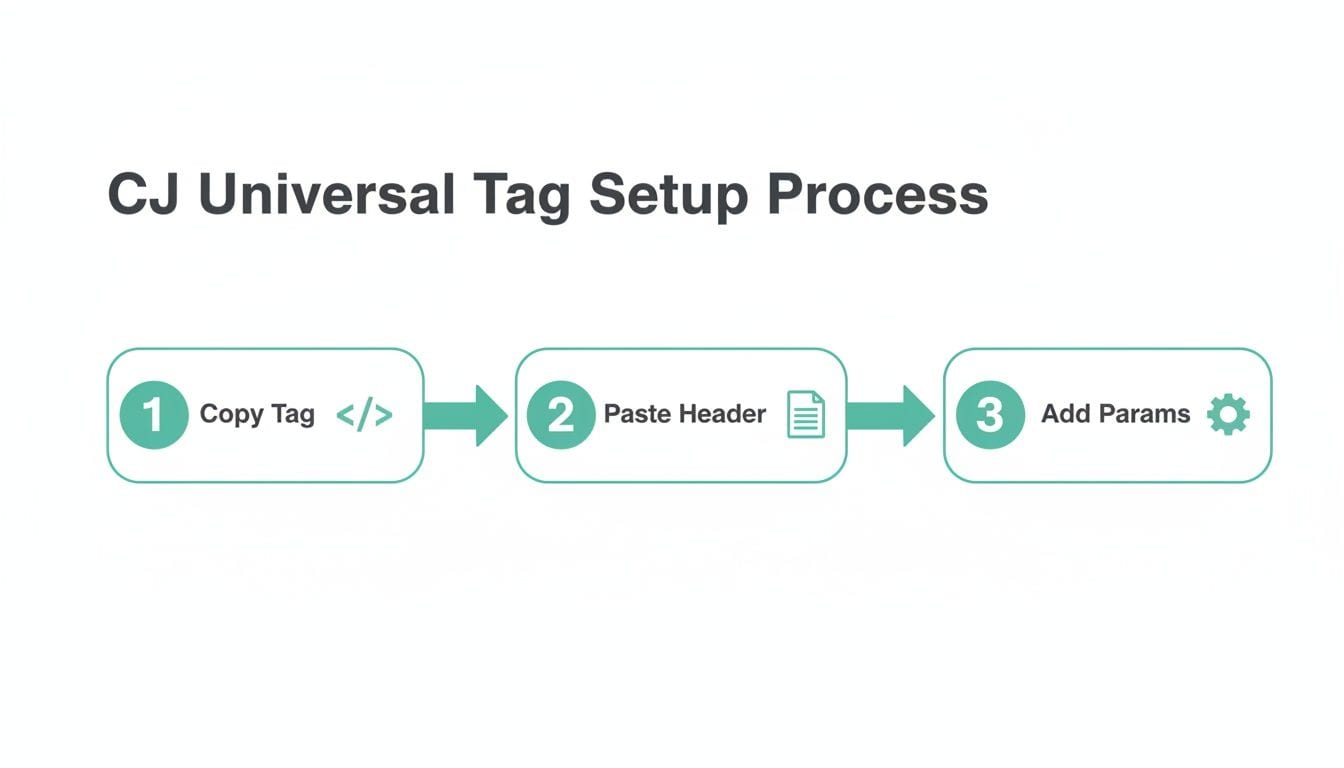
As you can see, the process always boils down to grabbing the code, putting it where it belongs, and adding the right parameters to make your Commission Junction tracking work.
The S2S Workflow From Click to Conversion
The journey starts the moment a user clicks a CJ affiliate link and arrives on your site. The landing page URL will have a critical parameter attached: cjevent. This unique ID is the linchpin that connects the initial click to the final purchase.
Your first task is to grab this cjevent value from the URL and store it immediately. You can hold onto it in a server-side session, a first-party cookie, or your own database—whatever works for your stack—as long as it’s tied to that specific user's session.
This is the single most important step. If you don't capture and persist the
cjeventID, you'll have no way to attribute the sale later. A common mistake I see is teams only looking for the parameter on the very first page the user hits. But what if they browse around before buying? Your logic has to keep that ID alive for the entire session.
Once the user completes a purchase, your backend springs into action. Instead of a browser pixel firing, your server builds a postback URL. This URL will contain the cjevent you stored, plus all the necessary transaction details like the order ID, item SKUs, prices, and quantities. Your server then makes a secure HTTP request to CJ's S2S endpoint, and just like that, the attribution is complete.
Essential Security and Validation Practices
Because you’re dealing with sensitive transaction data and hitting an API directly, security isn't optional. Your CJ API credentials should never, ever be exposed in client-side code. All your S2S postback requests must originate from your secure backend environment. Period.
Here are a few best practices to bake into your implementation:
- Store API Credentials Securely: Use environment variables or a dedicated secrets management service for your CJ API keys. Don’t even think about hardcoding them in your source code.
- Validate Incoming Data: Before you even think about making the postback call, validate all transaction data on your server. Make sure the order ID is unique, the amounts are correct, and all required fields are there.
- Implement Error Handling and Logging: What happens if the call to CJ fails? Your code needs to be ready. Implement retry logic (ideally with exponential backoff) and set up robust logging to alert you to any failures, whether it's a network timeout or an authentication error.
Troubleshooting Common S2S Headaches
Even with a flawless setup, things can go wrong. The most frequent culprit I run into is a missing cjevent. This often happens when on-site redirects accidentally strip URL parameters. Always audit your redirect rules to make sure they're configured to preserve query strings.
Another common issue is an authentication failure. If you see 401 Unauthorized or 403 Forbidden responses from CJ's endpoint in your server logs, it’s almost always due to incorrect or expired API credentials.
By adopting a server-first mindset for attribution, you build an affiliate program that’s far more durable and trustworthy. You get the confidence that your Commission Junction tracking is actually capturing every conversion, every time. If you want to dig deeper into this topic, check out our guide on the broader benefits of server-side tracking.
Alright, let's get your Commission Junction tracking validated. Setting it up is one thing, but making sure it actually works is a whole different ballgame.
Launching your affiliate program without testing your tracking is like flying blind—you’re risking lost commissions and angry partners without even knowing it. This is where a solid debugging and validation process becomes completely non-negotiable.
You have to move past just hoping it works. Manual checks are always your first line of defense, giving you a quick, hands-on way to spot any glaring issues. The good news is these initial tests don't require any fancy tools, just your browser and a little bit of know-how.
Starting with Manual Checks
The first thing I always do is a simple test transaction. Commission Junction provides a "Test-Mode" link right in your advertiser dashboard that simulates an affiliate click. Use that link, go through your site's purchase flow, and complete a small test order. Then, head over to your CJ reporting. If that transaction shows up, you’ve at least confirmed the basic connection is working.
Now, it’s time to dig a little deeper with your browser's developer tools. Go to your order confirmation page, open the "Network" tab, and filter for requests containing "cj" or "emj." This will show you if the tracking pixel is even trying to talk to CJ's servers.
- Check the Status: The network request should have a
200status code. If you're seeing a4xxor5xxerror, something is fundamentally broken with how the request is being made. - Inspect the Payload: Look at the actual data being sent. Are all the required parameters like
orderId,amount, andcurrencythere? Are they formatted correctly? A single misplaced quote or an incorrect variable name can cause the entire tracking call to fail silently.
A common pitfall is seeing the pixel fire and assuming everything is fine. I've lost count of how many times I've seen a pixel sending an empty
orderIdor a0.00amount for every single transaction. This is a total tracking failure that you'll only catch by actually inspecting the payload.
The Limits of Manual Testing
While essential, manual checks simply aren't enough. They only confirm that tracking worked for your specific test, on your browser, at that single moment in time. What about other browsers? Or what happens when a developer pushes an update to your checkout page? Manual testing just can't scale to cover every possibility.
The need for reliable, real-time data has always been at the heart of CJ's value proposition. Even back in the early 2000s, CJ was already serving 5 billion impressions monthly by giving advertisers and publishers real-time performance data—a massive leap forward at the time. You can read more about how their early focus on performance metrics shaped the industry on MediaPost. This history just goes to show why continuous, automated validation is more critical than ever today.
Achieving Automated Observability
The only truly reliable way to ensure your Commission Junction tracking is always working is with automated observability. This is where a platform like Trackingplan comes in. Instead of you having to hunt down errors, the errors come directly to you.
Once you have it set up, Trackingplan automatically discovers your entire analytics implementation, including your CJ tracking. From there, it monitors every single tracking pixel and server-side event, 24/7. It essentially becomes your always-on QA team for all things data.
Imagine this very real scenario: your team pushes a site update on a Friday afternoon. Unbeknownst to anyone, a small code change breaks the variable that populates the orderId in your CJ pixel. Manual tests would almost certainly miss this unless you happened to run one at the exact right moment.
With an observability platform, you'd get an alert in Slack or by email within minutes: "Critical Error: Missing 'orderId' property in CJ trackTransaction event." The alert would show you exactly when the issue started, which pages were affected, and even provide the root-cause analysis needed to fix it fast.
This saves you from a weekend of lost commissions and the massive headache of trying to reconcile bad data later. You can finally stop reacting to data problems and start preventing them before they ever impact your revenue.
Connecting CJ Data with Your Analytics Stack

Commission Junction's native reporting is a good starting point, but the real magic happens when you pipe that data into your own analytics ecosystem. By integrating Commission Junction tracking data with tools like Google Analytics 4 (GA4) or Amplitude, you can finally see how your affiliate channel performs in the context of your entire marketing mix.
This integration is what lets you move beyond simple last-click attribution. Suddenly, you can build a complete picture of the customer journey, measure the lifetime value of customers from CJ, and create unified dashboards that tell the whole performance story.
From Click to Capture: Grabbing CJ Parameters
The whole process kicks off the second a user lands on your site from a CJ affiliate link. That URL is packed with valuable query parameters, but the most critical ones are cjevent for S2S tracking and PID (or PublisherID) for identifying the affiliate partner.
Your first job is to reliably capture these parameters the moment they hit your landing page. A simple script can parse the URL and stash these values in first-party cookies or session storage. This is a crucial step because it makes sure the original affiliate source data sticks around, even if the user browses multiple pages before converting.
Think about a common scenario: a user clicks an affiliate link to a blog post, reads it, browses a few product pages, and then finally makes a purchase. By storing that initial PID, you can correctly attribute the final sale back to the affiliate who sent them, even if the conversion happens several pages and minutes later.
Mapping CJ Data to GA4 Custom Dimensions
Once you've got the CJ parameters saved, it's time to send them to your analytics platform. In Google Analytics 4, the right way to do this is with custom dimensions. These allow you to send and analyze specific data points that GA4 doesn’t collect out of the box.
You’ll want to configure event-scoped custom dimensions for the key affiliate details. We recommend setting up:
- affiliate_publisher_id: To store the CJ
PID. - affiliate_campaign: For capturing any campaign-specific identifiers you're using.
- affiliate_source: A simple label like "CJ" to identify the traffic source.
With these custom dimensions configured in GA4, you can then update your event tags (like purchase or add_to_cart). When a conversion fires, your tag will read the CJ values from the cookie and pass them along with the event, enriching your entire dataset.
This simple setup lets you build incredibly powerful reports right inside GA4. For example, you can create an "Explore" report that segments total revenue by your new
affiliate_publisher_iddimension. Instantly, you'll see which partners are driving real value and which ones are falling behind.
Building Out Comprehensive Performance Dashboards
With CJ data now flowing into your primary analytics stack, you're no longer stuck with the limitations of CJ's native reports. You can now build powerful, cross-channel dashboards in tools like Looker Studio, Tableau, or whatever BI platform your team uses. These dashboards can visualize the complete user journey, from the initial affiliate click all the way to lifetime value.
Since its founding in 1998, Commission Junction has been a titan in tracking, raising $50M in funding before a series of acquisitions. By 2002, it had even absorbed competitor beFree, consolidating tracking technology. This long history underscores a persistent challenge for modern tech teams: a single broken pixel or misconfiguration can silently kill your tracking. Connecting CJ with your analytics is one of the best ways to spot these issues. You can learn more about the company's evolution and its impact on affiliate tracking.
Blending affiliate data with your core business metrics opens up a whole new level of insight. You can directly compare affiliate conversion rates against paid search or organic, track customer cohorts by acquisition source, and get a true read on your program's profitability. For a deeper look at creating a unified view, check out how you can integrate various affiliate marketing tools with an observability platform.
Even with a flawless setup, hitting a few snags with Commission Junction tracking is just part of the game. Affiliate marketing pros know that questions are inevitable, whether you're trying to make sense of attribution models or figuring out why a batch of sales suddenly went missing.
Getting quick, clear answers is what separates a well-oiled affiliate program from one that constantly leaks revenue. Let's walk through some of the most common hurdles I see teams face and how to clear them.
What Is the Difference Between Client-Side and Server-Side CJ Tracking?
This question comes up a lot, and the answer gets to the heart of tracking reliability. The two methods work very differently.
Client-side tracking is the more traditional approach, using the CJ Universal Tag. This is a JavaScript snippet that runs directly in the user's browser to gather and transmit conversion details. It’s generally easier to get up and running, especially if you're using a tag manager, which makes it a go-to for many advertisers. The major drawback? It's exposed and vulnerable to ad blockers, browser privacy features like ITP, and simple network hiccups that can stop the tag from ever firing.
Server-side tracking (S2S), on the other hand, is the modern, much more durable solution. With S2S, your server communicates conversion data directly to CJ’s server, completely sidestepping the user's browser for that final, crucial attribution step. This makes it bulletproof against ad blockers and client-side script issues. It definitely requires more upfront development work, but S2S is hands-down the gold standard for accurate and reliable affiliate attribution today.
Why Aren't My Conversions Showing Up in CJ?
This is the one that causes the most panic, and for good reason. If you see sales on your end but nothing in your CJ dashboard, you need to act fast. There are a few usual suspects I always check first.
Start with the absolute basics. Open your browser's developer tools on your order confirmation page and watch the network requests. Do you see a call to a Commission Junction domain? It should return a clean 200 status code. If that request is missing or red, your tag isn't implemented correctly or isn't firing at all.
If the pixel is firing, the next step is to inspect the payload. A tag can fire perfectly but send garbage data. Dig into the request and make sure essential parameters like orderId, amount, and currency are actually populated with real, dynamic values from the purchase. If you’re using S2S, your first stop should always be your server logs to confirm that the postback request to CJ is being sent and isn’t throwing an error.
An observability platform is your best friend here. Instead of manually hunting for problems after the fact, a tool like Trackingplan can automatically alert you the moment a parameter goes missing or a pixel breaks, letting you fix the issue before it causes significant data loss.
How Do I Properly Test My CJ Tracking Setup?
"Hope for the best" is not a testing strategy. Rigorous testing is non-negotiable before you go live. Luckily, CJ gives you a "Test-Mode" link right in your advertiser dashboard to make this easier.
Your first test should be an end-to-end run.
- Use the provided test link to simulate a click from an affiliate.
- Navigate your site and complete a real test purchase.
- Wait a few minutes and check your CJ reporting to see if the test transaction appears.
This confirms the basic connection is sound. For more advanced validation, you can add sub-IDs to your test links to make sure those custom parameters are being captured correctly.
A single manual test only proves it worked once. For ongoing peace of mind, automated validation is the only real answer. A dedicated QA platform can monitor your Commission Junction tracking on every single transaction, verifying that the pixel not only fires but that every piece of data attached to it is accurate and complete. This is how you catch the subtle, intermittent errors that manual tests almost always miss.
Can I Use Google Tag Manager for CJ Tracking?
Absolutely—in fact, you really should. Deploying your CJ Universal Tag through Google Tag Manager (GTM) is a modern best practice. It separates your marketing tags from your website's source code, which makes everything cleaner and easier to manage.
A common setup is to use a Custom HTML tag for the main CJ script and a second one that fires only on the confirmation page with the transaction details.
The key to making this work smoothly is to use GTM's data layer. Your e-commerce platform should push all the order details—like the order ID, item SKUs, and prices—to the data layer when a purchase is complete. GTM can then grab those values with data layer variables and inject them directly into your CJ tag just before it fires. This approach makes your entire setup more scalable, manageable, and far easier to debug.
Don't let tracking errors silently drain your affiliate revenue. With Trackingplan, you get a single source of truth for your entire analytics setup. Our platform automatically discovers and monitors your Commission Junction implementation 24/7, sending real-time alerts for broken pixels, schema errors, and missing parameters. Stop reacting to bad data and start preventing it. Sign up for Trackingplan today and ensure your affiliate program is built on a foundation of trust and accuracy.