
Broken pixels are silent budget killers. When a conversion pixel misfires or stops loading entirely, your ad platform keeps spending while your reporting goes dark, leaving you optimizing campaigns against incomplete data. The result is wasted spend, skewed attribution, and decisions built on a foundation of noise. A structured pixel audit fixes that. This guide walks you through every stage, from pre-audit preparation to advanced automation, so you can build the kind of clean, reliable tracking that actually supports confident decision-making. As continuous automated monitoring shows, manual audits catch errors but scale poorly without a systematic approach.
Key Takeaways
- Pixel audits prevent data lossRoutine audits catch issues before they waste budget or skew reports
- Use the right toolsLeverage extensions, GTM Preview, and an event inventory for complete coverage
- Watch for cross-device issues
- Test events in multiple browsers and devices to prevent blind spots.
- Automate and monitor
- Manual checks are essential, but continuous monitoring helps catch issues early.
- Stay privacy compliantRegularly review event parameters, consent, and PII handling to avoid penalties.
Why auditing marketing pixels matters
Pixel errors are rarely obvious. A tag fires on the wrong page, a purchase event duplicates, or a parameter passes the wrong value. None of these trigger a visible error on your site, but all of them corrupt your data. The downstream effects are serious: inflated conversion counts, broken attribution models, and ad algorithms optimizing toward phantom signals.
The business risks go beyond reporting accuracy. Wasted ad spend compounds quickly when your bidding strategy feeds on bad data. Attribution inconsistencies make it impossible to know which channels actually drive revenue. And if pixels collect personally identifiable information without proper consent, you face regulatory exposure under GDPR and CCPA.
Understanding why pixel tracking matters is the first step. The reward for getting it right is significant. Clean pixel data means your ad platforms optimize against real signals, your attribution reflects actual customer journeys, and your ROI-boosting audits surface the channels worth scaling.
Key risks to audit for include:
- Duplicate events inflating conversion counts and distorting ROAS
- Missing events on key pages like checkout confirmation or lead form submission
- Incorrect parameters passing wrong values for revenue, currency, or product ID
- Multiple pixel instances creating redundant or conflicting data
- Data mismatches between your pixel reports and GA4 or backend records
As a benchmark, audit for duplicates, missing events, and parameter errors by comparing event volumes across PageView and Purchase events against your source of truth.
The server-side gap is real. Server-side tracking recovers 20-40% of conversions lost to ad blockers, iOS ATT restrictions, and bot traffic. If you rely solely on browser-based pixels, you are likely underreporting.
Pre-audit preparation: what you need
A pixel audit without the right tools and documentation is just guesswork. Before you open a single browser tab, gather everything you need to run a complete, structured review.
Required tools and access:
- Browser extensions: Facebook Pixel Helper, Google Tag Assistant, and Meta Pixel Helper
- Admin access to Google Tag Manager, Meta Events Manager, and GA4
- GTM container export or tag inventory
- Consent management platform (CMP) configuration documentation
- Your event tracking specification or schema document
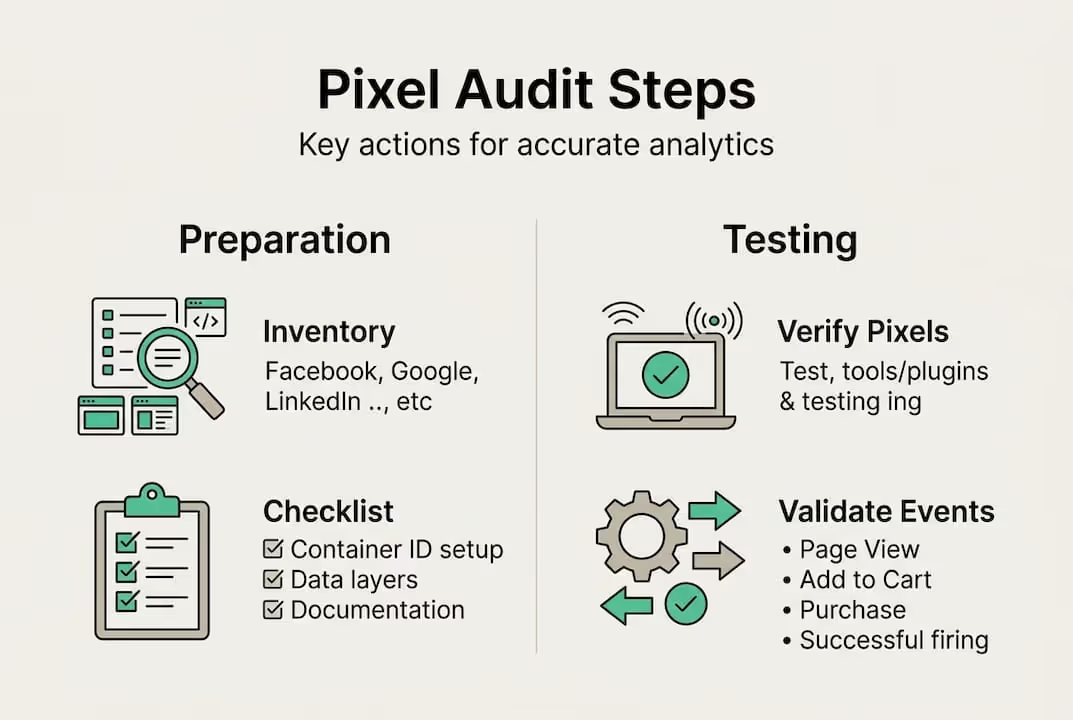
Pixel and event inventory:
Create an inventory of all pixels, their owners, and the events each one is supposed to track. This becomes your audit checklist and your reference point for every discrepancy you find.
Also pull your campaign tracking checklist and review your auditing tools to confirm you have coverage across cookie categories and consent states.
Pro Tip: Document your expected event schema before you start testing. If you know what a correct Purchase event looks like, including all required parameters and their expected value types, you can spot deviations instantly instead of second-guessing during the audit.
Step-by-step: How to audit your marketing pixels
With your tools and inventory ready, work through these steps methodically. Skipping steps is where errors hide.
- Record your baseline. Pull current event counts from Meta Events Manager and GA4 for the past 30 days. Note PageView, AddToCart, InitiateCheckout, and Purchase volumes. These numbers are your comparison point.
- Install and activate your browser extensions. Open Facebook Pixel Helper and Google Tag Assistant in Chrome. Navigate to your homepage, a product page, a cart page, and your order confirmation page.
- Verify pixel firing on key user actions. Add a product to cart, proceed through checkout, and complete a test purchase. Confirm each expected event fires exactly once with the correct parameters.
- Use GTM Preview Mode. Google Tag Manager Preview Mode lets you test tags, triggers, and variables in real time without publishing changes. Use it to confirm trigger conditions match your intended logic.
- Check standard and custom event parameters. For each event, verify that parameters like "value
,currency,content_ids, andevent_id` pass the correct data types and values. A Purchase event with a null revenue value is worse than no event at all. - Compare event volumes against GA4 and backend records. Audit for duplicates and missing events by comparing pixel-reported Purchase counts against your order management system. A 10% or greater discrepancy warrants investigation.
- Test across devices and browsers. Run the same user journey on mobile Safari, Chrome on Android, and Firefox. Consent blocking and browser-level restrictions behave differently across environments.
Pro Tip: When testing tracking Facebook Ads events, always use a real browser session rather than incognito mode. Some consent and cookie behaviors differ in private browsing, which can mask real-world issues.
Common pixel audit mistakes and how to fix them
Even experienced analytics teams make these errors. Knowing them in advance saves hours of troubleshooting.

Missing key events. Teams often instrument homepage and purchase events but skip AddToCart or InitiateCheckout. These mid-funnel events are critical for audience building and bidding optimization. Map every step of your conversion funnel and confirm each has a corresponding pixel event.
Duplicate event firing. This happens when both a hardcoded pixel and a GTM tag fire the same event. The fix is to implement deduplication with event_id for any hybrid pixel and Conversions API setup. Without it, your reported conversions can be double what actually occurred.
Untested parameters. A tag that fires is not the same as a tag that fires correctly. Always validate parameter values, not just event names.
Regional and device blind spots. Test cross-browser and cross-device, including consent blocking scenarios and ad blocker behavior. A pixel that works perfectly on desktop Chrome may fail silently on mobile Safari due to ITP restrictions.
PII leaks and consent failures. Check your audit checklist for any events passing email addresses, phone numbers, or other personal data in plain text. This is both a compliance risk and a data quality issue.
- Audit UTM parameters for PII contamination in URL strings
- Verify your CMP blocks pixels before consent is granted
- Confirm Shopify checkout domain events fire correctly on custom domains
Advanced practices: Automation, server-side, and compliance
Once your manual audit is complete, the goal is to never need a full manual audit again. That means building systems that catch issues automatically.
Continuous monitoring over spot checks. Manual audits scale poorly when your site changes frequently. Automated monitoring tools watch your pixel health in real time and alert you when event volumes drop, parameters change, or new tags appear unexpectedly.
Hybrid pixel and CAPI deduplication. Running browser pixels alongside Conversions API is best practice, but only if you deduplicate correctly. Use a consistent event_id across both channels. Without it, you inflate conversion counts and confuse your ad platform’s algorithm.
Server-side event tracking. Server-side tracking recovers 20-40% of conversions lost to blockers and privacy restrictions. Aim for a Meta Event Match Quality score of 8.0 or higher to maximize the value of your server-side signals.
Privacy is not optional. Non-compliant pixels risk fines under GDPR and CCPA. Audit your consent modes, check for PII in event payloads, and confirm your CMP correctly categorizes and blocks marketing pixels before user consent.
Key advanced practices to implement:
- Set up automated alerts for event volume drops greater than 15%
- Schedule quarterly full audits and supplement with real-time monitoring
- Validate server-side tracking accuracy by comparing CAPI event counts against browser pixel counts
- Run privacy audits alongside technical audits to catch consent configuration drift
How Trackingplan helps you master pixel auditing
Manual pixel audits are a starting point, not a long-term strategy. As your site evolves and your Martech stack grows, the complexity of keeping every pixel accurate multiplies fast.
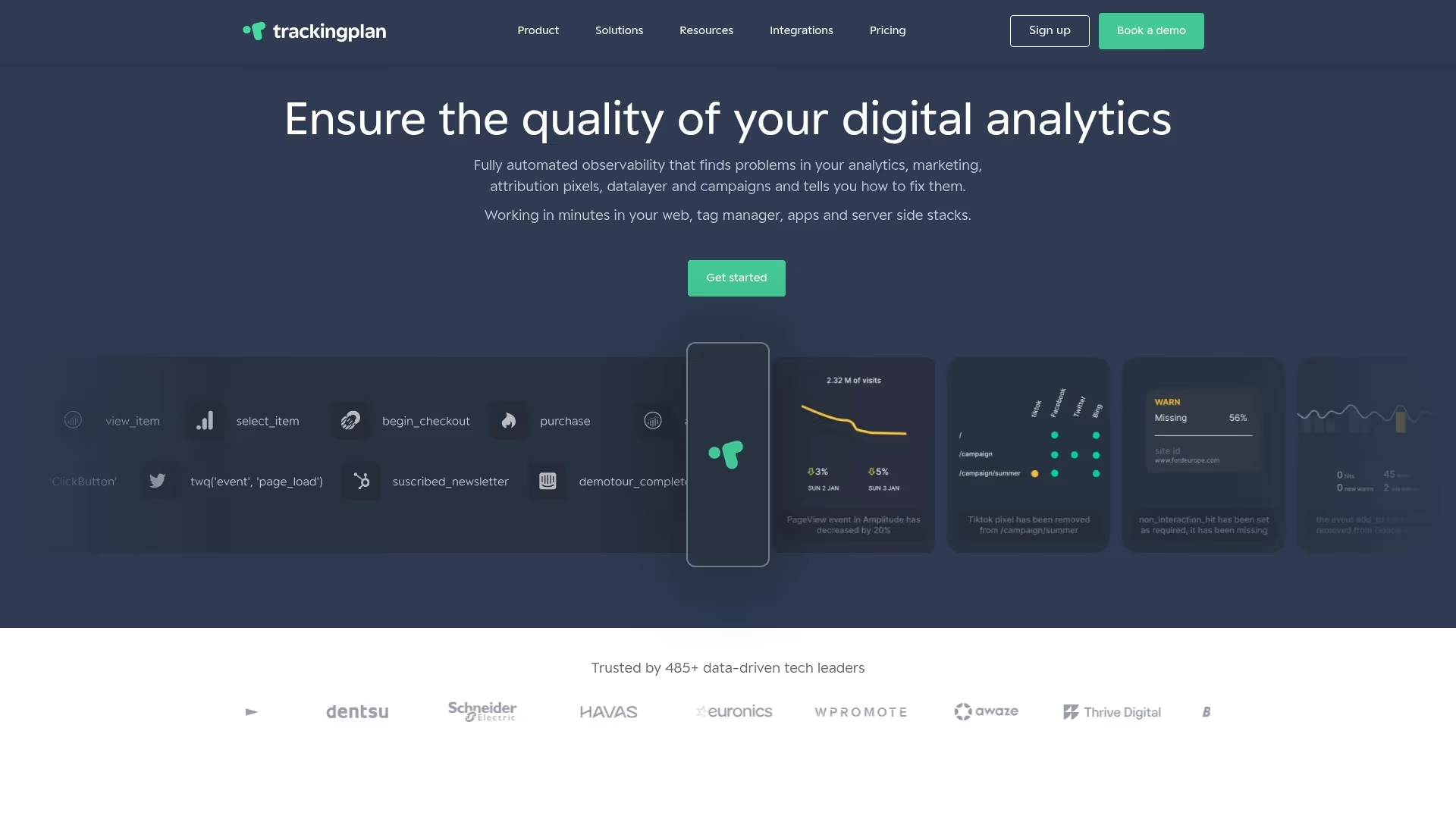
Trackingplan automates the work that makes pixel auditing so time-consuming. The platform continuously monitors your digital analytics tools and sends real-time alerts via Slack, email, or Teams the moment an event drops, a parameter changes, or a new tag appears without documentation. You get a one-click event inventory, health scoring across your entire tracking implementation, deduplication recommendations for hybrid pixel and CAPI setups, and built-in privacy compliance checks through the privacy hub. Instead of running a manual audit every quarter and hoping nothing breaks in between, Trackingplan gives your team continuous visibility into pixel quality so you can catch issues in hours, not weeks.
Frequently asked questions
What are the most common pixel audit errors?
Duplicate events, missing events, and incorrect parameters are the most frequent issues, often compounded by data mismatches caused by attribution window differences between platforms.
How often should I audit my marketing pixels?
Run a full audit quarterly and after any major site or campaign change. Automated monitoring fills the gaps between scheduled audits to catch issues before they compound.
What tools help test if pixels fire correctly?
Browser extensions like Facebook Pixel Helper and Google Tag Assistant are the fastest way to verify pixel firing and parameter values directly in your browser.
How do I resolve mismatches between pixel events and Google Analytics?
Cross-validate event counts and parameter values, then investigate attribution windows. Data mismatches often stem from window differences rather than outright tracking failures, so check your lookback settings before assuming a technical break.
What privacy risks are associated with marketing pixels?
Pixels that collect PII without proper consent or that fire before a user opts in create regulatory exposure. Non-compliant pixels risk fines under GDPR and CCPA, making consent configuration a core part of every pixel audit.