
Your agency stack probably didn't break all at once. It got crowded. A reporting tool here, a social scheduler there, a CRM someone insisted on, a spreadsheet that became “temporary infrastructure,” and now every monthly review depends on exports, patches, and manual checks nobody wants to own.
That's the fundamental buying context for software for marketing agencies in 2026. Many teams aren't shopping for one magical platform. They're trying to decide which layer deserves consolidation, which layer needs specialization, and where bad data is undermining everything else. That last part matters more than most buyers admit. When attribution is off, UTMs drift, pixels stop firing, or consent changes block events, the reporting stack still looks polished. It's just wrong.
This market is getting bigger, not simpler. The global digital advertising and marketing market is projected to reach $1.1 trillion by 2030, up from $532.2 billion in 2023, according to DesignRush's marketing statistics roundup. In parallel, the digital marketing software market was valued at USD 75.34 billion in 2024 and is projected to reach USD 321.77 billion by 2033, with North America holding a 44.3% revenue share in 2024, according to Grand View Research's digital marketing software market analysis.
That growth creates more options, but also more ways to build a fragile stack.
The list below is organized by agency function, not hype. You'll see familiar platforms for CRM, SEO, social, reporting, ETL, call attribution, and operations. You'll also see a category many agencies still treat as optional: analytics QA and observability. It isn't optional. If the data layer is unstable, every dashboard above it turns into client-facing theater.
1. Trackingplan
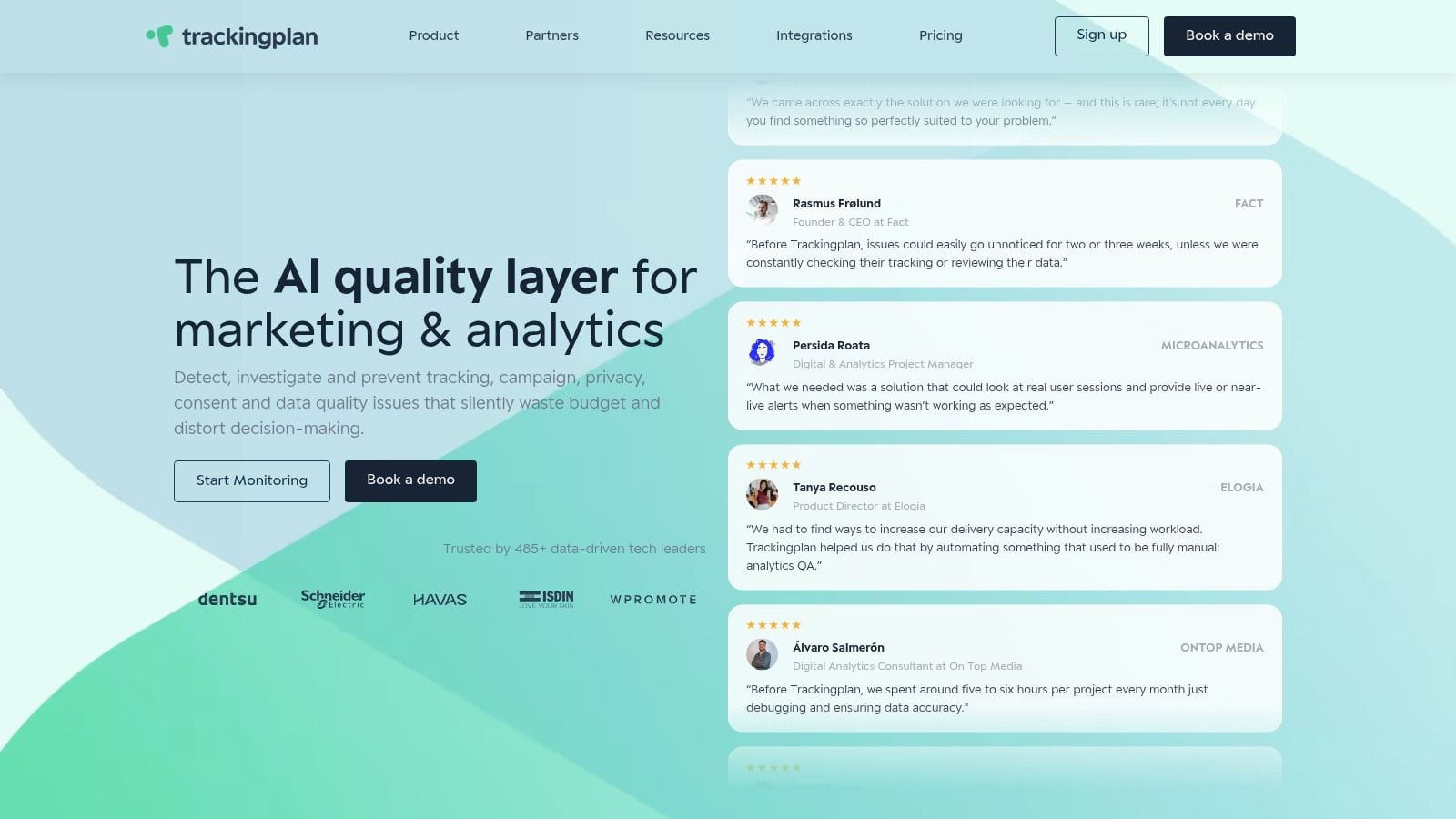
Most agency software helps you work with marketing data after collection. Trackingplan sits earlier in the chain and checks whether the data should be trusted in the first place. That's why it stands out.
Tracking failures happen after front-end changes, consent updates, or tag edits, and Trackingplan's platform is built to detect those issues in real time before broken data reaches reports. For agencies, that's a practical difference, not a philosophical one. You don't want to discover a missing purchase event during a client QBR.
Where it fits in an agency stack
Trackingplan is best thought of as an always-on QA and observability layer across web, app, and server-side tracking. It automatically discovers tracking from real traffic, maps events and destinations, and keeps watching after launch. That matters because static tagging docs usually drift out of date the moment releases speed up.
A strong tracking plan is still foundational. As Avo explains in its guide to tracking plans, the tracking plan should serve as the central document that standardizes events and properties, defines code placement, and records the business reasoning behind each event. Trackingplan complements that discipline by monitoring whether reality still matches the intended implementation.
For agencies specifically, the Trackingplan for agencies page is worth reviewing because the product's value becomes clearer in multi-client environments. One broken tag on one site is a nuisance. Repeated silent failures across many accounts become an operational tax.
Practical rule: Reporting software tells you what happened. Observability software tells you whether what happened was measured correctly.
Here's where Trackingplan is unusually strong:
- Automatic discovery: It learns from real traffic, which reduces the setup burden compared with tools that require heavy manual event mapping first.
- Real-time alerting: It can notify teams through Slack, email, or Teams when events break, parameters disappear, or traffic behaves abnormally.
- Privacy checks: It also watches consent and potential PII exposure, which is useful for agencies juggling multiple implementations and governance standards.
Trade-offs that are worth knowing
The big upside is coverage without brittle manual QA. According to Trackingplan's Capterra profile, the platform validates every data point in real time, automatically discovers measurement plans from traffic without manual configuration, and sends anomaly alerts through Slack, email, or Teams.
The main limitation is speed of map completeness on low-traffic properties. If a site doesn't generate much activity, it can take longer before the platform has observed enough real behavior to show the full picture. Pricing is another area where you'll likely need a conversation rather than a simple self-serve calculation, though GetApp lists an agency-specific Trackingplan price of $299 per month, separate from the standard enterprise tier.
If your agency is already good at reporting but still reactive on tracking issues, this is one of the few tools on the market that addresses the actual root problem.
If you'd like to see the product in action, Trackingplan also publishes walkthroughs and product explainers on its YouTube channel.
2. HubSpot Marketing Hub
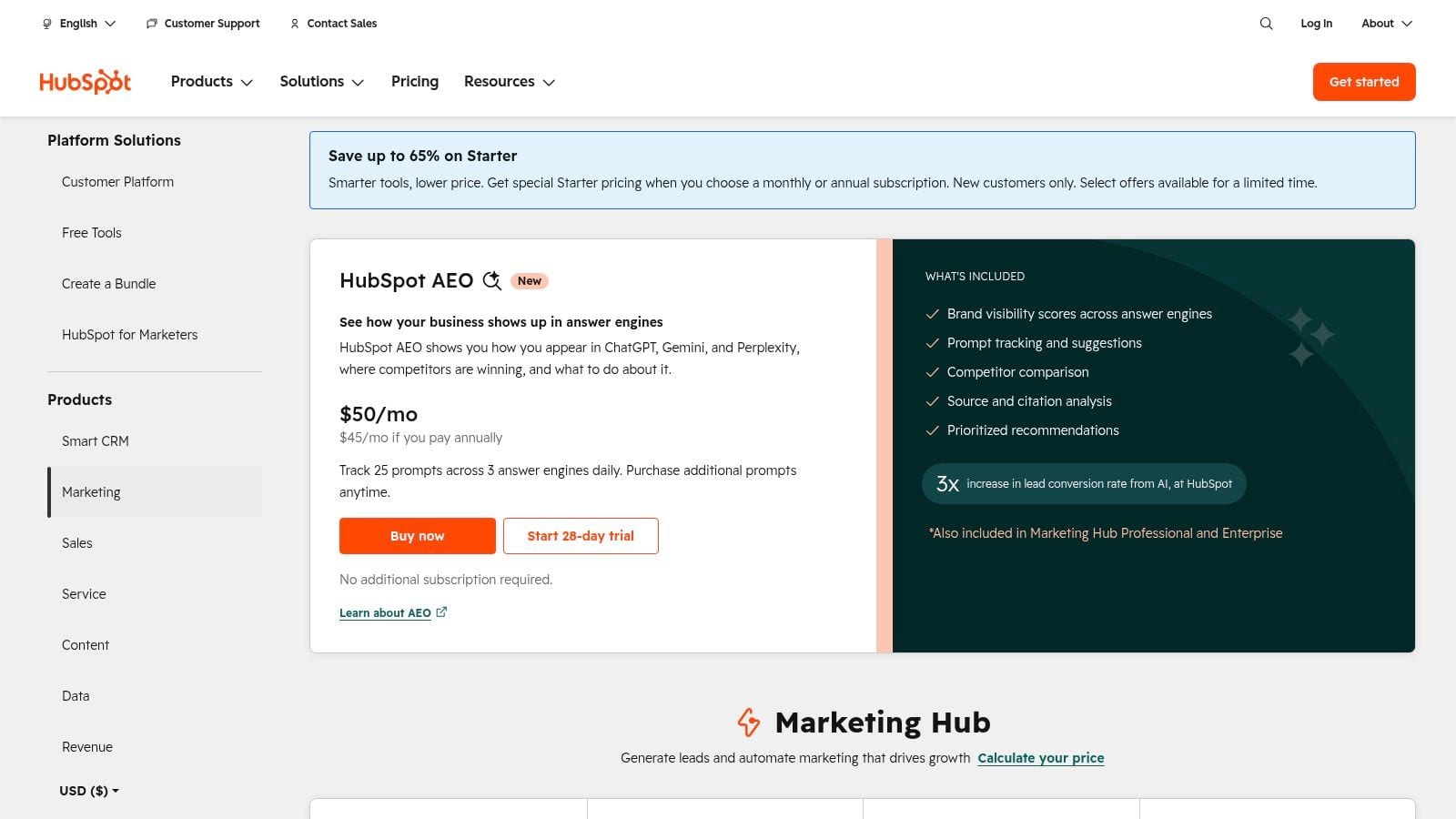
HubSpot Marketing Hub works best when your agency is delivering lead generation, lifecycle automation, landing pages, email, and CRM-connected reporting as one service line. If that's your model, fewer handoffs happen between tools, and account teams can manage more of the funnel in one place.
The appeal for agencies is straightforward. HubSpot reduces stack sprawl for retainer work. Campaign execution, contact data, nurture flows, forms, and reporting live in the same environment, which usually makes onboarding and governance easier than stitching together separate point solutions.
Where HubSpot earns its keep
HubSpot is strongest when clients want one platform that marketing and sales can both understand. Agencies that build inbound systems, manage CRM hygiene, and run ongoing email programs usually get the most value.
The other reason it's relevant now is AI workflow support. According to Digital Applied's AI marketing agency tools guide for 2025, 88% of marketers reported using AI daily in 2025, and that same source notes the AI marketing industry reached $47.32 billion. In practice, that makes unified records and clean segmentation more important, because AI features are only as useful as the customer data underneath them.
Cleaner CRM structure beats more automation. Agencies that skip naming discipline and lifecycle governance usually end up debugging their own automations.
The trade-offs
HubSpot isn't cheap once you move into tiers that serious agencies usually need. Contact-based pricing can also complicate scoping if a client's database grows faster than expected. That's not a reason to avoid it. It just means your retainers need clear assumptions around contacts, workflows, and reporting demands.
I'd shortlist HubSpot when your agency owns both execution and system design. I'd skip it when clients already have a firmly embedded CRM and you mainly need cross-channel reporting or channel-specific performance tooling.
For platform details and current plans, use HubSpot Marketing Hub pricing.
3. Semrush (Semrush One)
Semrush is still one of the easiest tools to justify when search is a serious agency service line. It covers classic SEO work well, but the newer reason agencies keep it in the stack is broader visibility across search, content, competitive research, and AI answer environments.
For agencies with multiple SEO retainers, that breadth matters. You can move from keyword research to site audits to competitor analysis without sending strategists across three separate products.
What it's best at
Semrush works well for agencies that need one subscription to support technical SEO, content planning, backlink work, local visibility, and PPC-adjacent research. It's especially useful when clients expect regular competitive context, not just rankings.
The newer AI visibility angle is also relevant. Clients increasingly ask where they appear in AI-generated answers, not just in traditional SERPs. Semrush's expansion into that area makes it more useful for agencies that need to show search visibility in broader terms.
A practical pairing many agencies miss is search tooling plus campaign governance. If you're auditing performance from paid and organic channels together, campaign tagging discipline matters, making a tighter GA4 campaign tracking setup and analysis guide useful, because great keyword strategy won't rescue muddled attribution.
Where agencies get frustrated
The usual complaint is cost creep. Semrush can get expensive once you add seats and specialized toolkits. The packaging can also confuse buyers. If you're comparing Semrush One tiers against older plan labels or SEO-only expectations, pricing conversations get messy fast.
- Best fit: SEO-heavy agencies that need research depth and competitive context
- Watch for: Seat costs, add-ons, and plan confusion
- Less ideal for: Agencies that only need lightweight rank checks and occasional audits
Use Semrush One pricing for current plan details.
4. Sprout Social
Sprout Social is what I'd call a scale-friendly social management platform. Not the cheapest. Not the lightest. But if your agency handles publishing, engagement, approvals, and client-facing social reporting across a growing roster, Sprout often feels more mature than lower-cost alternatives.
Its biggest advantage isn't posting. Plenty of tools can post. It's the workflow layer around social that larger teams need.
Why agencies choose it
Sprout Social is strongest for agencies running social as an operational discipline, not just a content calendar. The unified inbox, collaboration features, analytics, and listening options make it useful when multiple people touch the same client account.
That matters because social reporting doesn't stop at vanity metrics anymore. Clients want faster responses, clearer reporting, and more context on what content is driving interaction. If you need a quick way to ground engagement conversations with clients, tools like the Insta Peeka engagement calculator can also help frame benchmarks outside the platform itself.
The real downside
Sprout's pricing tends to climb with team size because seat-based models hit agencies quickly. Lower tiers can also feel restrictive when you add more client profiles. That means Sprout is often best for agencies with social retainers large enough to justify dedicated workflows and reporting polish.
Social tools look interchangeable in demos. They don't feel interchangeable once approvals, inbox management, and client reporting all hit the same team in the same week.
For agencies with enterprise or upper-midmarket social clients, Sprout is often worth the premium. For smaller rosters with basic scheduling needs, it can be more platform than you need.
Current plans are on Sprout Social pricing.
5. AgencyAnalytics
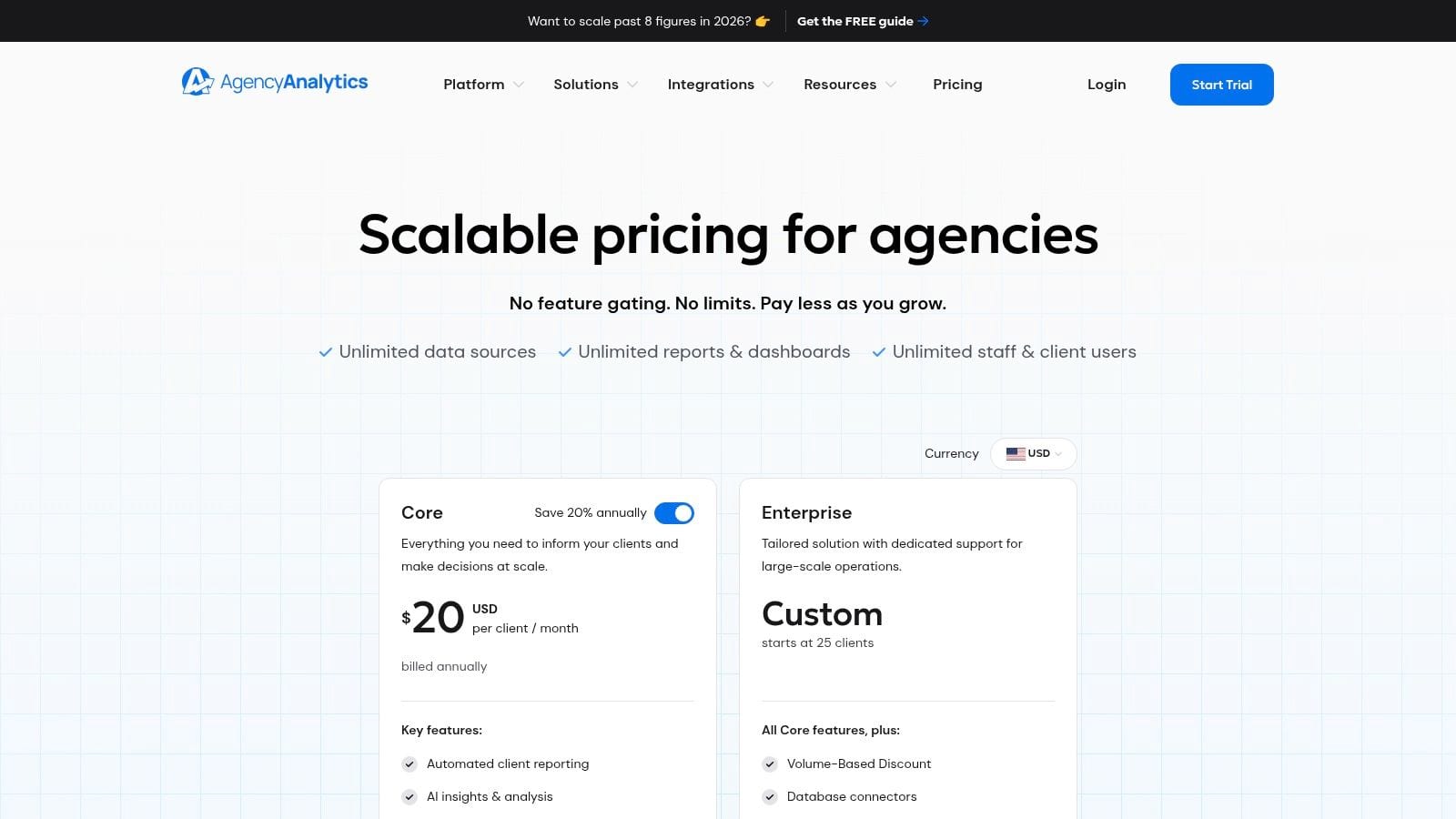
A common agency scenario looks like this. The team has delivery under control, but reporting still depends on exported CSVs, copied screenshots, and analysts cleaning the same metrics every month. AgencyAnalytics fits that phase well because it gives agencies a faster path to client-ready reporting without asking them to build a data stack first.
Its value is straightforward. Connect the usual marketing channels, push data into reusable dashboards, schedule reports, and give clients a branded portal they can read. For agencies serving many SMB and midmarket accounts, that usually matters more than advanced modeling.
Why agencies pick it
AgencyAnalytics is a practical fit for firms running SEO, PPC, social, and ecommerce programs across a broad client roster. Unlimited users remove a common agency headache. Account managers, specialists, and leadership can all access reports without turning seats into a budgeting debate.
Setup is also one of its better traits. Teams can standardize templates quickly, which helps when reporting quality is inconsistent across accounts or inherited from a messy process. I would put it in the "reporting operations" bucket, not the analytics engineering bucket, and that distinction helps set expectations early.
Where the trade-off shows up
AgencyAnalytics organizes and presents data well, but it does not verify whether the incoming data is correct. If conversion tracking breaks, UTMs drift, or a platform connector pulls incomplete data, the dashboard can still look polished while the numbers are wrong.
That is why agencies should treat Analytics QA and Observability as a separate function in the stack, not a nice-to-have buried under reporting. Clean dashboards do not fix bad inputs. Teams that want to avoid client-facing reporting mistakes should put data governance best practices in place before they standardize templates at scale.
For pricing and connectors, review AgencyAnalytics plans.
6. Supermetrics
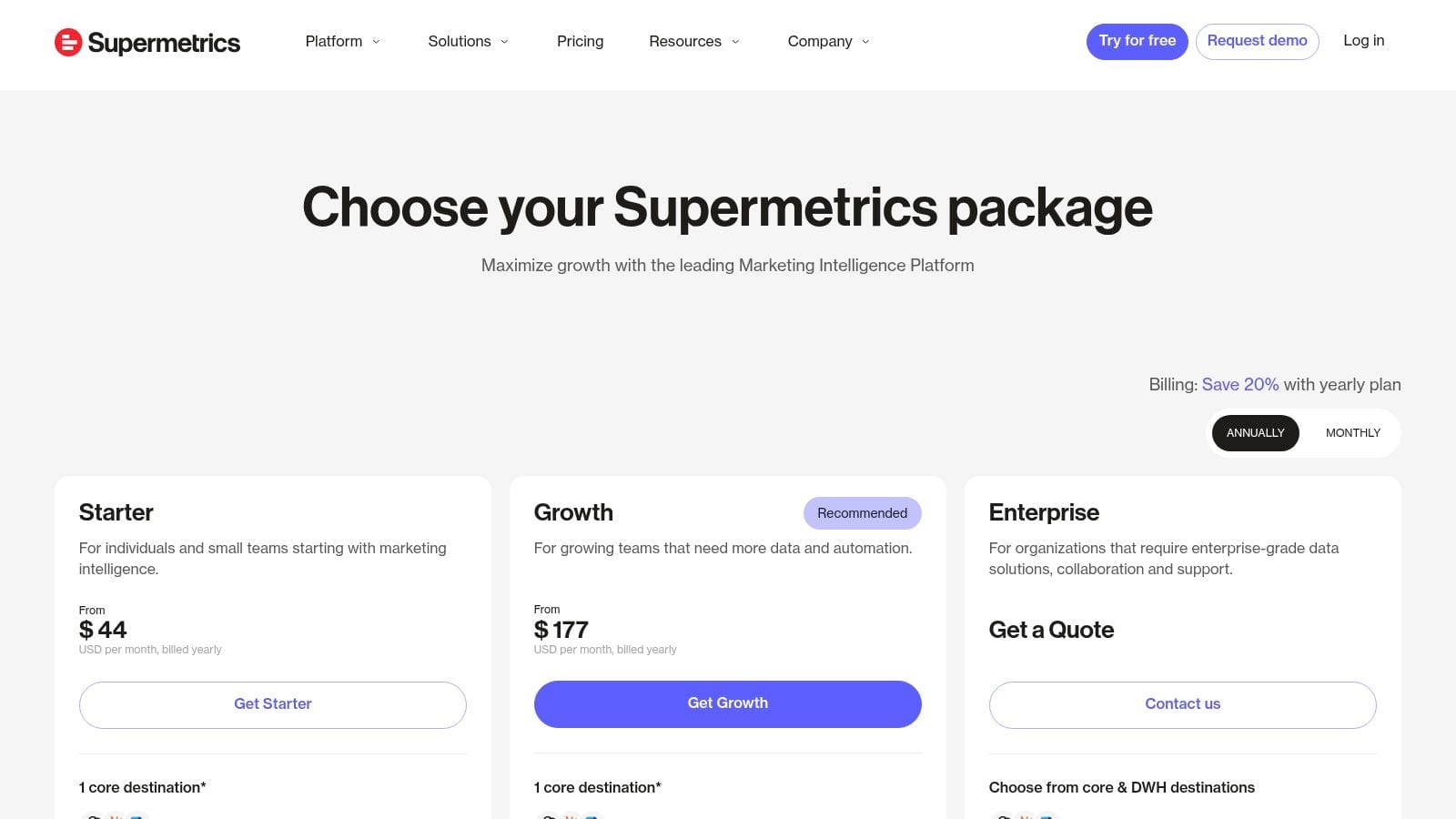
Supermetrics solves a very specific agency problem. You need data from ad platforms, analytics tools, and social channels in spreadsheets, BI tools, or dashboards without building custom API connections yourself.
That's why it remains useful. It doesn't pretend to be your entire stack. It's a connector layer, and for many agencies that's enough.
Where it shines
Supermetrics is a strong fit when your team already knows how it wants to report. Maybe you use Google Sheets, Looker Studio, Excel, Power BI, or a warehouse. Maybe your analysts have a reporting system they trust and just need reliable extraction from channel platforms.
That flexibility is the main attraction. Agencies can standardize templates while still letting analysts work in familiar environments. It's often the fastest route from fragmented source data to consistent multi-channel reporting.
As reporting complexity grows, governance becomes more important than connector count. If you're building on top of Sheets or distributed dashboards, data governance best practices matter because naming drift, inconsistent definitions, and undocumented transformations tend to multiply unnoticed.
The catch
Supermetrics is excellent at moving data. It's not the same thing as monitoring whether the source implementation is healthy, or harmonizing everything into a thoroughly governed model without more work from your team.
- Great for: Agencies with custom reporting workflows and analyst-led dashboard processes
- Less great for: Teams expecting one tool to solve extraction, transformation, QA, and client presentation at once
Use Supermetrics pricing to compare destination-based packages.
7. Improvado
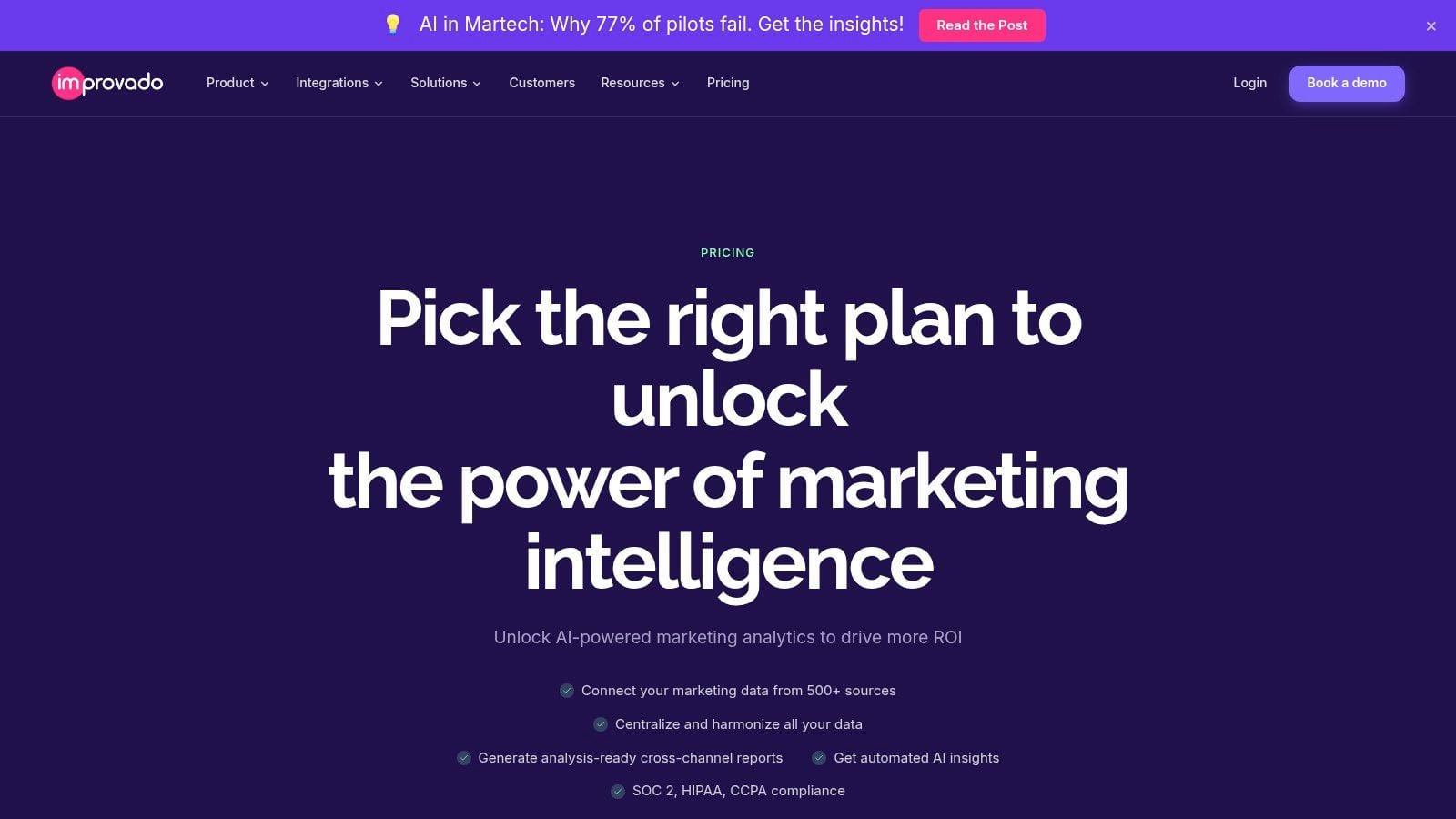
Improvado is what agencies buy when lightweight connectors stop being enough. If your team is managing large client portfolios, handling warehouse-based reporting, or standardizing data across many platforms, it belongs on the shortlist.
This is the enterprise side of software for marketing agencies. More infrastructure. More governance. Less “quick dashboard and done.”
Where it makes sense
Improvado is designed for high-scale marketing data operations. It offers more than 1,000 pre-built connectors, and custom integrations can be built within 2 to 4 weeks according to Improvado's agency software overview. That's useful when your clients don't all live inside the same ad stack.
The product is strongest when agencies need data moved into warehouses and normalized with a marketing-specific model. That helps when different clients use different channel mixes but leadership still wants roll-up reporting and consistent KPI definitions.
It also matters that agencies increasingly need integrated customer and marketing source data for advanced reporting. If you're connecting platform performance to CRM outcomes, ETL quality becomes part of service delivery, not just internal plumbing.
What to watch
Improvado is overkill for small agencies with simple reporting needs. It's quote-based, enterprise-oriented, and better suited to teams with operational maturity. If your current pain is mostly “we need cleaner monthly dashboards,” this is probably too much platform.
If your pain is “our analysts spend too much time stitching together fragmented enterprise client data,” then it starts to make more sense.
A useful companion consideration here is downstream validation. Warehouse delivery is only part of the picture. The Trackingplan integrations directory is useful if you want to see how observability can sit alongside common analytics and marketing tools rather than replacing them.
Review current options on Improvado pricing.
8. CallRail
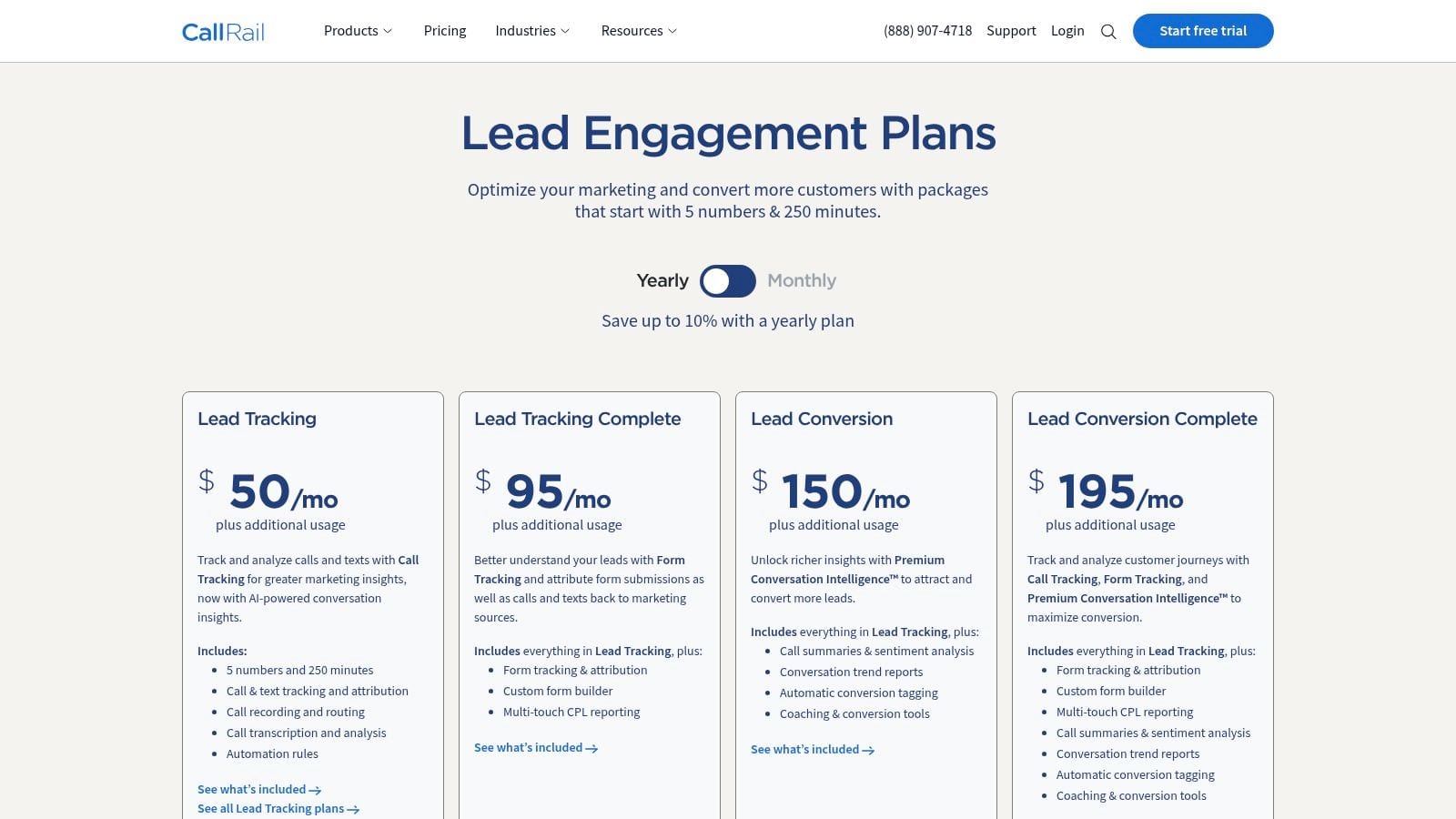
CallRail belongs in the stack when phone calls are a meaningful conversion event, not a side note. That's common in legal, healthcare, home services, automotive, and any lead gen program where a call is often the first serious signal of intent.
A lot of agencies still under-measure these accounts. They optimize digital campaigns while treating calls as a separate world. CallRail closes that gap.
Why agencies keep it
The core value is attribution. Dynamic number insertion, call tracking, form tracking, and conversation intelligence help agencies connect campaigns and keywords to actual inbound leads. That makes channel reporting more complete, especially for clients who care less about form fills and more about booked consultations or sales conversations.
This also matters for campaign optimization. If paid search drives calls but analytics only shows website micro-conversions, agencies can make the wrong budget decisions.
The trade-off
Usage-based pricing needs careful scoping. Minutes, numbers, and some advanced capabilities can push monthly costs higher than expected if you don't model account volume upfront.
That doesn't make CallRail risky. It just means agencies should price retainers around likely usage patterns rather than the most optimistic case.
For lead gen agencies, the upside is straightforward. Better call attribution usually means clearer reporting, better keyword decisions, and fewer arguments about whether marketing is creating pipeline.
Use CallRail pricing for plan details.
9. Teamwork
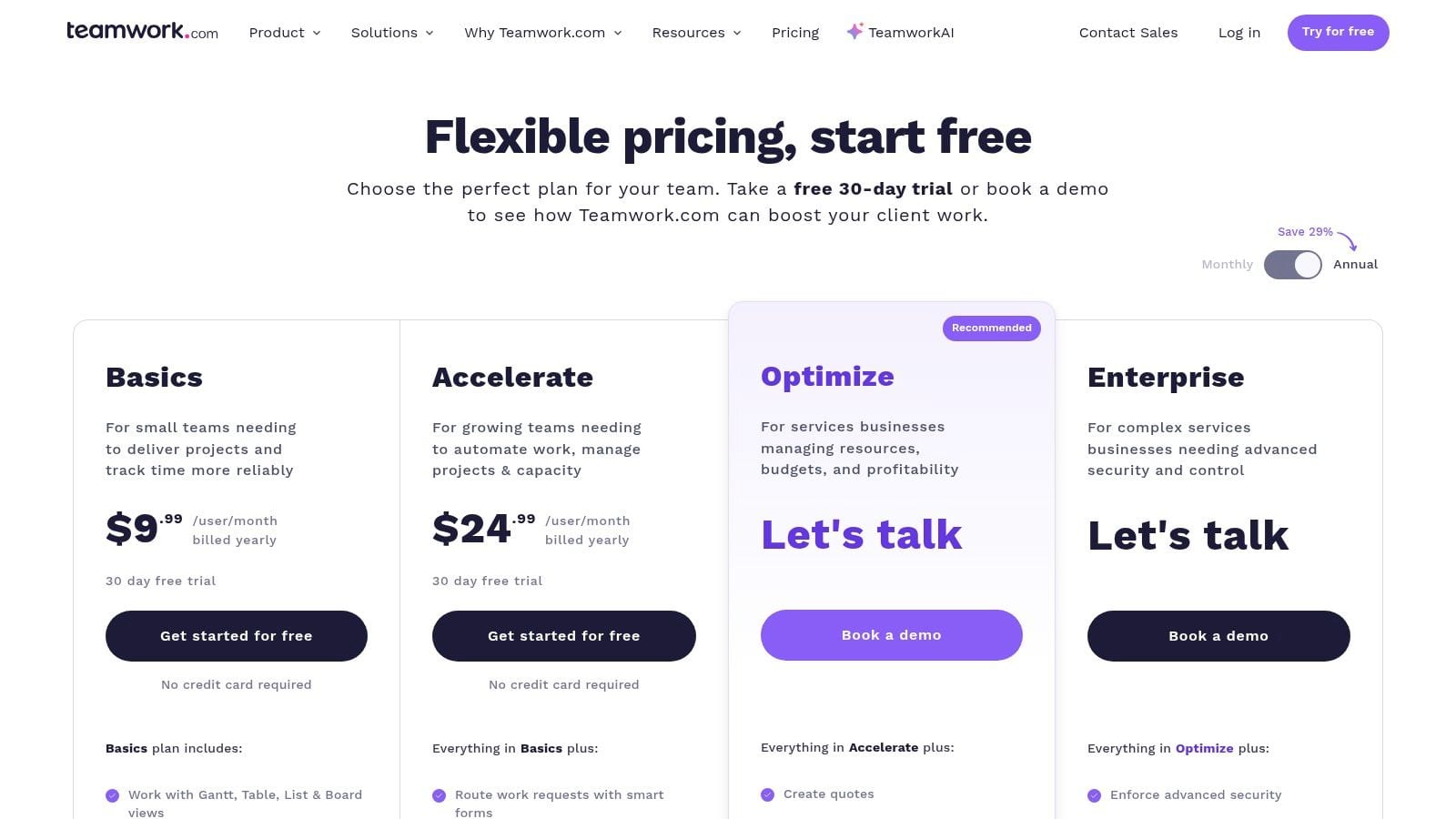
Teamwork is one of the better operations platforms for agencies that have outgrown generic project management tools. If your delivery model depends on retainers, time tracking, utilization, budgets, and client workspaces, you'll usually get more operational fit here than from a broad task app built for everyone.
That's the key difference. Teamwork is designed around client work economics, not just task organization.
Where it helps most
Teamwork works well when account managers need to understand scope, PMs need to see workload, and leadership needs a cleaner view of delivery against budgets. It's especially useful for agencies that bill by time, manage retainers, or need stronger control over profitability by account.
You also get a more agency-native workflow for client collaboration than with simpler PM tools. That matters because status updates, approvals, and resource planning often break down first when an agency starts growing.
Software for marketing agencies isn't just campaign software. If you can't see time, scope, and margin together, delivery problems will eventually show up as client problems.
The cost of depth
The downside is administrative overhead. Teamwork can do a lot, and that means setup discipline matters. Agencies that want the lightest possible task manager may find it too structured. Seat-based pricing can also sting for smaller teams if they expand into add-ons or broader usage.
Still, if your agency has already felt the pain of scattered operations across PM, timers, resource sheets, and invoicing handoffs, Teamwork is often a sensible consolidation move.
See current plans at Teamwork pricing.
10. Scoro
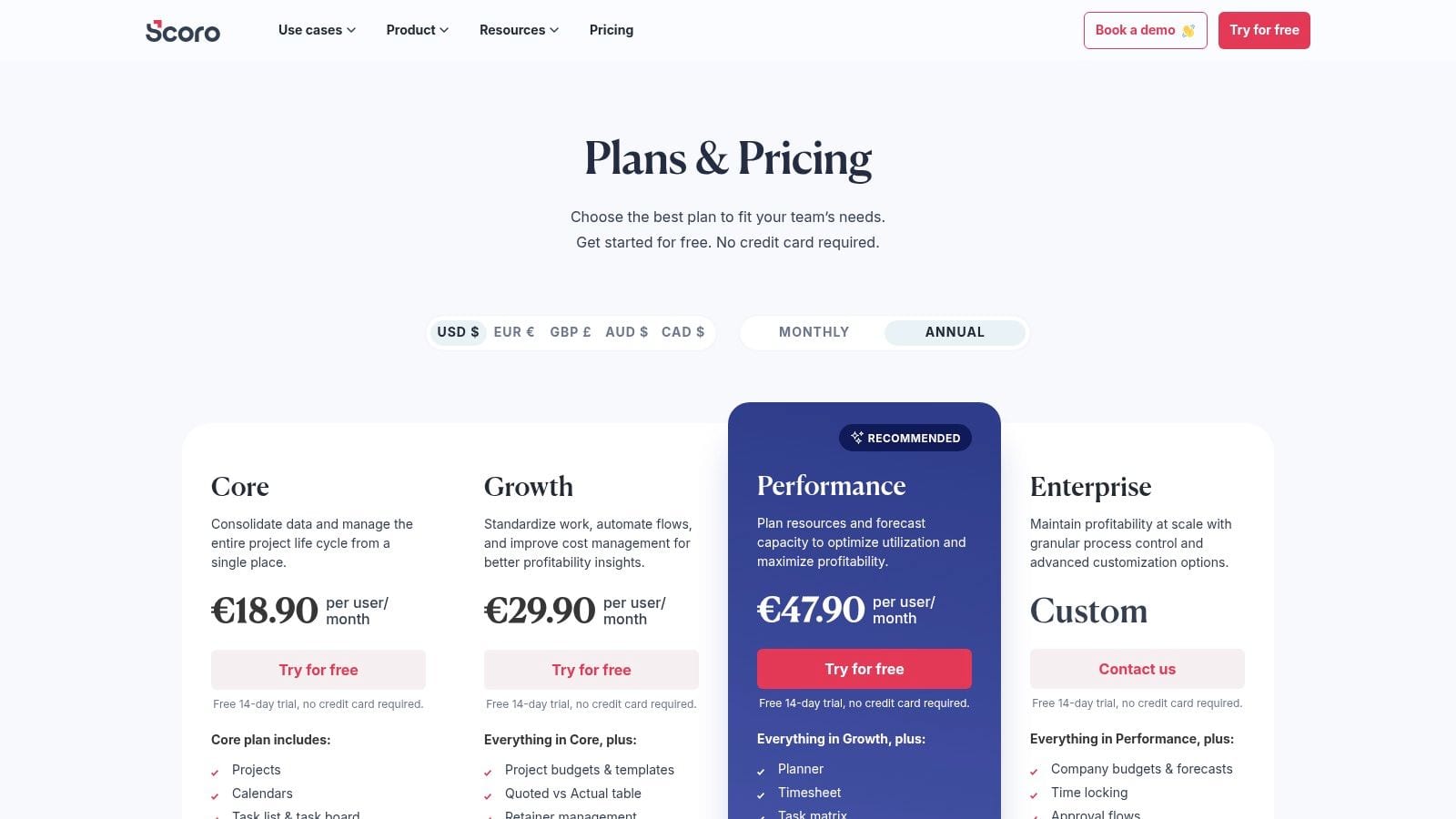
Scoro is for agencies that want tighter control between delivery and finance. Not just project progress. Actual financial visibility, resource planning, quoting, work in progress, budgets, and invoicing connected in one operating system.
That makes it more of a PSA-style choice than a simple PM platform.
Who it fits
Scoro makes sense for agencies with enough complexity that margin control can't live in spreadsheets anymore. Multi-team agencies, specialist departments, and firms with heavier operational reporting needs usually get the most value.
The platform is particularly useful when leadership wants clearer answers to questions like these:
- Which clients are profitable right now: Not after month-end cleanup
- Where is capacity constrained: Across teams, not just inside one project
- What's in flight financially: Including WIP, budgets, and invoice timing
What stops smaller agencies
Scoro demands setup effort. It also has a minimum user threshold and a level of financial depth that many small studios would not utilize. If you just need tasks, timesheets, and a basic client portal, it's probably more system than necessary.
But if your agency already feels the disconnect between project delivery and financial reporting, Scoro can solve a real management problem that simpler tools avoid.
Review Scoro pricing for current packages.
Top 10 Marketing Agency Software: Feature Comparison
| Product | Primary use | Target audience | Unique selling points | Pricing / Setup |
|---|---|---|---|---|
| Trackingplan | Analytics QA & observability across web, app, server; continuous monitoring | Marketers, analysts, devs, agencies, enterprises | Auto-discovery of real-user tracking; AI root-cause & impact analysis; privacy-first (consent/PII); Journey Explorer | Free account + 14‑day Growth trial; 10KB tag/SDK install minutes; enterprise PoC & custom pricing |
| HubSpot Marketing Hub | Full-funnel marketing, automation, CRM, reporting | Agencies managing multi-client lead gen & retainers | Built-in CRM + automation; large app ecosystem; partner/academy support | Tiered pricing with contact tiers; Pro/Enterprise onboarding costs |
| Semrush (Semrush One) | SEO, competitive research, content & AI visibility | SEO teams, content agencies, PPC teams | Deep competitive data; AI Visibility toolkit for AI search presence | Tiered plans; add-ons and seats increase cost |
| Sprout Social | Social publishing, engagement, listening, reporting | Social teams and agencies managing client social at scale | Unified inbox & collaboration; Listening & Analytics add-ons; AI Assist | Per-seat pricing; profile limits may constrain larger rosters |
| AgencyAnalytics | Client reporting, dashboards, white-label portals | Agencies focused on client reporting & dashboards | Unlimited users/dashboards; white-label client portals; roll-up reports | Per-client pricing model; some add-ons (rank tracking) |
| Supermetrics | Data connectors to Sheets, Excel, BI tools, warehouses | Agencies building custom reports without APIs | Wide connector library; destination-specific packages; scheduled refreshes | Destination-based pricing; costs scale with sources & refresh frequency |
| Improvado | Marketing ETL / data pipeline to data warehouses | Enterprise & multi-brand agencies with high-scale needs | 500+ connectors; Marketing Common Data Model; direct optimized warehouse loads | Enterprise, quote-based pricing; higher cost, no-code transforms |
| CallRail | Call & form tracking, conversation intelligence | Lead-gen verticals (home services, healthcare, legal) | Dynamic Number Insertion; AI call transcription; campaign-level call attribution | Usage-based components (minutes/numbers); potential variable costs |
| Teamwork | Project management, time tracking, billing, resource planning | Agencies managing retainers, billing & utilization | Agency-specific financials; workload & resource planning; client portals | Per-seat pricing; integrates with Teamwork ecosystem |
| Scoro | PSA / work management with finance & resource planning | Mid-large agencies, professional services | End-to-end quoting → delivery → invoicing; advanced financial/WIP reports | Minimum users (often 5+); onboarding effort; quote-based pricing |
Final Thoughts
The best software for marketing agencies usually isn't one platform. It's a deliberate stack with a clear backbone.
For some agencies, that backbone is CRM and automation. That points toward HubSpot. For others, it's search delivery, social operations, reporting, ETL, call attribution, or project finance. That's why this category is so easy to buy badly. Agencies often compare tools that solve different problems, then wonder why the new platform doesn't reduce operational drag.
The cleaner way to evaluate software is by function.
If your biggest pain is lead nurturing and funnel orchestration, start with HubSpot. If your margin depends on strong SEO delivery, Semrush is an obvious layer. If social is a major service line, Sprout Social gives you stronger workflows than lighter schedulers. If reporting is too manual, AgencyAnalytics or Supermetrics can reduce the recurring lift. If data infrastructure has become a bottleneck, Improvado is the more serious option. If operations and profitability are the core issue, Teamwork or Scoro are better questions than “which dashboard tool should we add?”
But there's one category agencies still underestimate: analytics QA and observability.
That category matters because every other tool on this list assumes the incoming data is broadly correct. Sometimes it isn't. Tracking breaks after site releases. Consent changes block events. Campaign naming drifts. Pixels fire twice. Form events disappear. UTMs get overwritten. Dashboards still populate, reports still go out, and client confidence erodes later when numbers don't reconcile.
That's why Trackingplan stands out in this list. It addresses the layer most agencies only notice when something has already gone wrong. Real-time monitoring of analytics and marketing instrumentation, automatic tracking discovery, anomaly alerts, consent checks, and PII monitoring aren't “nice to have” features for modern agencies. They are a protective layer for revenue, reporting credibility, and client trust.
This becomes more important as agency stacks expand. As noted earlier, software spending and digital marketing complexity are both growing. At the same time, AI usage in marketing has become routine. That combination raises the cost of dirty data. Automation and AI don't fix measurement mistakes. They scale them.
A practical way to make a decision is to separate your stack into three layers:
- Execution layer: CRM, email, social, SEO, call tracking
- Management layer: Project operations, resourcing, profitability
- Trust layer: Data QA, observability, governance
Most agencies already buy the first two. The third layer is where mature teams pull ahead.
If you're replacing tools this year, resist the urge to buy only what's visible to clients. The highest-value purchase may be the one that prevents bad numbers, broken attribution, and painful cleanup work before anyone else sees the problem. Agencies that protect data integrity early usually report better, move faster, and spend less time in reactive debugging loops.
That's what a modern agency stack should do. It shouldn't just help you produce more dashboards. It should help you trust them.
If your agency is tired of discovering broken pixels, missing events, UTM errors, or consent issues after reports go out, Trackingplan is worth a close look. It adds an automated QA and observability layer across your marketing and analytics stack, so your team can catch issues early, protect attribution, and spend more time on actual performance work instead of cleanup.