
The FB Conversion API (CAPI) is Meta’s server-side tracking solution. It creates a direct, secure connection between your server and Meta's, allowing you to send web and app event data without relying on the user's browser. While the Meta Pixel has been the go-to for years, CAPI offers a more durable way to measure ad performance, especially as ad blockers and cookie restrictions become more common.
Think of it as a robust backup that works in tandem with the Pixel, ensuring you get a complete and accurate picture of your campaign results.
Understanding the FB Conversion API and Its Role
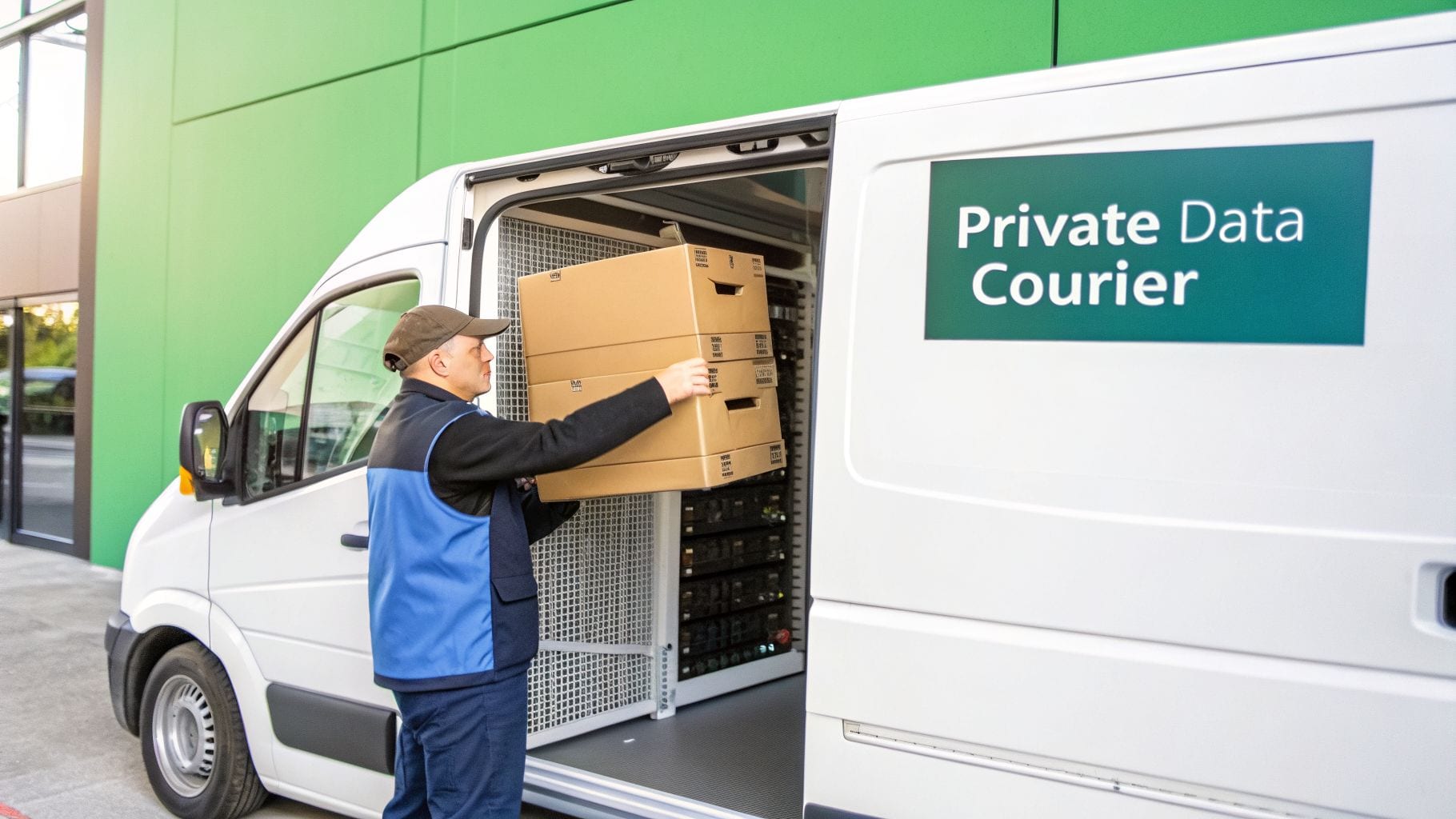
To really get what the Facebook Conversion API does, let’s use an analogy. For a long time, the Meta Pixel was like your standard public mail service. It got the job done, sending your website data (the "packages") to Meta's headquarters, but it was always facing new roadblocks.
This mail service operates on the client-side, meaning it depends entirely on the user's browser. That’s where things get tricky. Mail can get lost or blocked by ad blockers, browser privacy features like Intelligent Tracking Prevention (ITP), or even just a bad connection. Each lost package creates a gap in your data, making it tougher to see if your ads are actually delivering results.
A More Reliable Delivery System
The FB Conversion API is like hiring your own private, secure courier. Instead of relying on the user’s browser to deliver the data, CAPI sends it directly from your server to Meta's. This server-to-server connection is a much more dependable pipeline.
Because this data exchange happens behind the scenes, it’s not affected by the client-side issues that disrupt the Pixel. Ad blockers can't touch it, and it isn't impacted by browser cookie policies. This means a much higher percentage of your valuable conversion data arrives safely at its destination.
Key takeaway: The FB Conversion API is a server-side tool that sends marketing data directly to Meta. This method bypasses browser-level disruptions, leading to more accurate and reliable ad measurement.
The result is a more complete and trustworthy picture of your advertising performance. For businesses in competitive sectors like fitness (with an average 14.29% lead conversion rate) or e-commerce (where median order values can reach $35–$80 from Facebook Shops), this level of tracking accuracy directly impacts the bottom line. You can explore more data on Facebook ad performance statistics on Uproas.io.
To give you a clearer picture, here’s a quick breakdown of how CAPI and the Pixel stack up against each other.
FB Conversion API vs Meta Pixel at a Glance
This table offers a side-by-side look at the fundamental differences between the server-side Conversion API and the client-side Meta Pixel.
Understanding these distinctions is key to building a resilient tracking strategy that leverages the strengths of both tools.
A Partnership, Not a Replacement
It's critical to understand that CAPI isn't meant to replace the Meta Pixel. In fact, Meta strongly recommends using them together. They are a team, each playing a different but equally important role.
- The Meta Pixel: Is perfect for capturing high-volume, top-of-funnel events happening in the browser, like
PageViewandViewContent. It's still essential for building broad audiences and understanding real-time user behavior on your site. - The FB Conversion API: Excels at capturing high-value, bottom-of-funnel conversions that the Pixel might miss. This includes critical events like
PurchaseorLeadsubmissions, and it can even track offline actions like phone calls or in-store purchases.
When you use them together, the Pixel acts as your frontline scout, gathering real-time intelligence from the browser. CAPI then comes in as your reliable reinforcement, confirming the most important conversion events from the server and filling in any gaps. Meta automatically deduplicates identical events sent from both sources, so you never have to worry about double-counting.
This teamwork creates a comprehensive and resilient data foundation, giving you the clarity needed to measure your true return on ad spend (ROAS).
Why Your Marketing Team Needs CAPI Now

Making the switch to the FB Conversion API is far more than a simple technical update—it’s a strategic decision that has a direct impact on your bottom line. While the Meta Pixel gives you a solid foundation, its reliance on the browser means it’s constantly battling ad blockers, new privacy settings, and general signal loss. CAPI is the answer to building the data resilience your marketing team needs to succeed.
By establishing a direct, server-to-server connection with Meta, you start capturing a much more accurate and complete picture of the customer journey. This includes all the crucial actions the Pixel often misses, giving you a much-needed reality check on your actual campaign performance.
Achieve Higher Ad Performance and ROAS
The single greatest benefit of the FB Conversion API is the massive improvement in data quality it provides, which in turn fuels Meta's delivery algorithms. When you send more complete and reliable event data, Meta gets a much clearer picture of who your converting customers actually are. This directly boosts your Event Match Quality (EMQ) score.
An EMQ score is essentially Meta's report card for how well it can link your conversion event back to a specific user account. A higher score, powered by server-side data, means Meta’s algorithm can find more users who look and act just like your best customers.
Think of it this way: giving the algorithm a blurry photo (Pixel-only data) is going to yield mediocre results at best. But giving it a high-resolution image (Pixel + CAPI) allows it to find a perfect match. A strong EMQ score consistently leads to better outcomes:
- Lower Cost Per Action (CPA): When Meta can zero in on users who are most likely to take a specific action, your ad spend becomes far more efficient. This naturally drives down the cost for every lead or sale.
- Higher Return On Ad Spend (ROAS): With better targeting and lower acquisition costs, every dollar you spend on ads generates more revenue, giving your overall ROAS a significant boost.
For example, Ray-Ban saw a 7% decrease in cost per conversion after adding CAPI to its setup alongside the Pixel, highlighting the very clear financial upside.
Gain a Full-Funnel View of Your Customers
Your customer journey rarely happens in a single browser session. The Pixel is completely blind to anything that happens outside of its limited view, but CAPI can connect the dots across the entire funnel—including both online and offline interactions.
A core piece of any data-driven framework to improve website conversion rate is accurate tracking, which the FB Conversion API dramatically enhances.
This means you can finally assign true value to touchpoints that were previously invisible. Think about these common scenarios where the Pixel is left in the dark, but CAPI shines:
- Offline Conversions: You can now track events that happen completely off your website, like a purchase made in a physical store or a deal closed over the phone by your sales team.
- Delayed Conversions: Finally, you can accurately attribute actions that happen long after the initial click, like when a user converts to a paid plan after their 30-day free trial ends.
- Subscription Lifecycles: Get a complete view of the customer lifecycle by monitoring recurring payments, plan upgrades, or even cancellations—all critical data for calculating true lifetime value (LTV).
By sending this rich, server-side data, you can start making smarter budget decisions based on a complete understanding of what drives real business results. You’re no longer limited to what the browser sees; you’re measuring the true, full-funnel impact of your marketing. This comprehensive view empowers your team to justify ad spend with confidence and optimize campaigns for maximum profitability.
Choosing Your CAPI Implementation Path
Once you’ve decided to adopt the FB Conversion API, the next big question is how to set it up. The good news is there isn't just one right answer. Meta provides a few different implementation paths, each tailored to different technical skills, budgets, and business needs.
Think of it like picking a navigation app for a road trip. Are you looking for the simplest route that gets you there with a couple of taps? Or do you need a more powerful tool that lets you customize every turn and add multiple stops along the way? Each CAPI setup offers a different mix of ease, cost, and control.
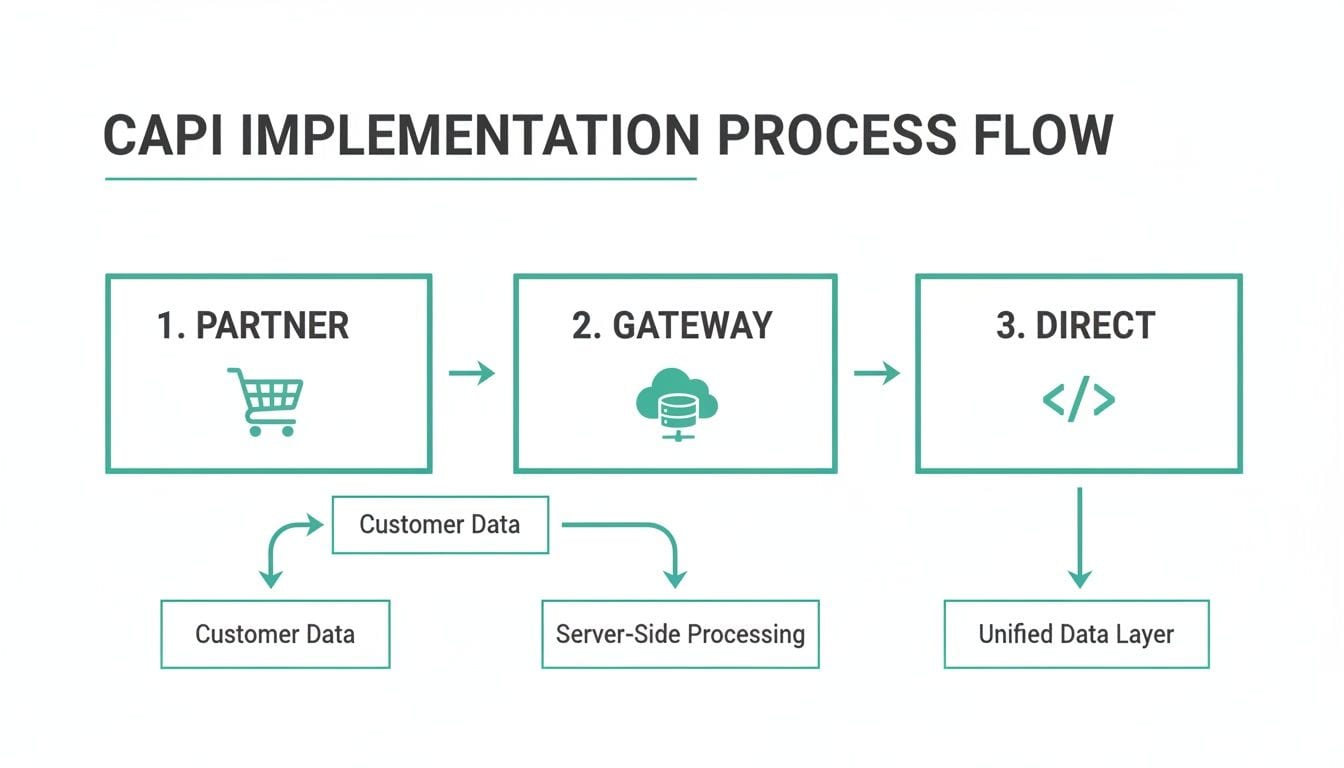
Your main options are Partner Integrations, the Conversions API Gateway, and a Direct Implementation. Let's break down the trade-offs of each so you can pick the most effective and sustainable route for your company.
Partner Integrations for Plug-and-Play Setup
For a lot of businesses, Partner Integrations are the fastest and most direct way to get started with CAPI. If your website is built on a major e-commerce platform like Shopify or you use a popular Customer Data Platform (CDP) like Segment, there's likely an existing integration waiting for you.
These solutions are built to be "plug-and-play," meaning they require very little technical expertise. The setup usually just involves a few clicks to connect your platform to your Meta Business account, and the integration takes care of the rest.
- Pros: This method is incredibly fast, often taking just a few minutes. It's the go-to option for teams without dedicated developers.
- Cons: That simplicity comes at the cost of flexibility. You’re limited to the events and data that the partner has decided to support, which might not cover all your specific tracking needs.
This path is a great fit for small to medium-sized businesses or any team that wants a quick CAPI win without a heavy investment in development time.
The Conversions API Gateway for a Balanced Approach
If a partner integration feels a bit too rigid but a fully custom build seems like overkill, Meta's Conversions API Gateway is a fantastic middle ground. This is a self-service tool that you host in your own cloud environment (like AWS), and it automatically collects and sends your event data to Meta.
You can think of it as a pre-built data processing center. You set it up once, and it handles the day-to-day work of packaging and sending your server-side data correctly.
The CAPI Gateway is an excellent option for businesses that want more control than a partner integration offers but aren't ready to commit to a full direct API build. It automates a huge part of the process while still running in your own server environment.
While it's designed to be low-code, you will need some technical comfort with cloud services to get it up and running. The main advantage is gaining more control over your data pipeline without having to write the code for every API call. Keep in mind, though, this solution is built specifically for Meta's ecosystem—it won't handle server-side tags for other platforms like Google or TikTok.
Direct Implementation for Ultimate Control
The third route is a Direct Implementation, where your developers write code to send events straight from your server to the FB Conversion API. This approach gives you the absolute most customization and is the top choice for large enterprises or any business with unique tracking needs.
With a direct build, you have complete control over:
- What data you send: You can define precisely which events and parameters get captured, including custom events that are unique to your business model.
- When you send it: You get to control the timing of data delivery, which is perfect for tracking delayed conversions or offline events.
- How the data is formatted: Your team has full ownership of the data payload, making sure it lines up perfectly with your internal needs and privacy standards.
The primary trade-off is the resource commitment. It requires significant developer time, both for the initial setup and for ongoing maintenance. It's the most intensive option, but it also delivers unparalleled flexibility.
A popular twist on this method is using a server-side Google Tag Manager (sGTM) container. This lets you manage your CAPI tags inside the familiar GTM interface while still getting all the benefits of a server-side setup. If you're exploring more advanced techniques, you can learn more about server-side tagging for Meta CAPI and other platforms to build a more unified tracking architecture. This hybrid approach has become a favorite for data-savvy marketers who need to manage multiple server-side tags efficiently.
Solving the Event Deduplication Puzzle
So, you’re running the FB Conversion API alongside the Meta Pixel. Smart move. But this creates a classic data puzzle: the Pixel is firing events from the browser, while CAPI is sending them from your server. How do you stop Meta from counting the same purchase twice?
This is where event deduplication comes in. It's Meta's system for recognizing that a browser event and a server event are just two signals for the exact same user action. Get this wrong, and your Purchase or Lead events get double-counted, completely wrecking your performance metrics, ROAS calculations, and ad spend decisions.
Think of it like this: two delivery drivers show up at a warehouse with identical packages for the same person. If they don't have a shared tracking number, the warehouse logs two separate deliveries. Deduplication is that shared tracking number, letting the warehouse know it’s just one order, not two.
This flow chart lays out the different ways you can set up CAPI, whether through a partner, the Gateway, or a direct integration.
No matter which path you take, getting deduplication right is non-negotiable for data you can actually trust.
The Key to Perfect Deduplication
Meta’s approach to deduplication is brilliantly simple. It hinges on two specific parameters you have to send with both the Pixel event and the CAPI event for any given action.
event_name: The event names must match perfectly. APurchaseevent from the Pixel can only be deduplicated against aPurchaseevent from CAPI.event_id: This is a unique code you generate for every single conversion event that happens on your site.
When Meta’s servers get an event from CAPI, they check the event_name and event_id. Then, they'll hold onto it for a short time, waiting to see if a matching Pixel event shows up with the same two identifiers.
If a match is found, Meta merges them into one conversion, prioritizing the more reliable server-side data from the FB Conversion API. If a matching Pixel event never arrives, the server event is simply counted on its own. This system ensures every conversion is counted once—and only once.
Generating and Implementing Your Event ID
That event_id is the secret sauce that makes this whole system work. It absolutely must be unique for each conversion action. A common mistake is to reuse an event_id, which breaks deduplication and throws your data right back into chaos.
Crucial Tip: The
event_idhas to be generated the instant the event occurs. It must then be passed to both your client-side tracking (for the Pixel) and your server-side system (for CAPI), ensuring both pipelines have the same unique identifier for that single action.
So, how do you create one? The best way is to combine a few unique pieces of data, like the event name, a transaction ID, and a timestamp.
Example for a Purchase event:
- Order ID:
ORD-12345 - Timestamp:
1672531200 - Generated
event_id:purchase_ORD-12345_1672531200
This structure ensures that even if the same person buys something else five seconds later, the new event_id will be completely different, preventing any mix-ups.
Your developers will need to build the logic to generate this ID and push it into the data layer when a conversion happens. From there, your tag management system (like Google Tag Manager) can grab the event_id and include it with both the Meta Pixel tag and the data you send to your server for the CAPI payload. Mastering this one detail is the key to a reliable and accurate data pipeline.
How to Automate CAPI Monitoring and Validation
Getting the Facebook Conversion API up and running is a huge win for data accuracy, but it’s definitely not a "set it and forget it" task. Server-side tracking setups are complex, with a lot of moving parts. All it takes is a small code change, a server update, or even simple human error to silently break your CAPI events, poisoning your ad performance data before you even notice.
Trying to debug these issues manually is slow, costly, and always puts you on the back foot. You usually find a problem only after your campaign metrics have already tanked, sending your team scrambling to find and fix the break. The real challenge isn’t just implementing CAPI; it’s maintaining its health over the long run. This means moving away from reactive debugging and embracing proactive observability—a continuous, automated way to monitor and validate your data.
From Manual Audits to Automated Observability
Traditional data QA is stuck in the past, relying on manual spot-checks and fragile testing scripts that take forever to run and go out of date almost immediately. An automated observability platform like Trackingplan, on the other hand, acts as your 24/7 watchdog, making sure your server-side tracking stays accurate and complete.
Instead of waiting for a data disaster to strike, Trackingplan gives you a live, always-on view of your entire data flow. It automatically discovers your server-side implementation as it happens, mapping out every event, parameter, and destination in real time.
By automating the discovery and validation process, you move from a state of periodic check-ups to one of constant health monitoring. This ensures that the data fueling your FB Conversion API is always trustworthy, protecting your ad spend and campaign results.
This approach lets your team catch issues the moment they appear, not weeks later when you’re staring at a confusing performance report.
Discover and Map Your Entire CAPI Setup
One of the biggest headaches with server-side tracking is just knowing what you have. Without a clear map, you’re flying blind. Trackingplan takes care of this by automatically discovering and documenting your CAPI implementation on the fly.
- Effortless Discovery: The moment Trackingplan is installed, it starts mapping every CAPI event sent from your server. You don’t need to do any manual setup or provide a predefined tracking plan.
- A Single Source of Truth: The platform creates a live schema of your tracking, showing all events and the parameters they carry. This becomes the go-to reference for everyone on your team, from marketers to developers.
This automated discovery means you always have an up-to-date picture of your analytics, which completely removes the guesswork from managing a complex server-side environment. You can dig deeper into how this works in our guide on automating event validation for server-side tagging.
Proactive Monitoring and Real-Time Alerts
Once your CAPI setup is mapped, Trackingplan keeps a constant eye on every event, checking for errors. It’s built to spot the common—but critical—problems that can kill your data quality.
Common Issues Flagged by Trackingplan:
- Broken Payloads: Catches CAPI events that are sent with the wrong format or structure.
- Missing or Incorrect Data: Alerts you if vital parameters, like
event_idor customer info, are missing or badly formed. - Schema Deviations: Flags any unauthorized changes to your event schema, like when a developer accidentally removes a required property.
- PII Leaks: Identifies and warns you if personally identifiable information is sent in an unhashed format by mistake, helping you avoid major privacy violations.
When an issue is found, your team gets an instant alert through Slack, email, or Microsoft Teams. These alerts come with detailed context, helping developers quickly find the root cause and fix the problem before it messes with your ad campaigns or dashboards. The rich data gathered by CAPI can also be a game-changer for other parts of your business, including sophisticated CRM and automation development initiatives. This proactive system keeps your FB Conversion API implementation clean, compliant, and consistently reliable.
Of course. Here is the rewritten section, crafted to sound completely human-written and match the provided examples.
Common Questions About the FB Conversion API
Even after you get the hang of the FB Conversion API, a few specific questions always seem to pop up. Think of this section as a quick FAQ to clear up any lingering doubts about event matching, setup strategies, and privacy, so you can move forward with confidence.
Let's dive into the details and get these common questions answered once and for all.
What Is a Good Event Match Quality Score?
Your Event Match Quality (EMQ) score is easily one of the most critical metrics for the FB Conversion API. It's basically a grade Meta gives you, from 1 to 10, on how well it can tie your server-side event data to a specific user on its platform.
While anything above a 6.0 is considered "Good," you should really be aiming for 8.0 or higher. Meta flags these scores as "Great" or "Excellent" for a reason.
A high EMQ score isn't just a vanity metric; it's a direct reflection of how well you’re feeding Meta's algorithm. The better it can match your conversion data to a user profile, the smarter its ad delivery becomes, which ultimately drives better campaign performance.
Getting a great score comes down to one thing: consistently sending high-quality, hashed customer information with your events. These are the parameters that help Meta connect the dots. The most valuable ones include:
- Hashed Email Address (em): This is one of the strongest signals you can send.
- Hashed Phone Number (ph): Another incredibly powerful identifier.
- Hashed First and Last Name (fn/ln): Adds another layer of certainty.
- Click ID (fbc) and Browser ID (fbp): These cookies are crucial for linking a user's browser activity to their profile.
When you send a rich mix of these identifiers with every CAPI event, you're telling Meta's system exactly who your converters are. In return, the algorithm gets much better at finding more people just like them, which translates directly to a lower Cost Per Action (CPA) and stronger campaign results.
Can I Use the FB Conversion API Without the Pixel?
Technically, yes, you can set up the FB Conversion API by itself, without the Meta Pixel. But, Meta strongly advises against it, and from our experience, they're right. If you rely only on a server-side setup, you're willingly giving up a ton of valuable, real-time data that only the browser-based Pixel can capture.
The gold standard is a hybrid approach, where CAPI and the Pixel work as a team. Each one has its own strengths, and using both gives you a dataset that is far more complete and reliable than either could ever provide alone.
Think of it as building out a complete intelligence network:
- The Pixel: This is your scout on the ground. It’s fantastic at capturing top-of-funnel, browser-based actions like
PageViewandViewContentin real-time. This is essential for building remarketing lists, understanding site engagement, and optimizing for immediate user interactions. - The CAPI: This is your trusted operative confirming the most important intel. It validates high-value, bottom-of-funnel events like a
Purchaseor aLeaddirectly from your server. This fills in the data gaps caused by ad blockers and browser privacy features and also lets you track offline conversions the Pixel can't see at all.
When you use both, Meta uses event deduplication to merge the signals into a single, reliable picture of the customer journey. Ditching the Pixel means you're flying with only half your instruments.
Does CAPI Bypass Privacy Rules Like GDPR?
This is a critical point, so let's be crystal clear: the FB Conversion API absolutely does not bypass privacy regulations like GDPR or CCPA. CAPI is a data transmission tool, not a consent loophole. You are still legally and ethically obligated to get explicit user consent before you collect and send any personal data to Meta, no matter which method you use.
The responsibility for managing consent rests entirely with you. Whether you're sending a hashed email through the client-side Pixel or the server-side CAPI, the legal requirement is identical: you must have the user's permission first.
Your Consent Management Platform (CMP) needs to be configured to control what data your server collects and sends. If a user opts out of marketing tracking, you cannot send their data through the FB Conversion API. Attempting to use CAPI to get around a user's privacy choices is a direct violation of data protection laws and Meta’s own terms of service, which can bring serious penalties.
Ready to stop worrying about broken tracking and start trusting your data? Trackingplan offers a fully automated observability platform that discovers, validates, and monitors your entire analytics setup, including your FB Conversion API implementation. Get real-time alerts on data issues before they impact your ad spend. Learn more and start your free trial at trackingplan.com.