
Website quality assurance testing is how you verify that a website actually works the way it's supposed to—across every platform, device, and browser imaginable. It's the critical process that ensures everything from a simple button click to complex data collection performs flawlessly, protecting both the user experience and the business's bottom line.
Why Website Quality Assurance Is Not Just for Developers
Imagine this: you've just launched a massive marketing campaign. The ad budget is flowing, and the team is excited. A week later, you realize your analytics are completely broken. Your ROI is a total black box, conversions are untraceable, and the entire initiative is flying blind.
This isn't some rare, technical glitch. It's a common business crisis that happens when quality assurance is treated as a final, technical checkbox for developers to tick off.
True website QA is a core business function. It directly protects revenue and brand trust. This means moving beyond just hunting for broken links and, instead, building a strategic defense against costly data disasters.
A Safety Net for Marketers and Analysts
For marketers and data analysts, reliable data is the air they breathe. A robust QA process delivers the confidence needed to make data-driven decisions. It's about systematically verifying that:
- Analytics tools are telling the truth: Events and user properties in platforms like Google Analytics are accurate, giving you a true picture of user behavior.
- Marketing pixels are firing correctly: Attribution for paid campaigns is trustworthy, so you know exactly where to put your ad spend for the best results.
- Key user experiences are seamless: Critical journeys, like checkout flows or lead-gen forms, are free of friction that sends frustrated users running for the exit.
This proactive approach is what prevents that sinking feeling of discovering your key performance indicators have been wrong for months. The industry is catching on, too. In 2023, a staggering 80% of companies in the software world said improving their QA practices was their top goal. You can read the full research about these software quality assurance findings to see why it's such a huge priority.
A website riddled with errors or frequent crashes can seriously damage your brand's reputation. Quality assurance helps maintain a professional, reliable online presence, turning a potential liability into a genuine competitive advantage.
Preventing Data Privacy Disasters
Beyond just ensuring data accuracy, modern website QA is your first line of defense against serious privacy risks. A single misconfigured tag or a rogue third-party script can accidentally capture and transmit Personally Identifiable Information (PII). The legal and financial fallout from that can be enormous.
A solid QA framework must include checks to confirm that consent management platforms are working as they should and that no sensitive data is leaking to analytics or advertising platforms. This shifts the team's mindset from simply reacting to bugs to building a proactive, automated quality strategy. It's how you safeguard both data integrity and customer trust—the foundation of a reliable digital presence.
Building Your Practical QA Test Plan
A reactive, bug-hunting approach to quality assurance is a recipe for wasted resources and missed deadlines. Instead, a successful QA strategy starts long before the first test is ever run. It’s all about defining what “quality” actually means for your specific business goals, making sure every test you run is tied directly to a tangible outcome.
You're not just testing for the sake of it—you’re protecting the parts of your website that generate revenue, capture leads, and build customer trust. The heart of this is a practical, prioritized test plan.
Identify and Prioritize Critical User Journeys
Let's be honest: not all user paths on your website are created equal. Some are far more valuable than others. Your first task is to zero in on these high-impact journeys, which are almost always the shortest paths to revenue or customer acquisition.
Think about the actions that truly matter:
- Checkout Flow: A single bug here can cost you sales in real time. Every step, from adding an item to the cart to that final payment confirmation, has to be bulletproof.
- Lead Generation Forms: Whether it's a simple newsletter sign-up or a complex demo request form, these are the lifeblood of your marketing and sales funnels. They must work.
- New User Sign-ups: This is your first impression. Any friction or error can convince a potential long-term customer to walk away before they even get started.
- High-Traffic Landing Pages: When you're running a major campaign, these pages need to perform flawlessly under load and, just as importantly, capture data with perfect accuracy.
By mapping these out, you create a clear hierarchy of importance. This focuses your most rigorous testing on the functions that have the biggest impact on your bottom line.
Aligning QA Objectives with Business Priorities
Once you know what to test, you need to define why you're testing it. Vague goals like "make sure the site works" are useless. Instead, you need to set clear, measurable objectives that align directly with specific business priorities.
A well-defined QA objective doesn't just find bugs; it validates a business outcome. It transforms testing from a cost center into a value-driver that builds confidence in your digital strategy.
For example, your objectives should look less like a generic checklist and more like this:
- Test Case: Verify that UTM parameters from all paid social and search channels are captured correctly in Google Analytics.
- Test Case: Run automated tests that simulate purchases using various payment methods (credit card, PayPal, Apple Pay) and shipping options.
- Test Case: Continuously monitor all outgoing data packets to ensure event properties don't contain email addresses, phone numbers, or other sensitive information.
This process gives every single test a real purpose. A crucial first step in this, especially for data integrity, involves crafting a golden baseline for analytics testing.
The diagram below shows how this structured process works, turning raw data inputs into business trust through a rigorous quality check.
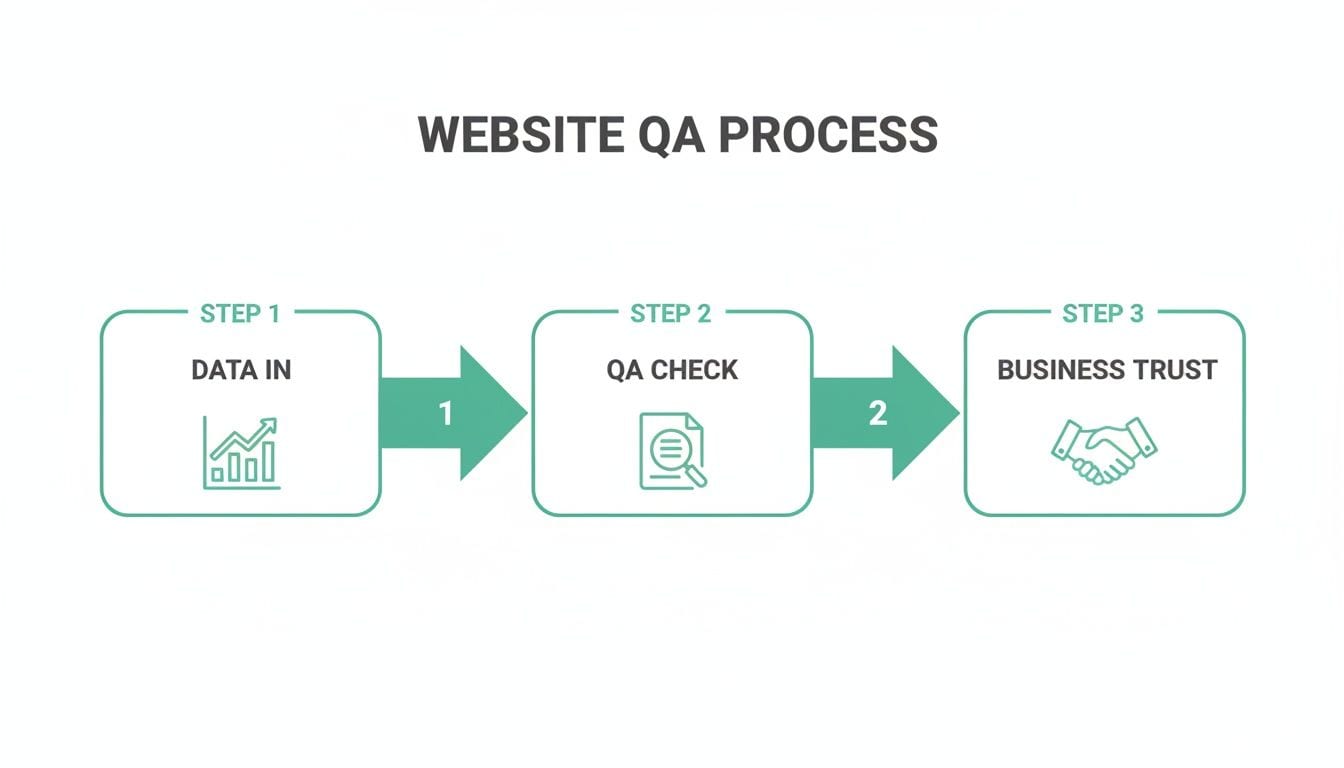
As you can see, a structured QA check acts as the essential bridge between raw data and reliable business intelligence.
Choosing Your Testing Mix: Manual vs. Automation
To get the most out of your resources, an effective plan needs to strike the right balance between manual and automated testing. Manual testing is fantastic for exploratory checks and catching those subtle user experience issues that a machine just can't see. The downside? It’s slow, expensive, and just not scalable for repetitive tasks.
This is where automation becomes your best friend. It excels at regression testing—making sure new code doesn’t break existing features—and it can validate complex data implementations around the clock without getting tired. Mastering the Quality Assurance Process Steps is key to building a robust plan that blends both. A smart strategy always starts by automating the most repetitive and critical checks on your high-priority user journeys. This frees up your human testers to focus on what they do best: thinking critically and creatively.
Executing Critical Website QA Tests
Once you've got a solid plan mapping out your priorities, it's time to shift from strategy to action. This is where the rubber meets the road in website quality assurance, turning those theoretical goals into tangible steps that protect your user experience and data integrity.
This whole process takes a multi-faceted approach. You'll start with the basics—functionality and performance—before diving into the more complex, and often overlooked, world of analytics and tracking verification.
Ensuring Flawless Functionality
Functional testing is the absolute bedrock of QA. It answers the most fundamental question: does the website actually do what it’s supposed to? This means methodically checking every single interactive element to make sure it performs exactly as a user would expect.
Your functional testing checklist should cover a few key areas:
- All links and buttons: Confirm every internal and external link goes to the right place. Every CTA button must trigger the intended action without fail.
- Form submissions: Test every form on your site, from simple newsletter sign-ups to complex contact forms. You need to ensure data is submitted correctly and that thank-you messages or redirects fire as they should.
- User registration and login: Walk through the entire user authentication flow. Can users create accounts, log in, reset passwords, and log out without running into any snags?
This isn't a one-and-done deal. You have to repeat this process across different browsers (Chrome, Safari, Firefox, Edge) and devices (desktop, tablet, mobile) to sniff out compatibility issues. A feature that works perfectly on a desktop in Chrome might completely fall apart on a mobile Safari browser.
Pinpointing Performance Bottlenecks
In a world where 47% of visitors expect a page to load in under two seconds, performance isn't just a "nice-to-have." It’s a core part of the user experience and a massive factor in your SEO rankings.
Performance testing is all about speed and stability. The goal here is to measure how your site behaves under various conditions, especially when traffic gets heavy. You’ll want to measure key metrics like Time to First Byte (TTFB) and Largest Contentful Paint (LCP) to figure out what might be slowing you down.
Don't just test your homepage. Run performance tests on your most critical user journeys, like product detail pages and checkout flows. A slow payment process is a surefire way to get an abandoned cart.
Tools can simulate high traffic to see how your servers hold up under pressure. This helps you find and fix bottlenecks—like unoptimized images or clunky third-party scripts—before they lead to frustrated users and lost revenue during a real traffic spike.
Validating Analytics and Marketing Tags
This is where website QA becomes a true revenue-protector. If your analytics and marketing tags aren't firing correctly, your entire data-driven strategy is built on a house of cards. You can't trust your campaign ROI, understand user behavior, or make informed business decisions.
Analytics QA is all about verifying that:
- Events fire at the right time: When a user clicks "Add to Cart," does the
add_to_cartevent actually trigger? - Events contain the correct data: Does that same
add_to_cartevent include accurate properties likeproduct_id,price, andcurrency? - Marketing pixels are present and active: Are your Meta, Google Ads, or TikTok pixels loading on the correct pages to track conversions and build your remarketing audiences?
Think about a real-world scenario. An e-commerce site launches a big promotion. The QA plan has to confirm that when a user applies a discount code, an event like apply_coupon is sent to Google Analytics with the coupon_code property correctly filled in. If that event fails, the marketing team has absolutely no way to measure how effective the promotion was.
Trying to verify these tags manually is painfully tedious and incredibly prone to error. Teams often have to dig through browser developer tools, watching the network tab for data packets. This is not only slow but also nearly impossible to do at scale. For a deeper dive into this process, you can learn more about how to test a tag with a step-by-step guide that breaks down all the complexities.
Making Accessibility a Priority
Finally, no QA plan is truly complete without accessibility testing. This is about ensuring your website is usable by people with disabilities, including those who rely on screen readers or keyboard-only navigation. An accessible site isn't just about opening your audience up to more users—it's also a legal and ethical responsibility.
This involves checking for things like:
- Sufficient color contrast between text and backgrounds.
- Alternative text ("alt text") for all meaningful images.
- A logical heading structure so the page is easy to navigate.
- Full functionality using only a keyboard.
By systematically running these four types of tests—functional, performance, analytics, and accessibility—you build a comprehensive quality assurance process. This structured approach moves your team beyond just reacting to bugs and toward a proactive strategy that ensures a reliable, trustworthy, and high-performing digital experience for every single user.
How to Scale Your QA with Smart Automation
Trying to rely only on manual testing is like attempting to inspect every single car coming off an assembly line by hand. It's painfully slow, gets expensive fast, and you're bound to miss things. As your website's complexity grows, a manual-only approach to website quality assurance testing inevitably becomes a major bottleneck, pushing back release dates and letting critical bugs escape into the wild.
This is where smart automation changes the game. It’s about building an efficient, continuous quality assurance process that works for you 24/7. The payoffs are huge and almost immediate: your development team gets feedback faster, you can expand test coverage without hiring more people, and your most important checks are always running, even overnight.
Moving Beyond Theory to Practical Automation
The thought of automating everything can feel overwhelming. The trick is to start small and zero in on the tasks that give you the biggest bang for your buck. You don't have to boil the ocean. Instead, pick off the most repetitive and highest-risk parts of your site first.
So, where should you start? Here are a few prime candidates for your initial automation efforts:
- Regression Tests for Core Features: These are the tests that make sure new code doesn’t break what’s already working. Automating checks for your checkout flow, login process, or key conversion funnels will save you countless hours and prevent very expensive mistakes.
- Performance Checks in Your Deployment Pipeline: You can hook automated performance tests directly into your continuous integration/continuous delivery (CI/CD) pipeline. This means every code deployment gets an automatic check for slowdowns, catching performance issues long before they impact users.
- Cross-Browser and Cross-Device Validation: Manually checking every new feature on a dozen different browsers and devices is a logistical nightmare. Automation frameworks can run all these checks at once, flagging visual bugs and inconsistencies in minutes, not days.
This strategic approach turns automation from a monolithic project into a series of small, manageable wins that build on each other. As you scale, you'll also want to keep an eye on infrastructure costs, where practices like scheduling test environments for cost savings become critical for maintaining efficiency.
Automating the Toughest Challenge: Analytics and Data QA
One of the most notoriously difficult and error-prone areas of manual QA is validating analytics and marketing tags. All too often, teams fall back on brittle, custom-coded scripts that need constant upkeep and tend to break with almost every website update.
This is exactly where modern observability platforms completely change the game.
These tools automate the entire analytics validation process from the ground up. Instead of having someone write and maintain fragile test scripts, they continuously discover and monitor your entire analytics setup as it actually exists in the real world. This approach makes automation a proactive defense for your data integrity.
Automation transforms analytics QA from a periodic, manual audit into a state of constant, automated vigilance. It provides a single source of truth that your entire organization can rely on.
This shift is having a massive impact. Automation testing adoption has now hit 70% among organizations, and 75% of them see a return on their investment within the first year. This isn't just a trend; it's a fundamental change in how website quality assurance testing is done.
The Real-World Impact of Automated Data Monitoring
Imagine this scenario: a developer unknowingly deploys code that changes the data structure of your main "purchase" event. A manual QA process might not catch this for days or even weeks. By then, your analytics platforms are full of corrupted data, and your revenue reporting is completely unreliable.
With an automated observability tool, the moment that broken event goes live, the system spots the anomaly. It immediately fires off a real-time alert to your team in Slack or via email, complete with the root-cause analysis needed to fix it fast.
This automated safety net goes far beyond just broken events. It can also detect:
- Potential PII Leaks: Automatically flag when sensitive user information, like an email address, is accidentally sent to an analytics platform.
- Consent Misconfigurations: Alert you if marketing pixels are firing for users who haven't given consent, protecting you from serious compliance risks.
- Broken UTM Conventions: Ensure your campaign tracking is consistent and accurate across all your marketing channels.
By automating these crucial checks, you free your team from tedious manual validation. They can stop hunting for needles in haystacks and start focusing on analyzing trustworthy data to drive real business growth. This is how you truly scale quality assurance—not by working harder, but by working smarter.
Maintaining Quality with Continuous Monitoring
Getting through pre-launch QA is a huge milestone, but let’s be real—the work is just getting started. Your live production environment is where the real chaos begins. Unexpected user behavior, third-party script updates, and subtle infrastructure changes can unleash bugs you never could have caught in a staging environment. This is precisely why continuous monitoring isn't just a "nice-to-have," but an absolute necessity.
It shifts your QA process from a periodic, manual audit to a state of constant, automated vigilance. By setting up real-time alerting, you can catch critical issues the moment they surface, protecting your business intelligence and the trust you've built with your users.
From Periodic Checks to Real-Time Alerting
A one-off bug can slip through even the most meticulous test plan. The real goal is to catch it before it has a chance to corrupt your data or hit your bottom line.
Modern monitoring goes way beyond simple uptime checks. We're talking about sophisticated alerts for issues that directly impact business operations, like:
- Broken Analytics Events: Get an instant heads-up when a critical event like
purchaseorlead_submissionstops firing or starts sending malformed data. - Sudden Traffic Drops: Be notified if a key page—or your entire site—experiences an anomalous dip in traffic, which could signal a serious technical problem.
- Consent Management Failures: Detect when marketing pixels are firing for users who haven't given consent, helping you sidestep major compliance breaches.
These alerts are your first line of defense. They transform your team from reactive firefighters into proactive guardians of your data quality.
Creating a Practical Incident Response Workflow
When an alert goes off, what happens next is what truly defines your QA maturity. A clear, efficient incident response workflow is what separates a minor hiccup from a full-blown crisis. It helps you move from chaos to control.
A strong workflow really comes down to a few key stages:
- Triage the Alert: First things first, you need to quickly assess the severity. Is a minor tracking property incorrect, or has the entire checkout funnel's analytics gone dark? Prioritize based on business impact.
- Perform Root-Cause Analysis: The alert should give you enough context to start digging. Was this caused by a recent deployment? A change in a third-party script? A rogue event from a brand-new feature? Pinpointing the source is half the battle.
- Remediate and Verify: Once you’ve identified the root cause, the right team can push a fix. After deployment, the final and most important step is to verify that the fix actually worked and that monitoring systems show everything is back to normal.
This structured approach prevents panic and makes sure every issue is handled methodically.
A Real-World Monitoring Scenario
Let's walk through a common example. Imagine your e-commerce team deploys an update to the product detail page. Meanwhile, an automated monitoring tool is watching your analytics implementation in the background.
Within minutes, it detects a data mismatch. The price property in the add_to_cart event is now being sent as a string (e.g., "$99.99") instead of a number (e.g., 99.99).
This seemingly small error makes it impossible to calculate average order value or total revenue in your analytics platform, rendering your sales dashboards useless. An automated system catches this instantly, while manual checks might miss it for weeks.
The monitoring platform immediately sends a detailed alert to your #analytics-qa Slack channel. The alert specifies the event, the broken property, what it expected versus what it received, and even links to the exact code commit that likely caused the issue. The developer sees it, fixes the data type, and deploys a hotfix—all before the marketing team even knows there was a problem. For a deeper look at the technologies that make this possible, you might be interested in our guide on the best data quality monitoring tools.
This level of vigilance is fast becoming the industry standard. The software testing market is projected to grow at a compound annual growth rate of 5% from 2023 to 2027, driven by the rising demand for quality assurance in critical sectors like finance and e-commerce. By embracing continuous monitoring, you ensure your entire marketing tech stack remains reliable, trustworthy, and ready to deliver the insights you depend on.
Common Questions About Website Quality Assurance
Even with a rock-solid plan, website quality assurance can throw some curveballs. As teams get their QA strategies dialed in, a few questions pop up time and time again. Getting straight, practical answers is what separates a decent QA process from a truly great one.
Let's tackle some of the most common questions, with answers to help you navigate the tricky parts of modern quality assurance.
What Is The Difference Between QA and QC?
It’s incredibly common to hear people use Quality Assurance (QA) and Quality Control (QC) as if they mean the same thing, but they're two very different sides of the same coin. Getting this distinction right is foundational to building a process that actually works.
Here’s the simplest way I think about it:
- Quality Assurance (QA) is proactive. It's all about designing your processes to prevent defects from ever happening. For a website, this looks like building a smart test plan from day one, setting up automated monitoring, and having clear data governance rules in place before a single line of code is written for a new feature.
- Quality Control (QC) is reactive. This is about finding defects in the final product before it gets to the user. It's the classic "bug hunt"—that final manual check just before a feature goes live to make sure it works as expected.
QA builds a safe, reliable process; QC inspects the final result of that process. A mature team needs both, but a heavy focus on proactive QA will drastically reduce the number of issues QC needs to catch.
One is about building a system designed for success; the other is about inspecting the output of that system.
How Often Should We Perform Website QA Testing?
There's no magic number here. The right frequency for website QA testing depends entirely on how your team builds and ships software.
If you’re in a fast-paced environment with a Continuous Integration/Continuous Delivery (CI/CD) pipeline, your testing has to be just as continuous. Automated functional, performance, and analytics tests should run on every single commit. This gives developers immediate feedback and stops tiny issues from spiraling into production nightmares.
For teams with more scheduled releases, say bi-weekly or monthly, a full-blown QA review should be a non-negotiable gate before every launch. But some parts of QA should never sleep.
Automated monitoring for things like critical user journeys, analytics integrity, and consent management needs to run 24/7. An issue here can pop up at any time, triggered by a third-party script update, an API change, or weird user behavior—not just your own deployments.
What Are The First Steps To Automating Analytics QA?
Jumping into analytics QA automation can feel like a huge project, but it doesn't have to be. The trick is to start small and focus on what delivers the most value right away. Forget trying to test everything at once. Instead, pick your most important user actions—like a purchase or form_submission—and their analytics events.
Instead of getting bogged down writing complex, custom test scripts from scratch, a much smarter first move is to use an automated observability tool. These platforms are designed for a low-effort, high-impact start.
Here’s a practical way to get the ball rolling:
- Pick one critical user journey—the checkout flow is always a great candidate.
- Map out the key events you expect to see:
add_to_cart,begin_checkout,add_payment_info, andpurchase. - Implement an observability tool that you can install with a simple tag.
This approach gives you immediate wins. The tool will start mapping your analytics implementation on its own, creating a live tracking plan, and flagging errors without you having to write a single line of test code.
A robust Trackingplan is the foundation of trustworthy data. Our platform automates the entire process, giving you a single source of truth for your analytics. Discover how Trackingplan can safeguard your data integrity today.