
At their core, web tags are small snippets of code that serve as digital messengers for your website. When a user takes an action—like clicking a link, viewing a page, or making a purchase—these tags capture that information and send it off to other tools like Google Analytics or Facebook Ads. It’s what makes modern analytics and marketing possible.
Unpacking the Role of Web Tags

A great way to think about web tags is as digital "tripwires" placed on key parts of your website. When a visitor performs a specific action, like adding an item to their cart, they "trip" the wire, which fires the corresponding tag. That tag then sends a tiny packet of data to a third-party platform you’ve designated.
This simple process is the engine behind nearly all data collection online. Without these tags, businesses would be flying blind, completely unable to measure website performance, understand what their users are doing, or run effective advertising campaigns. They are the invisible connectors that link your website to the entire ecosystem of analytics and marketing services.
The Foundation of Digital Measurement
To really get why they're so important, it helps to look at where the web started. Back in 1991, Tim Berners-Lee first documented HTML with just 18 tags (like <title>) to structure simple text documents. Today, HTML5 has ballooned to around 140 tags, powering everything from embedded videos to the sophisticated tracking scripts we rely on.
These modern tags are indispensable for a few key reasons:
- Data Collection: They gather critical information on user interactions, page performance, and transaction details.
- Audience Building: Marketing tags help create remarketing lists by identifying users who have shown interest in specific products or content.
- Personalization: They allow websites to serve up customized content or offers based on a user's past behavior.
- Attribution: Conversion tags are what connect a sale or a sign-up back to the specific ad campaign that drove it.
At its heart, tagging is all about communication. It's the structured language that lets your website tell other applications what’s happening in real-time.
To help break this down even further, here's a quick cheat sheet of the key concepts you'll encounter when dealing with web tags.
Key Web Tag Concepts at a Glance
This table provides a high-level view, but mastering your data starts with truly understanding the fundamental role these tags play. For a deeper dive, see how they fit into the broader digital marketing landscape that is so dependent on accurate data. To get into the nitty-gritty of their mechanics, you can also check out our detailed guide on what a tag is.
Exploring the Different Types of Web Tags

Not all web tags are created equal. Just like a builder has different tools for framing a house versus wiring it for electricity, your digital team needs different tags to build a complete picture of your online world. These little snippets of code are the unsung heroes of any data-driven strategy, each with a very specific job to do.
Getting a handle on these different categories is the first real step toward building a data foundation you can trust. Each type of tag is designed to answer a different business question, from "How did people find us?" to "Did that ad campaign actually make us money?"
Let's break down the essential types of web tags that keep modern digital operations running.
Analytics Tags for User Behavior
Think of analytics tags as the silent observers on your website. Their main job is to collect anonymous data about what people are doing, helping you understand how they interact with your content. Honestly, these are probably the most fundamental tags you'll use.
They answer the big questions:
- How many people are visiting the site?
- Which pages are the most popular?
- How long do people stick around on a certain page?
- What are the general demographics of our audience?
The classic example here is the Google Analytics tag. Once it's on your site, it fires with every page load, sending a little packet of information back to your Google Analytics account. This is the data that lets you spot trends, find pages where users are getting stuck, and make smart decisions about your site's design and content.
Without analytics tags, you're flying blind. You might know people are showing up, but you have no idea who they are, what they’re doing, or if they’re finding what they need.
Here’s a simplified look at a Google Analytics 4 (GA4) tag. It's a script that loads Google's measurement library and points it to your unique ID.
That small block of code is what powers entire business reports and dashboards. It's pretty amazing when you think about it.
Marketing and Retargeting Pixels
While analytics tags focus on what users do, marketing tags are all about who those users are for advertising. These tags, often called "pixels," come from ad platforms like Meta (Facebook), LinkedIn, TikTok, and Google Ads.
Their primary role is to build custom audiences. When someone visits your site, the pixel fires and anonymously adds them to a list. You can then use that list to run incredibly specific ad campaigns—like showing ads for a particular pair of shoes only to people who have already viewed that product's page. This is the magic behind retargeting.
These pixels are absolutely essential for making ad campaigns more efficient. Instead of blasting your message out to a broad, uninterested audience, you can focus your budget on people who have already raised their hand and shown interest in your brand. Studies have shown time and again that retargeted ads deliver significantly higher conversion rates than standard display ads.
Here’s a basic example of what the Meta Pixel code looks like:
This tag doesn't just track page views; it can be customized to track more specific actions, like AddToCart or Lead, giving you even more powerful targeting options.
Conversion Tracking Tags
Finally, we have the scorekeepers: conversion tracking tags. Their one and only job is to fire when a user completes a valuable action, which we call a conversion. This could be anything from making a purchase and landing on the "thank you" page to filling out a contact form or signing up for a newsletter.
These are the tags that let you measure the return on investment (ROI) from your marketing efforts. By placing a conversion tag on the confirmation page after a sale, you can directly trace that revenue back to the specific ad campaign, keyword, or social media post that brought the customer in.
Conversion tracking is what connects your marketing spend to real business results. It provides the cold, hard data you need to justify budgets and optimize your campaigns for what actually works. Without it, you might know your ads are getting clicks, but you'll have no idea if they're actually making you money. Each of these tag types offers a different, crucial view of your digital operations, and a truly effective strategy needs all three working together seamlessly.
How Web Tags Are Deployed and Managed
Knowing what web tags are is one thing, but how do these tiny snippets of code actually find their way onto a website? It wasn't always so simple. In the early days of the web, getting a new tag live meant tapping a developer on the shoulder to manually add the code to every single page. The process was painfully slow, riddled with human error, and a total nightmare to update.
Thankfully, we've moved on. The modern approach is far more efficient, and the key to that efficiency is the Tag Management System (TMS).
Think of a TMS as a central command center for all your website's tags. Instead of juggling dozens of individual code snippets hard-coded into your site, you install just one—the TMS container tag. From there, you can add, edit, or remove all your other tags (like Google Analytics or the Meta Pixel) right from the TMS interface. No developer needed.
A Tag Management System decouples tag deployment from your website’s code releases. This empowers marketing and analytics teams to manage their tools independently, dramatically speeding up their ability to launch campaigns and gather insights.
This shift has been a game-changer. It puts control back into the hands of the people who actually use the data, letting them act on new opportunities immediately instead of getting stuck in a development backlog. If you want to dive deeper into this foundational tool, you can explore the fundamentals of what tag management is.
The Role of the dataLayer
For a TMS to work its magic, it needs information. It has to know when someone adds a pair of shoes to their cart, completes a purchase, or signs up for a newsletter. This is where the dataLayer comes into play.
The dataLayer is a structured JavaScript object that essentially acts as a briefing document for your TMS. Your website's code is set up to push important information into this dataLayer as events happen. For instance, when a user buys a product, your site might push the product name, price, and order ID into the dataLayer.
Your TMS is always "listening" to the dataLayer. When it sees that purchase information pop up, it grabs that data, uses it to fill in the details for your conversion tags, and fires them off to the right platforms. This ensures every tool gets the rich, consistent data it needs to work properly.
Client-Side vs. Server-Side Tagging
The final piece of the deployment puzzle is understanding where your tags actually run. For years, the default method has been client-side tagging, where tags execute directly inside the user's web browser. But a newer, more robust approach called server-side tagging is quickly gaining ground.
Here’s how they stack up:
-
Client-Side Tagging: All tags are loaded and run in the user's browser. It's straightforward to set up, but a site loaded with too many tags can start to feel sluggish as they all compete for resources. This method is also more vulnerable to ad blockers and gives you less direct control over your data.
-
Server-Side Tagging: Instead of sending data from the browser to multiple third parties, the browser sends a single, consolidated stream of data to a secure server that you control. From that server, you then distribute the data to your various tools.
The industry's move toward server-side tagging is fueled by a growing need for better performance, tighter security, and greater data control. By cutting down on the amount of code running in the browser, websites load faster—a huge win for both user experience and SEO.
Server-side tagging offers a more secure and controlled environment for your data. It reduces your website's exposure to third-party scripts and gives you the power to clean, enrich, or redact data before it ever leaves your infrastructure.
This approach also helps navigate the challenges of increasing browser privacy restrictions and ad-blocking technologies. Because the data originates from your server instead of the user's browser, it’s far more likely to be collected accurately and reliably. For a look at the technical groundwork and setup, you might find this comprehensive tracking documentation useful.
Ultimately, choosing between client-side and server-side deployment depends on your specific needs, but it's a critical decision that will shape your entire data strategy.
Why Your Web Tagging Strategy Is Broken
Having a robust set of web tags is one thing, but making sure they actually work correctly is a whole different ballgame. Too many organizations fall into the trap of thinking that once a tag is deployed, it’s set for life. The hard truth? Tagging setups are incredibly fragile and have a nasty habit of breaking in quiet, costly ways.
An unmonitored tagging strategy isn't just a minor inconvenience; it's a direct threat to your revenue and reputation. When your tags break, analytics dashboards become a mess of unreliable numbers, ad campaigns start missing their targets, and your ability to make sound business decisions completely evaporates.
This isn't just a technical glitch—it's a foundational business problem. The flow chart below shows how tag data gets from a user's browser, through a Tag Management System, and finally into your analytics tools.
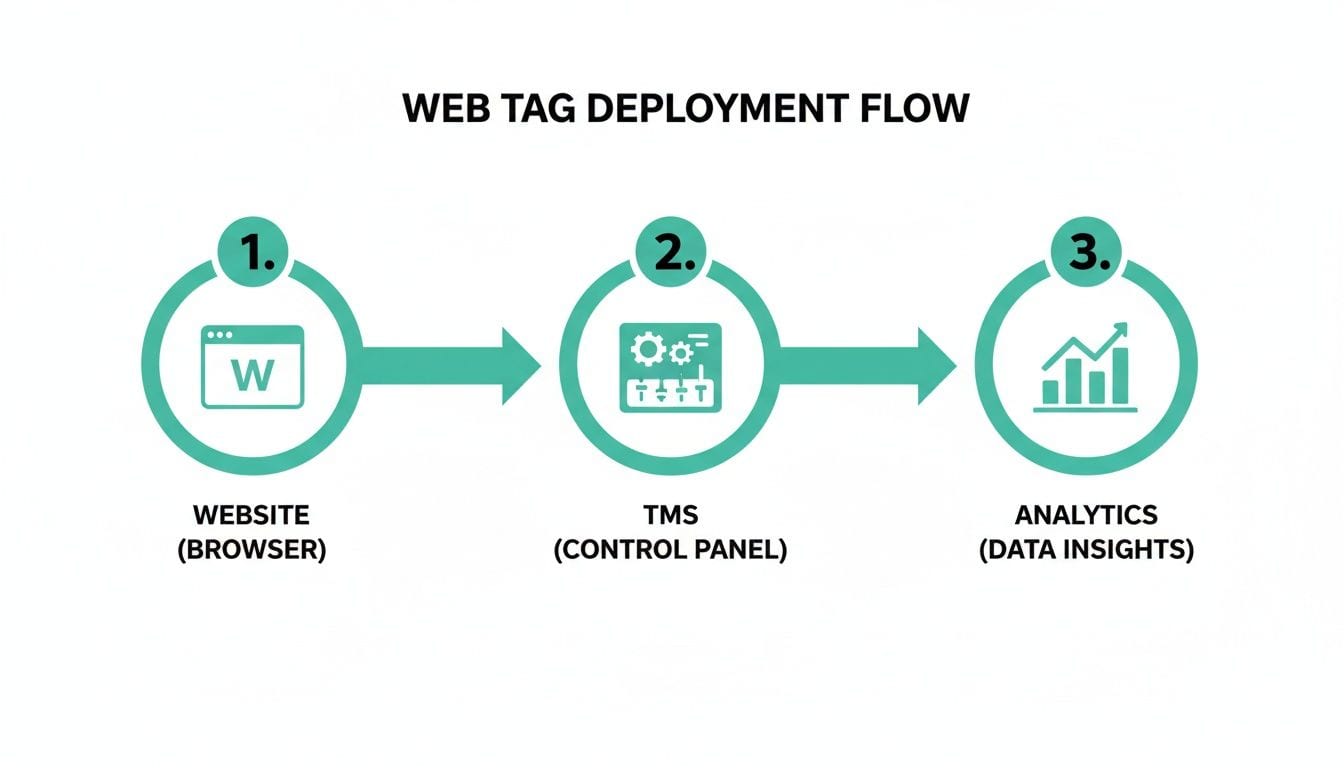
As you can see, there are multiple points where a single mistake can corrupt the entire data chain. Let's dig into the most common—and damaging—issues that plague tagging strategies day in and day out.
Missing or Broken Tags: The Silent Killers
The most straightforward problem is also one of the most common: tags that are either missing entirely or just plain broken. This usually happens during a website update or redesign. A developer, completely unaware, might remove a critical container snippet or change the ID of a button, instantly severing the connection to your TMS trigger.
What happens next? Data just stops flowing. Suddenly, your conversion tracking for a key campaign drops to zero, or your product analytics dashboard shows a massive, unexplained nosedive in "Add to Cart" events. You're left scrambling to figure out what went wrong, all while losing priceless data that should be informing your strategy.
Rogue Tags: The Uninvited Guests
Just as dangerous as missing tags are rogue tags. These are unauthorized snippets of code that somehow find their way onto your site. They can be introduced by third-party scripts, browser extensions, or even well-meaning marketing partners who decide to bypass your official deployment process.
Rogue tags are a serious liability for a few key reasons:
- Performance Degradation: They add unnecessary weight to your pages, slowing down load times and hurting both user experience and SEO.
- Security Vulnerabilities: Unauthorized code can create backdoors for malicious actors, putting your site and your users' data at risk.
- Data Leakage: These tags can skim sensitive user information without your knowledge, leading to major privacy and compliance violations.
Rogue tags operate in the shadows of your implementation. Without a system to automatically sniff them out, you might not know they exist until they cause a major performance issue or a compliance audit brings them to light.
Schema Mismatches and Data Corruption
Even when tags are present and firing, the data they send can be completely wrong. A schema mismatch happens when the structure of the data sent by a tag doesn't line up with what the receiving platform expects. For instance, your analytics tool might be waiting for a price as a number (19.99), but a recent site update causes it to be sent as a string with a currency symbol ("$19.99").
This tiny error corrupts everything downstream. Revenue reports break, event properties become useless, and the integrity of your entire analytics setup is compromised. These issues are notoriously difficult to debug manually because the tag is technically "working"—it's just sending garbage data. This problem echoes the "Browser Wars" of the 1990s, when HTML exploded from 18 tags to over 100, but non-standard implementations caused 60-70% of sites to break in either Netscape or Internet Explorer. You can read more about the history of HTML tags and their impact.
Today, we see a similar pattern: studies show 23% of GA4 events misfire due to tag conflicts, costing large firms billions in lost attribution. Platforms like Trackingplan address this head-on by automatically discovering dataLayer events and alerting you to rogue activity in minutes, dramatically cutting down on manual QA.
Consent Misconfigurations and Compliance Risks
Finally, in an era governed by regulations like GDPR and CCPA, getting consent management right is non-negotiable. A misconfigured consent banner or tag setup can cause your marketing and analytics tags to fire before a user gives permission—or not fire at all, even after consent is granted.
Both scenarios are disastrous. The first puts you at serious risk of legal penalties and fines. The second blinds your marketing teams, preventing them from building audiences or tracking campaign performance. Getting consent right isn't just about ticking a legal box; it's a critical piece of a functional and ethical tagging strategy.
Best Practices for Modern Tag Governance
After seeing just how easily tags can break, it's pretty clear that a "set it and forget it" mindset is a recipe for disaster. But good tag governance isn't about adding layers of bureaucracy. It’s about building a simple, repeatable framework that protects your data integrity while empowering your teams to move fast.
Getting out of reactive "firefighting" mode requires a real shift in process and mindset. You have to establish clear rules for how tags get requested, deployed, and maintained. This foundational work is what prevents the corrupted dashboards and wasted ad spend in the first place.
Establish a Clear Tagging Plan
Your first step toward getting things under control is to create a tagging plan. This document is your single source of truth for everything analytics and marketing. It should outline every single tag running on your site, what its business purpose is, the events it tracks, and the data it’s supposed to collect.
A well-defined tagging plan brings essential clarity to everyone involved. It forces every new tag request to be measured against a clear business goal, stopping the random buildup of redundant scripts that just slow your site down.
This plan should also enforce strict naming conventions. When everyone uses a consistent system for naming events, variables, and triggers (like event_form_submit_contact_us), your setup becomes instantly understandable and far easier to debug. That alone can save countless hours of confusion down the line.
Your tagging plan is the blueprint for your data collection. Without one, you’re just building a house room by room with no architectural drawings, and it’s only a matter of time before the walls start to crack.
Implement a Formal Deployment Process
Once the plan is in place, you need to control how tags actually get onto your site. This means creating a formal process for requesting, testing, and approving new tags. No more last-minute requests or rogue deployments from marketing partners.
A solid process usually looks something like this:
- Request and Justification: A stakeholder submits a formal request detailing the new tag’s purpose and the business value it provides.
- Technical Review: The analytics or dev team reviews the tag for any performance hits or potential security issues.
- Staging and QA: The tag is deployed in a staging environment and tested rigorously to make sure it fires correctly and sends the right data.
- Approval and Production: Only after passing all checks is the tag approved and pushed to the live website.
This structured workflow makes sure every tag added to your site is intentional, secure, and functional from day one. To build a truly robust framework, you should explore these data governance best practices to help structure your approach.
From Manual Audits to Automated Observability
For years, the gold standard for testing tags was manual auditing. This meant a QA analyst had to click through user flows, staring at browser developer tools to see if tags fired as expected. This approach is not only incredibly slow and tedious, but it’s also prone to human error and simply can't keep up with modern development cycles.
The modern solution is automated analytics observability. Instead of periodic manual spot-checks, an observability platform continuously monitors your entire tagging implementation in real-time.
Think of it this way: manual testing is like checking the fire alarm once a month by pressing the button. Automated observability is like having a smoke detector that's always on, ready to alert you at the first whiff of trouble. Platforms like Trackingplan provide this always-on safety net. They automatically discover every tag and data point, alerting you instantly to issues like broken tags, schema mismatches, or rogue events before they have a chance to hurt your business. This approach transforms governance from a slow, reactive chore into a proactive, automated strength.
Putting Tag Monitoring on Autopilot

Let's be honest: manual tag audits are a losing battle. The sheer volume of data events and the frantic pace of website updates mean something is always at risk of breaking. The only way to win is to stop fighting fires with periodic spot-checks and embrace automated observability.
Think of it like hiring a permanent, always-on QA analyst for your entire analytics implementation. That's what an automated platform does. It provides a tireless safety net that catches issues the moment they happen—long before they corrupt your dashboards or burn through your marketing budget.
Continuous Discovery and Real-Time Alerts
You can't monitor what you can't see. The first thing an automated system does is continuously scan your digital properties to discover every single tag, event, and data point. This process builds a complete map of your analytics setup, from the dataLayer on your site all the way to every marketing platform receiving your data.
This total visibility is what fuels the most critical feature: real-time alerts. Instead of waiting for a weekly report to show a sudden nosedive in conversions, your team gets an instant notification via Slack or email the second a problem is detected.
An automated observability platform transforms tag governance from a reactive chore into a proactive, strategic advantage. It frees up your teams from brittle test scripts and endless spreadsheets, allowing them to focus on analysis and growth.
This automated vigilance stands guard over the full spectrum of potential failures, ensuring your data stays accurate and reliable around the clock.
A Comprehensive Safety Net for Your Data
Automated monitoring provides a clear, definitive answer to the most common—and costly—tagging problems. It establishes a single source of truth that finally gets marketers, analysts, and developers on the same page.
This system provides critical alerts for:
- Broken or Missing Tags: Immediately flags when a key conversion tag stops firing right after a new code deployment.
- Rogue Events and Pixels: Detects unauthorized tags that could be slowing down your site or creating security risks.
- Schema and Property Mismatches: Catches data formatting errors, like a price being sent as a string instead of a number, that silently corrupt your reports.
- PII Leaks and Consent Issues: Identifies potential privacy violations by spotting personally identifiable information being sent where it absolutely shouldn't be.
By putting tag monitoring on autopilot, you can finally trust your data again. This level of automation ensures privacy compliance and gives your teams the confidence to act, knowing their insights are built on a solid foundation.
Your Questions About Web Tags, Answered
As we wrap up our deep dive into the world of web tags, let’s tackle some of the most common questions that come up. Think of this as your quick-reference guide for navigating the practical, everyday confusion that marketers, analysts, and developers run into.
What Is the Difference Between a Tag and a Pixel?
It's a common point of confusion, especially since people often use the terms interchangeably. Here’s the simple breakdown: a "tag" is the umbrella term for any code snippet that collects and sends data from your website.
A "pixel" is just one specific type of tag. It's typically a tiny, 1x1 transparent image file used by ad platforms like Meta or LinkedIn to track conversions and build audiences.
So, all pixels are tags, but not all tags are pixels. Your Google Analytics script, for example, is a tag—a full JavaScript library—but it’s definitely not a pixel.
Can Too Many Tags Slow Down My Website?
Yes, they absolutely can. Each tag you add, particularly those running on the client-side, forces the user's browser to send another request to an external server. When these requests pile up, they can seriously drag down your page load times. This isn't just a minor annoyance; it directly impacts user experience and can even hurt your SEO rankings.
A huge advantage of moving to a server-side tag management setup is how it cuts down on these direct browser requests. By bundling them together on the server, you can see some pretty significant performance boosts.
How Can I See What Tags Are on a Website?
For a quick peek, you can use your browser's built-in developer tools. Just open the "Network" tab, reload the page, and you'll see a waterfall of all the requests being made to outside domains. Many of these correspond to tags firing.
If you want a more user-friendly view, browser extensions like Google Tag Assistant or Ghostery are great for identifying and listing the tags on a given page. But for a truly complete and always-accurate picture, an automated observability platform is the only way to continuously discover every single tag running across your entire digital property.
Your data is only as good as the tags that collect it. Stop chasing broken analytics and let Trackingplan put your tag monitoring on autopilot. Get a single source of truth for your entire analytics implementation and catch errors before they impact your business. Discover how Trackingplan ensures your data is always accurate and reliable.