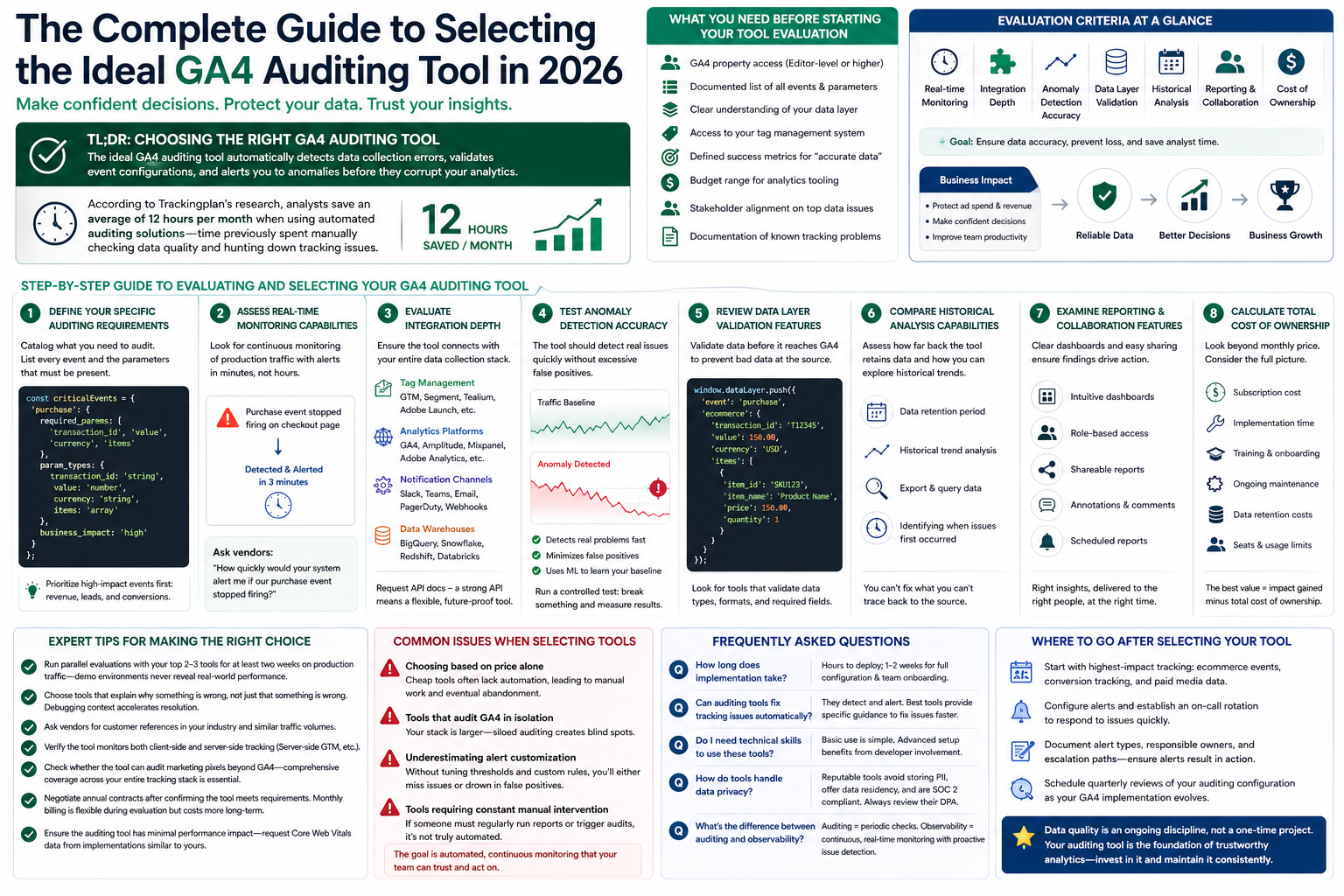
Let's be real for a second: your analytics are probably lying to you. This isn't just about a minor tracking glitch here or there. We're talking about flawed data actively driving expensive budget decisions and causing you to miss huge opportunities. A web analytics audit isn't just a "nice to have"—it's the only way to stop guessing and start making decisions with data you can actually trust.
Why You Can't Trust Your Data and How to Fix It

Too many businesses operate under the dangerous assumption that the data they see is the data that's real. They pour money into marketing, launch new features, and pivot entire strategies based on numbers that might be fundamentally broken. This guide goes beyond simple tag checks to give you a practical, real-world workflow to find and fix the silent killers lurking in your analytics.
The consequences of bad data aren't theoretical; they hit your bottom line. Hard. Imagine sinking thousands into a marketing campaign that looks like it's tanking, only to find out months later that broken UTMs were wrecking your attribution. Or worse, missing a critical bug in your checkout flow because the "purchase" event stopped firing, leading to massively underreported revenue.
The True Cost of Inaccurate Analytics
Bad analytics create a domino effect of poor decisions that quietly bleeds your company dry. It’s a story I’ve seen play out countless times: a dev team pushes a site update, and a key event tag breaks without anyone noticing. Weeks go by, marketing sees a dip in conversions, and they pull the plug on a high-performing ad campaign, thinking it's suddenly a dud.
This is exactly where a proper web analytics audit proves its worth. It gives you a systematic way to restore faith in your numbers. The end goal is simple: build a foundation of trust so that every dashboard you look at actually reflects reality.
A web analytics audit isn't just a technical task—it's a strategic necessity. Without it, you’re flying blind, making critical business decisions on a map that’s missing half the roads.
What a Proper Audit Uncovers
A thorough audit isn't just about looking at your Google Analytics reports. It's about digging into the entire data pipeline, from the moment a user lands on your site to the final number in your dashboard. You need to investigate how the data gets there in the first place.
This process means getting your hands dirty and validating everything:
- The Data Layer: Is it consistently populating the right product IDs, prices, and user details? Or is it a mess of inconsistent variables?
- Event Tracking: Are key actions like form submissions, video plays, and button clicks actually being captured as you designed them?
- Consent Management: This one's huge. You have to verify that your tracking tags are respecting user privacy choices to stay compliant.
- Marketing Pixels: Are the attribution tags for your ad platforms—Google, Meta, LinkedIn—firing correctly? If not, you can't measure ROI.
Nailing these core areas will dramatically improve the quality of your insights. For anyone looking to get back to basics on this, Trackingplan has a great guide on how you can ensure data integrity that I'd recommend reading.
Scoping Your Audit for Maximum Impact
A successful web analytics audit doesn't kick off with a frantic hunt for broken tags. It starts with a clear, strategic plan.
Without a solid scope, audits get messy fast. They become overwhelming, lose focus, and ultimately fail to deliver any real business value. The goal is to shift your mindset from a reactive "what's broken?" to a proactive "what needs to be true for us to win?"
This process is about more than just listing out your domains; it's about defining concrete objectives. Are you prepping for a massive site migration and can't afford to lose data continuity? Maybe you're launching a new product feature and need to validate its tracking from day one. Or perhaps the marketing team is starting to doubt their attribution models and needs to trust the campaign data again. Each of these scenarios demands a completely different focus.
Defining Your Audit Goals
Before you even glance at a single tag, you need to get aligned with your stakeholders. Sit down with the marketing, product, and development teams to really understand their pain points and what they're trying to achieve. What are the key business questions they just can't answer right now? Their answers will directly shape the entire scope of your audit.
A few common goals I see all the time include:
- Validating a New Feature Launch: Making sure every user interaction with a new feature is tracked perfectly to measure adoption and engagement.
- Preparing for a Site Migration: Mapping all existing tracking to the new site structure to prevent any data from falling through the cracks.
- Improving Marketing Attribution: Verifying that all campaign parameters are captured consistently across every single channel.
- Ensuring Compliance: Auditing the consent management implementation to confirm tags only fire when—and if—a user gives proper consent.
Defining these goals upfront transforms a vague "audit the analytics" task into a focused project with outcomes you can actually measure.
Creating a Complete Tag Inventory
Once your goals are crystal clear, you need to get a handle on what you’re actually auditing. This means creating a complete inventory of every single analytics and marketing tag running across your digital properties. I've seen teams who were shocked to discover dozens of legacy or unknown tags firing on their site, dragging down performance and creating total data chaos.
You could try a manual crawl using browser developer tools to uncover some tags, but you'll almost certainly miss something. Automated tools can do this much faster and more thoroughly, scanning your entire site to identify every pixel and script from vendors like Google Analytics, Adobe, Meta, and others. Your inventory should document each tag's purpose, who owns it, and where it's supposed to fire. This document becomes your initial map of the landscape.
The most critical part of scoping is translating business goals into technical requirements. If the goal is to "improve marketing ROI," the technical requirement is to "validate that UTM parameters are correctly and consistently captured for all inbound traffic."
The Tracking Plan: Your Single Source of Truth
An inventory tells you what's currently on your site, but it doesn't tell you what should be there. That's the job of a tracking plan. Think of this document as your constitution for data collection—it's the single source of truth that defines every event, property, and naming convention.
Your audit should be a direct comparison of your tag inventory against this tracking plan. Is the user_signup event firing with the plan_type property exactly as defined? Or did a developer send plan instead, completely breaking your reports? Auditing against a clear tracking plan is fundamental for long-term data governance. It’s what stops the slow decay of data quality that happens when every team just adds tracking in their own siloed way. For a deeper dive, check out this excellent website audit checklist which can help you structure this entire process.
By first defining your goals, then creating a full inventory, and finally comparing it against your tracking plan, you guarantee your web analytics audit is efficient, targeted, and drives meaningful improvements.
Getting Your Hands Dirty: The Technical Validation Deep Dive
With a clear scope and a solid tracking plan in hand, it's time to roll up your sleeves. This is where the real work of the audit happens, moving from planning to hands-on validation. Here, you'll meticulously check every implementation detail to make sure the data flowing into your analytics platforms is clean, accurate, and trustworthy.
This isn't just about seeing if a tag fires. It's about confirming that the right data is sent in the right format at the right time. Think of it like a quality control inspection on an assembly line—a missing part or a tiny defect early on can make the final product completely useless.
This flow diagram breaks down the setup process, moving from defining your goals to inventorying your tags and getting the right people involved.
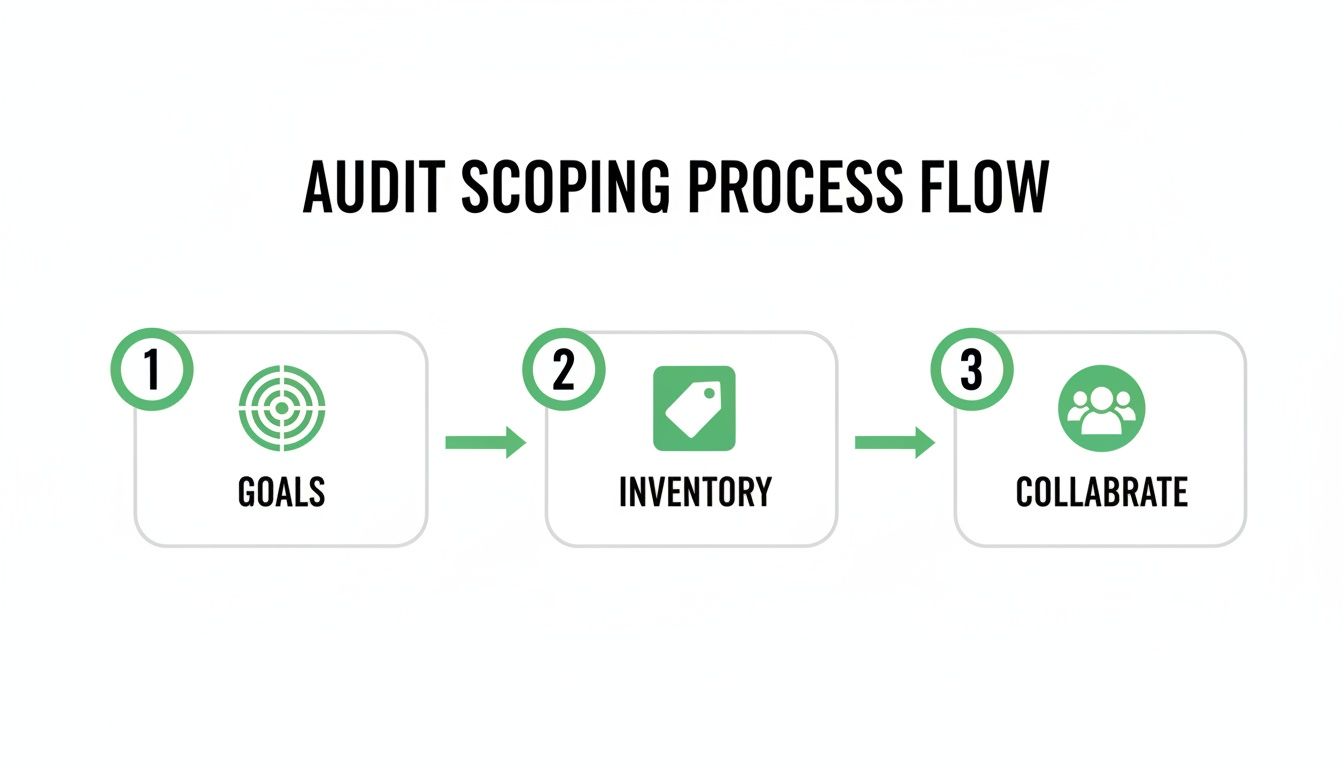
A successful technical validation is always built on the strategic groundwork you laid out during scoping. Don't skip the prep work.
Validating Your DataLayer and Events
Your dataLayer is the heart of your data collection. It’s a JavaScript object that acts as a central hub, holding all the data you want to pass from your site to your analytics and marketing tools. If the dataLayer is wrong, everything that follows will be wrong too.
Start by simulating key user actions on your site and watching the dataLayer pushes in your browser's developer console. Does adding an item to the cart actually push an add_to_cart event? More importantly, does that event contain all the required product details like item_id, item_name, price, and quantity?
A common failure point is when developers implement an event but miss a critical property. For instance, a purchase event might fire correctly, but if the price property is missing or formatted as a string instead of a number, your revenue reporting will be completely off. This tiny error has a massive business impact, making it seem like sales are tanking when they're not. When diving into this, understanding the scope of a comprehensive page audit can give you a great checklist of elements to watch out for.
Ensuring Schema and Property Consistency
Once you confirm events are firing, you need to validate their structure, or schema. This means checking that property names and their data types (e.g., string, number, boolean) perfectly match what's defined in your tracking plan.
Analytics tools are unforgiving. If your tracking plan specifies a property named product_id but your code sends productId, the tool will see them as two entirely different things, fragmenting your data.
The most dangerous analytics errors aren't the ones that cause loud, obvious breaks. They're the silent mismatches in naming conventions and data types that slowly corrupt your reports over time, leading to a gradual loss of trust in your data.
Consider this real-world scenario I've seen more than once:
- Tracking Plan: The
user_signupevent requires a boolean property namedis_trial_user. - Implementation: A developer mistakenly sends the value as a string:
"true". - Outcome: Your analytics platform might not interpret
"true"as a boolean, causing filters and segments based on this property to fail silently. You might think no one is signing up for trials when, in reality, your user base is full of them.
Meticulously compare every single property against your tracking plan. It's tedious, but this step prevents the kind of data corruption that can invalidate months of analysis.
Tackling UTM and Campaign Tagging Errors
No area of analytics is more prone to human error than UTM tagging. Inconsistent or incorrect UTM parameters can completely destroy your marketing attribution, making it impossible to know which campaigns are actually driving results. This is a massive, industry-wide problem.
As the web analytics market is projected to reach $10.73 billion by 2026, the need for accuracy is more critical than ever. Yet, I've seen studies suggesting up to 80% of marketing tags on large websites are broken. A staggering 73% of audited sites show major UTM inconsistencies, which can misallocate marketing budgets by as much as 25%.
Your audit must include checks for common UTM mistakes:
- Case Sensitivity:
utm_source=Googleandutm_source=googleare tracked as two separate sources. - Inconsistent Naming: Using
cpc,paid-search, andgoogle-adsinterchangeably for the same campaign medium. - Missing Parameters: Launching a campaign with
utm_sourceandutm_mediumbut forgettingutm_campaign.
Systematically test links from your active marketing campaigns. I always use a simple spreadsheet to document the UTMs for each channel, then compare it against the marketing team’s conventions. Identifying and standardizing these practices is a huge win you can deliver with your audit. For a deeper look at the mechanics, you can check out our guide on how to test a tag.
Verifying Consent Flag Implementation
Finally, in an age of increasing privacy regulation, verifying your consent management implementation is non-negotiable. Your audit needs to confirm that analytics and marketing tags only fire after a user has given explicit consent.
This means testing a few different user scenarios:
- Accepting All: Confirm that all tags fire as expected when a user accepts all cookies.
- Rejecting All: Verify that no non-essential tracking tags fire when a user rejects consent.
- Partial Consent: If a user accepts analytics but rejects marketing cookies, confirm that only your analytics tags fire, while things like the Meta Pixel do not.
Use your browser's developer tools to monitor network requests and cookie storage under each scenario. A failure here is more than just a data issue; it's a serious compliance risk that could lead to significant fines and damage to your brand's reputation.
The following table breaks down some of these common validation checks and illustrates why they are so critical to get right.
Common Validation Checks and Their Business Impact
As you can see, what might seem like a small technical oversight can have a ripple effect that touches everything from marketing spend to legal compliance. Paying close attention to these details is what separates a world-class analytics setup from a broken one.
Choosing Your Testing and Debugging Toolkit
Once you have a clear tracking plan, it’s time to get your hands dirty with testing and debugging. You simply can't fix what you can't see. Your toolkit is what determines how quickly you can find problems—whether that’s a broken event on a staging server or, worse, a critical data leak in production.
How you approach this really depends on your team's size and technical chops. Some issues are easy enough to catch with a quick manual check. Others demand a more robust, automated eye to keep your data clean at scale. The goal is to build a quality assurance process that actually works for you.
Manual Inspection with Browser Developer Tools
For most analysts and developers, the first line of defense is right there in the browser. The built-in developer tools in Chrome, Firefox, and Safari are powerful, free, and always available. Just pop open the "Network" tab, and you can see the actual data payloads firing off to your analytics vendors.
This method is perfect for quick, targeted checks. Let's say you just deployed a new "add to cart" button. You can click it yourself and immediately inspect the outgoing network request to Google Analytics or another destination.
In seconds, you can verify the critical details:
- Event Name: Is the
add_to_cartevent actually firing? - Property Accuracy: Are the
item_id,price, andcurrencyproperties all there and correctly formatted? - Endpoint Destination: Is the data going to the right measurement ID or workspace?
While it’s an essential skill for initial debugging, manual inspection has its limits. It’s just a snapshot in time, only covers the one path you decided to test, and gets incredibly tedious across an entire site. It just doesn't scale.
The Power of Debugging Proxies
When you need a more advanced manual approach, debugging proxies like Charles or Fiddler give you a much deeper view. These tools act as a middleman between your browser and the internet, letting you intercept, inspect, and even tweak all the HTTP/HTTPS traffic flying back and forth.
This is a lifesaver for debugging mobile app analytics, where you can't just open a developer console. By routing your phone's traffic through the proxy, you can see the exact analytics payloads being sent from your app. It gives you a level of visibility that's impossible to get with browser tools alone.
Think of manual testing as a spot-check. It's great for confirming a specific fix or validating a single new feature. But relying on it exclusively is like trying to guard a fortress by only watching one gate—you'll inevitably miss things.
The Shift to Automated Observability
Manual methods are reactive. You have to know what you’re looking for and where to find it. Automated observability platforms, on the other hand, are proactive. They constantly monitor your entire analytics setup across all environments—from staging to production—and yell the moment something breaks.
This is where you get the real power to maintain data quality for the long haul. The auditing services market, which is closely tied to web analytics, is expected to grow by USD 113.4 billion between 2024-2028. Yet, only about 25% of companies audit their analytics continuously, which helps explain why 40-50% of data discrepancies often go completely unnoticed. Platforms like Trackingplan are built to close this gap. They deploy in minutes to monitor every pixel, alerting you to risks like PII leaks and helping you maintain compliance and data quality without all the manual grunt work. You can read the full research on web analytics market trends to grasp the scale of this problem.
Automated platforms are brilliant at catching the kinds of issues that are nearly impossible to find by hand:
- Schema Mismatches: Automatically flagging when a developer sends
ProductIDinstead of the requiredproduct_id. - Missing Properties: Alerting you if the
revenueproperty suddenly disappears from apurchaseevent after a new release. - Rogue Events: Identifying unexpected events that were never in your tracking plan, which usually points to a bug or an unauthorized script.
- UTM Convention Errors: Continuously checking campaign tags to make sure they follow your established naming rules.
By plugging directly into your CI/CD pipeline, these tools can validate changes on a staging server before they ever get pushed to production. This stops bad data in its tracks. It transforms your web analytics audit from a dreaded, periodic project into a smooth, ongoing process of governance.
Turning Audit Findings into Actionable Fixes

It’s easy to feel overwhelmed after a web analytics audit uncovers dozens of tracking issues. But a raw, detailed list of problems is just noise until you shape it into a clear, prioritized action plan. The real value of an audit isn’t in finding flaws—it’s in getting them fixed.
This is exactly where many audits fall flat. They end up as a dense technical document that lands on a developer’s desk without any context, leaving them to guess which of the 50 issues to tackle first. To make your audit count, you have to frame every single finding in terms of its business impact.
Prioritizing Fixes with an Impact-Effort Matrix
Let's be honest: not all tracking errors are created equal. A minor inconsistency in an event property is an annoyance, but a broken pixel on your highest-converting landing page is a five-alarm fire. The best way I've found to cut through the noise is with a classic Impact-Effort Matrix.
This simple framework helps you sort every issue based on two critical dimensions:
- Business Impact: How much pain is this issue actually causing? Think direct revenue loss, compliance risks, skewed marketing ROI, or a total blind spot in a key user journey.
- Effort to Fix: How much time and resources will the dev team need? Is it a five-minute tweak in Google Tag Manager or a multi-day code refactor?
By plotting each finding on this matrix, you can instantly see what matters most. Your first targets should always be the high-impact, low-effort fixes. These are the quick wins that deliver immediate value and build momentum for the entire remediation project.
Communicating Findings for Maximum Buy-In
Your final audit report has to speak to different people—from marketers obsessed with ROI to executives who just need to trust their dashboards. Simply listing technical jargon like "product_id schema mismatch" won't get you very far. You need to tell a story about the consequences.
Instead of just stating the problem, explain why it matters.
Don't just report the what; explain the so what. Connect every technical glitch to a tangible business problem, whether it's misallocated ad spend, underreported sales, or a potential compliance fine. This is how you get stakeholders to care.
For instance, when you're talking to a developer, give them a clear, concise technical recommendation. But for a marketing manager, frame that same issue in a completely different way.
Technical Recommendation: "The add_to_cart event is sending productId instead of the schema-defined product_id. The dataLayer push on all product pages needs to be updated for consistency."
Business Impact for Marketing: "Our 'cart abandonment' funnel is broken because the system can't recognize which products are being added. This means we can't run effective retargeting campaigns for these high-intent users, and we're likely leaving money on the table."
This approach guarantees everyone understands why a fix is important, which dramatically increases the odds of it being prioritized. The truth is, data quality nightmares are incredibly common. Research from Forrester has shown that 55% of enterprise websites have broken marketing pixels, leading to revenue leakage of 15-20% from untracked conversions. Other analyses show that up to 30% of tracked events have serious issues like PII leaks or consent misconfigurations, creating massive compliance risks. Weaving these industry realities into your presentation adds serious weight to your recommendations. You can discover more insights about web analytics challenges and market growth to help build your case.
By prioritizing ruthlessly and communicating the real-world business impact of your findings, you turn your web analytics audit from a technical report into a powerful catalyst for change.
Your Web Analytics Audit Questions, Answered
Even with a solid plan, a few questions always come up before diving into a full web analytics audit. Let's tackle the most common ones we hear from teams, so you can move forward with confidence and make sure your audit actually delivers value.
Here are some straight-up answers to clear up any lingering uncertainties.
How Often Should I Run an Analytics Audit?
A full, manual audit is something you should pencil in at least once a year. It’s also non-negotiable right before any major digital shift—think a website redesign, a platform migration, or launching a new mobile app. Doing it then gives you a clean, reliable baseline to measure against.
But it’s important to be realistic: a manual audit is just a snapshot. The moment you finish, a new code release can introduce a whole new set of problems.
For true data integrity, especially if your team is shipping updates constantly, automated monitoring is the only way to go. It shifts the audit from a massive, periodic project into an ongoing, manageable governance process.
This kind of constant oversight catches issues the moment they happen. It stops those tiny bugs from snowballing into major data disasters that silently corrupt your dashboards for weeks or even months.
What Are the Most Common Issues You Find?
While every website has its own quirks, we see the same few problems pop up time and time again. These are the usual suspects that consistently undermine data trust, no matter the industry.
Here's what we find most often:
- Inconsistent UTM Tagging: This is probably the single biggest offender. It completely corrupts marketing attribution, making it impossible to know your true campaign ROI. Even simple mistakes like inconsistent capitalization (
googlevs.Google) can fracture your data into useless pieces. - Broken Event Tracking: A classic side effect of a new feature release. A critical
purchaseorform_submissionevent just stops firing, and no one notices. Suddenly, your conversion numbers are in the basement, and you're left wondering why. - Schema Mismatches: This one is a silent killer of data quality. It happens when the data your site sends (like a property named
productId) doesn't match what your analytics tool expects (likeproduct_id). When that happens, the data gets ignored or shoved into the wrong category. - PII Leakage: This is the most critical issue we find. It's the accidental collection of Personally Identifiable Information (PII). When sensitive user data like emails or names gets sent to analytics platforms, it creates a massive privacy and compliance risk.
Can I Just Do This Myself?
Absolutely. If you have a smaller website with a fairly simple tracking setup, you can definitely run a basic audit on your own. Using tools like your browser's developer console and a solid checklist will help you catch many of the most common issues.
Going hands-on is a fantastic way to really learn the ins and outs of your data implementation and find some quick wins.
But as your digital footprint grows—more domains, apps, marketing tools—a manual audit quickly becomes a huge time sink and is incredibly prone to human error. It's just not feasible to manually test every user path and validate every single event after each deployment.
This is where automated platforms really shine. They take over the tedious, repetitive work of discovery, validation, and continuous monitoring. In doing so, they save teams hundreds of hours and catch subtle, critical issues that manual checks almost always miss, giving you a far more scalable and reliable way to maintain data quality for the long haul.
Stop flying blind and start trusting your data. Trackingplan provides a fully automated observability platform that monitors your analytics and marketing tags in real time, alerting you to issues before they impact your business decisions. Get the reliable data you need by visiting Trackingplan.