
TL;DR:
- Conduct regular, quick audits to identify and fix tracking issues early.
- Ensure UTM consistency and proper setup for accurate attribution data.
- Automate validation processes to maintain data health as campaigns scale.
Marketing teams often run campaigns for weeks before realizing their channel performance reports are built on shaky ground. A misplaced UTM tag, a duplicate conversion event, or a mislabeled source can quietly skew every decision you make about budget allocation. U.S. companies lose $12.9M/year to data quality issues, and a large share of that waste traces back to attribution errors that go undetected for months. This guide walks you through exactly how to audit, fix, and verify your campaign attribution so your data actually reflects reality.
Table of Contents
- Prepare for your campaign attribution audit
- Step-by-step campaign attribution audit process
- Validate tracking and data health
- Choose and test the right attribution models
- Why quick audits and ongoing checks beat perfectionism
- Automate your attribution audits for reliable growth
- Frequently asked questions
Key Takeaways
| Point | Details |
|---|---|
| Prep is essential | Solid prep with access to all tracking and CRM tools sets the foundation for an effective audit. |
| Follow clear steps | Use a structured order to review tracking, sources, conversion paths, and models for reliable results. |
| Validate your data | Always verify analytics numbers against CRM data for accuracy and completeness. |
| Test multiple models | Trying various attribution models reveals blind spots and helps optimize channel investments. |
| Audit regularly | Quick and frequent audits catch problems before they become expensive mistakes. |
Prepare for your campaign attribution audit
A successful audit starts before you open a single report. Rushing into data without the right tools and access is the fastest way to miss critical issues, so treat preparation as a non-negotiable first step.
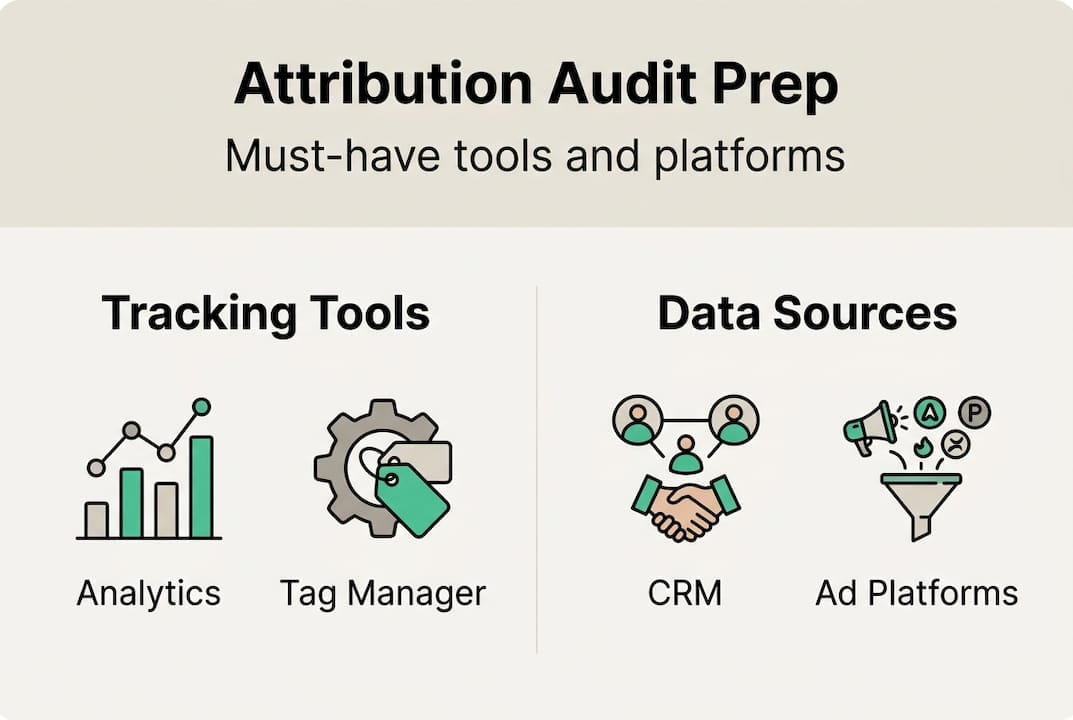
You need access to your analytics platform (GA4 or Adobe Analytics), your CRM, all active ad platforms (Google Ads, Meta, LinkedIn), your tag management system, and any data warehouse or BI layer sitting downstream. Without all of these in front of you, you are only auditing a fragment of your attribution picture.
A healthy attribution environment has some clear benchmarks. You want fewer than 30 unique source/medium combinations, direct traffic below 25 to 30 percent of total sessions, and consistent UTM naming across every campaign. When direct traffic climbs above that threshold, it usually signals that tagged links are broken or that internal traffic is polluting your data.
UTM parameter best practices are the backbone of clean attribution. Standardize your naming conventions in a shared spreadsheet and enforce them with a UTM builder tool. Capital letters, spaces, and inconsistent campaign names create duplicate channel definitions that fragment your data silently.
Pro Tip: Pull your source/medium report and sort by sessions descending. If you see the same channel appearing twice with different capitalization (e.g., “google / cpc” and “Google / CPC”), you have a duplicate definition problem that will distort every model you run.
Before you start, run through this prep checklist:
- Confirm platform access and admin permissions for all tools
- Check that data is fresh (no sampling, no 24-hour delay warnings)
- Verify time zone alignment across analytics, CRM, and ad platforms
- Confirm that internal IP addresses are excluded from tracking
- Review your website auditing checklist to catch tag and pixel gaps
| Prep area | What to check | Red flag |
|---|---|---|
| UTM consistency | Naming conventions across all campaigns | Mixed case, missing parameters |
| Direct traffic | Percentage of total sessions | Above 30% |
| Source/medium count | Unique combinations | More than 30 |
| Time zone | Matches across all platforms | Misaligned reporting windows |
Step-by-step campaign attribution audit process
Once your tools and data are ready, the audit itself is a sequence of focused checks. Each step has a clear purpose, a time budget, and a pass/fail signal.
A structured 30-minute audit framework breaks down like this: minutes 1 to 5 cover source/medium reports, minutes 5 to 10 examine the campaign dimension, minutes 10 to 15 check landing page traffic alignment, minutes 15 to 20 review conversion paths, and minutes 20 to 25 audit channel groupings. This rhythm keeps you focused and prevents the audit from becoming a three-hour rabbit hole.
Here is the numbered process to follow:
- Review source/medium report. Look for unexpected entries, high direct traffic, and duplicate channel labels. Success means fewer than 30 clean combinations.
- Check campaign dimension. Confirm that every active campaign has a tagged name. Blank campaign fields mean UTMs are missing somewhere.
- Audit landing page traffic. Cross-reference paid campaign landing pages against actual traffic sources. A paid campaign driving organic-labeled sessions is a tagging failure.
- Trace conversion paths. Verify that goal completions and purchase events fire correctly and are not duplicated. One conversion should equal one event.
- Inspect channel groupings. Custom channel groupings that haven’t been updated after a new campaign launch will misclassify traffic automatically.
Pro Tip: Run a quick audit monthly using three sample customer journeys, and schedule a full comprehensive review every quarter. Monthly checks catch new campaign launches that break existing conventions before they corrupt a full reporting cycle.
| Audit type | Time required | Scope | Best for | |—|—|—| | Quick audit | 30 minutes | Source/medium, conversions, top campaigns | Monthly health check | | Comprehensive audit | 3 to 4 hours | Full funnel, CRM match, model review | Quarterly deep dive |
Common pitfalls to watch for: missing conversion events on new landing pages, case mismatches in UTM values, and channel grouping rules that haven’t been updated to reflect new traffic sources. You can learn more about how to optimize attribution tracking and build a solid campaign tracking checklist to formalize these steps across your team.
Validate tracking and data health
Following the audit steps gives you a map of potential issues. Validation confirms whether those issues are real and whether your numbers can actually be trusted.
Start by reconciling your analytics platform against your CRM. Export a date-matched set of leads or transactions from both systems and compare them. Discrepancies above 10 to 20 percent are a signal that tracking is failing somewhere in the funnel. Gaps between platforms often point to cross-domain tracking failures, server-side event misfires, or consent-related data loss.
Here are the key health benchmarks to measure against:
- CRM match rate: At least 95% match to CRM truth set
- Attribution health score: Above 60 percent of conversions with complete path data
- Platform variance: Less than 10 to 20 percent difference between ad platform and analytics conversions
- Identity match rate: Above 90 percent for cross-device or cross-domain journeys
For teams running cross-domain campaigns or enhanced conversions, UTM standardization becomes even more critical. A user who moves from a blog to a checkout subdomain without proper cross-domain tracking configured will appear as a new direct session, erasing all attribution data for that journey. Check your attribution report best practices for guidance on structuring these reports correctly.
“Validate your data completeness before you choose or change your attribution model. A sophisticated model built on incomplete data will give you confident wrong answers.”
This is a point many teams skip. They invest hours debating last-click versus data-driven models while their underlying tracking has a 25 percent gap. Fix the tracking first. You can also use CRM-analytics match tips to tighten your reconciliation process. Once you have clean data flowing into your attribution workflow, model selection becomes a much more productive conversation.

Choose and test the right attribution models
With validated, healthy data in hand, you can make an informed decision about which attribution model actually fits your business goals. This is where audit results translate into strategic action.
The model you choose shapes how credit is distributed across channels, and that directly affects where you invest your budget. Here is a comparison of the four main options:
| Model | Pros | Cons | Data requirement | |—|—|—| | Last-click | Simple, easy to explain | Misattributes 40-60% of credit | Minimal | | First-touch | Good for awareness measurement | Ignores nurture and close channels | Minimal | | Multi-touch (linear/position-based) | Distributes credit across journey | Requires consistent UTM tagging | Moderate | | Data-driven (DDA) | Most accurate, AI-powered | Needs 600+ conversions/month in GA4 | High |
Data-driven models improve efficiency by 15 to 25 percent compared to last-click, but only when the underlying data is clean. Multi-touch models are particularly revealing because they surface undervalued channels like content and SEO, which can receive up to 83 percent more revenue credit when the full path is considered.
Follow this process after your audit to test model fit:
- Run your current model and export channel credit distribution.
- Apply an alternative model to the same date range and compare the output.
- Identify channels where credit shifts significantly (more than 15 percent).
- Run a controlled experiment, such as a geo-split test, to validate which model better predicts actual revenue.
- Calibrate your reporting model based on experiment results, not just preference.
Pro Tip: Never present attribution model results to stakeholders before testing at least two models side by side. A single model view creates false confidence and can lead to budget cuts in channels that are actually driving value upstream. Read more about analytics in advertising to understand how model choice affects campaign investment decisions.
Why quick audits and ongoing checks beat perfectionism
Here is the uncomfortable truth most analytics guides won’t tell you: the teams with the cleanest attribution data are not the ones who spent the most time debating models. They are the ones who built a habit of running quick 30-minute data checks every month and fixed tracking issues before they compounded.
Annual audits miss the moment a new campaign launch breaks a UTM convention, or a developer update removes a conversion tag. Those errors sit in your data for months, quietly distorting every report you build on top of them. Frequent, lightweight checks catch these issues within days, not quarters.
The contrarian advice here is to spend more time on setup verification and less time on model debates. A data-driven attribution model running on 80 percent complete data is less useful than a simple linear model running on 98 percent complete data. Accuracy of collection beats sophistication of analysis every time.
We have seen teams invest weeks in custom attribution modeling projects only to discover mid-project that their UTM tagging was inconsistent across three major campaigns. All that modeling work had to be redone. The fix would have taken 30 minutes if caught earlier. Use attribution tracking shortcuts to build speed into your routine without sacrificing coverage.
Automate your attribution audits for reliable growth
Manual audits are valuable, but they have a ceiling. As your campaign volume grows, the time required to check every tag, UTM, and conversion path manually scales with it, and human error becomes inevitable.

Trackingplan automates the repetitive work of tracking validation, pixel monitoring, and schema consistency checks across your entire Martech stack. Instead of waiting for a quarterly review to discover a broken conversion tag, you get real-time alerts the moment something breaks. The platform’s automated data quality monitoring continuously watches your analytics implementation and flags anomalies before they corrupt your reports. Start with a free analytics audit to see exactly where your current attribution setup has gaps, and turn the manual process you just learned into an automated safety net.
Frequently asked questions
What is the first step in a campaign attribution audit?
Start by verifying technical tracking setup, including UTM consistency, tag firing, and checking for duplicate conversion events. Without this foundation, every subsequent audit step will produce unreliable results.
How often should campaign attribution audits be performed?
Run monthly quick audits covering three sample journeys, duplicate checks, and platform reconciliation, plus a comprehensive quarterly review for full-funnel analysis.
What are common causes of inaccurate campaign attribution data?
The most frequent causes are inconsistent UTM tags, duplicate or mislabeled source/medium entries, and outdated channel grouping rules that misclassify new traffic sources.
Does last-click attribution provide reliable results?
No. Last-click misattributes 40 to 60 percent of conversion credit, making it a poor basis for budget decisions in multi-channel campaigns where awareness and nurture touchpoints matter.
What does a healthy campaign attribution data set look like?
A healthy setup has fewer than 30 source/medium pairs, direct traffic below 25 to 30 percent, and a CRM match rate above 95 percent for reliable reporting.
Recommended
- Campaign monitoring best practices: optimize tracking accuracy | Trackingplan
- Ways to optimize attribution tracking for digital accuracy | Trackingplan
- 6 Steps to a Reliable Campaign Tracking Checklist | Trackingplan
- Mastering Analytics in Advertising to Maximize Your ROI | Trackingplan
- Defining Ad Campaign Optimization for Home Services