
Eliminating tracking cookies isn't a one-size-fits-all task. For individuals, it's about tweaking browser settings and maybe adding a privacy-focused extension. For businesses, it's a much deeper shift—moving toward server-side tagging and first-party data strategies to build a more resilient, privacy-first foundation.
Why Eliminating Tracking Cookies Is a Critical Shift

Let's be clear: the move away from third-party tracking cookies is not a minor technical update. It's a fundamental rewiring of how the internet works. For years, these tiny data files have been the engine of digital advertising, letting companies follow users from site to site. That engine is now sputtering to a halt, thanks to a perfect storm of new privacy laws, browser crackdowns, and a huge shift in what consumers are willing to accept.
This transition is both a headache and a massive strategic opportunity. Businesses that have leaned heavily on third-party data for advertising and analytics are now staring down a new reality. Sticking with the old ways isn't just outdated; it's risky.
The Real-World Risks of Inaction
Ignoring this shift is a recipe for trouble. Analytics platforms start breaking, marketing campaigns lose their edge, and the threat of steep compliance fines becomes very real. More than that, continuing to use invasive tracking methods burns through customer trust—something that’s incredibly hard to win back once it's gone. The industry is already moving on, as seen in trends like Saying Goodbye To Third Party Cookies, which is reshaping online advertising.
This isn't a distant problem. With Google Chrome—holding roughly 63% of the global market share—on the verge of completing its phase-out, the pressure is on. The situation is complicated by the fact that 75% of marketing leaders admit they still depend heavily on these cookies. A full three-quarters of these leaders think this change will hurt their business, and 16% are bracing for a devastating blow. This dependency underscores just how urgently companies need new ways to map out their tracking and cut their reliance on third-party data.
The core of this change is about respect. It’s about building a digital experience that honors user privacy from the ground up, rather than treating it as an afterthought. This is your chance to create a more direct and transparent relationship with your audience.
A Strategic Opportunity to Build Trust
Instead of seeing this as a crisis, think of it as a chance to build something better and more durable: a first-party data foundation. When you focus on data that customers give you willingly, you're not just ensuring compliance—you're creating a stronger, more effective marketing strategy built on trust. To get a better handle on the different types of cookies and how they fit into this picture, our deep dive on the relationship between cookies and marketing is a great place to start.
This guide will walk you through the practical, actionable steps to navigate this new terrain. Before we dive into the details, here's a quick look at some immediate actions you can take to get started.
Quick Guide to Eliminating Tracking Cookies
This table summarizes a few immediate actions that both individuals and businesses can take to start reducing their reliance on tracking cookies and improving privacy.
This is just the starting point. The following sections will provide the detailed guidance you need to make these changes effectively and build for a cookieless future.
Get Hands-On with Browser Settings and Privacy Extensions
Getting a handle on your digital footprint starts right inside your web browser. A quick "clear cache" is something we all do, but let's be honest—it's like putting a band-aid on a leaky faucet. To really stop tracking cookies, you need to dig into your browser’s settings and call in some backup from specialized privacy extensions.
This isn’t about making websites unusable. It's about drawing a firm line between what’s necessary for a site to work and what’s just flat-out invasive tracking. The good news is that most modern browsers already have some powerful, built-in tools to help you do exactly that.
Activate Your Browser's Built-In Defenses
Your first line of defense is right there, waiting for you. Every major browser has native privacy features designed to block the most common offenders: third-party cookies.
- Google Chrome: Head over to
Settings>Privacy and security>Third-party cookies. From there, just select "Block third-party cookies." It’s a simple click that stops most advertisers from following your trail across the web. - Mozilla Firefox: Firefox comes out swinging with its Enhanced Tracking Protection set to 'Standard' by default. This already blocks social media trackers, cross-site cookies, and even cryptominers. If you want to be more aggressive, you can crank it up to 'Strict,' but keep in mind this might occasionally cause issues on some sites.
- Apple Safari: Safari has been a privacy advocate for years, thanks to its Intelligent Tracking Prevention (ITP), which is on by default. It automatically identifies and blocks cross-site trackers, so your browsing is private from the get-go without you needing to lift a finger.
Making these small adjustments is a huge first step. By changing one setting, you dramatically cut down on the cross-site tracking that companies use to build those detailed advertising profiles on you.
The real goal here is to stop your online activity from being a product that gets bought and sold. Flipping these switches in your browser is the single most impactful thing you can do to take back that control.
Supercharge Your Privacy with Extensions
While browser settings are a great start, dedicated privacy extensions are like adding a smart security system to your digital home. They actively hunt down and shut down trackers in real-time, offering a much more dynamic and complete defense.
Two of the best in the business are uBlock Origin and Privacy Badger.
- uBlock Origin: Don't let the name fool you; this is way more than just an ad blocker. It's a wide-spectrum content blocker that uses constantly updated community lists to shut down requests to known tracking servers and malware domains. It’s incredibly efficient, so not only does it protect your privacy, but it can actually make pages load faster by stopping all those heavy tracking scripts.
- Privacy Badger: Built by the Electronic Frontier Foundation (EFF), Privacy Badger works a bit differently. It doesn't use static blocklists. Instead, it watches and learns. If it sees the same third-party domain tracking you across three or more different websites, it automatically blocks that tracker from loading anything else.
For those who want even more direct control, a tool like a cookie editor Chrome extension lets you get right under the hood. It gives you a hands-on way to view, edit, or delete specific cookies on any site, perfect for when you need that granular level of management.
Finding the Right Balance
A common worry is, "If I block all these trackers, will it break the internet?" It’s a fair question. Some sites do rely on third-party scripts for legitimate features, like embedded videos or single sign-on systems.
The trick is to find a balance through configuration. Most extensions, including uBlock Origin, let you easily whitelist sites or temporarily disable blocking with a single click. This gives you the best of both worlds: tight security across most of the web, with the flexibility to make exceptions for trusted sites that need it. My advice? Start with the strongest settings and only dial them back when you absolutely have to. It's the most practical way to stay both private and productive online.
Building a Future-Proof Strategy with Consent and Server-Side Tracking
If you really want to move past the fragile world of third-party cookies, fiddling with browser settings is just the start. The real, long-term solution requires a fundamental shift in how businesses collect and manage data. It’s about building a new foundation from the ground up—one that respects user privacy by design.
This boils down to two critical components: getting consent right and moving your tracking server-side.
This isn't just a technical workaround. It's a direct response to new laws and the simple fact that people are tired of being tracked without their permission. Getting user consent isn't just a box to tick anymore; it's the ethical and legal core of modern analytics.
While individuals can certainly take control on their end, the heavy lifting falls to the companies collecting the data.
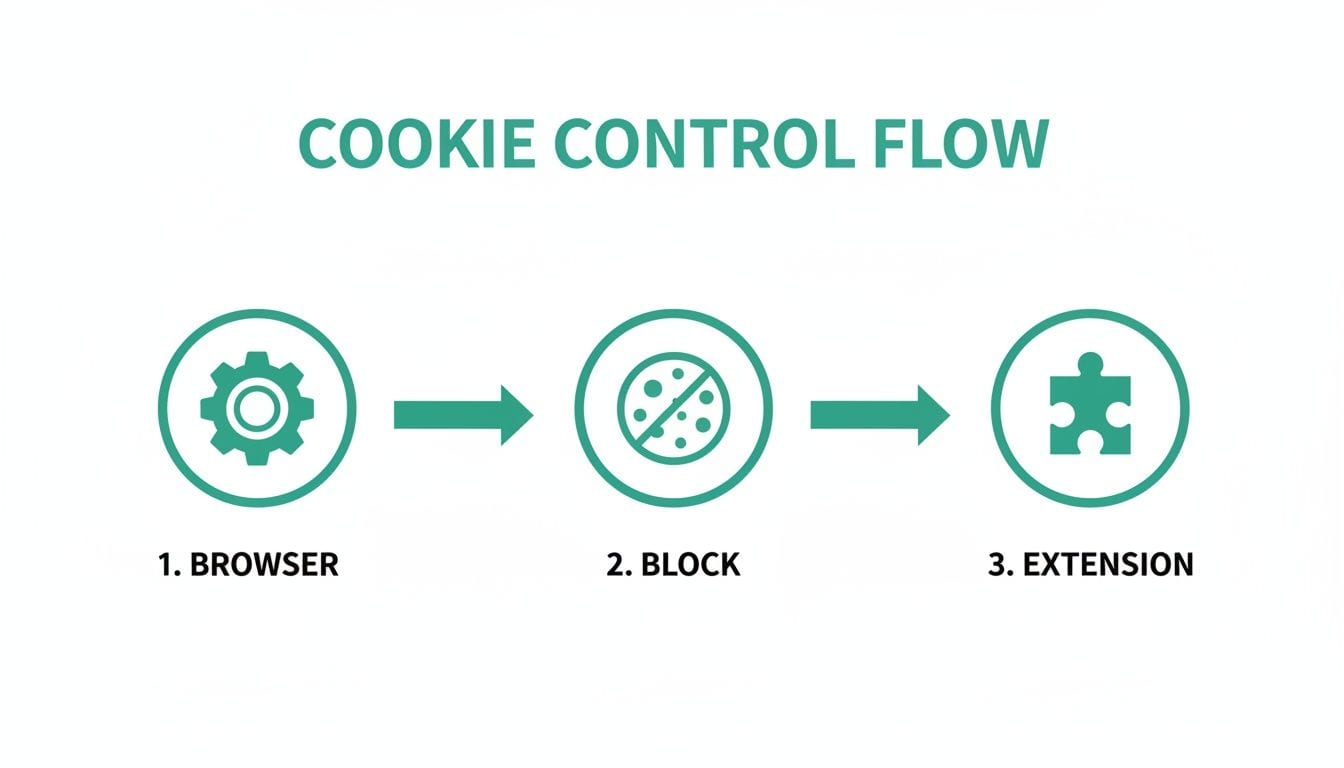
As the flowchart shows, users have a layered defense, from browser settings to specialized extensions. But for businesses, the strategy has to be more proactive.
Building Trust Through Transparent Consent
First things first: every organization needs a properly configured Consent Management Platform (CMP). And I don't mean one of those annoying "Accept All" banners that tricks users into clicking "yes." A good CMP is the handshake between you and your users—it’s how you explain your data practices and, most importantly, honor their choices. This is non-negotiable under laws like GDPR and CCPA.
A well-designed consent experience is straightforward and gives people real, granular control. Transparency is everything here. We're already seeing that when users understand the value exchange, they're far more willing to share information. In fact, zero-party data—info a customer intentionally shares—sees 84% higher acceptance rates when that value is clear.
But here's the catch: implementation is a huge mess right now. Even with Google's Consent Mode v2 becoming the standard, a shocking 67% of implementations are failing to meet basic compliance. Acceptance rates are also all over the map, from 64% in Poland to less than 25% in Germany, which just goes to show how much design and clarity matter. You can dig into more of these global cookie consent trends on SecurePrivacy.ai. Data teams have to ditch the old ad-centric mindset and focus on maintaining quality data through compliant, user-first methods.
Moving Your Tags to the Server-Side
Once you've got consent sorted, the next big move is to completely re-architect how you collect data. This is where server-side tracking comes in. Instead of letting dozens of third-party scripts run wild on a user's browser, you funnel all that data into a single, controlled stream that hits your own server first.
Think of it like this: the old client-side approach is like a chaotic restaurant where every vendor—analytics, ads, CRM—is running up to each customer's table to take their order. It’s slow, messy, and every customer is exposed to a dozen different parties.
Server-side tracking flips that model on its head.
Now, a single trusted waiter (your server) takes the customer's order. That waiter then goes back to the kitchen and relays only the necessary information to each vendor. The customer has one point of contact, the whole process is faster, and you control exactly who gets what information.
The Clear Advantages of a Server-Side Architecture
This shift in architecture brings some massive benefits for any business trying to wean itself off browser-based tracking cookies:
- Minimized Data Exposure: You drastically cut down on the data exposed in the browser, which lowers the risk of data leakage and stops unauthorized scripts from snooping around.
- Improved Data Quality: Since the data hits your server first, you can clean, enrich, and validate it before sending it off to your downstream tools. This means your analytics platforms get much cleaner, more reliable information.
- Centralized Governance: Every piece of data flows through one single point of control. This makes it incredibly easy to manage what data goes where, enforce consent choices, and adapt to new privacy rules without having to edit dozens of scripts on your site.
- Enhanced Performance: Fewer scripts running in the browser means faster page loads. That’s a direct win for user experience and can even give you a nice little SEO boost.
Platforms like Google Tag Manager's server-side container offer a structured way to make this happen, acting as that trusted intermediary. For a much deeper dive into how this all works, check out our complete guide to understanding server-side tracking. This isn't just a temporary fix; it's a durable, future-proof alternative to the crumbling world of browser-dependent tracking.
Navigating the High Stakes of Global Privacy Laws
Ignoring the rules of cookie consent is no longer an option. Let’s be clear: failing to manage tracking cookies has graduated from a slap-on-the-wrist offense to a major business liability. For data governance and marketing teams, compliance isn't just a suggestion anymore—it's a core business function with serious financial teeth.
The days of vague warnings are long gone. Today, regulatory authorities are taking direct, aggressive action. These aren't empty threats; they are multi-million dollar penalties that make the financial risks of non-compliance impossible to ignore.
The Era of Aggressive Enforcement
Europe's General Data Protection Regulation (GDPR) set the stage, but the enforcement landscape has since gotten much more intense. Supervisory authorities are actively auditing websites and levying hefty fines to force the issue. The message is clear: consumer privacy is not up for negotiation.
Regulators are adopting more assertive tactics globally, pushing cookie elimination strategies into the mainstream. In Europe, the UK's Information Commissioner's Office (ICO) reviewed the country's top 1,000 websites and, while finding over 95% now meet basic standards, confirmed that active enforcement is far from over.
Fines are the real deterrent here. In 2022, France's data protection authority (CNIL) hit Google and Facebook with penalties of over €150 million for a simple reason: they made it harder to reject cookies than to accept them. This isn't just a European trend, either. India's Digital Personal Data Protection (DPDP) Act now demands cookie consent in over 22 official languages and requires single-click withdrawal options. You can get more details on the current state of GDPR enforcement at GerrishLegal.com.
These enforcement actions send a clear signal: deceptive cookie banners and manipulative user interfaces designed to trick users into giving consent will not be tolerated. The financial penalty is designed to be painful enough to force a change in behavior.
This shift means data governance is no longer just a background IT task. It’s a boardroom-level concern with a direct line to the company's bottom line and public reputation.
The Expanding Global Privacy Landscape
While GDPR gets most of the headlines, a wave of similar privacy laws is sweeping the globe, each with its own quirks for handling tracking cookies. This patchwork of regulations adds layers of complexity for any business with an international audience.
- Brazil's LGPD (Lei Geral de Proteção de Dados): Modeled closely after GDPR, the LGPD requires a clear legal basis for processing personal data. Unambiguous consent is a primary one, meaning your cookie banners must be transparent and offer a genuine choice.
- India's DPDP (Digital Personal Data Protection) Act: This act puts a huge emphasis on accessibility. Consent must be available in multiple official languages, and it must be just as easy to withdraw consent as it was to give it in the first place.
- US State-Level Laws (CCPA/CPRA, VCDPA, etc.): In the US, a growing number of states are writing their own rules. California's CCPA, for example, gives consumers the right to opt-out of the "sale" of their personal information—a definition that absolutely includes the data sharing enabled by advertising cookies.
This global expansion means a one-size-fits-all approach to cookie consent is dead on arrival. You have to tailor your consent mechanisms to meet the specific legal requirements of every region you operate in.
For marketing and data teams, this new reality demands a proactive, not reactive, stance. It’s about building a compliance framework that’s flexible enough to adapt to new regulations as they inevitably emerge. The cost of getting it wrong is just too high—the financial risk is real, and the damage to customer trust can be irreversible.
How to Verify and Monitor Your Cookieless Strategy

So, you’ve reconfigured your browser settings, rolled out a consent platform, and even shifted to server-side tagging. Great. But how can you be sure your efforts to ditch tracking cookies are actually holding up?
The digital world is always in motion. Third-party scripts update themselves without so much as a heads-up, and a simple human error can reintroduce the very trackers you worked so hard to get rid of. Making the initial changes is only half the battle. You need a rock-solid way to verify your setup and keep an eye on it for good.
This is where automated observability becomes your best friend. Think of it as a constant watchdog for your analytics and privacy compliance. It’s the final, crucial piece of the puzzle for maintaining a truly cookieless environment. Without it, you're essentially flying blind. A minor code push or a partner's script update could silently deploy unauthorized cookies, completely undermining your compliance work and putting your company at risk.
The Role of Automated Observability in Analytics QA
Manual audits are just a snapshot in time. You can check your site today and give it a clean bill of health, but what happens tomorrow when a marketing partner pushes an update that starts dropping unapproved third-party cookies? This is a huge—and dangerously common—blind spot for a lot of companies.
Automated observability platforms solve this by providing continuous, real-time monitoring of your entire data layer. They're like having a permanent QA team constantly scanning your digital properties to make sure everything is behaving exactly as it should.
Imagine it like a security camera for your data. Instead of just checking the locks once, it watches the doors 24/7 and alerts you the second something looks off. For any serious effort to eliminate tracking cookies for good, this proactive approach is non-negotiable.
A Practical Scenario: Uncovering a Rogue Pixel
Let's walk through a real-world example. The marketing team is gearing up for a big campaign and adds a retargeting pixel from a new advertising partner to your tag manager. They’re under the impression that the pixel is configured to respect the site's consent settings.
A week later, your analytics observability tool sends an alert. It’s spotted a new, unauthorized cookie being set on users' browsers—even for visitors who explicitly denied consent for tracking. But the alert doesn't just tell you there's a problem; it pinpoints the root cause.
- Detection: The system flags a non-compliant cookie (
_ad_partner_id) that popped up after the last deployment. - Identification: It traces the cookie's origin directly back to that new retargeting pixel.
- Impact Analysis: The platform shows that this pixel is firing on 100% of page loads, completely ignoring the consent signals from your CMP.
Without an automated system, this kind of violation could have gone unnoticed for months, exposing the company to serious legal risks and eroding customer trust. With observability, the data team gets a specific, actionable alert and can shut down the rogue pixel in minutes.
This is the core value of continuous monitoring: it transforms privacy compliance from a periodic, manual checklist into an automated, always-on system. It catches the inevitable drift and human error that manual processes miss.
Maintaining a Compliant Cookieless Environment
Achieving a cookieless strategy isn’t a one-and-done project; it’s an ongoing process. An observability platform gives you the tools to maintain that state with confidence.
These platforms are always scanning for the common issues that can sabotage your efforts to eliminate tracking cookies:
- Rogue Pixels and Tags: Automatically detect when new or updated scripts introduce unauthorized cookies.
- Consent Misconfigurations: Alert you if your consent management platform signals are being ignored by other tools.
- Broken Integrations: Identify when a server-side tag fails to fire correctly, protecting data integrity without relying on browser cookies.
An analytics observability tool like Trackingplan offers a centralized dashboard to see your entire data flow. By mapping out and validating every integration, it gives your teams a single source of truth for analytics health.
This holistic view allows you to perform a thorough web analytics audit to spot any lingering dependencies on third-party cookies and confirm your consent rules are being enforced everywhere. Trying to get this level of detail through manual checks alone is nearly impossible, which makes automated verification a must-have for any modern privacy and data governance strategy.
Common Questions About Tracking Cookies
Diving into the world of online privacy always brings up a few questions. To clear things up, let's walk through some of the most common points of confusion around eliminating tracking cookies.
What’s the Difference Between First-Party and Third-Party Cookies?
Think of first-party cookies as the friendly staff at a coffee shop you visit often. They’re set by the website you're on, and their job is to remember useful things, like what’s in your shopping cart or the fact that you’re logged in. They make your experience seamless.
Third-party cookies, on the other hand, are like marketers from other stores who follow you from shop to shop. They're created by different domains—usually ad networks or social media platforms—to track your activity across the internet. Their goal is to build a detailed profile of your interests for targeted advertising, which is why they're the main focus of our privacy efforts.
Will Getting Rid of All Cookies Break Websites?
Yes, if you blocked or deleted every single cookie, you'd run into problems. Many websites would stop working as you expect. You'd be logged out everywhere, shopping carts would empty themselves, and saved preferences would vanish. It would make browsing a real headache.
But that’s not the goal. The smart approach is to specifically eliminate third-party tracking cookies. Modern browsers and privacy extensions are built to do exactly that—they block the cross-site trackers while leaving the essential first-party cookies alone. It's the perfect balance between keeping websites functional and reclaiming your privacy.
The key takeaway is that not all cookies are bad. The ones that track you across the web are the problem, and they can be blocked without breaking the sites you rely on.
How Does Server-Side Tagging Help Eliminate Cookies?
Server-side tagging is a game-changer for businesses wanting to take back control of their data and cut down on browser-based tracking. It completely flips the script on how data collection works.
Instead of letting dozens of third-party scripts (like analytics pixels) run wild in a user's browser, you send a single, clean data stream to a secure server you control. From there, your server decides what information gets passed along to platforms like Google Analytics or Facebook. This move drastically reduces the number of cookies placed on the user's device, speeds up your site, and gives you total governance over your data.
Is Google's Privacy Sandbox a Real Replacement for Cookies?
Google's Privacy Sandbox isn't a direct swap for third-party cookies but a whole new framework for online advertising. It’s a collection of technologies designed to serve interest-based ads without tracking individual users across the web.
The core concept is to group people into large, anonymous cohorts based on their interests (called "Topics") instead of targeting them based on a detailed personal browsing history. While it’s a big shift away from individual surveillance, it fundamentally changes how digital advertising will operate in the Chrome ecosystem. It’s a new path forward, not just a simple replacement.
Maintaining a compliant, cookieless environment requires constant vigilance. Trackingplan offers an automated observability platform that acts as a 24/7 watchdog for your analytics. It spots rogue pixels, broken tags, and consent misconfigurations in real time. Stop flying blind and ensure your privacy strategy is actually working. Learn how Trackingplan can protect your data integrity today.