
If your ad results are tanking, you're not alone. The culprit is often data loss from browser restrictions and ad blockers, and the solution is the Meta Conversions API (CAPI). It’s a server-to-server tracking tool that works hand-in-hand with the classic Meta Pixel to build a much more reliable and complete picture of your ad performance.
Why Your Ad Tracking Is Broken in a Privacy-First World
For years, marketers had it pretty easy with the Meta Pixel. You’d drop a small snippet of code on your website, and it would diligently report back whenever a user did something important, like viewing a product or making a purchase. That data was the lifeblood of Meta's ad algorithms, telling them who to target and whether the ads were actually working.
But the ground has completely shifted. A wave of privacy-focused changes has shattered this old model, creating a huge problem known as "signal loss." In simple terms, crucial data about what users are doing on your site is never making it back to Meta. The result? Inaccurate reports, terrible ad targeting, and wasted budgets.
The Rise of Signal Loss
This growing data gap is making your ad tracking less effective by the day, and it's driven by a few key factors:
- Browser Privacy Updates: Browsers like Safari (with its Intelligent Tracking Prevention) and Firefox are now actively blocking the third-party cookies the Pixel depends on. With Google phasing out third-party cookies in Chrome, this is about to affect the vast majority of web users.
- Ad Blockers: It's no secret that people hate ads. Nearly 43% of internet users in the U.S. use ad blockers, which often stop tracking scripts like the Meta Pixel from even loading. For your analytics, those users are completely invisible.
- iOS Updates: Apple's App Tracking Transparency (ATT) framework now forces apps to ask for permission before tracking users. When people (understandably) say no, the Pixel's ability to connect app activity to website conversions is severely crippled.
This new reality is forcing a major change in strategy. The adoption of Meta's Conversions API is skyrocketing, with projections showing it will be used by 35% to 60% of active accounts by 2026. This isn't just a trend; it's a clear sign that smart marketers are pairing CAPI with the Pixel to fight back against signal loss.
The Modern Solution for Ad Tracking
Think of the Meta Pixel like sending a letter through the regular mail. You hope it gets there, but it could easily be lost, intercepted by a privacy filter, or just returned to sender.
The Meta Conversions API, on the other hand, is like using a secure, direct courier. It sends data straight from your server to Meta’s server, guaranteeing it arrives safely.
This server-to-server connection completely bypasses the browser, making it immune to the chaos caused by ad blockers and cookie restrictions. It’s the modern fix for a critical problem, ensuring your ad spend is guided by data that’s actually complete and accurate. Getting a handle on what is server-side tracking is the first step to making your advertising strategy future-proof. And to really grasp the shift to a privacy-first world, it helps to review the detailed privacy policy guidelines that are driving these industry-wide changes.
How The Meta Conversion API Actually Works
To really get what makes the Meta Conversion API so powerful, you have to look under the hood. Unlike the browser-based Pixel, which can get blocked or simply ignored, CAPI creates a direct and secure connection between your server and Meta’s. This server-to-server link is the secret sauce behind its reliability.
Think of it this way: your website's server is like a secure vault. Every time a customer does something important—adds an item to their cart, fills out a lead form, or buys a product—that action is recorded and stored safely in your vault. The Meta Conversion API acts as a private courier, picking up that data directly from your server and delivering it straight to Meta.
The Journey of an Event
The package of data sent through CAPI is called a payload, which contains specific event data. This isn't just a vague signal; it's a detailed report. A "Purchase" event payload, for example, tells Meta what happened, when it happened, the purchase value, and includes key customer details to help match the event to a user profile.
This direct path completely changes the game. It bypasses the browser, making it immune to the signal loss from ad blockers, cookie policies like ITP, and privacy settings. The data is sent securely, so what your server records is exactly what Meta receives.
The diagram below shows how the traditional Pixel often hits a "Browser Wall," preventing data from ever reaching Meta.
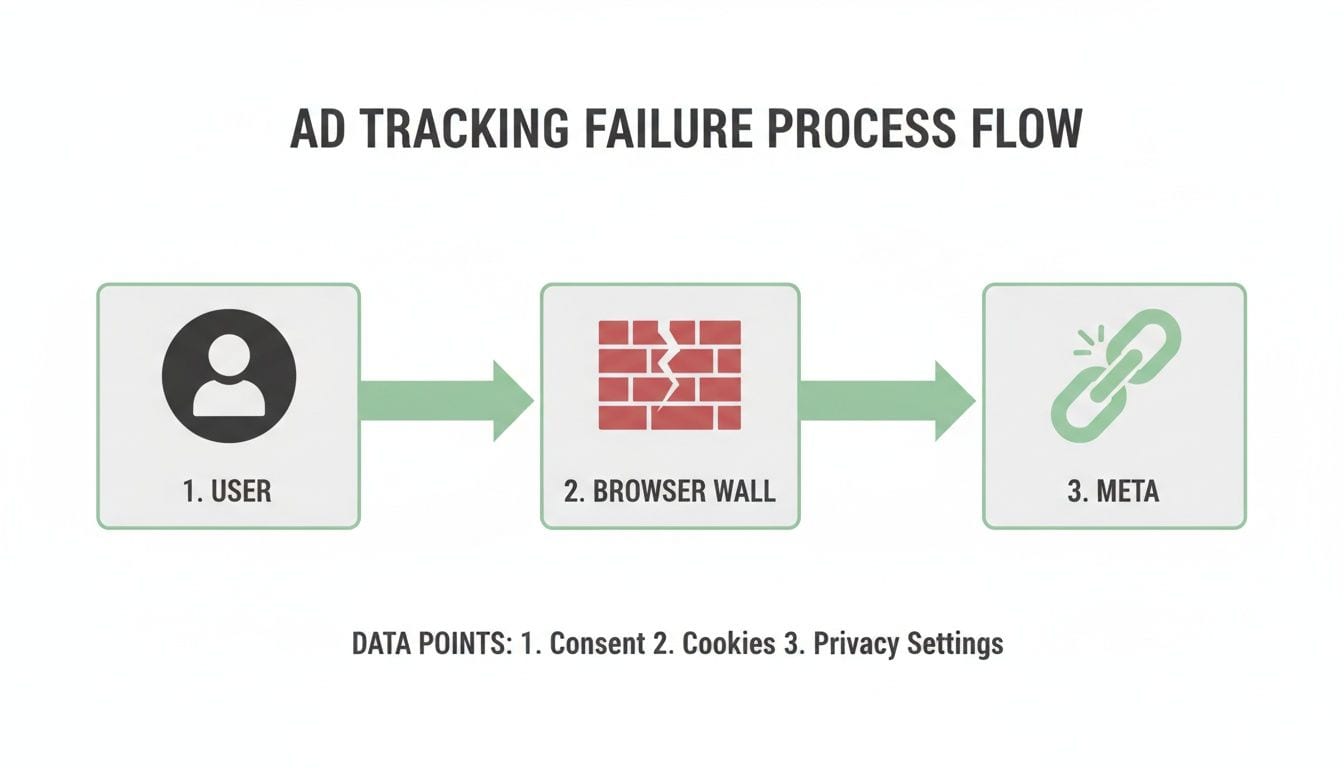
This really drives home the weakness of relying only on client-side tracking. The browser just isn't a reliable middleman anymore.
Meta Pixel vs Conversion API At a Glance
Let's look at how a simple "Purchase" event gets tracked using both methods. This side-by-side comparison makes it crystal clear why the old way is failing and why CAPI is the more dependable solution for modern advertising.
Looking at the table, the crucial difference is where things can go wrong. With the Pixel, tracking can fail before the data even leaves the user's device. The Meta Conversion API, on the other hand, only sends data that your server has already confirmed, creating a single source of truth for your most critical business events.
This fundamental shift in architecture means your ad spend is guided by complete and accurate data. Once you understand this server-to-server flow, it’s easy to see why CAPI isn't just an add-on; it's a core piece of any resilient, future-proof marketing strategy. It takes your ad tracking from a game of chance to a system of record.
Unlock Better Results with CAPI Implementation
It’s one thing to understand the server-to-server concept behind the Meta Conversions API, but it’s another to see what it can actually do for your business. When you move from theory to practice, implementing CAPI translates into real, measurable gains for your ad campaigns, directly impacting your bottom line.
The biggest win right off the bat is a massive improvement in data accuracy. When you can trust your numbers, you make smarter decisions. CAPI creates a stable, reliable data connection that helps Meta's delivery system find the right people and attribute conversions correctly—even when ad blockers and privacy settings get in the way.
Achieve Rock-Solid Data Accuracy for Attribution
Bad attribution is a huge money pit. If you can't confidently connect a sale back to the ad that drove it, you’re basically flying blind. When the Meta Pixel gets blocked, it leaves massive gaps in your reporting, leading to under-reported conversions and a completely skewed view of your return on ad spend (ROAS).
The Meta Conversions API fixes this by picking up all the events the Pixel misses. Businesses that implement Meta’s Conversions API typically see a 10-40% increase in measured conversions compared to a pixel-only setup. Some even report up to 20% more Purchase events attributed directly through CAPI. This lift comes from CAPI’s ability to bypass browser limitations that can block as many as 60% of signals in today's privacy-first world.
This restored data flow gives you a much clearer picture of what's actually working. You can confidently spot your top-performing ads and audiences, letting you shift your budget where it will have the most impact. Ultimately, a solid CAPI implementation is all about using better data to improve marketing ROI.
Build More Powerful and Precise Audiences
High-quality data is the fuel for Meta's powerful audience-building engine. When your ad account is only getting spotty, unreliable data from the Pixel, the quality of your custom and lookalike audiences takes a nosedive. The result is less precise targeting and less efficient campaigns.
By sending a richer, more complete dataset via CAPI, you give Meta’s algorithm the information it needs to find your ideal customers with surgical precision. This pays off in a few key ways:
- Higher-Quality Custom Audiences: You can build much more comprehensive retargeting lists from actions like "Add to Cart" or "Initiate Checkout," since you're now capturing events from users who would have otherwise been invisible.
- More Effective Lookalike Audiences: With a larger and more accurate seed audience of your actual customers, Meta can identify new users who share their characteristics with far greater accuracy. This expands your reach to high-potential customers you were missing before.
Think of it like giving a chef more ingredients. With limited, low-quality ingredients (Pixel-only data), they can only make a basic meal. With a full pantry of fresh, high-quality ingredients (Pixel + CAPI data), they can create a gourmet experience that delights everyone.
Future-Proof Your Entire Advertising Strategy
Let's be honest—the digital advertising world isn't going back to the old days of unchecked browser tracking. Relying solely on the Meta Pixel is a strategy with a rapidly approaching expiration date. Adopting CAPI isn't just about recovering lost data today; it's about building a resilient marketing foundation for the future.
A server-side setup puts you back in control of your own data. You decide what information gets sent and how, making it easier to adapt to new privacy regulations and technology changes down the road. By tracking the entire customer journey—from an online ad click to an offline phone call or in-store purchase—you create a single source of truth that isn’t at the mercy of browsers or device manufacturers. This prepares your business for a cookieless future and ensures your advertising stays effective for years to come.
How to Choose Your CAPI Implementation Method
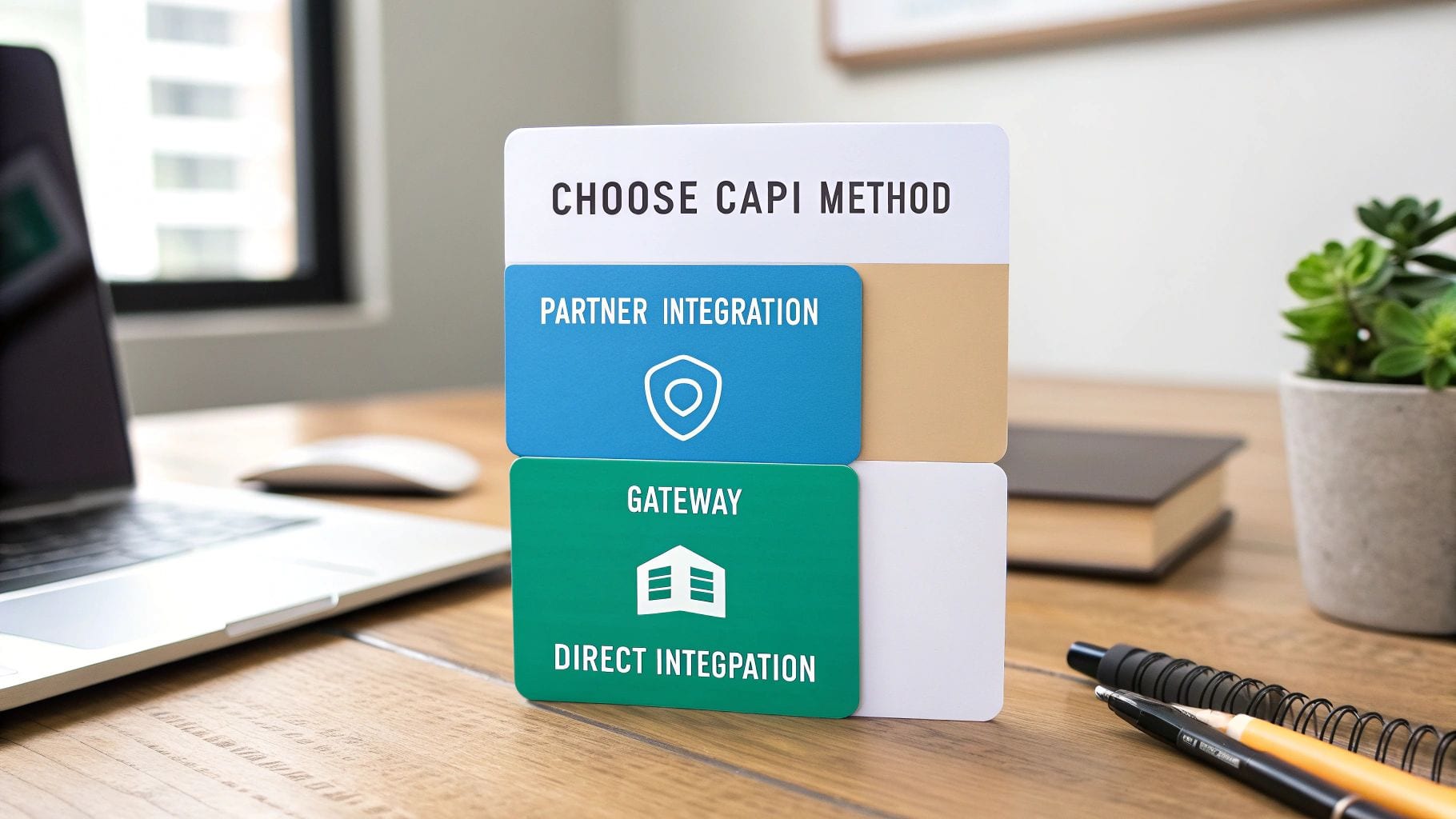
Alright, you're sold on the Meta Conversion API. The next big question is: how do you actually get it set up? There's no single "right" answer here. The best path for you boils down to your technical resources, budget, and specific business goals.
Meta lays out three main ways to get it done, each with its own pros and cons. A good way to think about it is like building furniture. You can buy a pre-assembled piece, use a kit with some instructions, or build it from scratch with raw lumber. You get a piece of furniture either way, but the effort and expertise involved are completely different.
Partner Integrations: The Plug-and-Play Route
For most businesses, a Partner Integration is the easiest and fastest way to get started. If you're on a major e-commerce platform like Shopify or WooCommerce, they have built-in solutions that hook up your store to the Meta Conversion API in just a few clicks. This is your "pre-assembled" option.
- Who It's For: Small to medium-sized businesses running on platforms like Shopify, BigCommerce, or WordPress/WooCommerce.
- Technical Skill: Minimal. If you know how to install an app or a plugin, you’ve got this.
- Pros: It’s incredibly fast and easy to set up, requires zero coding, and you often get support directly from the platform.
- Cons: You get less customization. You’re limited to the features and events the integration offers, which might not cover every unique action you want to track.
This is the perfect choice if your main goal is to get CAPI up and running quickly without pulling in developers.
Conversions API Gateway: The Balanced Approach
The Conversions API Gateway offers a nice middle ground. It's a self-hosted solution that sits between your website and Meta, automatically grabbing event data from your Meta Pixel and sending it through a secure server-side connection. Think of this as the furniture kit—it needs some assembly, but you get more control than the pre-built piece.
The Gateway hits a sweet spot. It gives you better reliability and data control than a simple partner integration, but it doesn't demand the heavy technical work of a fully custom build.
Setting it up means spinning up a cloud server instance. Don't let that scare you off—services like Stape have made this process surprisingly simple, even if you’re not a cloud computing expert.
- Who It's For: Businesses that want more data control than a partner integration offers but don't have a dedicated dev team for a custom solution.
- Technical Skill: Low to moderate. You'll need to follow setup instructions for a cloud server, but you won't be writing any code.
- Pros: It automatically collects events from your existing Pixel, is much easier to set up than a direct integration, and requires no ongoing code maintenance.
- Cons: There’s a monthly hosting cost, usually starting around $10-$20. Plus, its accuracy depends entirely on your Pixel. If your Pixel tracking is broken, the Gateway will just send that same broken data.
Direct Integration: The Custom-Built Solution
Finally, there's Direct Integration, the most powerful and flexible method of all. This is the "build from scratch" option. Your developers will write code to send event data straight from your server to the Meta Conversion API, giving you total control over what data is sent and when.
This route is typically best for large enterprises or businesses with unique conversion funnels, like tracking offline events or complex multi-step user journeys. The implementation often involves using Google Tag Manager's server-side container to manage and route the data. If you're heading down this path, understanding the ins and outs of server-side tagging for Meta CAPI and other platforms is an essential first step.
- Who It's For: Enterprises, companies with complex data requirements, or any business with an in-house development team.
- Technical Skill: High. This requires experienced developers who are comfortable working with APIs and server-side programming.
- Pros: You get maximum control and customization, the highest potential for data accuracy, and the ability to track literally any event, online or off.
- Cons: It’s the most complex and resource-heavy option to set up and demands ongoing maintenance and monitoring from your technical team.
How to Automate CAPI Monitoring and Quality Control
Getting the Meta Conversion API up and running is a major win, but it's just the beginning. The real magic happens when you can trust the data you're sending day in and day out. Think of your CAPI setup as a living system—without consistent quality control, it can quietly start to decay, feeding Meta’s powerful algorithms corrupted or incomplete information.
This is exactly where many teams stumble. They pour resources into the initial implementation but forget to watch over the data pipeline afterward. It’s a costly oversight that can silently torpedo your ad performance, leading to wasted spend and wonky reporting that defeats the whole purpose of adopting CAPI in the first place.
The Silent Killers of CAPI Performance
Small technical glitches or routine site updates can create massive ripple effects in your server-side data. A minor code deployment, a tweak to your product data structure, or a hiccup on your server can inject errors that poison your entire event stream. These problems are sneaky and often go unnoticed until your ad performance suddenly tanks.
Here are a few of the most common culprits that corrupt data:
- Event Duplication: Firing the same conversion event from both the Pixel and CAPI without a solid deduplication key. This is a classic mistake that inflates your conversion counts and throws off the attribution model.
- Schema Errors: Sending mismatched or poorly formatted event parameters—like a text value where a number is expected. This can cause Meta to reject or completely misinterpret the data.
- Missing Parameters: Forgetting to include crucial customer information parameters is a big one. It crushes your Event Match Quality score and severely weakens ad targeting.
- Broken Pixels or Endpoints: A simple change to your site's code can easily break a pixel, just as a server issue can disrupt the CAPI endpoint. The result? A sudden, unexplained drop in data volume.
These aren't just minor technical annoyances; they have a direct, negative impact on your budget and business outcomes.
Moving Beyond Manual Audits
For years, the only way to catch these issues was through tedious, time-consuming manual audits. Data teams would have to pull reports, dig through server logs, and painstakingly compare server data against browser data, hoping to spot a discrepancy. This reactive approach is slow, inefficient, and usually catches problems long after the damage is done.
The modern solution is to treat your data pipeline like any other mission-critical piece of software—with automated monitoring and quality assurance. You wouldn’t launch a website without performance monitoring, so why would you run CAPI without data observability?
An automated observability and QA solution acts as a 24/7 watchdog for your Meta Conversion API data. Instead of checking for errors once a quarter, it monitors every single event in real-time. This lets you catch issues the second they appear and alert the right team before they can ever affect your ad campaigns.
The Power of Automated Observability
Automated monitoring platforms are built to be the single source of truth for your analytics. They continuously scan your entire data pipeline, from your website's data layer all the way to the final payloads sent to Meta.
Here’s why this automated approach gives you a massive advantage:
- Real-Time Alerts: The system instantly flags anomalies like a sudden drop in
Purchaseevents, an unexpected spike inAddToCartevents, or a subtle change in an event schema. Your team gets an immediate heads-up via Slack or email, armed with the details needed to fix the problem fast. - Proactive Issue Detection: It spots things manual checks would almost certainly miss, like rogue events, malformed campaign tags, and even potential PII leaks.
- Root-Cause Analysis: When an error pops up, the platform helps you pinpoint the cause, showing whether it came from a recent code deployment, a server misconfiguration, or a simple tagging mistake.
This proactive stance ensures the data fueling Meta's algorithms is always accurate and reliable. For teams using server-side tagging for multiple destinations, learning about automating event validation is critical for maintaining data integrity across the entire marketing stack. By shifting from slow manual audits to continuous, automated QA, you protect your ad spend and guarantee your CAPI implementation delivers maximum value around the clock.
Answering Your Top CAPI Questions
Even after digging into the technical details and strategic perks, it’s totally normal to have a few questions about the Meta Conversion API. This is a big shift from the old way of doing things, and you need to be confident before you dive in. This last section tackles the most common questions marketers have, with clear, straightforward answers to help you nail down your plan.
Does the Conversion API Replace the Meta Pixel?
This is the number one question we hear, and the answer is a firm no. The Meta Conversion API isn't meant to replace the Pixel—it's designed to be its partner. In fact, Meta’s official and strongly recommended practice is to run a hybrid setup, using both tools together to build the most complete and resilient tracking system you can have.
Think of them as a two-part data collection team. The Pixel is your scout on the front lines, capturing a huge range of browser-based events quickly and easily. CAPI is your reliable backup, sending confirmed, high-value events directly from your server. This way, even if the Pixel’s signal gets blocked, your most critical conversion data (like purchases or lead sign-ups) is guaranteed to make it through.
Meta’s system is built to handle data from both sources. By sending a unique Event ID with each action from both the Pixel and CAPI, Meta can intelligently combine the signals and deduplicate any overlaps. This teamwork gives you the best of both worlds: the broad reach of the Pixel and the rock-solid reliability of CAPI, all for a single, accurate view of your performance.
How Does CAPI Work with User Consent and Privacy?
There’s a common myth that server-side tracking is just a clever way to get around privacy rules like GDPR or CCPA. Let’s be clear: the Meta Conversion API doesn't bypass consent laws. It actually gives you more control over how you comply with them. You are still 100% responsible for getting user consent before you collect or send any data to third parties, including Meta.
The real advantage of CAPI is that it puts that control on your server. When a user says no to tracking or opts out through a consent banner, that choice gets recorded in your backend. From there, your server logic can simply stop that user's data from ever being packaged up and sent to Meta.
This server-side approach is often much more dependable than relying on browser-based consent signals alone, which can sometimes be flaky. By managing data sharing at the server level, you can build a more trustworthy, privacy-first system that respects user choices and keeps you aligned with regulations.
What Is Event Match Quality and Why Does It Matter?
Event Match Quality (EMQ) is one of the most important metrics for getting CAPI right. It's a score from 1 to 10 that tells you how well Meta can link a server event you sent back to a specific user account on its platform. A low score means Meta is just guessing who the user is, while a high score means it’s a confident match.
This score has a direct impact on your ad results. A high EMQ is essential for:
- Accurate Attribution: Making sure conversions are correctly credited to the campaigns and users that actually drove them.
- Effective Optimization: Giving Meta’s algorithm a clean, high-quality signal so it can find more people likely to convert.
- Powerful Audiences: Building precise Custom Audiences for retargeting and high-performing Lookalike Audiences.
To get your EMQ score up, you need to send as much high-quality customer information as you can with each event. This includes things like hashed email addresses, phone numbers, first and last names, and location details. The more accurate identifiers you provide, the higher your match rate will be, which leads directly to lower Customer Acquisition Costs (CPAs) and a better Return on Ad Spend (ROAS).
What Are the Most Common CAPI Implementation Errors?
The Meta Conversion API is a powerhouse, but a few common mistakes can quietly sabotage its effectiveness if you’re not watching out for them. These silent errors can slowly poison your data quality and, in turn, your ad performance.
Here are the most frequent mistakes we see:
- Incorrect Event Deduplication: This is the big one. If you send the same
Purchaseevent from the Pixel and CAPI but forget to use an identical, unique Event ID for both, Meta will count it twice. You'll end up with inflated conversion numbers and a completely warped view of your campaign performance. - Data Mismatches: Sending different values for the same event from the browser and the server (like a different currency or transaction value) confuses the algorithm and can cause major attribution headaches.
- Poorly Formatted Parameters: Sending customer data without proper formatting or—even worse—without hashing it correctly will destroy your Event Match Quality score and could land you in hot water with privacy compliance. Sending personally identifiable information (PII) to Meta without hashing is a serious no-go.
These errors show exactly why a "set it and forget it" mindset is so dangerous. Your data pipeline is always changing, and small updates on your site can have big, unintended consequences. This is precisely why automated monitoring has become non-negotiable for maintaining a healthy CAPI setup and ensuring the data you're betting your budget on is always accurate.
A robust Meta Conversion API setup requires more than just implementation; it demands ongoing vigilance. Trackingplan provides the automated observability and analytics QA you need to maintain data integrity. It continuously monitors your entire analytics implementation, from your website's data layer to the final payloads sent to Meta, alerting you to errors like schema mismatches, missing parameters, and deduplication failures in real time. Stop letting silent data issues sabotage your ad spend—ensure your CAPI data is always accurate and reliable by visiting https://trackingplan.com.