
Think of a tag explorer as a diagnostic tool, a sort of x-ray for your website or app. It gives you a complete, visual map of every single marketing and analytics tag running on your property. In one view, you can see exactly what data each tag collects and where it’s sending that information, all without having to manually sift through lines of code.
What Is a Tag Explorer

Let's use an analogy. Imagine your website's data collection system is a complex electrical grid. All those marketing pixels, analytics scripts, and third-party tags are the wires, and they're supposed to be powering your business decisions.
A tag explorer is the master circuit diagram for this entire grid.
Instead of a confusing, tangled mess of hidden connections, it lays everything out clearly. This kind of visibility is the bedrock of good data quality and governance. Without it, you’re flying blind, just hoping that your data is accurate and secure.
The Foundation of Data Trust
At its core, a tag explorer is a tool for discovery and validation. It automatically scans your digital properties to map out your entire data infrastructure, giving you a crystal-clear picture of what's really going on.
To get a better sense of what a tag explorer actually does, here’s a quick rundown of its primary functions.
Key Functions of a Tag Explorer
A quick summary of the primary jobs a Tag Explorer performs to help manage your website's data collection.
This table shows how a tag explorer moves you from guessing to knowing, which is a crucial step for any data-driven team.
This level of insight is becoming non-negotiable as businesses lean more heavily on data. The demand for solid tag management is skyrocketing, with the market projected to grow from USD 1.24 billion to a staggering USD 6.45 billion by 2033. This boom is fueled by the need for reliable data to power everything from personalization to ad optimization, especially in e-commerce, which already commands over 27% of the market share.
By providing a single source of truth, a tag explorer empowers marketers, analysts, and developers to collaborate effectively, ensuring everyone is working with data they can trust.
Ultimately, a tag explorer isn't just about seeing your tags; it's about understanding their real-world impact on your business. You can learn more about the fundamentals in our guide on web tags. This foundational understanding is the first step toward building a data governance strategy that's reliable, proactive, and built to last.
Why Flying Blind with Your Data Is No Longer an Option
If you can't see what your analytics implementation is actually doing, you're making critical business decisions in the dark. This isn't just a minor inconvenience; it's a direct threat to your revenue, compliance, and efficiency. Too many teams learn this lesson the hard way.
Imagine a marketing team launching a massive campaign, only to find out their conversion pixel was broken the entire time. The result? Thousands in ad spend down the drain, and an ROI that’s impossible to calculate. This isn't some rare horror story; it's a painfully common outcome when tag management goes wrong.
Then you have the analytics teams, presenting detailed reports to leadership, fully confident in their findings. But when the data underneath is a mess—riddled with duplicates, missing events, or just plain wrong values—those reports are basically works of fiction. Decisions based on that bad data can steer the entire company off a cliff.
The Hidden Costs of Poor Visibility
Beyond the obvious bad metrics, flying blind with your tags opens you up to huge operational and legal risks. Developers can sink countless hours trying to debug data discrepancies between different platforms—a maddening task that pulls them away from building features that matter.
Even more alarming are the compliance landmines. A hidden or misconfigured tag could accidentally leak Personally Identifiable Information (PII), creating a serious data breach. Those incidents don't just kill customer trust; they can also bring on massive fines under regulations like GDPR and CCPA.
A tag explorer gives you the critical observability to shift from reactive, stressful fire-fighting to proactive, strategic data governance. It’s all about catching problems before they hit your bottom line.
The Growing Need for Observability
As companies pour more money into data-driven strategies, the stakes just keep getting higher. The smart tag market, which is tied directly to these tracking technologies, has exploded from USD 2,132.64 million in 2021 to an estimated USD 3,745.6 million by the end of 2025. Projections show it hitting USD 11,553.9 million by 2033, all driven by the need for real-time monitoring of Martech stacks. This growth screams one thing: we desperately need tools that can spot rogue events, schema mismatches, and campaign tagging errors before they do real damage. You can dig into these smart tag market trends to see the full picture.
A tag explorer is your eyes and ears, constantly watching over your entire data implementation. It becomes the single source of truth that helps you:
- Protect Revenue: Make sure every single conversion is tracked accurately.
- Maintain Compliance: Stop accidental PII leaks and catch misconfigured consent tags.
- Increase Efficiency: Give your developers their time back by pinpointing the root cause of data issues in minutes, not days.
At the end of the day, this kind of visibility isn't a "nice-to-have" anymore. It's the bedrock of a reliable data culture, where every team can trust the numbers and use them to drive real growth.
The Four Pillars of Effective Tag Governance
To truly get a handle on your data, you need more than just a list of tags. Real, effective tag governance—the kind powered by a tag explorer—is built on four distinct, interconnected pillars. These pillars transform data management from a chaotic, reactive mess into a structured, proactive system that fuels reliable analytics across your entire organization.
Each pillar represents a critical workflow, taking you from initial awareness all the way to continuous, automated oversight. Think of it as a complete lifecycle for your data's health. By understanding and implementing these four stages, teams can finally establish a single source of truth for their entire data ecosystem.
Pillar 1: Discovery and Inventory
The first step is simply seeing what you have. The discovery phase is where a tag explorer automatically scans your website, mobile apps, and server-side environments to create a comprehensive inventory of every single tracking implementation. This isn’t just marketing pixels; it includes analytics tags and all their associated data layer variables.
Without this automated map, you're flying blind, relying on outdated spreadsheets or the memory of that one developer who left last year—a recipe for disaster. Discovery provides a complete, up-to-the-minute blueprint of your data collection infrastructure, serving as the foundation for everything that follows.
Pillar 2: Inspection and Analysis
Once you know what tags are on your site, the next step is to understand what they're doing. Inspection lets you drill down into any specific tag to see its precise configuration, the data payload it's sending, and where it's sending it.
This is like having a microscope for your data. You can instantly check if a tag is firing correctly, if it's collecting the right properties, or if it's accidentally scooping up sensitive information. For example, you can see how a tool like Trackingplan visualizes this data flow, flagging risks like broken tags or potential PII leaks.
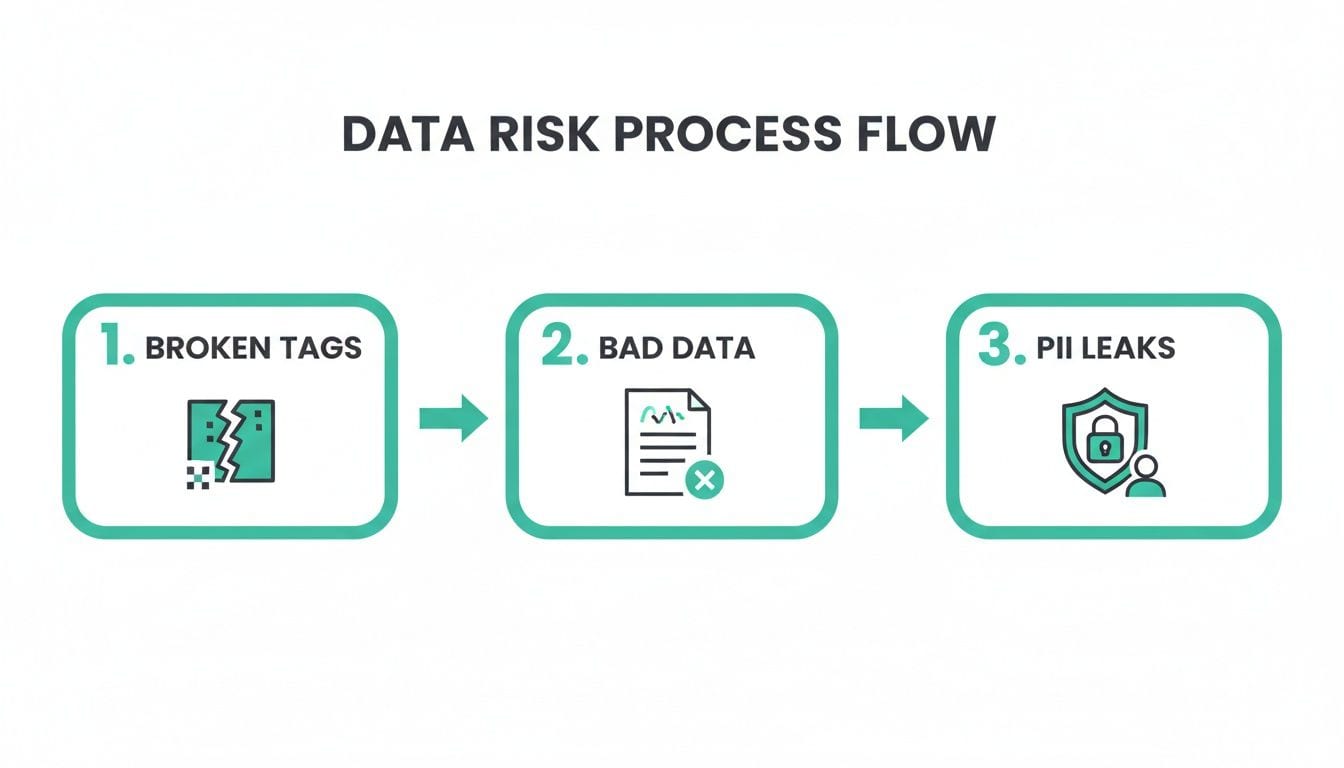
This level of detailed inspection is crucial for debugging issues quickly and ensuring your data collection aligns perfectly with your privacy policies.
Pillar 3: Validation Against Your Plan
Visibility is great, but it’s only half the battle. Validation is where you compare your live implementation against your intended tracking plan. A robust tag explorer automates this by checking if the events and properties being collected actually match the schema you defined as your source of truth.
This pillar turns your tracking plan from a static document into an active enforcement tool. It automatically flags any deviations—missing events, incorrect property names, unexpected values—giving you instant alerts when things go wrong.
Pillar 4: Continuous Monitoring and Alerting
Finally, tag governance isn't a one-time project; it's an ongoing process. Monitoring provides continuous, automated checks on your entire data implementation. The moment a tag breaks, a new unapproved "rogue" tag appears, or a critical conversion event stops firing, your team gets alerted in real time.
This proactive alerting is essential in a world where websites and apps are constantly being updated. The market for tag management systems is expected to grow from USD 1.57 billion in 2026 to USD 3.8 billion by 2034, fueled by the explosive growth of web applications and the absolute need for flawless tracking. As the number of internet shoppers continues to rise—projected to hit 285 million in the U.S. alone—the financial impact of broken tracking becomes more significant every day. You can read more about these tag management market dynamics and what they mean for businesses.
Platforms like Trackingplan automate this entire four-pillar lifecycle. They provide the continuous discovery, inspection, validation, and monitoring needed to give your teams confidence in the data they rely on for critical business decisions.
Putting Your Tag Explorer to Work in the Real World
Knowing what a tag explorer is in theory is one thing, but seeing it in action is where the lightbulb really goes on. Let's move past the concepts and jump into a few real-world situations that digital teams wrestle with every single day. These stories show how a tag explorer goes from being a nice-to-have utility to an absolutely essential tool for getting things done.
Picture this: the marketing team is just hours away from launching their biggest campaign of the quarter. In a last-minute check, they realize test conversions aren't popping up in their ad platform. Panic mode is about to kick in.
But instead of a chaotic fire drill pulling in developers to sift through code, they open their tag explorer. In minutes, the marketing lead can visually inspect the conversion pixel right there on the page. They see the tag is firing, but a critical property—the order_value—is completely missing from the payload. The explorer even pinpoints the exact page where the data layer is failing to pass that variable. A quick, targeted fix gets deployed, and the campaign launches on time with tracking intact.
Ensuring Data Quality from Day One
Now, let's switch over to the analytics team. They're prepping for a new feature release, and they’ve been burned before. New launches usually mean a data mess, followed by weeks of cleanup to fix inconsistent event names and missing properties. Not this time. This time, they’re using a tag explorer to validate everything before the code ever hits production.
While working in the staging environment, the analytics manager pulls up the new event tracking and compares it to their official tracking plan. The explorer immediately flags a problem: developers implemented the event as feature_used, but the plan clearly specified featureUsed.
It’s a tiny capitalization error, but one that would have created major headaches and split their data in reports. Because they caught it early, the fix is simple. The feature goes live, and the data is clean and reliable from the very first user. Now, they can actually measure adoption and impact with confidence.
A tag explorer transforms tag management from a reactive, high-stress activity into a proactive, collaborative process. It provides concrete evidence to quickly resolve issues that would otherwise require hours of guesswork.
Auditing for Security and Performance
Finally, imagine the security and governance team is running a compliance audit. Their biggest worry? Unauthorized "rogue" tags. These are the third-party scripts that sneak onto the site, often added by other marketing tools without anyone noticing. These tags can create serious security holes, leak customer data, or just bog down the website's performance.
Using a tag explorer, the security team runs a full discovery scan across their entire digital property. The results are eye-opening. The scan uncovers three unrecognized tags that were piggybacking on a legitimate marketing vendor's script. One of these mystery tags was making calls to a suspicious, unknown domain.
With this clear evidence in hand, the team can take immediate action:
- Identify the Source: They trace the rogue tag back to the exact vendor script that was loading it.
- Block the Threat: They work with developers to block the unauthorized domain at the network level.
- Update Vendor Policies: The team implements stricter controls on all third-party scripts to prevent this from happening again.
In each of these scenarios, the tag explorer acts as the single source of truth. It gives marketing, analytics, and security teams the power to diagnose problems, validate their work, and protect their data infrastructure without stepping on each other's toes.
Connecting Your Tag Explorer to Your Entire Tech Stack
A tag explorer doesn't operate in a vacuum. Its real power is unlocked when it hooks into the marketing and analytics tools you already rely on every single day. Think of it as the central nervous system for your data, linking every piece of your tech stack to create a single, unified view of your data's entire journey.
This connectivity is what elevates the explorer from a simple diagnostic tool to an active data governance hub. Instead of manually cross-referencing information between platforms, these integrations create a seamless flow of information. Modern solutions can even discover these connections automatically, mapping out how data moves from your data layer, through your tag manager, and out to its final destinations.
Bridging the Gaps Between Your Tools
The goal here is simple: create an end-to-end picture of your data flow. This lets your teams see not just what data is being collected, but also how it's actually being used by all the downstream platforms.
Some of the most common and critical integrations include:
- Tag Management Systems (TMS): A direct line into tools like Google Tag Manager is non-negotiable. This link gives the tag explorer the context it needs, showing precisely how tags are configured and deployed—which is essential for any real debugging. You can learn more about how this works in practice by enhancing data observability with Trackingplan and Google Tag Manager.
- Analytics Platforms: Connecting to Google Analytics or Adobe Analytics is all about validation. It lets you confirm that the data arriving in your reports is exactly what was sent from your website or app, closing the loop on data accuracy.
- Customer Data Platforms (CDPs): If you're using a CDP like Segment, an integration is crucial for ensuring the events and user traits being piped in are correctly formatted and complete.
- Advertising Networks: Syncing with platforms like Meta Ads and Google Ads is a must for verifying that your conversion pixels and audience-building tags are firing as they should. This has a direct impact on your campaign ROI.
Creating a Unified Data Pipeline
By connecting all these dots, a tag explorer delivers a complete, top-down view of your entire data pipeline. You can trace a single user interaction—like a product_viewed event—from the moment it’s generated on your site all the way to the analytics and ad platforms that depend on it. That kind of holistic visibility is what it takes to maintain true data integrity.
For example, a platform with seamless integrations with Google's data ecosystem is a massive advantage. When these connections are automated, you eliminate the manual grunt work and human error that so often lead to data discrepancies.
This integrated approach means you can stop asking, "Is our data accurate?" and start trusting that your entire tech stack is working in harmony. It provides the end-to-end observability needed to manage your data proactively.
This automated discovery and mapping process turns a complex web of scripts and platforms into a clear, understandable system. It empowers every team—from marketing to development—to see their piece of the puzzle and understand how it affects the entire data landscape.
We Need to Talk About Proactive Data Governance
A slick tag explorer is great, but it's just one tool in the toolbox. If you want to achieve real, lasting data quality, you need to build a culture that's obsessed with proactive governance, not just reactive firefighting.
It's about making a fundamental shift. Stop scrambling to fix broken reports and start preventing the data problems that break them in the first place.
This kind of cultural change doesn't happen with a memo or a single meeting. It’s built on clear standards, shared responsibility, and the right processes that empower your teams. The goal is simple: make data quality everyone’s job, not just one person’s headache.
Establish a Centralized Tracking Plan
Think of your tracking plan as the constitution for your analytics. It needs to be the single source of truth that defines every single event, property, and user trait you collect. No exceptions.
This document has to be dead simple for everyone to access—from the marketing team dreaming up a new campaign to the developers actually shipping the code.
When you centralize the plan, you kill ambiguity. Everyone works from the same playbook. Suddenly, your tag explorer isn't just checking code against a dusty document; it's validating your live implementation against a living, breathing governance tool.
Enforce Consistent Naming Conventions
You know what kills data quality silently? Inconsistent naming. When one team tracks an event as product_viewed and another uses ProductViewed, you end up with fragmented, useless reports.
This is why enforcing a strict, consistent naming convention—like object_action (e.g., product_added)—is non-negotiable.
A proactive culture treats data like a product. You need to apply the same discipline to your analytics implementation as you do to your user-facing features. That means well-documented, consistent, and totally reliable.
Get this right, and your data will finally aggregate correctly in all your downstream tools. More importantly, everyone in the organization will start speaking the same analytical language.
Automate Monitoring for Critical Journeys
Let's be realistic: you can't manually watch every tag, all the time. It's impossible.
Instead, pinpoint the user journeys that are absolutely critical to your business. We're talking about the checkout funnel, user sign-ups, or any other key conversion path. Then, set up automated alerts to scream the moment a tag in these flows breaks or misfires.
This targeted approach lets you focus your energy where it has the biggest impact. You'll catch the high-stakes issues before they have a chance to poison your most important business metrics. This is the final piece of the puzzle—building a resilient, proactive system where data reliability and trust can actually thrive.
Got Questions About Tag Explorers?
Still wondering how a tag explorer fits into your day-to-day? Let's clear up a few of the common questions we hear from teams who are just getting started with data governance.
How Is a Tag Explorer Different from a Tag Management System?
It's a classic question. Think of your Tag Management System (like Google Tag Manager) as the toolbox you use to install and organize your tags. It’s for deployment.
A tag explorer, on the other hand, is your diagnostic toolkit. It's what you use to inspect the wiring, validate that every connection is solid, and make sure everything works exactly as you planned. One puts the tags in place; the other makes sure they're actually doing their job correctly.
Can a Tag Explorer Really Improve My Website Performance?
Absolutely. Bloated, slow-loading, or unauthorized (rogue) tags are notorious for dragging down site speed. A tag explorer gives you a complete inventory of every single script firing on your pages.
With that visibility, you can finally conduct a proper audit. You can spot the redundant tags, identify the slow ones, and remove the dead weight. The result is often a noticeable improvement in page load times.
How Hard Is It to Set Up a Tag Explorer?
Getting started with modern observability platforms is surprisingly simple. It’s not a heavy, complicated implementation.
Typically, it just involves adding a lightweight script to your site—a process that often takes minutes using your existing tag manager. Once that one little script is installed, the platform automatically starts mapping out your entire analytics setup. No manual configuration or digging through old documentation required.
Ready to stop putting out data fires and start preventing them? Trackingplan gives you the automated observability you need to finally trust your data. See how our platform provides total visibility into your analytics and catches errors before they ever reach your dashboards. Get started with Trackingplan today.