
A website accessibility lawsuit is what happens when a site's design or code locks out people with disabilities, often leading to legal action under laws like the Americans with Disabilities Act (ADA). These lawsuits don't treat digital roadblocks—like a website that a screen reader can't decipher—any differently than physical ones, such as a shop with no wheelchair ramp. This legal reality has shifted website accessibility from a "nice-to-have" best practice into an urgent, non-negotiable requirement.
The Rising Tide of Digital Accessibility Litigation
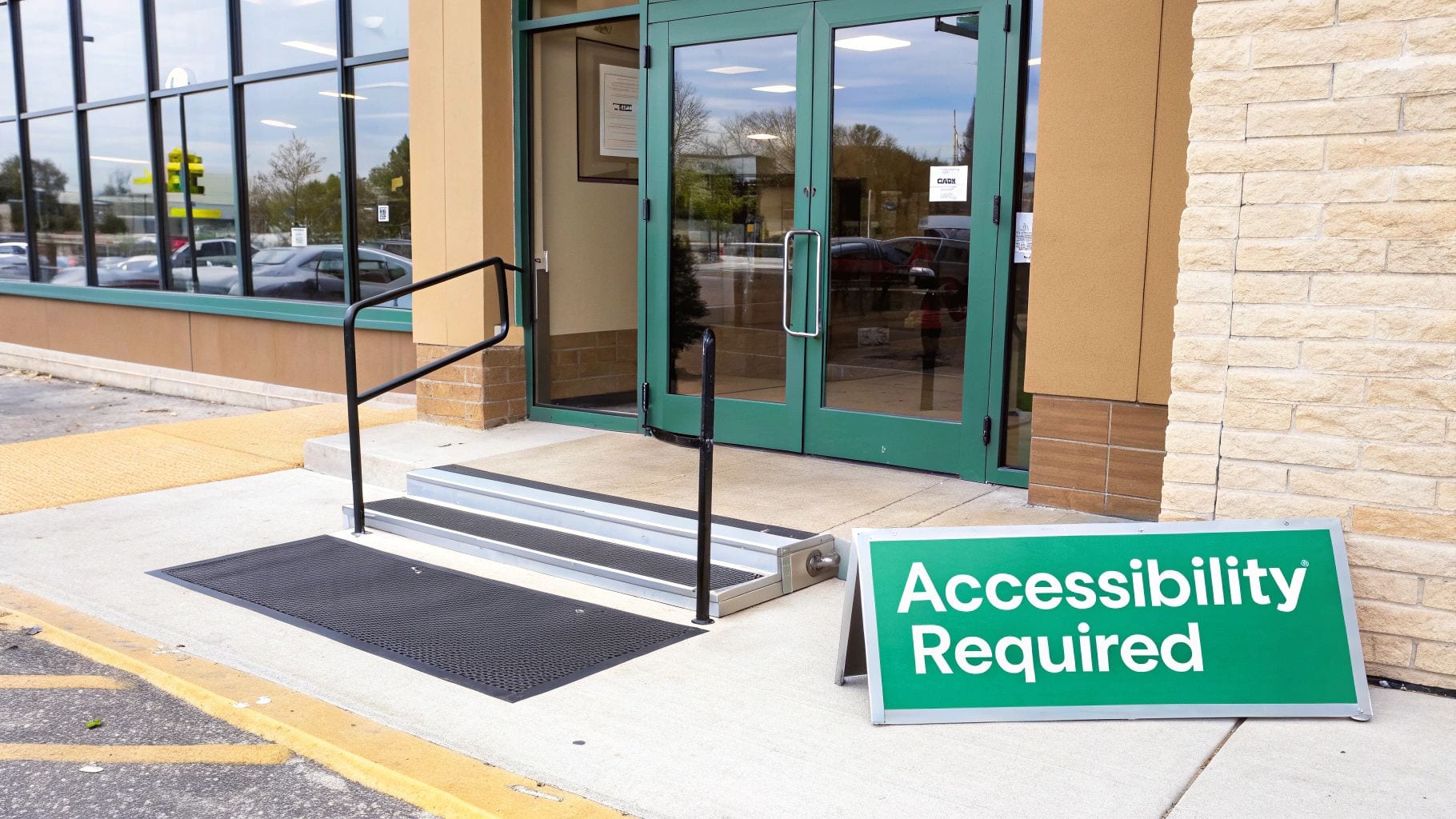
Think about your physical storefront for a second. Would you ever dream of operating without a wheelchair ramp? In the eyes of the law, an inaccessible website is the exact same thing. It’s not just a minor oversight; it’s a massive barrier that blocks a huge portion of the population from accessing goods, services, and information.
Because of this, the number of lawsuits over inaccessible websites has absolutely exploded. Federal courts are now seeing thousands of cases every year where people with disabilities argue that a company's website or app violates their civil rights. This isn't just a few isolated incidents—it's a fundamental shift in how the law sees the online world.
What Is a Digital Barrier?
A website accessibility lawsuit kicks off when a site’s design or code creates "digital barriers" that make it tough or even impossible for people with disabilities to use it. These barriers aren't usually malicious. More often than not, they’re the unintentional side effects of common web development practices.
Some of the most common digital barriers cited in these lawsuits include:
- No Alt Text: Images without descriptive alternative text are completely invisible to screen readers, which are essential tools for visually impaired users.
- Poor Keyboard Navigation: If you can't navigate a site using only a keyboard, you've locked out anyone with a motor disability who can't use a mouse.
- Bad Color Contrast: Low contrast between text and its background makes content unreadable for users with low vision.
- Broken Forms: Online forms that aren't coded correctly can't be interpreted by screen readers, making it impossible for someone to buy a product or sign up for a service.
These aren't just technical glitches. They are real, functional roadblocks that deny equal access and form the entire legal basis for a lawsuit under the ADA.
The core legal argument is that websites are now considered "places of public accommodation." Just as a restaurant has to be accessible to every patron, so does a commercial website. This single interpretation has put businesses of all sizes directly in the line of fire for legal action.
This isn't about catering to a few edge cases. It's a fundamental problem that affects millions of users and creates massive financial and reputational risks for any business that isn't compliant. The message is crystal clear: ignoring digital accessibility is an open invitation for a lawsuit, making proactive compliance an essential part of any modern business strategy.
Understanding the Legal Framework for Web Accessibility
To get a handle on why website accessibility lawsuits are popping up everywhere, you first need to understand the laws driving them. The main player in the United States is the Americans with Disabilities Act (ADA), specifically Title III. This law was passed way back in 1990, long before most of us were online, to stop discrimination against people with disabilities in physical spaces.
Over the years, courts have consistently ruled that websites are the modern equivalent of those physical spaces, calling them "places of public accommodation." This is the legal foundation for nearly every accessibility lawsuit out there. In short, if your business is open to the public, your website needs to be just as accessible as your physical storefront.
This isn't a minor issue. The number of web-accessibility cases filed in federal courts hit a staggering 11,452 in 2021. While the numbers have settled a bit, with 2,794 lawsuits filed in 2023, that's still a massive volume. In fact, these lawsuits made up 34% of all ADA Title III filings in 2023, which shows just how critical digital accessibility has become for businesses of all sizes.
The Role of Section 508 and International Laws
While the ADA covers most commercial businesses, it's not the only law in town. Section 508 of the Rehabilitation Act requires all federal agencies to make their websites and technology accessible. If you do business with or get funding from the federal government, you're on the hook for Section 508 compliance, too.
And this isn't just a U.S. issue. Other countries have their own laws, like the Accessibility for Ontarians with Disabilities Act (AODA) in Canada and the European Accessibility Act (EAA). This patchwork of international rules creates a clear global expectation: if you have a worldwide audience, accessibility is non-negotiable.
Demystifying the Web Content Accessibility Guidelines (WCAG)
One tricky thing about the ADA is that it doesn't spell out exactly how to make a website accessible. Because of this gap, courts and legal teams have adopted the Web Content Accessibility Guidelines (WCAG) as the unofficial rulebook. Developed by the World Wide Web Consortium (W3C), WCAG gives you a concrete checklist for making your content accessible. For a deeper dive into the legal requirements, this ADA compliant website requirements guide is a great resource for understanding WCAG standards and staying out of legal trouble.
WCAG is broken down into three levels of compliance:
- Level A (Basic): This is the absolute minimum. It tackles the most glaring barriers but leaves a lot of issues unaddressed.
- Level AA (Enhanced): This is the gold standard for both industry best practices and legal compliance. Nearly all website accessibility lawsuits point to failures in meeting WCAG 2.1 Level AA criteria. This is the level your business should be aiming for.
- Level AAA (Optimized): This is the highest level you can achieve, designed to make your content accessible to the broadest possible audience. While it's a great goal, it's not always practical and isn't usually a legal requirement.
Key Takeaway: When you hear about accessibility lawsuits, the benchmark for compliance is almost always WCAG 2.1 Level AA. This is the specific, actionable standard that everyone—from developers to marketers to business owners—needs to know and implement to stay protected.
Which Businesses Are Being Sued and Where?
The threat of a website accessibility lawsuit isn’t some abstract boogeyman; it's a real, measurable risk that hinges on your industry and where your customers live. To get a handle on your company's actual exposure, you first need to understand who’s getting sued and where these legal battles are heating up.
One of the biggest myths out there is that only massive, multinational corporations need to sweat ADA compliance. The data tells a completely different story. While big brands definitely get their share of lawsuits, a huge chunk of legal actions are aimed squarely at small and medium-sized businesses. Why? Because they often have fewer resources to put up a fight, making them easier targets for plaintiffs.
The bottom line is simple: company size is no shield. If your website is open to the public, it's legally considered a "place of public accommodation." That means it’s subject to the same accessibility standards as everyone else, regardless of your annual revenue or how many people you employ.
The Bullseye on E-commerce
When you look at which industries get hit the hardest, one sector stands out head and shoulders above the rest: e-commerce. Retail and direct-to-consumer websites are, by a long shot, the most frequent targets of accessibility lawsuits. Their entire business model—browsing products, adding a cart, checking out—creates countless potential tripwires for users with disabilities.
Think about it: if a customer using a screen reader can't complete a purchase because of an inaccessible form, that's a direct, legally actionable barrier. It prevents them from accessing your goods. This turns every single step of the online shopping journey, from product discovery to payment, into a potential legal landmine if it wasn't built with accessibility in mind.
This is where the Web Content Accessibility Guidelines (WCAG) come in. These are the technical standards courts use to gauge a site's compliance, and they're broken down into different levels of conformance.
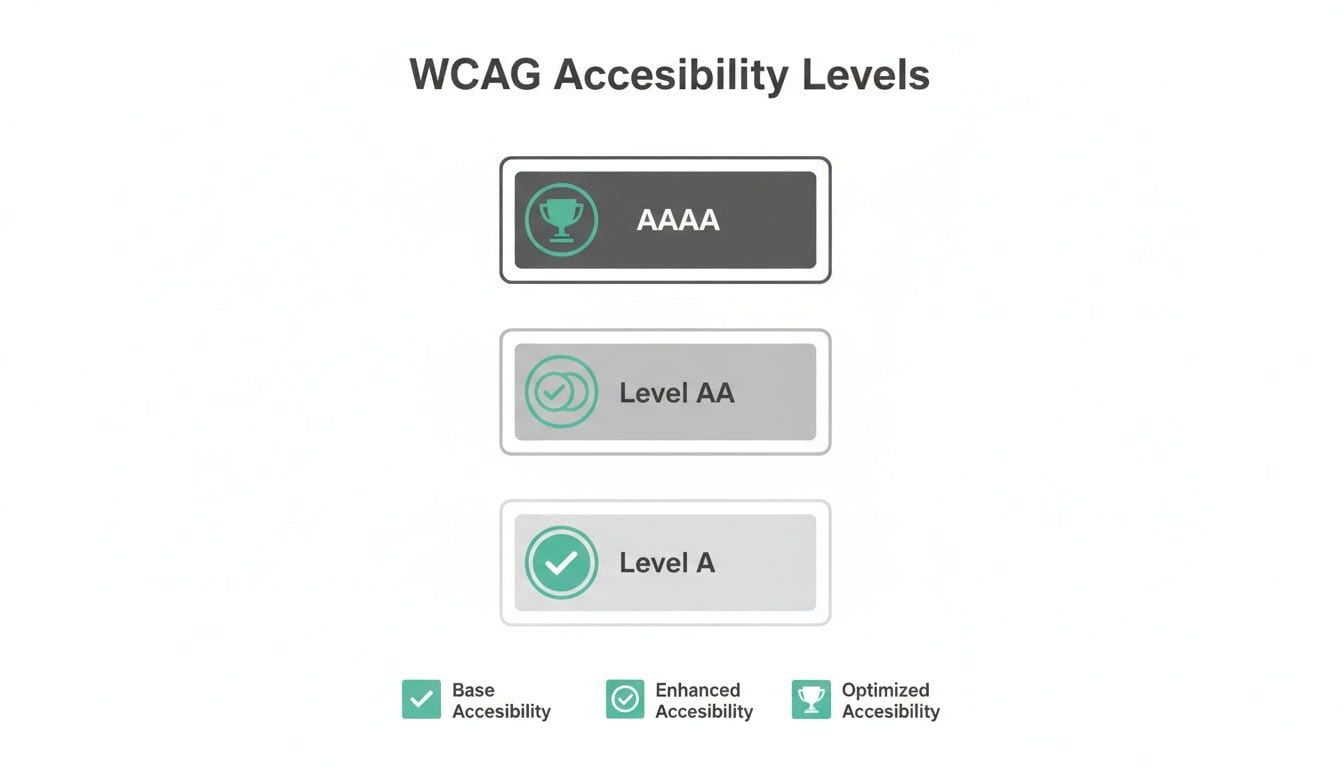
As the diagram shows, hitting Level AA compliance is widely seen as the gold standard for staying out of legal trouble and providing a genuinely accessible experience for all users.
Geographic Hotspots for Litigation
Just as certain industries are prime targets, these lawsuits aren't spread evenly across the country. In fact, they are incredibly concentrated in a few key states, creating geographic hotspots for litigation. This concentration reveals a stark legal reality for businesses operating online.
The numbers from a recent year paint a clear picture. Here's a breakdown of where the majority of federal ADA website lawsuits were filed:
Top States for Federal ADA Website Lawsuits
Together, these three states account for a staggering 92.34% of all federal filings. This isn't a coincidence; it reflects specific legal environments in these jurisdictions that are more favorable to plaintiffs. Beyond these main hotspots, we're also seeing a rise in cases in states like Wisconsin, Illinois, and Indiana. You can dig deeper into these trends in this 2023 ADA website accessibility lawsuit report.
This geographic reality emphasizes how businesses must tailor their digital accessibility strategies based on where their primary user bases and customer interactions occur. Operating a business online means your digital storefront is open nationwide, exposing you to the laws of the most plaintiff-friendly states.
This data-driven view makes the threat tangible. By understanding your risk profile—based on both your industry and where you do business—you can shift from abstract worry to concrete, proactive compliance. The patterns are clear: e-commerce businesses and companies with customers in key states are on the front lines and must prioritize accessibility to mitigate their heightened risk.
Common Website Failures That Trigger Lawsuits
It’s one thing to understand the legal theories behind accessibility lawsuits, but it’s another to see how they connect to your website’s actual code. This is where risk mitigation gets real. Legal complaints aren't vague; they point to specific, tangible failures that stop users with disabilities from getting things done. These are the technical tripwires that can turn a simple website visit into a lawsuit.
Many of these problems come from basic web design elements that developers and marketers can easily overlook. When these fundamentals are ignored, they create huge barriers that make a site unusable for a whole segment of the population, putting you in direct violation of the ADA and WCAG.
Core WCAG Violations Cited in Lawsuits
The most frequent technical issues mentioned in lawsuits are almost always violations of the Web Content Accessibility Guidelines (WCAG). These aren't obscure bugs, but foundational usability problems that completely block users who rely on assistive technologies.
Here are the usual suspects:
- Missing or Inadequate Alt Text: When an image is missing descriptive alternative text, a screen reader has nothing to tell a visually impaired user. Suddenly, product photos, charts, and brand graphics are invisible, shattering the user experience.
- Poor Keyboard-Only Navigation: Many users with motor disabilities can't use a mouse and depend entirely on a keyboard. If they can’t use the Tab key to get to menus, links, or forms, your site is effectively a dead end.
- Insufficient Color Contrast: Text that blends into its background is a major hurdle for users with low vision. Lawsuits often call out specific pages where color combinations fail to meet WCAG's minimum contrast ratios, making content impossible to read.
- Inaccessible Online Forms: Forms are how you make sales and generate leads. If form fields aren’t labeled correctly, or if error messages aren’t announced by screen readers, users can't buy products, sign up for newsletters, or ask questions.
These core violations are the low-hanging fruit for plaintiffs' attorneys. They are easy to find with automated tools and manual checks, making them a common starting point for a lawsuit.
The Hidden Dangers of Modern Web Elements
While those foundational issues are a big deal, the modern web has added a whole new layer of risk. Third-party scripts, marketing tags, and dynamic content can introduce accessibility barriers that are much tougher to track—especially if you don't have a solid governance strategy.
These elements are often dropped onto a site by marketing or analytics teams, completely bypassing developer oversight and creating a compliance blind spot. For instance, a quickly added cookie consent pop-up can become a "keyboard trap," making it impossible for a user to navigate away from the pop-up to the actual site. That one little element can render your entire website unusable and legally vulnerable.
Unmonitored analytics and marketing tags can cause similar problems. These scripts might load dynamic content that isn't screen reader-friendly or mess with the page structure in a way that breaks keyboard navigation. Because they’re managed outside the normal development cycle, they can inject accessibility issues at any time, long after your site passed its last audit.
This is a critical point: an unmonitored analytics implementation can create serious compliance and accessibility nightmares. Without continuous observation, you have no way of knowing when a third-party script update creates a new digital barrier, leaving you wide open to a lawsuit.
E-commerce businesses are especially at risk because they lean so heavily on dynamic content and third-party tools. One in-depth analysis found that e-commerce companies were on the receiving end of 84% of all digital accessibility lawsuits in a single year. The data also showed that smaller companies—those with revenues under $25 million—accounted for 77% of all lawsuits in the first half of that year, busting the myth that only big corporations get sued. Even more concerning, lawsuits against companies using accessibility widgets and overlays have increased, suggesting these quick fixes don't solve the underlying code issues and offer little legal protection. You can explore more data on these lawsuit patterns and see what they mean for businesses.
Your Proactive Accessibility Audit and Mitigation Checklist

Waiting for a demand letter to land in your inbox is a stressful, expensive way to handle website accessibility. The smarter move is to get ahead of the problem. A proactive accessibility audit is your game plan for finding and fixing barriers before they ever turn into a legal headache.
Think of this audit not as a one-and-done project, but as a core business function, just like you’d monitor for security threats or performance issues. It’s how you systematically reduce legal risk while making your site better for every single user.
1. Perform Automated Scans to Establish a Baseline
Your first move is to get a quick snapshot of your site’s health. Automated scanning tools are great for this. They crawl your site and flag common, code-level accessibility errors like missing alt text, low-contrast color schemes, and links with no text.
These scans give you a starting point—a baseline report that shows you the scale of the issues and where to start digging. They’re fast and efficient, but they're not the whole story. Automated tools can only catch about 25-30% of potential accessibility problems, which makes them a good first step, not a final solution.
To really beef up your audit, you can also bring in AI accessibility tools that dig deeper into your product's UI to spot potential barriers.
2. Conduct Manual Testing for Real-World Usability
This is where the real work begins. Manual testing catches the nuanced, real-world usability issues that automated scans always miss. It’s all about simulating how people using assistive technologies actually experience your website.
Your manual testing should zero in on two critical areas:
- Keyboard-Only Navigation: Unplug your mouse. Now, try to use your entire website with just the Tab, Enter, and arrow keys. Can you get to every link, button, and form? Is there a clear visual indicator showing where you are on the page?
- Screen Reader Compatibility: Fire up a screen reader like NVDA (which is free), JAWS, or the VoiceOver tool built into Apple devices. Listen to your site as a visually impaired user would. Are images described well? Is the navigation logical? Do forms actually make sense when read aloud?
This hands-on process uncovers the deal-breakers, like keyboard traps and confusing navigation flows, that are invisible to scanners but often form the core of an accessibility lawsuit.
3. Engage Users with Disabilities for Authentic Feedback
The best insights you'll ever get come directly from real users. Bringing in people with disabilities to test your site gives you authentic feedback that you simply can't get any other way. This moves you beyond just checking boxes for technical compliance and into the realm of genuine usability.
These users will find the points of frustration and practical roadblocks your team would likely never notice. Their feedback is the ultimate gut-check on whether your website is truly usable, not just technically accessible. Plus, it’s powerful proof of your commitment to getting it right.
4. Audit Third-Party Scripts and Data Trackers
Here's a common blind spot that trips up countless companies: third-party tools. All those marketing pixels, analytics trackers, A/B testing scripts, and cookie consent pop-ups are often added to a site without a second thought for accessibility. But these scripts can dynamically inject content that creates massive barriers.
A poorly coded third-party pop-up can easily create a "keyboard trap," making your entire site unusable for someone who can't use a mouse. This one issue is a ridiculously common trigger for accessibility complaints.
This is where solid data governance becomes a critical part of your audit. You need to know every single script running on your site and understand its impact on accessibility. Ensuring your analytics and consent tools are fully accessible is a non-negotiable step in lowering your legal risk. You can learn more about incorporating this into a broader website audit checklist.
5. Publish an Accessibility Statement and Feedback Channel
Finally, you need to be transparent. The culmination of your audit should be a public accessibility statement. This page shows you’re committed to inclusion and tells users what to expect.
A good accessibility statement isn't just fluff; it should include:
- Your Conformance Goal: State your target, like WCAG 2.1 Level AA.
- Known Issues and Workarounds: Be honest about any areas that aren’t perfect yet and tell users how they can get to that content or function another way.
- A Clear Feedback Channel: Provide a dedicated email or contact form for people to report accessibility issues. This shows you’re listening and gives you a chance to fix things before they escalate.
Building a Long-Term Accessibility Governance Strategy
Fixing the accessibility errors you have right now is a huge first step, but it’s really only half the battle. If you want to truly protect your business from the constant threat of accessibility lawsuits, you have to move beyond one-time fixes and build a durable, long-term governance strategy.
This means treating accessibility less like a project with a finish line and more like a continuous business practice—something that’s just part of your company’s DNA. A reactive approach, where you only fix problems after they pop up, leaves you permanently playing defense. A new marketing campaign, an update to a third-party script, or a tiny code change can introduce new accessibility barriers in an instant. Real compliance demands a proactive system that gets ahead of these issues before they turn into legal headaches.
Integrating Accessibility into Your Development Lifecycle
The most effective way to stay compliant is to shift accessibility "left"—that is, move it earlier in your workflow. This means baking accessibility checks directly into your development lifecycle, from the first design sketches all the way through coding, testing, and deployment. When accessibility is a consideration at every stage, it just becomes a natural part of building great digital products.
This kind of proactive integration looks like:
- Design Phase Reviews: Making sure wireframes and mockups consider things like color contrast, logical reading order, and clear navigation from the get-go.
- Developer Training: Giving your engineering teams the skills they need to write accessible code using standards like ARIA (Accessible Rich Internet Applications).
- Automated Testing in CI/CD: Weaving accessibility scans into your continuous integration and deployment pipelines to automatically catch obvious errors before they ever see the light of day.
This process ensures accessibility isn't an afterthought tacked on at the end, but a core requirement for any new feature or update.
Establishing Clear Ownership and Continuous Training
A solid governance strategy falls apart without clear accountability. You need to assign specific ownership for accessibility compliance to a person or a dedicated team. This central owner is responsible for overseeing audits, managing fixes, and being the accessibility champion across the entire organization.
But the responsibility doesn't stop with them. Everyone who touches the website—from content creators and marketers to developers and QA testers—needs regular training. They have to understand how their role contributes to maintaining an accessible experience. This fosters a culture of shared responsibility, which dramatically reduces the risk of accidental compliance failures.
True accessibility governance is about creating a system of checks and balances. It ensures that no single update or unmonitored script can undo your hard work and expose you to a lawsuit.
The Role of Automated Observability
In today's fast-moving digital world, manual audits alone just can't keep up. This is where automated observability platforms become a critical part of modern governance. In the same way you monitor site performance or server uptime, you need to continuously monitor for changes that could break accessibility. For more insights on this, you can explore our guide on complete website quality assurance testing.
An observability tool like Trackingplan acts as an early-warning system. It can automatically spot unexpected changes in third-party scripts, analytics tags, or marketing pixels—the very things that often introduce accessibility issues without anyone noticing. By flagging these anomalies in real-time, you can fix potential problems before they ever impact users or attract legal attention, making observability a cornerstone of any tough accessibility governance framework.
Frequently Asked Questions About Website Accessibility Lawsuits
If you're trying to get your arms around the legal side of website accessibility, you're not alone. It can feel like a maze. Let's clear up some of the most common questions businesses have about costs, tools, and real-world legal risks.
What Does a Website Accessibility Lawsuit Typically Cost?
The final bill for a lawsuit is always much higher than just the settlement. While the settlement itself often falls between $10,000 to over $25,000, that figure is just the starting point. It doesn't include your own legal defense fees, which can easily double the total cost right out of the gate.
And that’s before the court-mandated website remediation, which adds another layer of expense. When you look at the full picture, proactive compliance is always the smarter, more affordable path. It saves you from legal headaches and protects your brand's reputation in the long run.
Are Accessibility Overlays or Widgets Enough to Avoid a Lawsuit?
No, and it's a dangerous assumption to make. Relying only on accessibility overlays or widgets is a risky bet that rarely pays off. In fact, data shows a direct correlation—the more these tools are used, the more lawsuits are filed against the companies using them. They're like a coat of paint on a crumbling wall; they try to patch issues from the outside but do nothing to fix the foundational problems in your website's code.
Courts and plaintiffs' attorneys are wise to this. They see these tools as a band-aid, not a solution, because they often miss critical issues and can even create new barriers for users. True compliance means fixing your website's architecture, not just slapping a temporary, automated layer on top of it.
How Often Should We Audit Our Website for Accessibility?
Regular audits are non-negotiable, but a one-and-done check is not enough. The gold standard is to conduct a thorough, deep-dive accessibility audit at least once per year. You should also plan for one anytime you're launching a major site redesign.
But here’s the thing: modern websites are constantly in flux. Code gets updated weekly, and new third-party scripts are added all the time. This is where continuous monitoring becomes critical. It’s the only way to catch small issues introduced between those big yearly audits before they snowball into serious legal vulnerabilities.
Can a Small Business Really Get Sued for Website Accessibility?
Yes, absolutely. The idea that only big corporations are targets is a myth, and a costly one at that. Statistics consistently show that the majority of accessibility lawsuits are filed against small and medium-sized businesses.
The ADA makes no exceptions based on company size or revenue. The rule is simple: if your website is open to the public, it must be accessible to everyone.
A proactive accessibility strategy depends on catching issues before they become legal liabilities. Trackingplan offers the automated observability you need to ensure your analytics implementation and third-party scripts stay compliant, acting as an early-warning system to protect your business. Learn more at https://trackingplan.com.