
An Adobe Analytics certification is a formal credential that proves you know your way around one of the industry's most powerful enterprise analytics platforms. It’s a direct signal to employers that you have the skills to dig into complex data, pull out meaningful insights, and help drive business growth.
Why an Adobe Analytics Certification Is a Career Catalyst
In a world swimming in data, just saying you're an expert isn't enough—you have to prove it. An Adobe Analytics certification is that proof. It's a universal credential that immediately shows your value to hiring managers and your current boss. This isn't just another line on your resume; it’s about building trust and showing you’ve mastered the blueprints of enterprise-level data analysis.
Think of it like getting a license to be an architect. Sure, anyone can try to design a building, but a licensed architect gives everyone confidence that the structure is sound, safe, and built to professional standards. In the same way, a certified analyst proves they can build meaningful reports, design accurate attribution models, and optimize conversion funnels with professional precision.
Elevate Your Professional Standing
Getting certified gives you the confidence to tackle tough business problems head-on. It provides a structured understanding of everything the platform can do, from basic reporting all the way to advanced segmentation. This expertise helps you move from just pulling numbers to telling compelling stories that actually influence major business decisions. Certified pros are simply better equipped to deliver real results, making it an investment in yourself that pays off big time.
This official recognition not only validates your skills but also solidifies your credibility within your organization and the broader analytics community, positioning you as a trusted data expert.
For professionals looking to deepen their expertise, earning a certification offers a clear path to skill validation and career growth. Below is a quick breakdown of the core benefits.
Core Benefits of Earning Your Certification
A quick overview of the key advantages professionals gain by becoming certified in Adobe Analytics, from skill validation to career advancement.
These benefits demonstrate how a certification can serve as a powerful tool for professional development.
The Tangible Career Impact
The advantages aren't just theoretical—they lead to real, tangible career boosts. In a competitive job market, having a certification can be the one thing that sets you apart from the crowd. The data consistently shows a strong link between certification and career progression. Earning an Adobe Analytics Certification is a smart, strategic move to protect your professional future, which aligns with broader advice on how to future proof your career in a tech world that's always changing.
The numbers back this up, too. A staggering 87% of surveyed IT employees worldwide hold at least one valid certificate, making it clear that certifications boost both employability and salary potential. You can find more on this trend and what it means for the Adobe community on Adobe's official blog. This credential proves you're committed to your professional growth and can master a critical business tool, making you an indispensable part of any data-driven team.
Choosing Your Adobe Analytics Certification Path
Figuring out which Adobe Analytics certification to pursue can feel a bit like picking a college major. It’s not a one-size-fits-all situation. Adobe has built a smart, structured ecosystem of credentials designed for very specific professional roles, from marketing managers who live in dashboards to the developers responsible for a flawless implementation.
The first step is understanding these different paths. Pinpointing the right track from the get-go ensures the skills you're validating are the ones you actually use day-to-day—and the ones that will propel your career forward.
The Three Tiers of Expertise
Adobe structures its certifications into three main levels of expertise. Think of them as progressive stages in your analytics career, each one building on the last.
-
Professional: This is your entry point. It's perfect for people who are relatively new to the platform or have been using it for about a year. The focus is squarely on the core, operational skills needed to get work done in Adobe Analytics.
-
Expert: Aimed at seasoned pros, this tier demands a much deeper grasp of the platform. You'll typically need a few years of hands-on experience to tackle the more complex analysis and implementation challenges covered here.
-
Master: This is the highest credential you can earn—the Adobe Certified Master. It’s reserved for strategic leaders who can design and steer large-scale analytics strategies and demonstrate profound proficiency across multiple solutions.
This tiered system lets your credentials grow alongside your skills. You can start with a Professional certificate and climb the ladder as your experience and responsibilities expand.
Pinpointing Your Professional Role
Within the widely popular Professional tier, Adobe gets even more specific, offering distinct tracks tailored to different job functions. Choosing the right one is absolutely critical because each one validates a unique skill set.
The entire Adobe Analytics certification ecosystem is now a solid framework for global digital teams. It includes clear paths like the Professional Business Practitioner (perfect for marketers and analysts with 0-12 months of experience), the Developer, and the Data Analyst. The more advanced Expert tracks typically require 1-3 years of dedicated, hands-on work.
You can see the full certification roadmap and all the details on the official Adobe website.
This diagram shows how becoming a certified pro is the first step toward creating real career momentum and driving tangible business results.
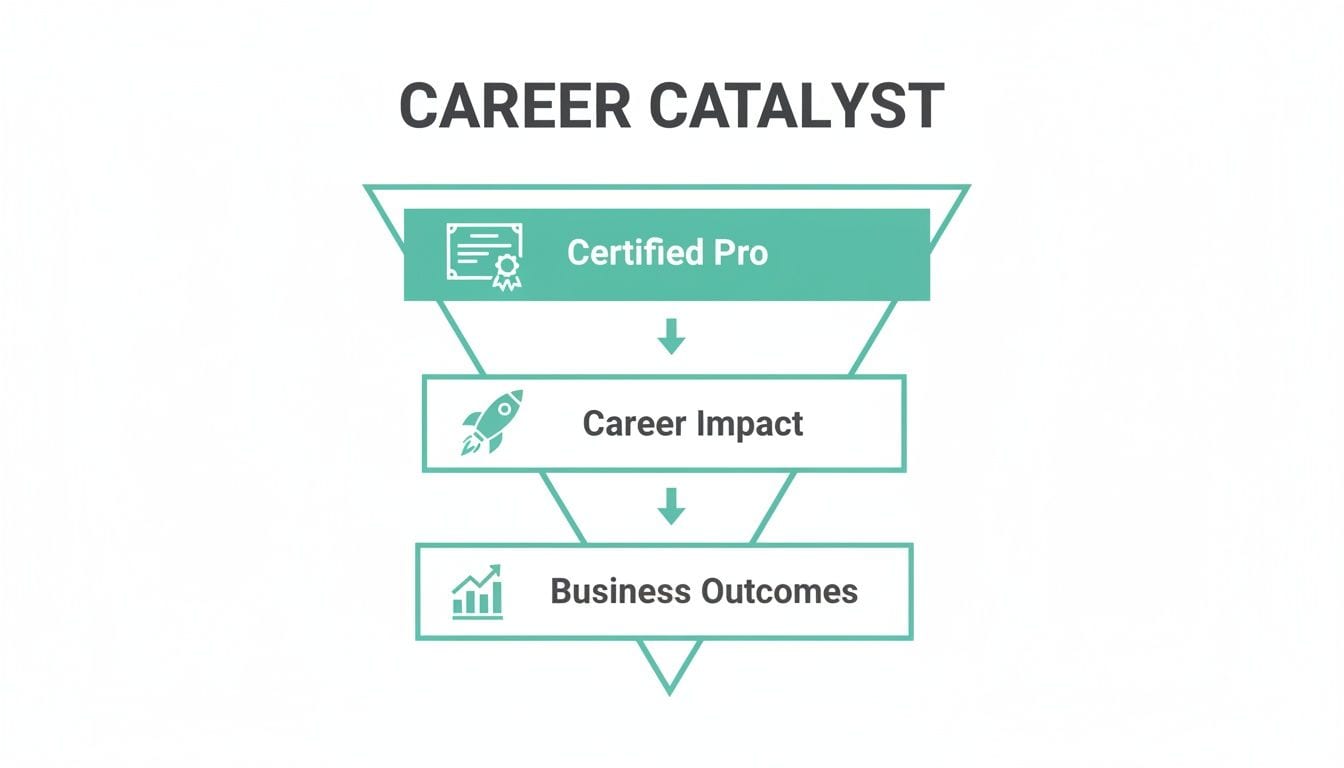
As the visual makes clear, official certification directly fuels your career impact, which in turn leads to better business outcomes.
By aligning your certification choice with your job role, you're not just earning a credential; you're building a specialized expertise that employers actively seek. This targeted approach makes your skills more marketable and your impact more immediate.
So, let's break down the most common Professional-level certifications to help you find the perfect fit.
Comparing the Professional Certification Tracks
Use this table to quickly compare the Professional-level certifications and determine which one best fits your current role and future ambitions.
Looking at this, you can quickly see how a marketer’s needs differ from a developer’s. The Business Practitioner track is all about using the data, while the Developer track is about ensuring that data is collected correctly in the first place. The Data Analyst path sits somewhere in between, focusing on deep, complex analysis.
Diving into the Exam: Format, Topics, and Costs
Once you’ve picked your certification path, it's time to pull back the curtain on the exam itself. Knowing the practical details—from question format to the core topics—is what separates a confident, strategic test-taker from someone who's just guessing. This is where your prep shifts from the "what" to the "how."
Think of the exam as a practical driving test. The instructor isn’t trying to trick you with impossible maneuvers. They just want to see you parallel park, change lanes safely, and prove you know the rules of the road. In the same way, the Adobe exam is all about testing your ability to handle common, real-world analytics tasks.
Breaking Down the Exam Structure
Most of the Adobe Analytics Professional-level exams follow a pretty standard format. You can generally expect around 50 multiple-choice and multiple-select questions, and you’ll have a set time, usually about 100-120 minutes, to get through them. The passing score typically hovers around 65-70%, but you should always double-check the official Adobe guide for your specific exam.
Those "multiple-select" questions can be real curveballs. They ask you to choose all the correct answers from a list, which means you need to know your stuff inside and out. A single wrong selection can cost you the entire point for that question, so there’s no room for fuzzy knowledge.
Core Topics You Absolutely Must Master
While the exact weighting can shift depending on your track (Business Practitioner vs. Developer), the exams always drill down on a few fundamental areas. Your study plan has to be built around these concepts, as they’re the backbone of the entire assessment.
Make sure you’ve locked down these key domains:
- Analysis Workspace Navigation: You need to be able to fly around Workspace. That means building projects, adding panels, using visualizations like fallouts and flows, and sharing your work without a second thought.
- Advanced Segmentation: This is way more than just simple filters. The exam will test you on creating complex, multi-layered segments using containers (hit, visit, visitor) and sequential logic.
- Calculated Metrics: Get ready to build both basic and advanced calculated metrics. It's critical to understand the difference between standard metrics and how to use functions to create brand-new insights on the fly.
- Report Suite Configuration: You’ll need a solid grasp of how a report suite is set up. This includes knowing the roles of eVars, props, and success events and understanding how they shape data collection and reporting.
Let me be clear: a deep, hands-on understanding of Analysis Workspace is non-negotiable. It's the command center for almost all modern analytics work, and the exam questions absolutely reflect its importance.
The Financial Investment and How to Be Smart About It
Alright, let's talk money. Getting your Adobe Analytics certification is an investment, so you need a plan. The standard fee for most professional exams is around $225 USD, with retakes usually priced a bit lower. That price tag covers the exam itself, not any paid training courses you might decide to take.
But here’s a pro tip: there are ways to manage this cost. Adobe often runs promotions that can save you a lot of money, especially if you plan ahead. For example, Adobe Summit has become a great opportunity. Adobe Summit 2026 is offering free on-site exams from April 19-22 for full conference pass holders. This isn't just for Analytics; it covers nine other products like Experience Manager and Real-Time CDP, with no pre-scheduling needed.
You can learn more about Adobe Summit certifications to see if this lines up with your plans. It's a fantastic way to get certified for free while immersing yourself in the Adobe community—a total win-win for anyone serious about their career.
Your Actionable Study Plan and Key Resources

Let's be real: you don't pass these exams by cramming the night before. Success comes from a structured game plan. A solid study schedule is your roadmap, breaking down what feels like a mountain of information into small, manageable weekly goals.
The trick is to mix book smarts with hands-on practice. It’s like learning to cook a new dish. You can read the recipe ten times, but you won't really get it until you start chopping ingredients, adjusting the heat, and tasting along the way. The same goes for Adobe Analytics.
Building Your Four-Week Study Schedule
For most of the professional-level exams, a four-week timeline is a pretty realistic target, as long as you can set aside a few dedicated hours each week. Think of this as a flexible framework—tweak it based on what you already know.
Week 1: Laying the Foundation
- Focus: Getting comfortable with the core concepts and finding your way around the interface.
- First things first, read the official Adobe exam guide for your certification cover to cover.
- Log into a sandbox account (or your company’s) and live in Analysis Workspace. Your goal is to build basic freeform tables, drag and drop a few segments, and play with different visualizations.
- Brush up on the basics. Make sure you can explain the difference between eVars, props, and success events without hesitation.
Week 2: Deep Dive into Analysis
- Focus: Getting good at segmentation and calculated metrics. This is where the real analysis happens.
- Challenge yourself to build at least five complex segments. Mix and match visitor, visit, and hit containers. Try adding some "then" statements to get a feel for sequential logic.
- Create a handful of calculated metrics. Start with simple ratios like conversion rate, then move on to more advanced, function-based ones.
- Toggle between different attribution models—first touch, last touch, U-shaped—and pay close attention to how each one changes the narrative of your data.
Week two is all about moving from just pulling reports to actually doing analysis. It’s a skill that gets tested heavily on the exam.
True mastery comes from practice. The more you use the platform to answer real business questions, the more naturally you'll be able to tackle the scenario-based questions on the exam.
Essential Resources for Your Toolkit
Your study plan is only as strong as the materials you use. Always start with the official Adobe resources—they're the source of truth for what's on the exam. From there, you can branch out to other trusted content to get a different perspective or clear up a tricky topic.
Official Adobe Resources:
- Adobe Experience League: Make this your home base. It's packed with free study guides, technical docs, and video tutorials that are all directly aligned with what you'll be tested on.
- Official Practice Tests: Take the official practice test early in your prep. It's the best way to get a baseline, identify your weak spots, and figure out where you need to focus your energy.
Trusted Third-Party Content:
- Reputable Online Courses: Sites like Udemy and Coursera often have great courses from certified pros. Sometimes, hearing someone else explain a concept in a different way is all it takes for it to click.
- Community Forums: The Adobe Experience League Community is a goldmine. You can ask questions, search for old threads, and learn from people who've already been through the certification process.
Reinforcing Technical Concepts
For any Adobe Analytics certification, you absolutely have to understand implementation and debugging, especially if you're aiming for the Developer track. It’s one thing to read about a tracking schema in a document, but it's another thing entirely to see how one missing parameter can completely break a report.
This is where getting your hands dirty with troubleshooting pays off. Watching videos that walk through real-world debugging, like the one above, is a great way to make these technical ideas stick. You can see exactly how an expert diagnoses issues with a data layer, validates event tracking, and makes sure data is flowing cleanly into a report suite. That kind of practical exposure is what will prepare you for the toughest questions on the exam.
How to Gain Practical Experience for the Exam

Let's be honest: reading about calculated metrics is one thing, but actually building one that solves a real business problem is a whole different ballgame. The Adobe Analytics certification exam isn't about memorizing definitions; it's a test of your ability to apply concepts in the real world. This is where we close the gap between theory and hands-on skill.
Success on the exam hinges on your ability to translate abstract ideas from the study guide—like data governance, schema validation, and event tracking—into tangible actions. You need to understand the real-world consequences of a misconfigured eVar or a broken event, because those are the exact scenarios the exam will throw at you.
Moving from Memorization to True Understanding
Think of your prep as training to be a data detective. A detective doesn’t just read about solving crimes; they go to the scene, analyze the evidence, and piece together the clues. In the same way, you need a "digital sandbox" where you can see an analytics implementation in action, diagnose problems, and connect the dots between the tracking code and the final report.
This practical approach shifts your knowledge from simple recall to genuine comprehension. It’s the difference between knowing the definition of a "fallout report" and actually building one that pinpoints exactly where users are abandoning your checkout funnel.
Simulating Real-World Analytics QA
One of the best ways to get this experience is by working with tools that mirror the daily tasks of an analytics professional. Platforms like Trackingplan create the perfect environment for this. They let you see how a tracking plan is supposed to work and then automatically flag every instance where reality doesn’t match that plan.
This process gives you direct experience with critical exam topics:
- Data Governance: You see firsthand how a single source of truth for your tracking plan prevents data chaos across different teams.
- Schema Validation: You’ll learn to spot rogue events or properties that don’t belong, reinforcing your understanding of proper data structure.
- Debugging: Instead of just reading about debugging, you can actively investigate alerts for broken events and trace them back to their root cause.
Using a tool that provides real-time feedback on an analytics implementation is like having a senior analyst looking over your shoulder. It shortens the learning curve by immediately showing you the impact of both correct and incorrect data setups.
This direct integration lets you see all your events and properties as they’re tracked, giving you a clear view of your data layer's health. This is exactly the kind of insight you'll need for implementation-related questions on the exam. For a deeper dive, you can learn more about how to set up and manage your data layer in Adobe Analytics in our detailed guide.
Practical Exercises for Exam Readiness
To really build your skills, start applying these concepts. Get access to a demo account or use your company's development environment to work through these kinds of hands-on exercises.
- Break and Fix: Intentionally "break" a tracking implementation. Remove a required parameter from a purchase event or misconfigure a campaign tracking code. Then, use debugging tools or a QA platform to identify and explain what went wrong.
- Build a Custom Dashboard: Try to recreate a key business dashboard from scratch in Analysis Workspace. This means building all the necessary segments, calculated metrics, and visualizations to tell a clear story about user behavior.
- Audit a User Journey: Map out a critical user flow, like new user registration. Go through it step-by-step and validate that every event fires correctly, all properties are populated as expected, and the data shows up perfectly in your reports.
This type of active, hands-on practice is invaluable for any Adobe Analytics certification. It prepares you for the scenario-based questions that require you to think on your feet and apply your knowledge to solve realistic problems, ensuring you're truly ready for exam day.
Practice Questions and Final Preparation Tips
When it comes to exam day, confidence is built on practice. The best way to find out where you stand is by testing yourself with questions that feel just like the real thing. It’s how you spot your weak points and lock in what you've learned.
This is the final step where theory turns into practical know-how. You’ll be ready for the kinds of problems the exam will throw at you.
The idea isn't to just memorize answers—it’s about getting the logic behind them. Think of each practice question as a mini case study that challenges you to apply concepts like segmentation or attribution in a real-world scenario. That’s what makes the knowledge stick.
Sample Exam-Style Questions
Let’s run through a couple of examples that capture the style and difficulty you'll see on a professional-level Adobe Analytics certification exam. Don't just look at the right answer; focus on why it's the right answer.
Question 1: Segmentation
A marketer wants to build a segment isolating users who viewed a product, added it to their cart in the same visit, but then left without buying during that visit. What's the most effective sequence of containers to create this segment?
- A) A "Visitor" container with a "Product View" and "Cart Add," followed by an excluded "Purchase" hit.
- B) A "Visit" container with a "Product View" hit, followed by a "Cart Add" hit, and an excluded "Purchase" hit.
- C) A "Hit" container that includes "Product View" and "Cart Add" but excludes "Purchase."
- D) A "Visit" container that excludes "Purchase" and two separate "Hit" containers for "Product View" and "Cart Add."
Correct Answer: B
Explanation: The "Visit" container is the key here because all the actions must happen within a single session. Using "followed by" ensures the user journey is in the correct order. Excluding the "Purchase" hit inside that same visit container is exactly how you capture cart abandonment.
This is a classic example that tests just how well you understand the nuances of segmentation containers.
Question 2: Calculated Metrics
You've been asked to create a "Cart Completion Rate" metric. Which formula is the right way to build this in Adobe Analytics?
- A) (Orders / Carts)
- B) (Carts / Visits)
- C) (Orders / Unique Visitors)
- D) (Carts / Orders)
Correct Answer: A
Explanation: The formula (Orders / Carts) is a direct measure of what percentage of initiated carts actually turned into a completed order. It’s a foundational e-commerce metric and a concept you can definitely expect to see on the exam.
Final Exam Day Strategies
Practice questions are crucial, but having the right game plan for the exam itself can make a massive difference. A solid approach helps you manage your time and tackle tricky questions without getting stressed. It’s worth mastering strategies designed for this format, so you might want to learn more about how to study for multiple choice exams to really sharpen your skills.
Here are a few final tips to keep in your back pocket:
- Read Every Word: Pay close attention to each question and all the answer choices. Adobe is known for including small details that can completely change the question's meaning.
- Use Process of Elimination: If you’re not sure, start by ruling out the answers you know for a fact are wrong. It’s a simple trick that dramatically improves your odds.
- Watch the Clock: Keep an eye on your time. If one question is eating up too many minutes, mark it for review and come back to it. Answering all the questions you know for sure is a better strategy than getting stuck on one problem. For a look at how these concepts apply in the real world, check out our guide on how to debug Adobe Analytics.
- Trust Your Gut: More often than not, your first instinct is right. Don't second-guess yourself and change answers unless you're absolutely certain you made a mistake.
Combine solid knowledge with smart test-taking tactics, and you'll be in a great position to pass your exam and earn that certification.
Frequently Asked Questions
As you map out your path to an Adobe Analytics certification, you're bound to have some questions. Let's tackle a few of the most common ones that come up, so you can finalize your prep strategy with confidence.
How Long Does It Take to Prepare for the Exam?
This really boils down to your hands-on experience. If you’re aiming for the Business Practitioner exam and have about 0-12 months of real-world use under your belt, a dedicated 4-6 week study plan is a solid, realistic timeframe.
That schedule gives you enough runway to dig into all the exam topics, run through the official practice tests, and—most importantly—spend time in the Adobe Analytics platform. Getting your hands dirty is what really makes the concepts stick.
Is Adobe Analytics Certification Valuable if I Know Google Analytics?
Absolutely. While a lot of the core analytics principles carry over, being proficient in Adobe Analytics is a separate and highly valued skill, especially in larger, enterprise-level companies.
An Adobe certification signals that you can handle a different, and often more intricate, analytics environment. It opens doors to roles in organizations that are heavily invested in the Adobe Experience Cloud, giving you a serious leg up on the competition.
Having certifications in both platforms makes you a much stronger candidate. It shows you're versatile and have a deep, platform-agnostic understanding of the analytics space, which is invaluable in any data-driven role.
Do I Need to Know How to Code to Get Certified?
For the Business Practitioner and Data Analyst certifications, you don't need any coding skills. These exams focus on your ability to use the Adobe Analytics UI for reporting, building segments, and performing deep-dive analysis.
The Adobe Analytics Developer certification, however, is a different story. That track is built for technical folks and absolutely requires a firm grasp of JavaScript, data layers, and the nuts and bolts of implementation to pass.
What Is the Cost of an Adobe Analytics Certification?
For most Adobe certification exams, you can expect to pay around $225 USD for your first attempt and $150 USD for a retake. Keep in mind that these prices can shift a bit depending on your region and the specific exam you're taking.
Always double-check the official Adobe credentialing website for the latest pricing. Pro tip: keep an eye out for opportunities to take the exam for free at big industry events like the Adobe Summit—it's a great way to make the whole process more affordable.
Ready to ensure your analytics data is accurate and reliable? Trackingplan provides a fully automated QA platform to monitor your Adobe Analytics implementation in real time. Catch errors before they impact your reports and build confidence in your data. Learn more and get started at https://trackingplan.com.