
First off, a Google Tag Gateway for advertisers isn’t some off-the-shelf product. It’s the server infrastructure you set up to run server-side tagging in Google Tag Manager (GTM). Think of it as a secure middleman that moves your tracking from the user's browser over to your own server, which is a massive win for data accuracy and privacy. This move is becoming non-negotiable for advertisers getting squeezed by ad blockers and cookie restrictions.
Unpacking the Google Tag Gateway
Let's look at how tracking used to work. When someone visited your site, their browser had to load and execute a whole bunch of scripts from Google, Facebook, and other analytics platforms. This old-school, client-side approach is breaking down fast. Browsers are actively blocking these scripts, and users have more ad-blocking tools than ever.
This is exactly where a Google Tag Gateway for advertisers flips the script. Instead of your website sending a dozen different data requests from the user's browser, it sends just one clean, consolidated data stream to your own server. This server, which is under your control, is the "gateway."
Once that data hits your gateway, it’s your server—not the user’s browser—that starts talking to all the third-party vendors. Your server takes on the job of sorting, cleaning, and sending the right data to Google Ads, Meta, and your other ad platforms.
Why This Shift Is Happening Now
The push to a server-side model is a direct answer to the internet's growing focus on privacy. A few key trends are making this setup essential for any serious advertiser today.
- Intelligent Tracking Prevention (ITP): Browsers like Safari and Firefox have privacy features baked in that can kill third-party cookies in as little as 24 hours. This completely wrecks ad attribution and retargeting.
- The Rise of Ad Blockers: A huge chunk of internet users now run ad-blocking software. These tools often stop tracking scripts from loading at all, leaving massive holes in your analytics.
- Regulatory Compliance: Privacy laws like GDPR and CCPA put tight restrictions on how user data is collected and passed around, making the old client-side method a serious compliance headache.
By shifting tracking logic to a server you own, you start operating in a first-party context. This means the data comes from your domain, which browsers trust, making it far less likely to be blocked. It’s how you future-proof your entire data collection strategy.
The core idea is simple but incredibly powerful: by creating a server-side intermediary, you reclaim ownership over your data stream. This allows you to enhance its quality and ensure its secure delivery to advertising platforms, all while respecting user privacy.
To get a better handle on the "gateway" concept in a cloud environment, just look at how a service like AWS Storage Gateway acts as a bridge between on-premise data and the cloud. It’s a great parallel for how a tag gateway manages data streams. This kind of server-side infrastructure is no longer a niche tactic—it's fast becoming the standard for any advertiser who relies on accurate measurement to drive growth.
How Server-Side Tagging Works for Ad Tracking
To really get why a Google Tag Gateway is such a game-changer for advertisers, you have to look at what it’s replacing: the old-school, client-side model. For years, ad tags—those little code snippets from Google, Meta, and others—were placed directly on your website. When someone visited your site, their browser had to load and execute every single one of these scripts. This created a messy, direct line of communication between the user and dozens of third-party ad platforms.
That direct communication is where things fall apart. Each script is out in the open, easy for browsers and ad blockers to spot and shut down. It’s like trying to have twelve different conversations in a loud, crowded room—some messages get lost, others get misinterpreted, and many never get delivered at all. The result? Patchy data, weak ad performance, and a sluggish website.
The Shift to a First-Party Data Stream
Server-side tagging flips the script by creating a much cleaner, more durable setup. Instead of the user's browser firing off data to every ad platform, it sends just one unified data stream to a single, trusted place: your own server container. This container is the gateway. It acts as a central command post, taking in raw data from your site and then deciding what to share with each of your advertising partners.
This move shifts the heavy lifting from the user's browser to your server. Your server, running in a secure environment you control, handles all the communication with third-party vendors. And because this initial data stream is sent to a subdomain you own (like data.yourbrand.com), it’s treated as first-party data. Browsers are much more willing to trust first-party requests, which means they are far more likely to get through.
This diagram illustrates the simple but powerful flow of data through the gateway.
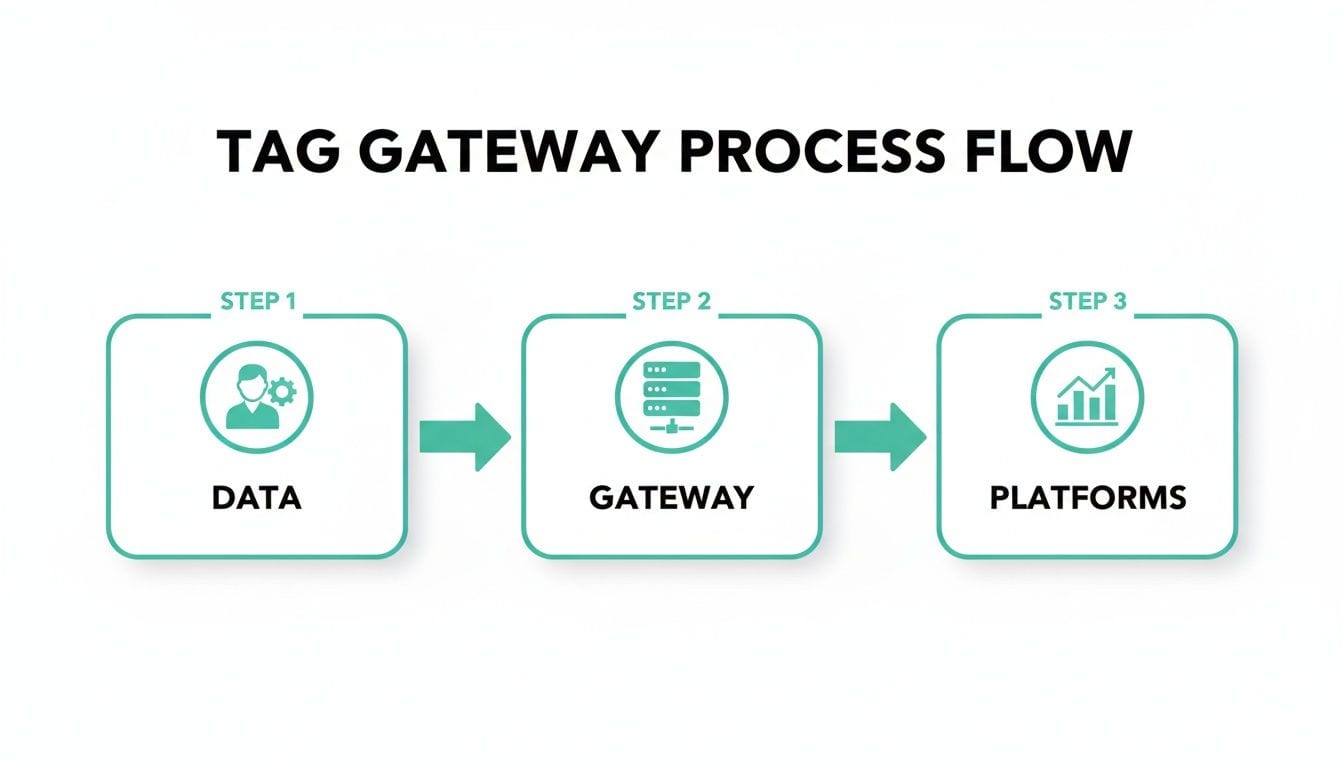
As you can see, the gateway acts as a secure middleman, centralizing all your data before it’s sent out to various ad platforms.
To understand how the data flows in each model, this table breaks down the key differences:
Client-Side vs Server-Side Tagging Data Flow
| Stage | Client-Side Tagging | Server-Side Tagging (via Tag Gateway) |
|---|---|---|
| Initial Request | User's browser sends many separate requests to each ad platform's domain. | User's browser sends a single request to your first-party server domain. |
| Data Processing | Each third-party script processes data independently in the user's browser. | Your server container processes and standardizes the data centrally. |
| Vendor Communication | Browser communicates directly with vendors, exposing user and tag data. | Your server communicates with vendors, hiding the complexity from the browser. |
| Vulnerability | High. Exposed to ITP, ad blockers, and third-party cookie restrictions. | Low. First-party context is more trusted by browsers and bypasses many blockers. |
The contrast is clear. Server-side tagging offers a much more streamlined and secure path for your data.
Inside the Server Container
A few key pieces work together inside this server environment to manage your data. Knowing what they do is key to understanding how the gateway really operates.
-
Clients: A Client is the component that listens for and receives incoming data. When your website sends an event—like a page view or a purchase—a Client grabs that request, puts it into a standard format, and passes it along to the rest of the container. The most common Clients are for Google Analytics 4 (GA4) and the GTM Web SDK.
-
Tags: These are the server-side versions of the ad platform tags you’re already familiar with. After a Client processes an event, it triggers the right Tags. For example, a server-side Facebook CAPI tag will take the standardized event data and send it directly and securely to Meta’s servers.
-
Preview Mode: Just like in the web GTM container, Preview Mode is your go-to debugging tool. It shows you exactly what data is arriving at your server, which Client is claiming it, and which Tags are firing. This visibility is absolutely essential for making sure everything works correctly before you go live.
The move toward this technology is happening fast, largely because its core platform is so dominant. Google Tag Manager already holds 94-95% of the tag management market, and its usage is projected to hit nearly 40 million websites by 2026. This growth highlights just how much demand there is for better tracking solutions.
By centralizing data flow through a server container, you essentially create a cleanroom for your analytics. You can inspect, enrich, or even redact data before it ever leaves your control, providing a level of governance that is impossible with client-side tagging.
This controlled environment is exactly what lets server-side tagging navigate modern tracking hurdles. By creating a first-party context, you can extend cookie lifespans and ensure your data gets where it needs to go, giving you a much more accurate picture of your advertising performance. You can also explore our detailed guide on the fundamentals of server-side tracking to go deeper on these concepts.
Key Benefits of a Server-Side Gateway for Advertising
Moving to a server-side model offers some powerful advantages that directly hit your bottom line. This isn't just a technical swap; it's a strategic shift toward a more resilient and efficient advertising operation. Using a Google Tag Gateway for advertisers delivers immediate wins in data accuracy, site speed, security, and attribution.

Let's break down the four most critical improvements you can expect when you make the switch.
Achieve Superior Data Accuracy
The single biggest headache with traditional client-side tagging is data loss. Ad blockers, spotty network connections, and browser privacy features like Apple's Intelligent Tracking Prevention (ITP) create black holes in your analytics. This missing data means your ad platforms are flying blind, leading to poor optimization and wasted spend.
A server-side gateway fixes this by routing all data through your own domain first. Since these requests are first-party, they are far less likely to be flagged or blocked by browsers. You immediately see an improvement in the volume and quality of data hitting your ad platforms, giving their algorithms the clean signals they need to find your best customers.
Getting this right is crucial, especially given how many businesses rely on GTM. The platform runs on a staggering 34,710,321 websites globally, giving it a near-monopoly with a 95% market share in tag management. As more advertisers depend on it, ensuring the data flowing through it is clean becomes non-negotiable. You can dig into more of these Google Analytics statistics to see just how massive its influence is.
Enhance Website Performance
Every third-party script you add to your site is a little anchor, dragging down its performance. Each tag is another piece of JavaScript the user's browser has to download, process, and execute, which can tank your page load times and Core Web Vitals. A slow site doesn't just annoy visitors; it can also ding your SEO rankings and kill conversion rates.
Server-side tagging slashes this client-side workload. Instead of the browser juggling ten different tracking scripts, it only has to load one lightweight script that sends a single, unified data stream to your server gateway.
By offloading the heavy lifting of data processing and distribution to your server, you create a faster, smoother experience for your visitors. This small change can lead to significant improvements in user engagement and conversions.
This performance boost comes from simplifying what happens in the browser. The user's device is freed from managing multiple connections to third-party domains, resulting in a cleaner and quicker page render.
Gain Serious Data Control and Security
With client-side tagging, user data zips directly from the browser to third-party vendors, leaving you with very little oversight. This can expose sensitive information and create compliance headaches, especially with privacy regulations like GDPR and CCPA breathing down your neck.
A server-side gateway puts you firmly back in the driver's seat. Because all data passes through your own server first, you get a golden opportunity to inspect, modify, or even strip out information before it's ever forwarded to an ad platform.
This control has a few really practical uses:
- PII Redaction: You can automatically spot and remove personally identifiable information (PII) like email addresses or phone numbers before they accidentally land in platforms like Google Analytics.
- Data Enrichment: You can inject valuable business context, like customer lifetime value or product margins from your CRM, before sending the data to ad networks.
- Selective Forwarding: You can set up rules to send certain events to specific vendors, giving you fine-grained control over which partners see what data.
Extend Cookie Lifespan and Protect Attribution
One of the most painful parts of browser privacy features like ITP is how they hammer cookies. In browsers like Safari, third-party cookies are blocked outright, and even first-party cookies set by client-side JavaScript can expire in as little as 24 hours. This shatters attribution models and makes it nearly impossible to build effective audiences.
By operating from a server in a first-party context, the Google Tag Gateway for advertisers can significantly extend the life of these cookies. When a cookie is set from your server (via an HTTP response) instead of from browser-based JavaScript, browsers treat it with much more trust. This simple change allows cookies to persist for weeks or months, preserving your ability to measure multi-touch journeys and build solid retargeting lists, even in the toughest browser environments.
Setting Up Your Google Tag Gateway Environment
Getting your own Google Tag Gateway up and running sounds more intimidating than it is. Thankfully, Google has done a lot of the heavy lifting, especially if you’re already in the Google Cloud Platform (GCP) ecosystem. You can get a server-side environment live without needing a PhD in infrastructure management.
Let’s walk through the essential steps. Think of it like setting up a secure, private post office for your data. First, you need the plot of land (your cloud project), then you build the actual facility (provisioning the server), and finally, you give it an official address (your custom domain) so it can start handling your mail.
Step 1: Create Your Server-Side GTM Container
Everything starts right inside the Google Tag Manager interface you already know. But this time, instead of a "Web" container, you’ll specifically create a server container. This simple choice tells GTM you’re ready to process tags in a server-side environment.
GTM will then ask you to connect it to a Google Cloud project and a billing account. For anyone starting fresh, the easiest path is to let GTM handle this for you.
- Choose "Automatically provision tagging server": This is the go-to option for most advertisers. GTM will hook into your GCP account and deploy a standard App Engine server that’s already configured for solid performance right out of the box.
- Choose "Manually provision tagging server": This route is for the pros who have specific needs, like running servers in different geographic regions or setting up custom load-balancing rules.
Once it's done, Google gives you a default server URL. But here’s the catch: that URL is on a Google-owned domain, which means it’s still operating in a third-party context. To get the real benefits, we need to move on to the next step.
Step 2: Map Your Custom Domain
The magic of a server-side gateway happens when you run it on your own domain. This is what creates that trusted, first-party context that browsers and ad platforms love. This step involves pointing a subdomain—like ss.yourbrand.com—to the tagging server you just created.
You'll do this by adding a DNS record (an A or AAAA record) in your domain provider’s settings, which connects your subdomain to your GCP server’s IP address. GTM gives you pretty clear instructions on how to do this right inside the container settings. After the DNS changes take effect, all data requests start flowing through your own domain, which browsers trust implicitly. This is the key to navigating many of the client-side tracking hurdles.
If you happen to be using Cloudflare, the process is even easier. The Google Tag Gateway on Cloudflare integration offers a one-click setup that handles the DNS configuration for you.
Think of mapping a custom domain as putting your brand's name on the post office. It transforms an anonymous, third-party building into an official, trusted branch of your business, ensuring every piece of mail gets handled properly.
Step 3: Migrate Your First Advertising Tag
With your server live and mapped to your domain, it's time for the fun part: moving your tags over. Don't make the common mistake of trying to migrate everything at once. The smart move is to start with a single, high-impact tag, like your Google Ads conversion tracking or the Meta Conversion API (CAPI) tag.
- Configure Your GA4 Client: Inside your server container, the GA4 Client is the listener. It’s waiting for incoming data from your website's GTM container. You just need to make sure it's set up to claim those requests.
- Add a Server-Side Tag: Head over to the "Tags" section in your server container and add the server-side version of the tag you chose (for instance, the "Meta Conversion API" tag).
- Use Preview Mode Extensively: Before you hit publish, lean heavily on GTM's Preview mode. Send some test events from your site and watch the data flow. You need to see it arrive at your server container, get processed by the GA4 Client, and then successfully trigger your new server-side ad tag.
This one-tag-at-a-time approach keeps the risk low and lets you confirm everything is working perfectly. Once you've validated that first tag, you can start migrating the rest. As you build out your gateway, it's also a good idea to keep general API Gateway Best Practices in mind. These principles will help ensure your data pipeline stays stable, secure, and well-architected from day one.
Monitoring and Validating Your Server-Side Data
Once you've got your server-side environment up and running, you'll hit a new, critical hurdle: visibility. With traditional client-side tagging, you could pop open your browser's developer tools and watch tags fire in real-time. But with a google tag gateway for advertisers, that whole show moves behind the curtain, making it incredibly tough to know if your data is accurate, complete, and firing like it should.
This "black box" problem is where many teams get stuck. You've done the heavy lifting to set up a server-side GTM container, but how can you be sure a purchase event is still sending the right revenue data? Or that sensitive user info isn't accidentally being passed to an ad platform? Relying on GTM's Preview mode is fine for the initial setup, but it’s just not a scalable solution for continuous monitoring.
You need a way to peek inside the server and validate the entire data journey—from the moment it leaves the browser to the second it lands at its final destination. This is where automated observability platforms become non-negotiable.
The Limits of Traditional Debugging
Frankly, old-school debugging methods just don't cut it in a server-side world. Manually checking network requests or firing up Preview mode every now and then is time-consuming and purely reactive. You'll only ever find the errors you're actively looking for, which means silent issues like data corruption or broken tags can go unnoticed for weeks, slowly eroding your ad performance.
This is why a dedicated analytics observability tool is no longer a "nice-to-have" but a necessity for any serious advertiser using server-side tagging. Instead of spot-checking, you need automated, always-on monitoring that acts as a quality assurance layer for your entire data pipeline.
Without a dedicated observability solution, you are effectively flying blind. You gain the performance and accuracy benefits of server-side tagging but lose the critical ability to verify that your data is trustworthy in real-time.
Gaining End-to-End Visibility with Trackingplan
Tools like Trackingplan are built specifically to solve this visibility problem. It gives you a complete, end-to-end picture of your data flow, so you can be confident that your server-side setup is working perfectly. It doesn't just look at one piece of the puzzle; it monitors the entire chain of events.
- From Web to Server: Trackingplan automatically sees the data leaving your web container and verifies it’s being correctly received by your server gateway.
- Inside the Gateway: It then watches how your server-side tags process this incoming data.
- To the Final Destination: Finally, it confirms that the data successfully arrives at its destination—like Google Ads or Meta's Conversion API—with the correct format and values.
This dashboard from Trackingplan shows how it provides a holistic view of your analytics implementation.
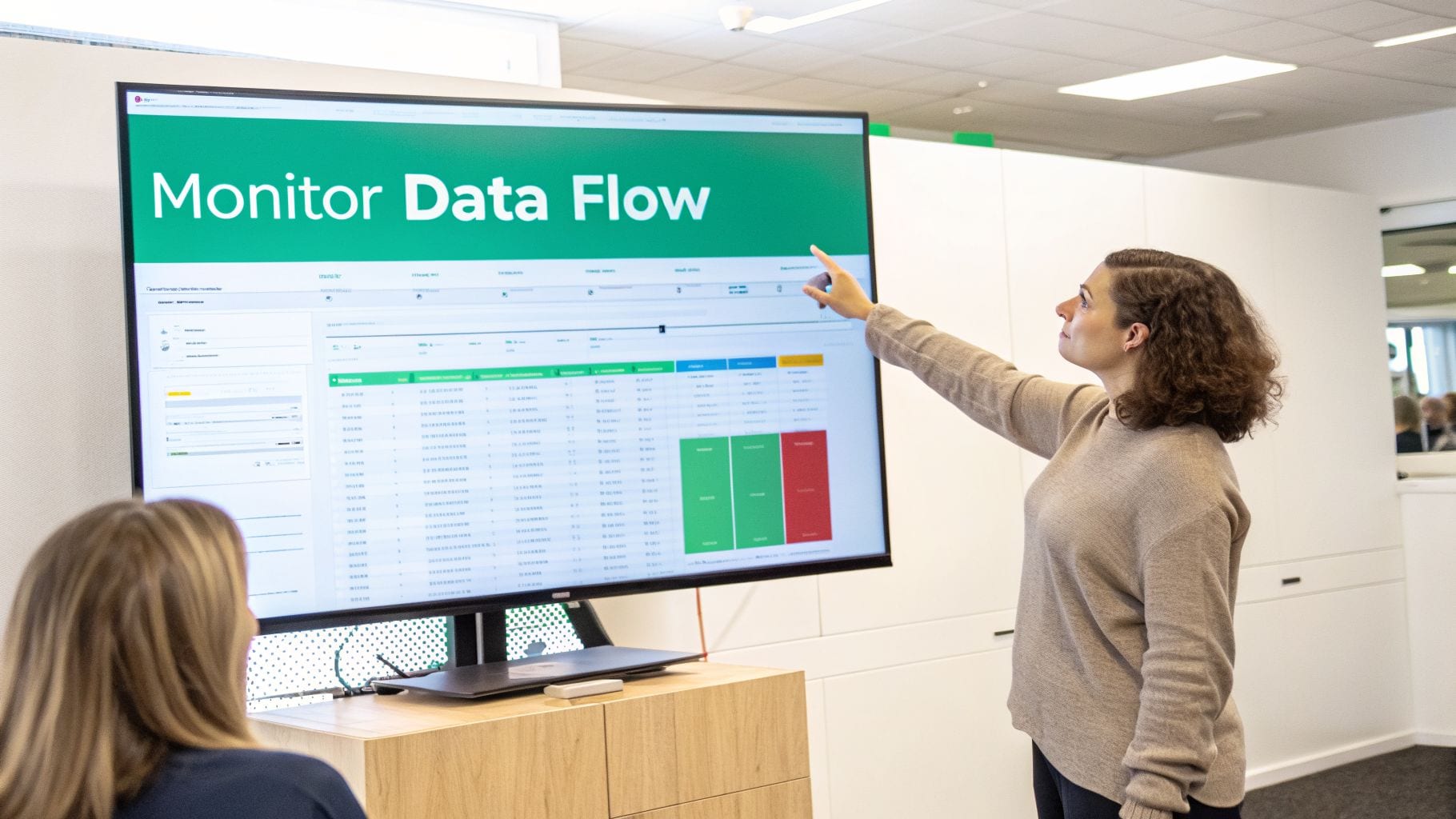
The interface gives you a clear, centralized overview of your entire tracking setup, making it easy to spot discrepancies or failures at a glance.
This automated approach lets your team proactively catch critical issues before they ever impact your advertising ROI. For instance, Trackingplan can automatically detect and alert you to:
- Broken Tags or Misfires: Get notified instantly if a critical conversion tag on the server suddenly stops firing.
- Schema Changes and Errors: Know right away if a developer update accidentally changed a property name, causing data loss.
- PII Leaks: Receive alerts if personally identifiable information is detected in the data stream being sent to ad platforms.
- Missing or Incorrect Data: Identify if key values, like
transaction_idorvalue, are showing up empty or malformed.
By integrating an observability platform, you close the visibility gap that server-side tagging creates. It gives your team peace of mind, knowing that the data fueling your advertising decisions is always accurate, compliant, and complete.
Answering Your Questions About the Google Tag Gateway
Whenever a big shift like server-side tagging comes up, a few key questions always pop into people's minds. It's completely normal to wonder about the real-world impact on your budget, workflow, and compliance.
Let's tackle the big ones head-on so you can see exactly what to expect when you adopt a Google Tag Gateway.
What Does It Actually Cost to Run?
This is usually the first question on everyone's list, and for good reason. While Google Tag Manager itself is free, the server infrastructure that powers the gateway isn't. The main cost is your cloud provider, which for most people will be Google Cloud Platform (GCP).
But don't let that scare you off. For most small to mid-sized businesses, the cost is surprisingly low. Google’s standard App Engine setup includes a free tier that can easily handle sites with lower traffic.
As you grow, you can expect to pay somewhere between $50 and $150 per month. Think of it less as a cost and more as an investment—one that’s often paid for by the improved ad performance you get from much cleaner, more reliable data.
Does This Replace My Web GTM Container?
Nope, and this is a really common point of confusion. The server container doesn't replace your web container; they're designed to be a team. You absolutely still need the web GTM container to capture events happening in the user's browser.
Think of your web container as the data collector on the ground, gathering events as they happen. The server container then acts as the central processing hub, receiving that raw data and securely distributing it to your ad partners.
You'll still set up things like click listeners and form submission triggers in your web container. The big difference is that instead of firing a dozen different third-party tags, it just sends one tidy data stream straight to your own server gateway.
How Does It Handle User Consent?
A server-side setup doesn't get you out of needing a Consent Management Platform (CMP). User consent still has to be collected on the client-side, right in the browser, before a single piece of data goes anywhere.
What the Google Tag Gateway does give you is much tighter control over how you honor those consent choices. Your web container should listen for the user's consent signals and only pass data to the server if they've opted in.
From there, you can build rules on the server itself to ensure data is only forwarded to the specific vendors a user approved. This adds a powerful extra layer of compliance, which is more important than ever.
This is becoming critical as GTM’s user base explodes. With 71% of its users coming from businesses with fewer than 50 employees and adoption now spanning 116 countries, getting consent right is non-negotiable for everyone. You can discover more insights about GTM's massive user base and see why this is so important.
Without real-time visibility, even the best server-side setup can fail silently. Trackingplan automatically monitors your entire data flow—from browser to gateway to ad platform—alerting you to broken tags, data errors, and compliance risks before they impact your ROI. See how our automated observability can give you complete confidence in your advertising data at trackingplan.com.