Use our conversion tracking checker to validate web, mobile & server data. Fix failures and automate audits with step-by-step guidance.
You launch a campaign, watch clicks come in, and then the conversion report starts telling a story that doesn't match reality. Sales teams say leads are arriving. Orders show up in the backend. Google Ads or GA4 says conversions are weak, duplicated, delayed, or credited to the wrong channel. At that point, the campaign isn't the first thing to question. The data is.
A conversion tracking checker isn't just a browser extension or one debug session before launch. It's a validation process that tells you whether the events you rely on for bidding, reporting, and attribution are trustworthy. In practice, that process starts with manual checks and then has to mature into continuous monitoring across the full stack.
Teams usually discover this the hard way. A developer changes a checkout flow. A consent banner update blocks one destination but not another. A server-side endpoint keeps sending events, but the payload schema drifts and ad platforms stop accepting parts of it. None of that is obvious in a dashboard until the damage is already done.
If you're still checking conversion tracking only when someone complains, you're already late. The resilient approach is simpler: validate tags manually so you understand the mechanics, then automate observability so you're not depending on luck.
Why Your Conversion Data Might Be Lying to You
The most common tracking failure doesn't look dramatic. It looks ordinary. A paid search campaign appears to underperform. Branded traffic seems to convert unusually well. Direct traffic starts getting too much credit. The team debates creative, landing pages, and budget allocation, while the underlying problem sits in the implementation.
I've seen this happen after perfectly normal releases. A form thank-you page changes URL. A tag manager trigger still listens for the old path. Conversions don't disappear completely because another tool still records something. That partial visibility is what makes bad tracking so dangerous. It creates false confidence.
Bad data changes real decisions
When conversion data is wrong, teams don't just lose clean reporting. They make operational mistakes:
- Media buyers cut winners: A campaign looks expensive because some conversions never register.
- Analysts validate the wrong hypothesis: A/B tests inherit broken event logic, so results can't be trusted.
- Leadership loses trust in analytics: Once dashboards stop matching business reality, every report becomes negotiable.
- Developers get vague bug tickets: Marketing says "tracking is off" without knowing where the implementation broke.
Practical rule: If the reported outcome contradicts what sales, CRM, or order data suggests, assume a tracking problem before assuming a performance problem.
That is why a conversion tracking checker matters. It gives you a repeatable way to test whether data collection, attribution, and downstream delivery are still intact after site changes, campaign launches, and consent updates.
For teams still tightening fundamentals, this guide on setting up Google Ads tracking effectively is useful because setup quality still determines how much debugging you'll need later. And if you suspect your reporting issues are broader than one tag, these signs your analytics is broken are a good diagnostic lens.
A checker is a process, not a plugin
People often look for one tool that says everything is fine. That doesn't exist. A browser debugger can confirm a tag fired. It can't tell you whether the event should have fired, whether the payload is correct, whether a second tool counted the same conversion again, or whether consent logic suppressed the hit for some users.
A reliable checker combines several kinds of validation. You inspect the page, simulate the conversion, review what was sent, compare platforms, and verify that the business logic still matches the implementation. That's the baseline. Automation comes later, but it only works well if the baseline is clear.
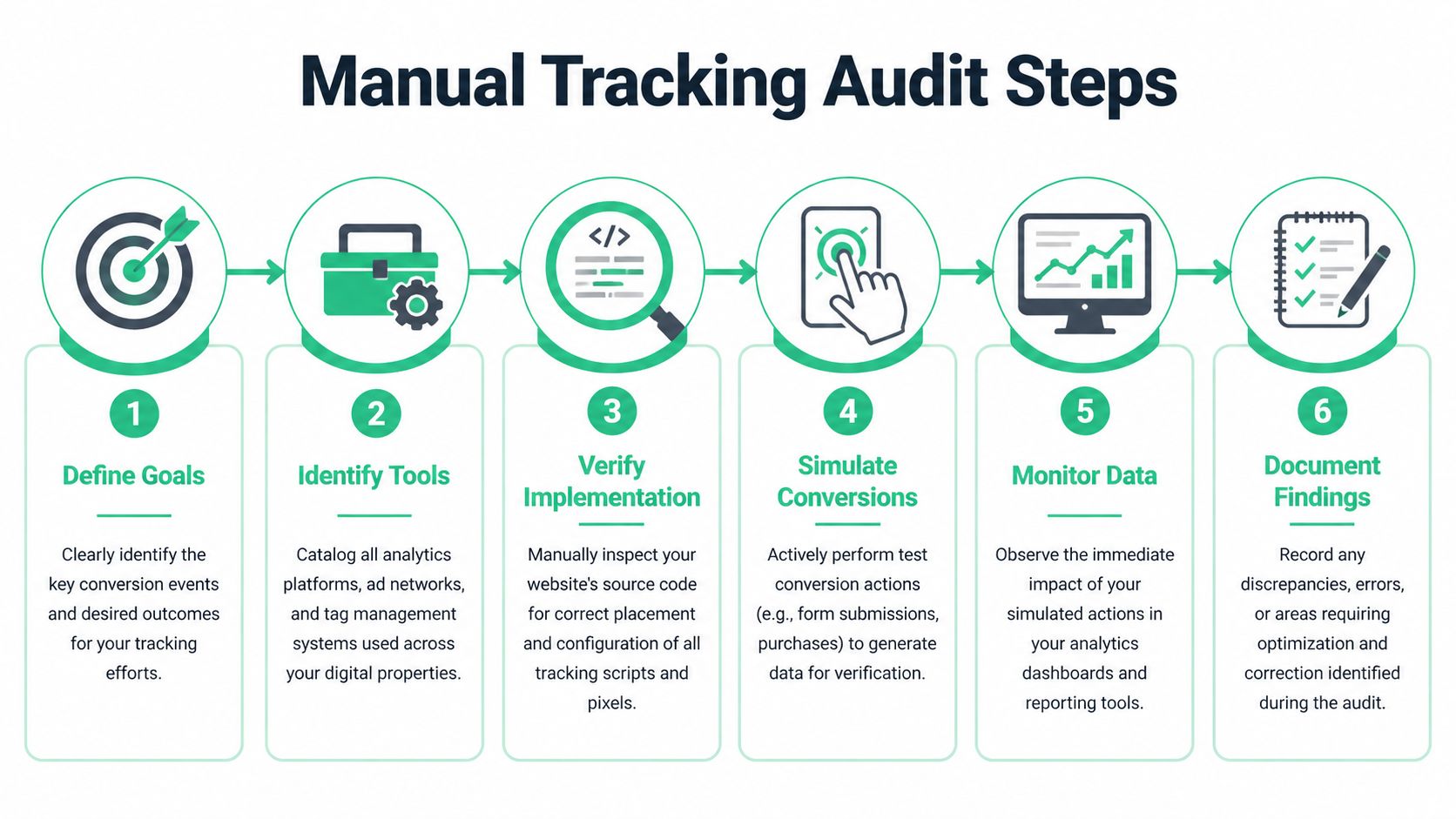
Your First Line of Defense A Manual Tracking Audit
A developer ships a checkout update on Friday. On Monday, paid search looks weak, GA4 purchase volume is down, and the ecommerce team is debating whether demand dropped or tracking broke. A manual audit is how you settle that fast.
Manual checks are still the starting point because they expose how conversions are implemented. They force agreement on what counts as a conversion, what should trigger it, and which systems should receive it. If those basics are fuzzy, any later automation will monitor bad logic with great efficiency.
Start with an event map, not a browser extension
Before opening Tag Assistant, define the events you intend to validate. Write down purchases, qualified leads, demo requests, free trial starts, and any micro-conversions that affect bidding or reporting. For each one, document the business rule, the technical trigger, the expected payload, and every destination that should receive it.
A practical audit sheet usually includes:
- Business event name such as
purchaseorlead_submit - Trigger condition such as thank-you page load, successful API response, or backend order confirmation
- Expected destinations such as Google Ads, GA4, Meta, CRM, or warehouse
- Required properties such as transaction ID, value, currency, product IDs, lead type, consent state
- Owner responsible for fixing it if the event breaks
Weak setups usually become apparent. Teams often discover that one platform counts a button click as a conversion while another waits for an actual success state.
Confirm the tag fires, then confirm it deserves to fire
The first manual pass is still simple. Complete the conversion flow and verify the tag fires where it should, once, with the expected event name. Google’s own guidance for checking your Google tag setup with Tag Assistant is a useful reference for this part of the audit.
But a green debugger result is only the start.
Inspect the trigger logic. Check whether the event fires on page load, on a click, on a route change, or after a server response. A purchase tag that fires on a button click can look fine in the browser and still overcount failed checkouts. A lead event tied to a visible thank-you message can misfire if the message appears before the form is accepted.
Check the browser like an analyst
Open DevTools and test the full journey. Use Console, Network, and the page state together.
In the Console
Look for JavaScript errors during the conversion path. Front-end errors often interrupt analytics callbacks without breaking the visible user experience. The page can render correctly while the conversion event never gets sent.
In Network
Filter requests by vendor or endpoint. For web tags, confirm the request is sent at the right moment and includes the fields you expect. For purchase events, inspect transaction ID, value, currency, and item data. For lead events, inspect form identifiers, submission status, and any campaign parameters passed through the flow.
In the page state or dataLayer
If the site uses GTM, inspect the dataLayer at the point of conversion. Many tracking issues are really data quality issues. The tag may fire correctly while the event name changed, the value became a string instead of a number, or the transaction ID is missing.
If you can only show that a tag fired, the audit is incomplete.
Test real paths and awkward edge cases
Clean test journeys miss the bugs that corrupt production data. Run test orders, submit forms with validation errors, retry payments, and repeat actions as a returning user. Check single-page app flows where route changes replace page loads. Check consent states that suppress tags in one region but not another. Check whether a refresh on the confirmation page creates a second conversion.
This is the part that manual audits handle well. An analyst can spot business logic problems that automated scripts would miss if nobody defined the correct behavior first.
For ecommerce teams, data QA and CRO are tied together. The article on optimizing your Shopify store's conversions is a good reminder that testing checkout performance is only useful if the purchase event is measured correctly in the first place.
Reconcile what happened across systems
After the browser check, compare the event across the stack. Did GA4 receive it. Did Google Ads count it directly or through an import. Did the CRM create the lead. Did the backend record the order. Did server-side tracking send the same transaction twice.
This step catches the failures that browser tools cannot. A front-end tag can fire correctly while the server-side endpoint drops the event, the CRM rejects the payload, or an import process rewrites the conversion name.
Document the result while the evidence is fresh:
- What you tested
- Expected behavior
- Actual behavior
- Request details or screenshots
- Business impact
- Owner and fix status
If you want a practical reference for the mechanics, this guide on how to test a tag step by step is a useful companion.
Manual audits are necessary, but they are not enough
Manual audits are good for finding implementation mistakes and teaching teams how their tracking works. They are bad at continuous protection. They depend on someone remembering to test after each release, consent change, container update, SDK update, or server-side routing change.
That trade-off gets expensive fast in stacks that span web, apps, and server-side pipelines. By the time a person notices the issue in reporting, the bad data is already in your ad platforms, analytics tools, and downstream models.
Diagnosing Common Conversion Tracking Failures
A conversion checker earns its keep when something breaks in a way the interface does not make obvious. The event may fire in the browser and still fail in the places that matter. Ads stop optimizing well. Revenue stops reconciling. The team argues over which system is right.
The practical way to diagnose that mess is to separate the visible symptom from the failure point.
Common failure patterns
| Failure Type | Symptom | Common Root Cause |
|---|---|---|
| Missing pixel or tag | Conversions appear lower than expected or disappear after a release | Tag removed, trigger broken, route changed, consent blocked execution |
| Rogue event | Conversions spike without corresponding business outcomes | Event tied to page view, click, or UI state instead of confirmed success |
| Duplicate tracking | One conversion appears multiple times across tools or reports | Browser and imported events both counted, thank-you page reloads, repeat firing |
| Schema mismatch | Event arrives but key dimensions or values are missing or unusable | Property names changed, value types differ, destination expects a different format |
| Consent misconfiguration | Data drops for some users, geographies, or browsers | Consent banner blocks tags inconsistently or sends the wrong state |
| Attribution leakage | Direct or unassigned traffic gets too much credit | Click identifiers lost, UTM handling broken, redirect logic strips parameters |
Missing tags are often split failures
A missing conversion is not always fully missing. One destination can keep receiving the event while another stops. That happens in stacks where GA4, Google Ads, Meta, a server endpoint, and a CRM all rely on different triggers, mappings, or transport methods.
That partial failure is why a single healthy report is weak evidence. If browser tracking still works but the server-side route drops the purchase, one dashboard can look fine while bidding, attribution, or downstream revenue reporting drifts.
This is also where implementation ownership matters. If multiple people touch GTM without a review process, broken triggers and naming drift become much more common. Teams that need outside help should spend time vetting GTM specialists before handing over production containers.
Rogue events come from business logic drift
Rogue events usually start with a reasonable shortcut. A submit click gets used as a lead. A checkout step view gets used as a purchase. A success modal gets treated as proof that the backend accepted the order.
Then the product changes.
The UI still triggers the event, but the business outcome no longer happened. That bug is more damaging than a missing tag because platforms optimize toward the wrong signal. You do not just lose measurement quality. You train ad systems on noise.
Field note: The tracking bugs that inflate conversions tend to survive longer than the bugs that suppress them. Good-looking numbers get less scrutiny.
Schema problems break trust
Schema mismatches are expensive because the event often still appears to send correctly. The request returns 200. Debug tools show activity. Someone declares tracking fixed. Meanwhile, the destination drops the transaction ID, reads revenue as text, or ignores a renamed parameter.
This gets worse across browser, app, and server-side implementations because each layer can enforce a different contract. Frontend developers may rename an object key. Backend teams may change payload structure. Analysts may update conversion definitions in the destination without updating the source event. If you are validating events beyond the browser, this guide to automating event validation for server-side tagging is a useful reference for checking those contracts continuously.
Consent issues create selective blindness
Consent failures are hard to diagnose with spot checks because they are uneven. One region may lose ad_storage. Safari may behave differently from Chrome. A banner variant may pass the wrong state only on certain templates.
The symptom is inconsistency, not a clean outage. Paid traffic underreports in one market. Retargeting pools shrink faster than expected. QA signs off because the tester accepted consent on a staging page, while production users decline or receive a different default state.
Manual testing catches some of this. It does not cover the full matrix of browser, geography, device, and consent state combinations.
Attribution clues still matter
Attribution changes often surface before anyone opens Tag Assistant or reads a network request. A sudden rise in direct or unassigned conversions usually points to lost click identifiers, broken UTM persistence, redirect issues, or consent logic that strips marketing context before the conversion completes.
Treat those shifts as implementation signals, not reporting quirks. If direct traffic starts claiming conversions that used to belong to paid channels, the right response is to inspect the handoff across landing page, session storage, app routing, server enrichment, and ad platform delivery. That is how reactive debugging turns into a real validation process.
Validating Tracking Across Your Entire Tech Stack
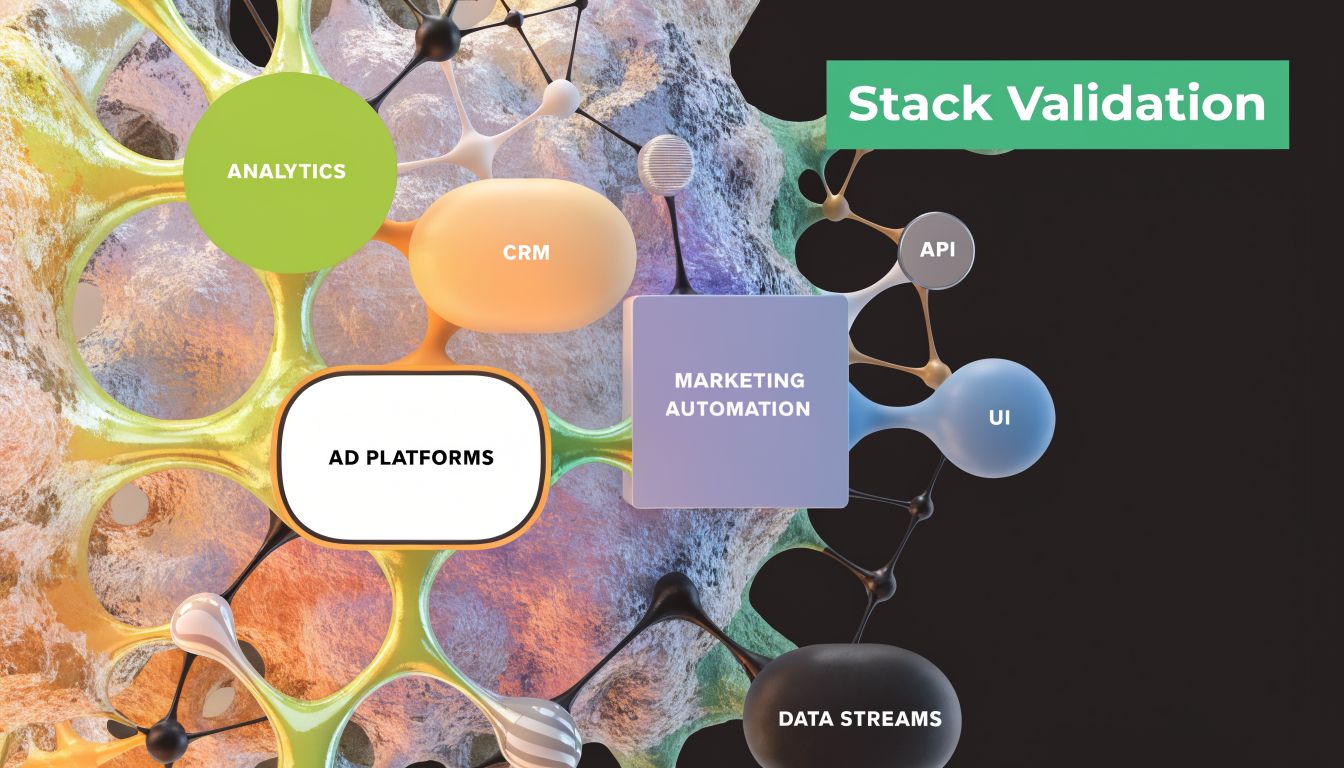
A website thank-you page is the easy case. Modern conversion tracking usually spans web, apps, APIs, server-side containers, CDPs, analytics platforms, ad platforms, and consent tools. The checker has to validate the handoff between those layers, not just the moment a browser tag fires.
Single-page apps require route-aware validation
SPAs often break tracking because the old mental model no longer applies. There may be no full page reload, no traditional thank-you page, and no easy visual checkpoint for the conversion event. Instead, route changes and state changes control the user journey.
When validating an SPA, check three layers:
- Virtual navigation logic: Is the route change detected and mapped consistently?
- Business event timing: Does the conversion fire after the successful action, not at click time?
- Persistence of attribution context: Do campaign parameters and identifiers survive the route transitions?
If a developer rewrites component structure or replaces a router hook, your page-view and conversion logic can drift without any obvious frontend error.
Apps need event validation beyond the browser
Mobile app conversion tracking introduces different debugging constraints. You don't have the same easy browser inspection workflow, and privacy restrictions can change what reaches each destination. You need to validate the SDK event, the app-side payload, and the downstream mapping into analytics and ad tools.
For app journeys, I usually look for consistency in:
- Event naming conventions across iOS and Android
- Property parity so the same conversion means the same thing on both platforms
- Environment separation between sandbox and production
- Consent and privacy behavior because app permissions alter what can be sent
The hardest part is that app teams and web teams often use similar event names with slightly different meanings. That causes reporting conflicts later.
Server-side tracking improves resilience, but reduces visibility
Server-side setups can recover signal and improve governance, but they also remove the convenient browser breadcrumb trail that analysts rely on. You can no longer depend on frontend inspection alone. You have to validate the event pipeline from source to server container to final destination.
A few checks matter more here:
- Input parity: Does the server receive the same business event your frontend or backend intended to send?
- Transformation logic: Are values reformatted or filtered correctly before forwarding?
- Deduplication behavior: Are browser and server events coordinated properly?
- Destination acceptance: Did the ad or analytics platform accept the server-side event?
For teams doing this at scale, this guide on automating event validation for server-side tagging is useful because it focuses on validating the pipeline, not just the tag.
Agency and multi-client setups add governance pressure
The complexity rises fast when one team supports many properties. The issue isn't only implementation. It's standardization, privacy, and collaboration.
According to Perspective's metrics discussion, agencies and multi-client setups face critical challenges around multi-touch attribution and privacy compliance. The source notes that post-2025 privacy laws raise the risk of PII leaks, last-click models miss early touchpoints in long customer journeys, UTM errors and traffic anomalies are common, and Enhanced Conversions with SHA256 hashing improves precision but doesn't provide holistic stack monitoring.
That trade-off is important. Better matching doesn't equal better observability.
Governance rule: A technically valid event can still be operationally wrong if it leaks data, violates naming rules, or breaks cross-client consistency.
If your team needs implementation help before observability, this piece on vetting GTM specialists is a sensible resource. The best GTM work isn't just tag deployment. It's creating an implementation that can still be validated after the next redesign, app release, or consent update.
Automate Your Checker with Continuous Observability
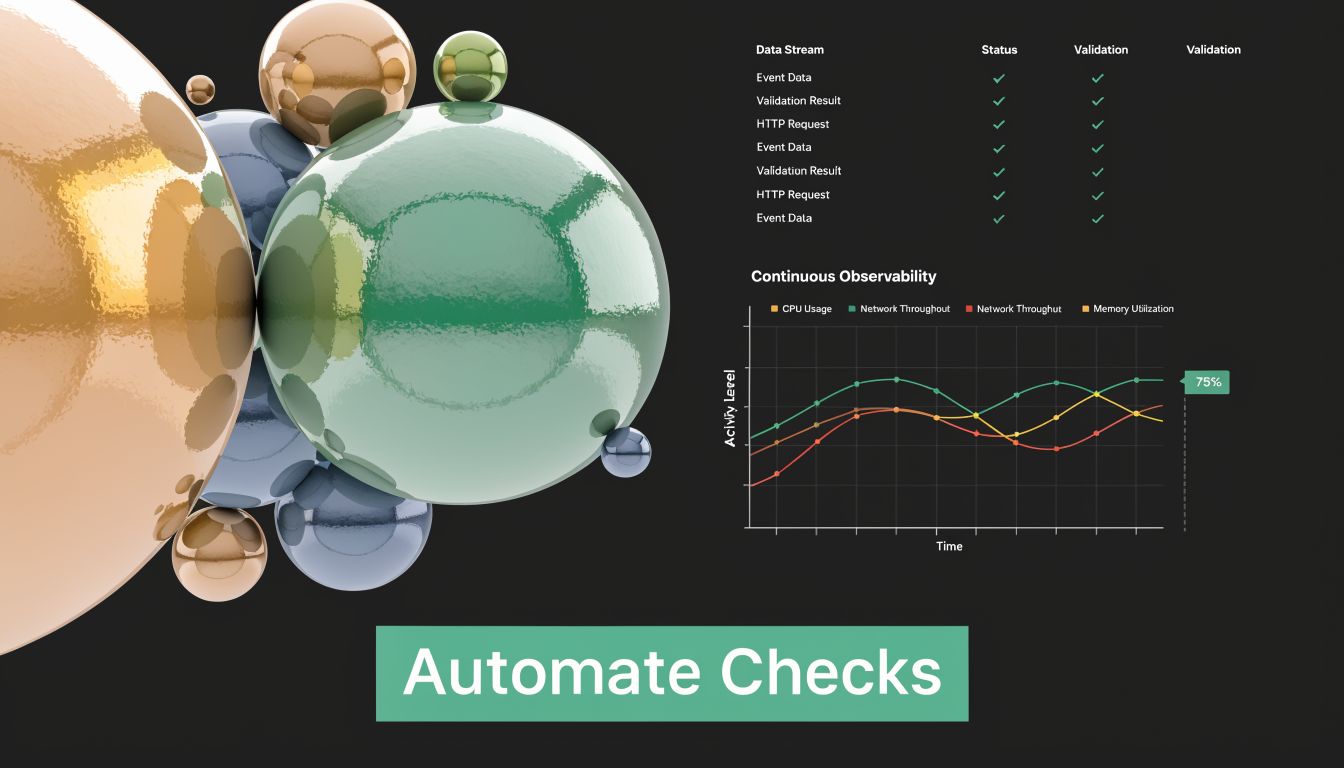
Manual audits are good at answering one question. "Does this conversion work right now in the flow I just tested?" They are bad at answering the question teams need answered. "What broke across our stack today, where did it break, and who needs to fix it before reporting degrades?"
That gap is where automated observability changes the operating model.
Reactive QA always loses the race
A manual conversion tracking checker depends on someone remembering to test, choosing the right scenario, and noticing the issue quickly enough to contain the damage. That might work for a single website with occasional releases. It breaks down fast when you have frequent deployments, multiple destinations, and server-side transformations.
The main issue isn't labor alone. It's timing. By the time a dashboard looks wrong, the corrupted data has already landed in analytics tools, ad platforms, or attribution reports. You can fix the tag going forward, but you can't always recover what was lost or undo the bidding impact.
The most painful failures are usually the invisible ones. A missing pixel on one confirmation state. A rogue event introduced by a frontend refactor. A schema mismatch that affects only one event family. A consent misconfiguration that blocks one destination in one market.
What automation should actually monitor
The useful version of automation doesn't just rerun a browser test. It watches the implementation continuously and compares current behavior against expected behavior.
That means monitoring should cover:
- Event discovery: Detect new, removed, or renamed events across the stack.
- Schema validation: Flag missing, extra, or malformed properties.
- Destination consistency: Verify that what reaches GA4, ad platforms, and product analytics still matches intent.
- Consent and privacy checks: Catch blocked or misrouted collection patterns.
- Alerting: Send actionable notifications to Slack, Microsoft Teams, or email when behavior changes.
According to WhatConverts' discussion of enhanced conversions and observability gaps, modern tracking issues are often "invisible" to standard reports, including missing pixels, rogue events, schema mismatches, and consent misconfigurations. The same source notes that manual guides don't provide proactive, continuous observability for complex stacks, and that automated platforms fill this gap with real-time alerts via Slack or Teams and root-cause analysis, especially as server-side tracking becomes more common.
That is the shift from debugging to monitoring. You stop waiting for a report anomaly and start treating data quality like a production system.
Root-cause analysis matters more than alerts
A flood of alerts doesn't help if nobody can tell what changed. Good observability should identify the failure mode, where it started, and which downstream tools are affected. If the system tells you only that "purchase is down," someone still has to manually trace the path from frontend event to server container to ad destination.
The more useful approach is cause-based triage:
- Was the event removed or renamed?
- Did the payload schema drift?
- Did consent state suppress delivery?
- Did a destination mapping fail?
- Did campaign tagging quality degrade?
A tool like Trackingplan serves as one option in the stack. It automatically discovers martech implementations, monitors analytics and attribution pixels across web, app, and server-side environments, and alerts teams to issues such as missing or rogue events, schema mismatches, broken pixels, campaign tagging errors, consent problems, and potential PII leaks. The practical value isn't "more dashboards." It's faster isolation of the actual break.
For readers who want the broader concept behind this model, Trackingplan's explanation of what data observability means in analytics gives useful context.
A quick product walkthrough can help make that concrete:
Build rules around your tracking plan
Automation works best when it enforces standards, not just activity. A resilient setup defines validation rules around the implementation your team intends to maintain.
Examples of useful rules include:
- Required properties for revenue events: Purchase must include transaction ID, value, and currency.
- Naming governance: Event names must follow approved conventions by platform and product area.
- Consent-aware delivery: Certain destinations must not receive events when consent state is denied.
- UTM hygiene: Campaign parameters must follow naming rules so downstream reporting remains usable.
- Destination-specific expectations: A lead event might go to GA4 and CRM, but not every ad platform.
This reduces the usual ambiguity between analysts, marketers, and developers. Instead of "tracking looks off," the issue becomes "signup_completed is missing a required property in production and no longer reaches the ad destination."
Automation doesn't replace manual understanding
Teams sometimes hear "observability" and assume manual QA no longer matters. That's a mistake. You still need manual audits for implementation design, release validation, and edge-case testing. What changes is the burden. Humans stop acting as the only alarm system.
A strong operating model usually looks like this:
- Manual checks before launch
- Automated monitoring after launch
- Root-cause alerts when behavior changes
- Periodic governance reviews for new events and destinations
That combination is what turns a conversion tracking checker from a one-off debugging task into an ongoing reliability process.
Your Toughest Conversion Tracking Questions Answered
How do you track conversions when cookies, browser limits, and iOS restrictions get in the way?
Use a mixed model. Keep browser-side measurement where it's useful, but don't rely on it alone for critical conversion events. Server-side delivery improves resilience, and governance matters just as much as collection. The goal isn't to capture every possible signal. It's to build a setup that still records trustworthy business outcomes when client-side collection gets constrained.
For privacy-sensitive environments, minimize unnecessary data transfer and validate each destination's specific needs.
What's the most efficient way for an agency to manage tracking across many clients?
Standardize the tracking plan first. If every client uses different event names, parameter rules, and QA habits, the work won't scale. Agencies need shared naming conventions, repeatable release checks, and a monitoring layer that flags anomalies without requiring constant manual testing.
This matters even more when different clients use different stacks. One may rely on GTM and GA4, another on Segment and app SDKs, another on server-side tagging with multiple ad destinations. The process has to be portable even if the tooling isn't identical.
How do you stop developer releases from silently breaking conversion tracking?
Treat analytics as a production dependency, not as a marketing add-on. That means maintaining an explicit tracking plan, checking event contracts during releases, and validating conversion behavior before and after deployments. The stronger setup also watches for drift automatically after code ships.
The release isn't done when the UI works. It's done when the business event still reaches every system that depends on it.
A lot of teams only test visual regressions. Conversion tracking breaks in the invisible layer, so the QA process has to include event and payload validation too.
What's the difference between a pixel and a tag?
In practice, people use the terms loosely. A pixel often refers to a platform-specific tracking snippet tied to ad measurement. A tag is broader. It can be any analytics or marketing script, rule, or container-managed implementation that sends data somewhere.
For validation, the distinction matters less than the delivery path. You need to know what triggers it, what data it sends, and where it goes.
How do you create a tracking plan that survives change?
Keep it specific and owned. Every important conversion should have a business definition, technical trigger, required properties, destination list, and owner. Then use that plan as the source of truth for QA and monitoring.
Plans fail when they're generic. "Track lead submissions" isn't enough. "Fire lead_submit after successful CRM acknowledgment with form_type and consent_state, then send it to GA4 and Google Ads" is much more durable.
Should you trust imported conversions or direct platform tags more?
Neither by default. Trust the implementation you can validate most clearly and govern most reliably. Imported conversions can simplify some reporting but create lag or definition drift. Direct tags can be immediate but may duplicate or diverge from analytics definitions.
The answer isn't ideological. It's operational. Pick the model your team can test, document, and monitor with confidence.
If your team is tired of discovering broken conversions only after dashboards drift, Trackingplan is worth evaluating. It gives analysts, marketers, and developers a way to monitor analytics and attribution implementations continuously across web, apps, and server-side flows, so issues like missing events, schema drift, consent problems, and tagging anomalies get caught before they distort reporting.