
High-quality data isn't a luxury anymore; it’s the bedrock of a successful business. Getting there means shifting from a reactive, "fix-it-when-it-breaks" mindset to a proactive, automated strategy. The whole process boils down to four core pillars: governance, instrumentation, validation, and response.
This playbook is the modern antidote to data chaos, giving you a clear path to ensure your analytics are trustworthy across all your digital platforms.
Why Trusting Your Data Is No Longer Optional
In a world where every major decision is supposed to be data-backed, blind faith is just a recipe for disaster. Too many teams operate under the dangerous assumption that the numbers lighting up their dashboards are gospel. It's often only after a marketing campaign bombs or a product launch misses the mark that they discover costly errors in the underlying data.
The consequences of poor data quality aren't isolated—they ripple across the entire organization, eroding confidence, wasting money, and sending teams in the wrong direction. This isn't just an IT problem anymore. It's a business problem that directly tanks marketing ROI, hobbles product strategy, and damages customer trust. When you can't rely on your analytics, everyone is flying blind.
The Real Cost of Bad Data
The scale of the data we're dealing with is mind-boggling. Experts predict the global data sphere will rocket past 180 zettabytes this year. That colossal figure magnifies every tiny flaw in how we manage data.
For digital analysts and marketing teams who live in tools like Google Analytics or Adobe Analytics, unchecked data can completely derail campaign performance and ROI calculations. The numbers are staggering—businesses lose an average of $12.9 million annually purely because of poor-quality data. That cost comes from everything from botched customer insights to faulty AI predictions. If you want to see the full financial breakdown, you can explore more findings on the financial impact of data quality.
This financial drain makes one thing crystal clear: manual spot-checks and quarterly audits just don't cut it anymore. A proactive, always-on strategy is the only way forward.
Data quality isn’t about reaching some perfect, static state. It's about building a resilient, automated system that continuously monitors, validates, and alerts your teams so they can fix issues before they poison your business intelligence.
To give you a clearer picture of what this looks like, the infographic below lays out the four essential pillars of a modern data quality strategy. It shows how you move from planning and governance all the way to incident response in a continuous loop.
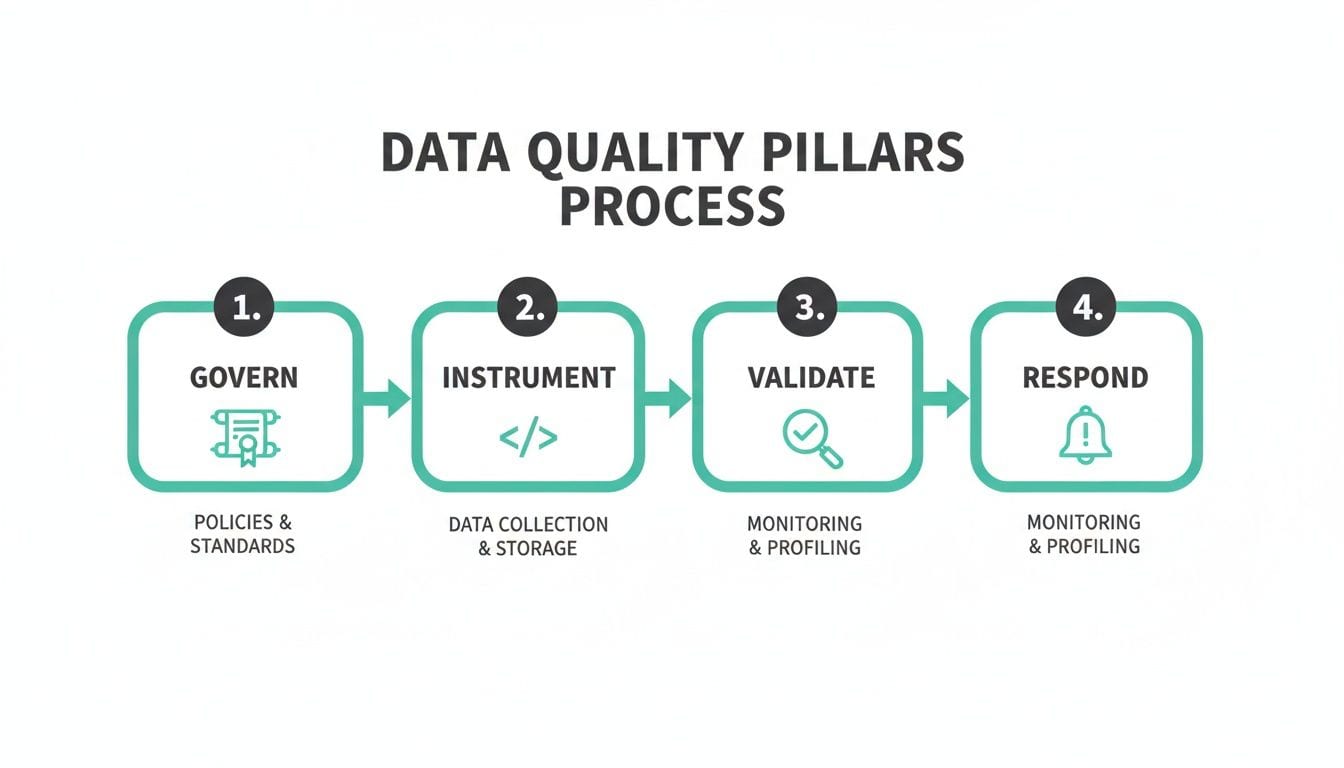
This table offers a quick snapshot of these pillars, which we'll be diving into throughout this guide. Think of it as the high-level map for our journey.
The Four Pillars of a Modern Data Quality Strategy
This process visualizes how a structured approach—starting with a clear plan and ending with rapid response—creates a cycle of continuous improvement. The rest of this guide will break down each of these pillars, giving you a step-by-step playbook to finally solve the question of how to ensure data quality for good.
Building Your Foundation with Data Governance
Before you can trust a single metric, you need a plan. Rushing to implement tracking without a solid governance framework is like building a house with no blueprint—it’s destined to collapse. Answering the question of how to ensure data quality starts with a practical data governance strategy that your entire team can actually get behind.

The cornerstone of this foundation is the tracking plan. Forget about those dusty spreadsheets that are outdated the second they're created. A modern tracking plan is a living, breathing document that acts as the single source of truth for every event, property, and user attribute you track. Think of it as a collaborative contract between developers, marketers, and analysts.
Defining Your Critical Business Events
The first move in creating a useful tracking plan is to figure out what actually matters to your business. It's way too easy to fall into the trap of tracking everything, which just creates noise and confusion. Instead, zero in on the critical user actions that directly tie back to your business objectives.
Start by asking the right questions across your teams:
- For Product: What user actions show engagement or progress towards a core feature's goal? (e.g.,
Project Created,Task Completed) - For Marketing: Which interactions are essential for understanding campaign effectiveness and conversion funnels? (e.g.,
Form Submitted,Demo Requested) - For E-commerce: What are the non-negotiable steps in the customer journey? (e.g.,
Product Viewed,Add to Cart,Purchase)
This process forces alignment and makes sure you're collecting data with purpose, not just for the sake of it. When everyone agrees on what an "active user" is or what counts as a "conversion," you eliminate a massive source of data disputes down the road.
Standardizing Naming Conventions
Inconsistent naming is a silent killer of data quality. I've seen it countless times: the marketing team's analytics tool tracks a Purchase event, while the product team’s tool logs an order_complete event. They both describe the exact same user action, but because the names are different, the conversion data is a complete mess.
This is where a standardized naming convention becomes non-negotiable. Establishing a clear, consistent format—like the Object-Action framework (e.g., Product Added, User LoggedIn)—is a simple way to prevent this chaos.
A unified tracking plan resolves these cross-departmental conflicts. It ends the blame game that inevitably starts when dashboards break, fostering collaboration by creating a shared language for data.
Your naming conventions need to go beyond just events. Standardize everything:
- Event Properties: Use snake_case for all property names (e.g.,
product_id,user_email). - UTM Parameters: Create strict rules for
utm_source,utm_medium, andutm_campaignto ensure clean campaign attribution. For example, always use lowercase and hyphens instead of spaces. - User Attributes: Define consistent names for user-level data like
userIdoremailAddressacross all platforms.
Assigning Clear Ownership
A plan without ownership is just a suggestion. For every critical event and data point in your tracking plan, assign a clear owner. This isn't about pointing fingers when something goes wrong; it's about creating accountability and making communication seamless. If you want to go deeper, you can learn more about how to structure data governance for analytics and build effective teams.
For instance, the Product Manager for the checkout flow might "own" the Purchase event, while the Head of Demand Generation owns all marketing-related UTM parameters. When an issue pops up with that data, everyone knows exactly who to talk to. This simple step transforms your tracking plan from a technical document into a true governance tool, ensuring your data foundation stays strong as your company grows.
With a solid data governance plan locked in, it’s time to move from blueprint to reality. This is the instrumentation phase—the hands-on, technical work of implementing tracking code across your web, mobile, and server-side platforms.
Get this part right, and you'll have a steady, reliable stream of data powering your business. Get it wrong, and even the most brilliant plan will fall flat.
The Central Role of the dataLayer
The central nervous system of any modern analytics setup is the dataLayer. Think of it as a structured, virtual layer sitting on your site or app that holds all the data you want to track. When a user clicks a button or completes a purchase, that information gets pushed to the dataLayer, which then feeds all your different analytics and marketing tools.
A well-structured dataLayer is your secret weapon for consistency. It’s what ensures an add_to_cart event sends the exact same data structure, whether it happens on your iOS app, your Android app, or your website. This uniformity is non-negotiable if you want to build trustworthy cross-platform reports.
Choosing Your Implementation Method
There are a few ways to get data from your platforms into your analytics tools, and each comes with its own trade-offs. The right choice really boils down to your team's technical resources, the complexity of your stack, and where you see your company heading.
- Direct SDKs: This is the most straightforward approach. You implement each tool's Software Development Kit (SDK) directly into your codebase. The downside? It gets messy, fast. Your developers will be juggling multiple code snippets and constant updates for every new tool you add.
- Tag Management Systems (TMS): Tools like Google Tag Manager let you deploy marketing and analytics tags from a central UI, without needing to edit site code for every little change. This is great for empowering marketing teams, but it demands a disciplined dataLayer strategy to prevent it from turning into chaos.
- Customer Data Platforms (CDP): Platforms like Segment act as a central hub. You instrument your tracking once, send the data to the CDP, and it handles forwarding that data to all your connected tools in the right format. This creates incredible consistency but does add another layer to your tech stack.
For most growing companies, a hybrid approach hits the sweet spot. Using a CDP for core business events and a TMS for marketing pixels gives you the best of both worlds: a structured, centralized foundation for critical logic, plus the agility marketing needs.
A Real-World Instrumentation Breakdown
Let's walk through a classic data disaster I've seen happen more than once at an e-commerce company. The team pushes a new app version with a minor update to the product page. Deep in the code, a developer refactors a component and, trying to be helpful, changes the add_to_cart event name to addToCart to match a different camelCase convention used elsewhere.
All of a sudden, your most important funnel metrics tank. The add-to-cart rate drops to almost zero. It’s not because users stopped adding items to their cart; it’s because your analytics tools no longer recognize the event. That single, tiny inconsistency just shattered your conversion tracking.
This is exactly where disciplined schema enforcement becomes your safety net. A modern approach doesn't rely on developers memorizing the correct event name from a spreadsheet. Instead, it uses tools that automatically validate your instrumentation against your tracking plan.
If that developer had tried to implement addToCart, an automated system would have immediately flagged it as a non-compliant, "rogue" event because it didn't match the schema defined in the tracking plan. The issue gets caught during a pull request or in a staging environment—long before it ever hits production and poisons your business metrics.
This kind of proactive validation is essential for maintaining data quality in an agile world where code is constantly changing. If you want to dig into the technical details, we have a complete breakdown of automating event validation for server-side tagging that shows how this works in practice.
By building your instrumentation with validation in mind from day one, you create a resilient system that shields your most critical data flows from human error and ensures your dashboards actually reflect reality.
Automating Validation with Real-Time Monitoring
Once you have a solid governance plan and disciplined instrumentation, the next move is to make your data quality strategy both resilient and scalable. This means ditching the periodic, manual spot-checks for automated, continuous validation. Let's be honest, manual audits are a relic. In today's world of constant deployments and rapid iteration, they're practically guaranteed to fail.

This is where the idea of analytics observability really changes the game. Think of it as an automated watchdog that gives you constant visibility into the health of your data pipelines. It’s the only real answer to the question, “How do we know our data is accurate right now?”
From Reactive Audits to Proactive Observability
Traditional data quality efforts almost always feel like firefighting. An analyst notices a dashboard looks off, a stakeholder questions a report, and a frantic investigation kicks off. By the time you find the root cause, days or even weeks of bad data might have already poisoned critical decisions.
Analytics observability completely flips this script. Instead of waiting for something to break, these platforms continuously monitor your entire data flow in real time. They automatically map out your implementation—from the dataLayer to every last marketing pixel and analytics destination—and watch for anything that looks out of place.
This proactive approach is non-negotiable for any team that's serious about data quality. It transforms a reactive, manual chore into an automated, preventative system.
The Problem with Manual Test Suites
Some teams try to automate data quality by writing their own custom test suites. They might script tests to check if a "purchase" event fires on the confirmation page or if a specific property exists. While the intention is good, this approach is incredibly brittle and quickly turns into a maintenance nightmare.
These homegrown tests have a few critical flaws:
- They only find what you tell them to look for. A test can confirm your "purchase" event exists, but it will completely miss it if a developer accidentally starts sending a new, non-compliant "Purchase-Confirmation" event.
- They are a pain to maintain. Every time you update your tracking plan or add a new feature, your test suite needs to be updated. This becomes a massive time sink for your engineering team, pulling them away from building the actual product.
- They miss third-party issues. Your hand-coded tests won't catch it when a third-party marketing tag you've added via a tag manager starts malfunctioning or sending unexpected data.
This is exactly why a shift to data-centric architectures is becoming a proven strategy for ensuring data quality. It's no surprise that 60% of organizations now prioritize it as their top integrity goal to meet rising AI demands. This approach, which is gaining traction globally, unifies datasets for consistency and directly counters the 67% data distrust reported among professionals. You can read more about these data integrity insights from Precisely.
What Automated Monitoring Actually Catches
An analytics observability platform goes far beyond what a manual test suite can ever hope to achieve. Because it monitors everything automatically, it catches both the "known unknowns" (the things you'd think to test for) and the "unknown unknowns" (the problems you'd never see coming).
Observability isn't a replacement for good governance; it's the enforcement layer that makes your governance effective. It acts as the real-time feedback loop, ensuring the standards you defined in your tracking plan are actually being met in production.
This real-time validation identifies a huge range of critical issues automatically, providing a safety net that manual processes just can't offer.
Here are just a few of the common problems that automated monitoring uncovers instantly:
- Traffic and Volume Anomalies: Sudden spikes or drops in event volume that could signal a broken feature, a bot attack, or a complete tracking outage.
- Schema Deviations: Any event or property that doesn't match the structure defined in your tracking plan, like a misspelled property name or an incorrect data type.
- Rogue Events: New, unexpected events that suddenly appear in your data flow, often introduced by a developer who was completely unaware of the tracking plan.
- Broken Marketing Pixels: Issues with third-party tags, like a Facebook or Google Ads pixel that stops firing or sends malformed data, which directly impacts campaign attribution and ad spend.
By catching these issues the moment they happen, automated monitoring lets your teams fix problems in minutes, not weeks. It's a critical step for anyone serious about ensuring data quality in a fast-moving environment. If you're curious, you can explore a curated list of the best data quality monitoring tools to see how these platforms stack up.
Mastering Incident Response and Alerting
Spotting a data quality issue is only half the battle. The real test is how quickly and effectively your team can actually respond to it. A solid incident response workflow isn't about getting buried in notifications; it's about getting the right alert to the right person with enough context to act on it immediately.
This is where you turn chaos into a controlled, efficient process.
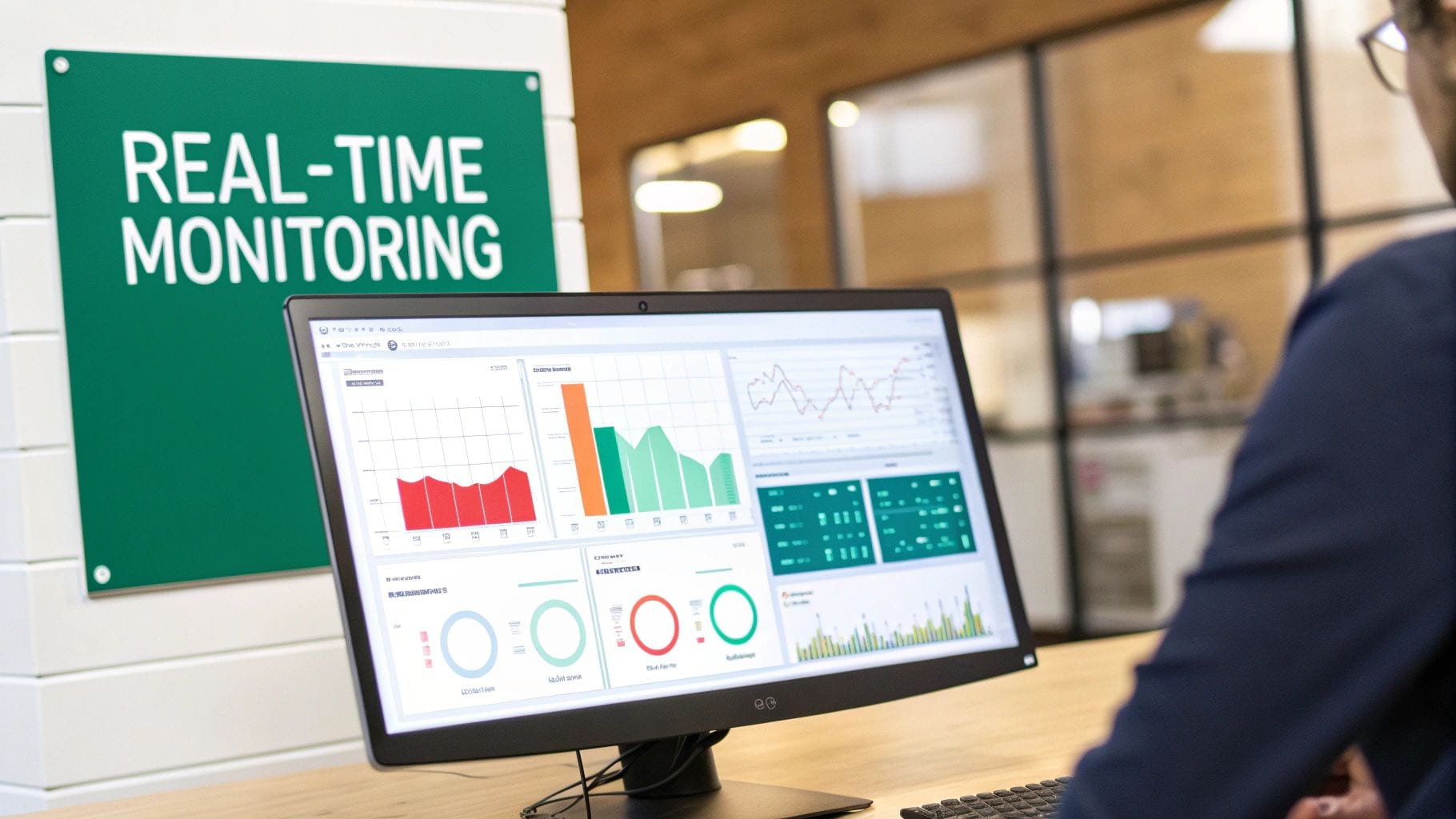
This step is absolutely critical in any strategy for how to ensure data quality because a fast, precise response minimizes the damage bad data can cause. Instead of a generic alert blasting a crowded channel, a modern system routes notifications with intelligence. Think of it as a smart dispatcher for your data team.
This targeted approach means different issues trigger different workflows, which dramatically cuts down on noise and confusion.
Configuring Intelligent, Context-Rich Alerts
The whole point of an alerting system isn't just to tell you that something broke. It’s to give you a head start on why it broke and who needs to fix it. This means moving beyond simple "pass/fail" notifications to creating alerts routed based on the specific type and severity of the issue.
A robust system gives you granular control over these notifications:
- PII Leaks: If the system catches personally identifiable information (like an email address) being sent to a marketing pixel, it should fire off a high-priority alert. This one goes straight to your legal and compliance teams in a private channel, no delays.
- Broken Campaign Tags: A UTM parameter that deviates from the established naming convention? That alert shouldn't bother an engineer. Instead, it should be sent directly to the marketing team's Slack or Microsoft Teams channel with a link to the problematic campaign.
- Schema Mismatches: If a developer deploys code that changes a key property's data type, the alert should go right to the relevant engineering squad. It needs to include details about the specific event and property involved.
This kind of intelligent routing is what separates a useful alerting system from a noisy one. It ensures every notification is actually relevant to the person receiving it, which is the only way to prevent alert fatigue and keep your team engaged.
A Real-World Remediation Workflow
Let's walk through a common scenario to see this in action. Imagine a new feature release just went live. A few minutes after deployment, your automated monitoring platform detects a schema mismatch in the user_signup event. Specifically, the user_id property is now a number instead of the required string.
Without an automated workflow, this could go unnoticed for days, silently corrupting user profiles and breaking downstream analytics. With an intelligent incident response plan, the process is completely different.
An automated remediation workflow transforms error resolution from a multi-day forensic investigation into a precise, targeted fix that often takes just minutes. It closes the loop between detection and resolution, making your data quality efforts truly effective.
Here’s how the automated workflow unfolds:
- Instant Detection and Alerting: The moment the malformed event is detected, the system triggers a targeted alert. It doesn't just send a generic "schema error" message.
- Automated Root-Cause Analysis: The alert is enriched with crucial context. It automatically points to the recent deployment as the likely cause and even identifies the specific developer who committed the related code.
- Targeted Notification: The alert is sent directly to that developer via their preferred tool (like Slack). The message contains a payload with all the necessary details: the event name (
user_signup), the problematic property (user_id), the expected data type (string), and the actual data type received (number). - Rapid Remediation: The developer sees the alert, immediately understands the mistake, and pushes a hotfix.
The entire cycle—from detection to resolution—is over in a fraction of the time a manual process would take.
This seamless workflow is the key to slashing error resolution times from days to mere minutes. It embeds data quality directly into the development lifecycle, empowering teams to maintain high standards without slowing down their release velocity.
Embedding Quality into Your CI/CD Pipeline
The best data quality strategy is one where bad data never gets created in the first place. This means getting out of the reactive, clean-up-after-the-fact mindset and moving toward proactive prevention. The way you do that is by integrating automated analytics testing directly into your Continuous Integration/Continuous Deployment (CI/CD) pipeline.
This move empowers developers and QA teams to catch tracking bugs before they ever touch production.
This "shift-left" approach fundamentally changes who owns data quality. It's no longer just a problem for the analytics team to deal with. When a developer submits a pull request, automated tests can immediately run against a staging environment, comparing the new tracking code against your master tracking plan. Suddenly, quality is embedded right into the development workflow, making it a natural part of shipping software.
Integrating Automated Analytics Testing
Pulling analytics validation into your CI/CD pipeline is the final frontier for making data quality a proactive discipline. Instead of spotting an issue in a production dashboard days later, you can physically block a deployment that's about to break your data integrity. It's a powerful, hands-off way to enforce your governance standards.
So, how does this actually work in practice?
- A developer opens a pull request with new code that touches analytics tracking.
- The CI/CD pipeline automatically deploys this code to a temporary staging or testing environment.
- An observability tool like Trackingplan kicks in, running tests against this environment. It simulates user flows and validates every single event and property against the schema you've defined.
- The results are sent back as pass/fail feedback to your CI/CD tool, whether that's GitHub Actions, Jenkins, or something else. If a critical tracking error is found—maybe a misspelled event name or a property with the wrong data type—the test fails.
- A failed test can automatically block the pull request from being merged into the main branch. The bug is stopped in its tracks.
This process gives immediate, actionable feedback right back to the developer, who can fix the issue on the spot. It transforms data validation from a long, manual QA process into a fast, automated check that runs in just a few minutes.
Continuous Privacy and Consent Validation
In today's world, data quality isn't just about event schemas—it’s also about privacy and consent. Accidentally collecting Personally Identifiable Information (PII) or firing marketing pixels without proper user consent isn't just a mistake; it's a massive business risk that comes with the threat of heavy fines under regulations like GDPR and CCPA.
Manual checks are simply not enough to manage this risk, especially when you're dealing with complex tag setups and a dozen third-party scripts. This is where automated monitoring becomes your most important line of defense.
Think of continuous privacy validation as an always-on compliance officer for your data streams. It scans every payload for potential PII leaks and verifies that marketing tags are actually respecting the signals from your Consent Management Platform (CMP). This ensures you’re not just tracking accurately, but also ethically and legally.
Automated systems can constantly scan for common PII patterns (like email addresses or phone numbers) in the outgoing network requests to your analytics and ad platforms. If a leak is found, it can trigger an immediate, high-priority alert to your legal and security teams.
These tools can also verify that tags are firing—or not firing—based on the user's given consent status. This provides an auditable trail of compliance and puts a critical safeguard around your business.
Frequently Asked Questions About Data Quality
How Often Should We Audit Our Analytics Implementation?
Back in the day, manual audits were a quarterly or even annual affair. It was a massive, time-consuming project. But that whole approach is becoming obsolete.
Modern teams are shifting to continuous, automated monitoring. Think of it this way: instead of a once-a-year checkup, an analytics observability platform validates your tracking with every single user interaction. It effectively turns auditing into an ongoing, real-time process. This means you can spot and fix issues in minutes, not months down the line when the damage is already done.
What Is the Difference Between Data Testing and Data Observability?
This is a common point of confusion, but the distinction is pretty important.
Data testing is about specifics. You write a test to check for an expected outcome you already know about, like, “Does the purchase event fire correctly when a user clicks the final checkout button?” It's proactive and great for mission-critical flows.
Data observability, on the other hand, is about the bigger picture. It doesn't rely on pre-written scripts. Instead, it automatically discovers your entire implementation and keeps an eye out for any unexpected behavior or deviation from the norm. This approach is powerful because it catches both the "known unknowns" you'd write tests for and the "unknown unknowns"—the issues you never even thought to look for.
Can We Ensure Data Quality Without a Dedicated Governance Team?
Absolutely. While having a dedicated governance team is a luxury for large organizations, it's definitely not a prerequisite for high-quality data. Smaller teams can get there by adopting the right processes and tools.
A great starting point is creating a collaborative tracking plan where everyone is on the same page and assigning clear ownership for key events.
Then, you can implement an automated monitoring tool to act as your 'virtual' governance team. It enforces the rules you set in your tracking plan and alerts you the moment something goes wrong. This makes how to ensure data quality a manageable task, no matter how big or small your team is.
Stop letting bad data derail your decisions. Trackingplan provides the automated observability you need to trust your analytics and drive growth. See how you can fix data quality issues for good and get started at https://trackingplan.com.