
Learn about schema mismatch explained for digital analysts. Discover how to prevent data issues that undermine your analytics and decision-making.
TL;DR:
- Schema mismatch occurs when data structures differ between systems, causing pipeline failures and inaccurate analytics reports. Preventing and detecting these mismatches involves enforcing data contracts, monitoring schema changes, and staging updates with version control, especially in complex environments. Effective governance and real-time tools like Trackingplan help avoid costly attribution errors caused by unrecognized schema conflicts.
A schema mismatch is defined as a structural conflict between the data format a system expects and the data it actually receives, causing failures across analytics pipelines, tracking implementations, and marketing attribution reports. For digital analysts, this is not an abstract database problem. It is the reason your campaign conversion data disappears, your attribution model produces nonsense, or your ETL job silently drops rows at 2 a.m. Understanding schema mismatch causes and how to fix them is the difference between data you can trust and data that quietly misleads every decision your team makes.
What is schema mismatch and why does it happen?
Schema mismatch occurs when a sending system and a receiving system disagree on data structure. One expects a field called user_id as an integer. The other receives userId as a string. The pipeline breaks, or worse, it continues running while corrupting your output silently.

Schema drift is the most common trigger. It is defined as unplanned field or data type changes that propagate from upstream APIs or microservices into downstream ingestion models. A developer renames an event property in your mobile app. The change ships to production. Your analytics warehouse still expects the old field name. Every event from that point forward lands with a null where revenue used to be.
Manual database changes are the second major cause. Prisma Migrate detects drift when the migration history and actual database schema diverge, typically because someone ran a direct SQL command against a live database without creating a formal migration. In marketing stacks, this happens when a developer adds a column to a campaign events table without telling the analytics team.
Version mismatches across environments compound the problem. Your dev environment runs one schema version. Staging runs another. Production runs a third. When a tracking tag fires in production, the data contract it was built against no longer matches reality.
LLM-generated data introduces a newer class of schema errors. Complex schemas with more than 10–15 fields are especially prone to failure because models forget required fields, hallucinate extra keys, or truncate output mid-object. If your marketing stack uses AI to generate structured event data or product catalog feeds, this is a real and growing risk.
Pro Tip: Treat any schema change in a shared data environment the same way you treat a breaking API change. Announce it, version it, and give downstream consumers time to adapt before you deprecate the old structure.
How do you detect a schema mismatch error?
Detection is where most teams fail. Schema mismatches rarely throw loud errors. They show up as unexpected nulls, dropped columns, or attribution reports that look slightly off but pass a casual review.
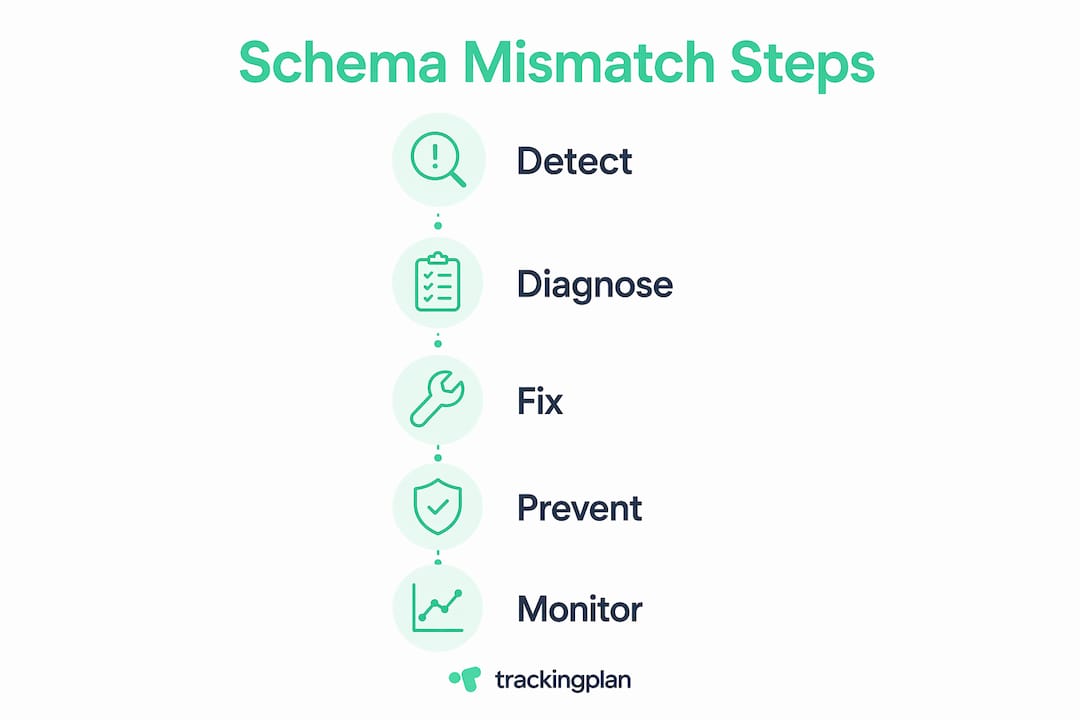
Here is a structured approach to diagnosing schema mismatch issues:
- Run a schema comparison. Tools like Prisma and ER/Studio compare your declared schema against the live database state. Ryan Hirsch at ER/Studio recommends data modeling before comparison so you evaluate differences in business terms, not just structural ones. Knowing a column is missing matters less than knowing it holds your campaign source attribution.
- Check migration history. If you use a migration tool, verify that every migration in your history has been applied in the correct order. Gaps in migration history are a direct indicator of drift.
- Monitor for unexpected nulls. Set up automated checks on your key analytics fields. A sudden spike in null values for
session_id,event_name, orcampaign_idalmost always signals a schema change upstream. - Review telemetry and pipeline logs. ETL tools like Airbyte log structural discrepancies. Airbyte classifies drifts as additive, optional, or breaking, which helps you triage severity before deciding on a fix.
- Validate LLM outputs at runtime. If AI generates any structured data in your pipeline, implement strict output validators that catch markdown artifacts, type variants, and incomplete JSON before the data reaches your warehouse.
The table below maps common schema mismatch symptoms to their most likely root causes:
| Symptom | Most Likely Cause |
|---|---|
| Sudden null values in key fields | Upstream field rename or removal |
| Pipeline job fails on type error | Data type change (string to integer) |
| Attribution report shows zero conversions | Event name change in tracking tag |
| LLM output rejected by validator | Token truncation or hallucinated keys |
| Replication error in distributed system | Schema version conflict across nodes |
Pro Tip: Build a schema health check into your CI/CD pipeline. Running prisma migrate status or an equivalent check before every deployment catches drift before it reaches production.
How to fix schema mismatch in marketing data systems
Fixing a schema mismatch requires more than patching the immediate error. Without structural prevention, the same issue returns within weeks.
Apply data contracts at the source. Data contracts enforce explicit schema shapes and stop unauthorized or silent schema changes from reaching downstream consumers. In practice, this means your analytics team and your engineering team agree in writing on the structure of every event before it ships. The contract lives in version control. Any change requires a review.
Use layered data models. Practitioners recommend allowing automatic schema evolution only at the raw bronze layer of a medallion architecture. Your silver and gold layers, the ones feeding your dashboards and attribution models, should require explicit approval for any schema change. This contains the blast radius of upstream drift.
Baseline your migration history. Prisma advises formalizing changes via migrations and avoiding direct database modifications entirely. If your current state is already out of sync, create a baseline migration that captures the live schema as the new starting point, then enforce the migration workflow from that point forward.
Stage breaking changes with explicit deprecations. Never remove a field without a deprecation period. Add the new field first. Run both fields in parallel. Remove the old field only after all consumers have migrated. This is standard API versioning practice, and it applies equally to event schemas in marketing tracking.
Validate LLM outputs before ingestion. Strict output validation parsers mitigate the risks of token truncation and hallucinated keys in AI-generated structured data. Combine prompt engineering with a schema validator that rejects malformed output before it enters your pipeline.
The table below compares reactive versus proactive approaches to schema mismatch resolution:
| Approach | Method | Best For |
|---|---|---|
| Reactive | Manual fix after pipeline failure | One-off, low-frequency changes |
| Proactive | Data contracts and version control | Shared pipelines with multiple consumers |
| Automated | CI/CD schema validation checks | High-velocity engineering environments |
| Layered | Bronze/silver/gold evolution policy | Complex data warehouses with tiered quality |
Why schema mismatch destroys marketing attribution
Schema mismatches do not just break pipelines. They corrupt the data that marketers use to allocate budget, measure ROI, and justify channel spend.
“A schema mismatch in your event tracking is not a technical inconvenience. It is a business decision made on false data. Every attribution report built on a mismatched schema is telling a story that did not happen.”
Consider a real scenario. A mobile app update renames the event purchase_complete to order_confirmed. The analytics warehouse still listens for purchase_complete. For the next three weeks, every mobile conversion goes unrecorded. Your marketing attribution model shows paid search driving zero mobile revenue. You reallocate budget away from a channel that was actually performing. The schema mismatch cost you real money before anyone noticed the null values.
Schema changes with business context identification allow marketers to prioritize fixes by impact rather than pure technical differences. A missing campaign_id field matters more than a missing device_model field. Knowing which fields drive attribution lets you triage schema errors by revenue risk, not just technical severity.
Data contracts improve reliability and trust in analytics outputs by making schema agreements explicit and enforceable. When your analytics team can point to a signed-off schema contract, they can defend their numbers with confidence. That confidence is what separates data-driven decisions from data-adjacent guessing. For a deeper look at how data integrity affects analytics outputs, the connection between schema governance and reporting accuracy is direct and measurable.
Key takeaways
Schema mismatch is a structural data conflict that corrupts analytics outputs and attribution reports when left undetected and unmanaged.
| Point | Details |
|---|---|
| Schema mismatch defined | A conflict between expected and actual data structure that breaks pipelines and corrupts analytics. |
| Top causes | Schema drift from API changes, manual database edits, version mismatches, and LLM output errors. |
| Detection method | Monitor for unexpected nulls, run schema comparisons, and validate migration history in CI/CD. |
| Prevention strategy | Apply data contracts, use layered data models, and stage breaking changes with deprecation periods. |
| Marketing impact | Undetected schema mismatches skew attribution reports and lead to misallocated ad spend. |
Schema mismatch is a governance problem, not just a technical one
I have reviewed dozens of marketing analytics stacks over the years, and the pattern is almost always the same. The engineering team ships a schema change. The analytics team finds out three weeks later when a dashboard breaks. Everyone scrambles. The fix takes a day. The data gap takes months to explain to stakeholders.
The uncomfortable truth is that most schema mismatch problems are not caused by bad engineers. They are caused by the absence of a shared ownership model for data structure. When no one owns the schema contract between systems, changes happen in isolation. That isolation is where data quality goes to die.
What I have found actually works is treating schema governance the same way mature engineering teams treat API versioning. You document the contract. You version it. You require a review before any breaking change ships. You automate the validation so humans are not the last line of defense.
The teams that get this right are not necessarily the ones with the best tools. They are the ones where an analyst and a developer sit in the same planning meeting when a new tracking event is designed. That conversation, before the code ships, is worth more than any monitoring tool you can buy after the fact. Continuous monitoring still matters, and platforms like Trackingplan exist precisely because that conversation does not always happen in time. But the monitoring catches what governance misses. It does not replace governance.
— David
How Trackingplan catches schema mismatches before they cost you

Trackingplan monitors your digital analytics implementations in real time and surfaces schema mismatches before they corrupt your attribution data. The platform connects directly to your digital analytics tools and automatically audits event structures against your expected schema, flagging broken tracking, missing fields, and type conflicts the moment they appear. Its AI-assisted debugger accelerates root-cause analysis so your team spends minutes diagnosing an issue instead of days. Alerts arrive via Slack, Teams, or email, so schema drift does not sit undetected until a campaign report breaks. If you manage tracking across multiple properties or clients, Trackingplan’s web tracking monitoring gives you a single view of schema health across your entire stack.
FAQ
What is a schema mismatch in simple terms?
A schema mismatch is when a system receives data in a format it does not expect, such as a missing field, wrong data type, or renamed property. The result is a broken pipeline, corrupted output, or silent data loss.
What causes schema mismatch in analytics tracking?
The most common causes are upstream API changes that rename or remove event fields, manual database edits that bypass migration history, and version differences between development and production environments.
How do i detect a schema mismatch in my data pipeline?
Monitor for unexpected null values in key analytics fields, run schema comparison tools like Prisma or ER/Studio against your live database, and review ETL logs for structural discrepancy warnings from tools like Airbyte.
What is the difference between schema drift and schema mismatch?
Schema drift is the unplanned divergence of a schema over time, typically from upstream changes. A schema mismatch is the conflict that results when that drift reaches a system expecting the original structure. Drift is the cause; mismatch is the symptom.
How do data contracts prevent schema mismatch errors?
Data contracts define the agreed structure of every event or dataset between producers and consumers. They stop unauthorized schema changes from reaching downstream systems and make breaking changes visible before they ship.