
You’re not often thinking about GDPR when a release goes out. You’re thinking about whether the purchase event still reaches analytics, whether the ad platform sees conversions, and whether the app team changed the schema again without telling anyone.
Then someone checks a consent session and finds a marketing pixel still firing after opt-out. Or legal asks for proof that a visitor record was deleted across connected systems. Or your team discovers tags that nobody can explain, yet they’re still collecting data.
That’s when tealium gdpr compliance tools stop being a policy topic and become an operations topic. Tealium gives teams a serious control layer for consent, tag governance, data flows, and subject rights. But the teams that stay safe are the ones that treat compliance as implementation plus verification, not implementation alone.
Why GDPR Compliance with Tealium is Critical
A common failure pattern looks like this. The website has a consent banner. Tealium iQ is live. The tag inventory looks clean in the publish profile. Everyone assumes the setup is compliant.
Then an audit starts.
A browser session shows an unmanaged vendor request. A mobile flow sends a user identifier before consent is resolved. Someone asks which downstream endpoints received data from users in the EU, and the answer is scattered across spreadsheets, vendor UIs, and tribal knowledge.

That situation shows why Tealium matters in regulated environments. Tealium’s Private Cloud infrastructure has achieved certifications including ISO 27001, ISO 27018, HIPAA, HITECH, SSAE 18 SOC 2 Type II, and alignment with TISAX, and Tealium is trusted by over 800 enterprises worldwide according to the Tealium data security and privacy controls datasheet. Those details matter because GDPR work isn’t only about banners. It’s also about controlled processing, documented handling, and defensible operations.
Where teams usually lose control
The biggest risk isn't necessarily obvious misuse. It’s loss of visibility.
Teams lose control when:
- Marketing adds vendors outside governance and nobody maps them to consent categories.
- Developers pass raw values into the data layer without checking whether they qualify as PII.
- Regional routing rules drift over time and a connector keeps sending data where it shouldn’t.
- Consent logic exists in design documents, not in firing rules so production behavior doesn’t match policy.
The practical value of Tealium is that it becomes the place where collection rules, consent behavior, and destination logic can be coordinated instead of guessed.
Practical rule: If your team can’t prove why a tag fired, you don’t have a compliance process. You have a hopeful setup.
GDPR also forces teams to think in principles, not just features. If you need a concise refresher on lawful basis, minimization, accountability, and subject rights, this overview of key GDPR principles is a useful reference before you touch implementation.
Why this matters beyond fines
Bad privacy controls also corrupt measurement.
When consent enforcement is inconsistent, your analytics become unreliable. Some sessions are over-collected. Some are blocked incorrectly. Some vendors receive identifiers they shouldn’t have. That gives you legal exposure and low-confidence reporting at the same time.
Tealium is strongest when you treat it as the operational layer for privacy-aware data collection. Not as a banner tool. Not as a tag bucket. As the system that decides what data can move, where it can move, and under what conditions.
Your Tealium GDPR Compliance Framework
A team ships a new vendor tag on Friday, confirms the banner still appears, and assumes consent is covered. On Monday, session replays show the vendor collecting identifiers before consent on a subset of pages. That gap is why the framework matters. Tealium can centralize privacy controls, but only if the operating model includes automated proof that production behavior matches policy.
A workable framework for Tealium GDPR compliance has five parts, each with a named owner and a validation method. Setup alone is not enough. The team also needs a way to detect PII leakage, broken consent logic, and routing mistakes as they happen, not weeks later in a manual review. For teams building that control loop, this guide to Tealium privacy compliance monitoring and validation is a useful implementation reference.
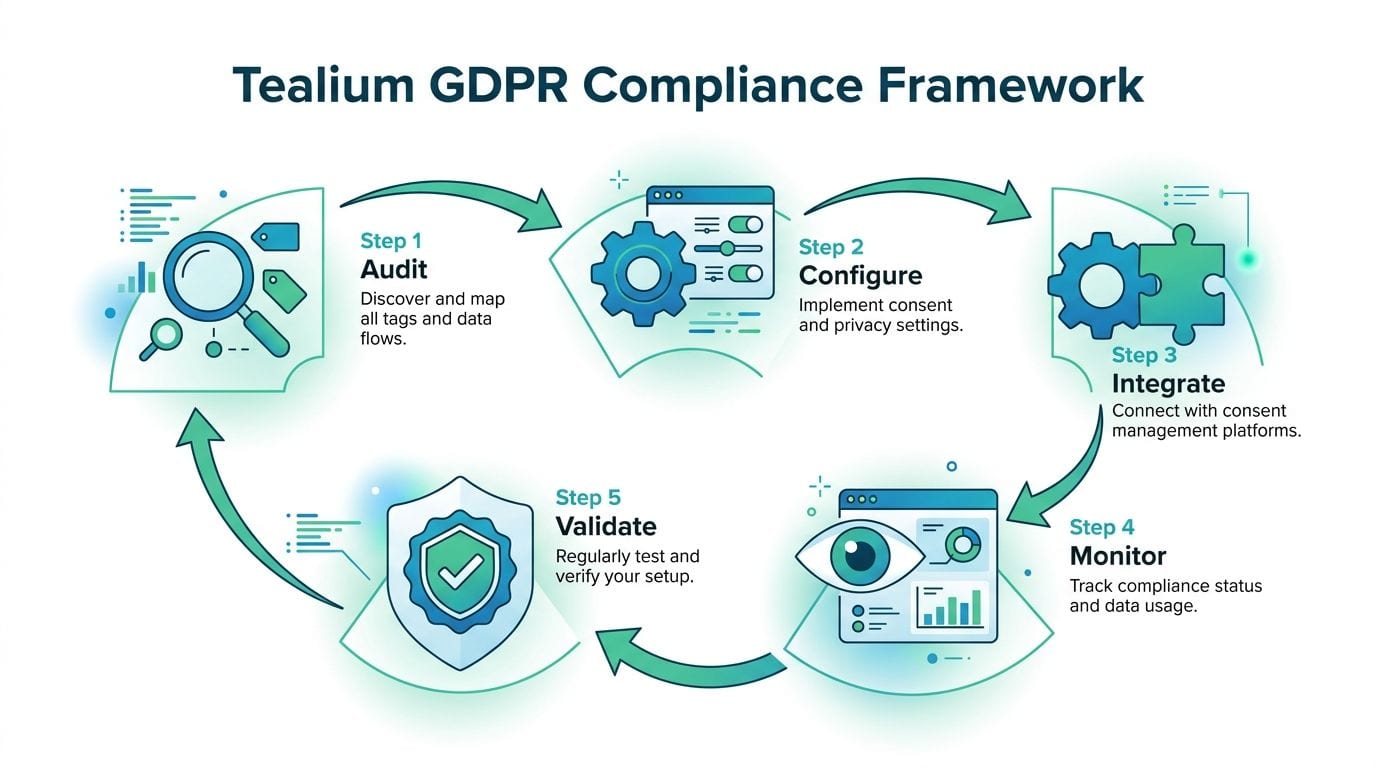
The five working parts
Audit actual collection paths
Start with observed behavior across web, app, and server-side flows. Review the data layer, load rules, extensions, event payloads, connectors, and any enrichment that happens after collection. Documentation helps, but packet-level evidence is better.Map consent states to enforcement points
Define which Tealium controls enforce each consent choice. That usually includes tag firing, event collection, audience creation, and downstream delivery. If one of those paths is outside the model, the policy has a hole.Validate that blocked traffic stays blocked
Many programs fail in practice at this stage. A tag can be suppressed in iQ while data still reaches the vendor through a custom script, a mobile SDK, or a server-side connector. Validation needs to test user states, regions, and edge cases every time the profile changes.Minimize and classify data before activation
Decide which fields are permitted, restricted, or prohibited before they are mapped to vendors. Do not rely on downstream tools to clean up sensitive values after collection. By then, the exposure has already happened.Run subject rights as an operational process
Access, deletion, and suppression requests need defined inputs, system owners, evidence, and sign-off. If the process depends on one person remembering where identifiers are stored, it will fail under volume.
Ownership model that works in real teams
Tealium privacy work breaks down when ownership is vague. The cleanest model is to assign one team to configuration, one to legal interpretation, and one to validation. Validation matters most because it catches the drift that every Tealium setup accumulates over time.
| Workstream | Primary owner | What they control |
|---|---|---|
| Data audit | Analytics or implementation lead | Variables, event scope, tag inventory, connector paths |
| Consent model | Privacy lead plus Tealium admin | Categories, lawful basis mapping, default states |
| Enforcement testing | QA or analytics engineering | Session validation, blocked vendors, regression checks |
| Data minimization | Developers and governance | Allowed fields, transformations, mapping approvals |
| Subject rights | Privacy operations | Request intake, identifier lookup, deletion evidence |
This split also exposes a common trade-off. Legal teams want category definitions that match policy language. Implementation teams want fewer categories because they are easier to maintain. The right answer is usually a small category set with strict vendor mapping and strong validation, not a complicated taxonomy nobody can test reliably.
Use checklists, but do not stop there
A generic GDPR compliance checklist helps legal, product, and engineering align on shared requirements. It does not tell you whether a specific Tealium profile is leaking email addresses in query parameters or firing a retargeting tag before opt-in. That part requires instrumentation, automated testing, and alerting tied to live traffic.
The teams that stay out of trouble treat this framework as a control system. Every data flow has an owner. Every consent state has an expected technical outcome. Every release gets validated against production behavior, because manual audits do not catch enough of the failures that matter.
Configuring Consent and Vendor Controls in Tealium iQ
The fastest way to break GDPR in Tealium is to configure a banner without wiring tags to consent categories. The UI can look complete while production behavior is still wrong.
Tealium iQ’s Consent Manager allows configuration of consent banners that drive data collection rules, enabling automated opt-in and opt-out management for over 1,000 vendors, ensuring no marketing tags fire without explicit user consent, according to this review of Tealium iQ Consent Manager.
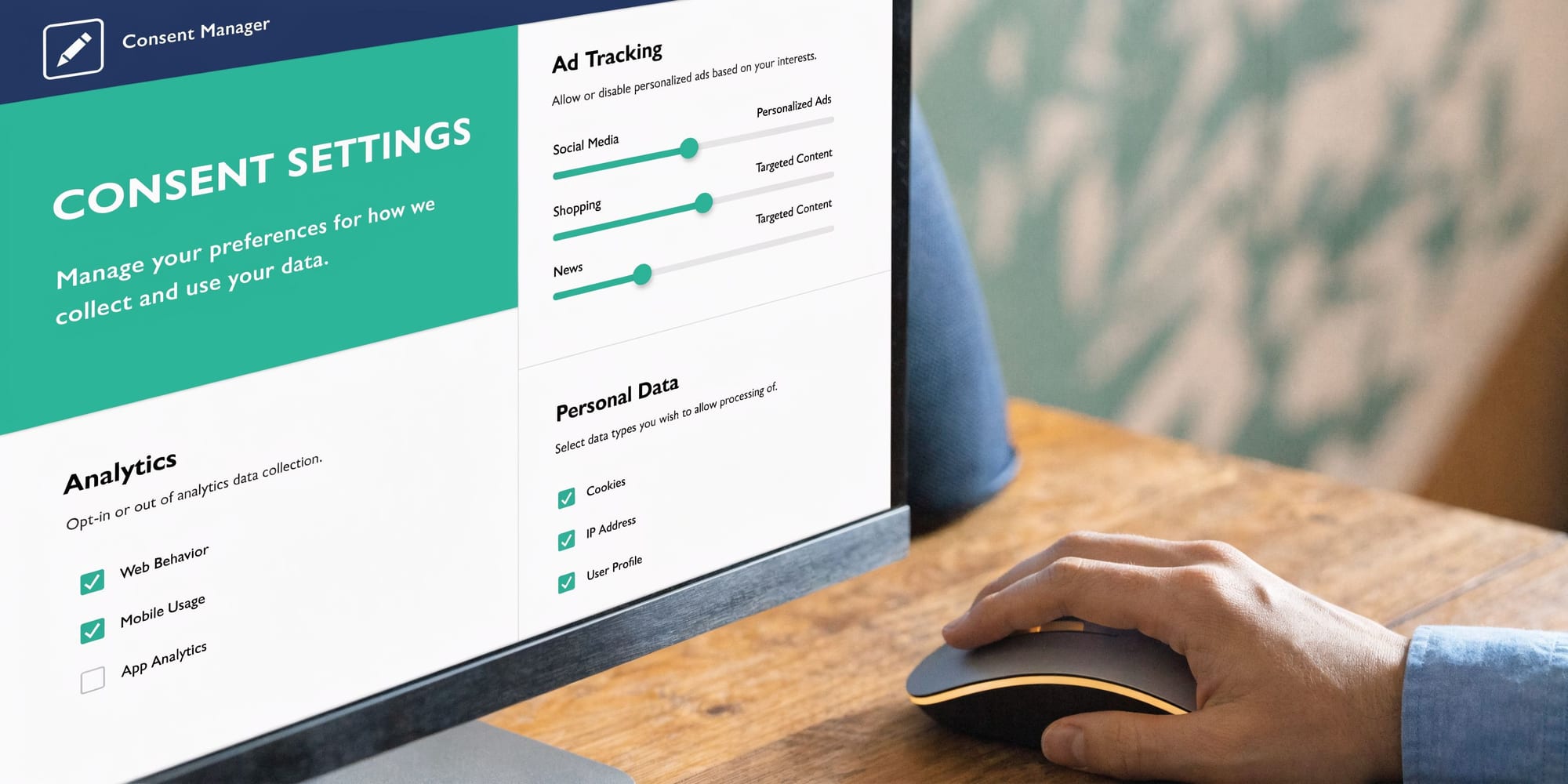
What a solid iQ setup looks like
In practice, a working setup has four layers:
- Consent categories that match legal intent, such as analytics, marketing, and functional.
- Tag-to-category mapping so each vendor is governed by the right rule.
- Default-deny behavior for non-essential categories.
- Publish validation so category changes don’t alter live behavior without notice.
If any one of those layers is weak, the implementation drifts.
The sequence that works
Start with the category model. Keep it simple enough that non-technical teams can understand it, but strict enough that a vendor belongs in a specific category. If your categories are vague, your exceptions will multiply.
Then review every tag in Tealium iQ and ask one question: what consent state allows this tag to run? If you can’t answer, the tag shouldn’t publish yet.
A practical rollout often follows this order:
Classify vendors first
Put analytics platforms, ad pixels, personalization tools, chat widgets, and testing tools into explicit categories before touching the banner.Set default behavior cautiously
Non-essential tags should stay blocked until Tealium receives the correct consent state.Apply load rules and consent logic together
A load rule alone isn’t enough if another condition can activate the tag indirectly.Review extensions attached to blocked tags
Teams frequently forget that extensions can manipulate data or set values tied to consent-sensitive flows.
For implementation details, this walkthrough on implementing consent management in Tealium is a good companion during setup.
Test the failure paths, not just the happy path
Teams frequently test “accept all.” That’s the easiest state to pass and the least helpful one for GDPR.
Test these states instead:
- Reject all non-essential consent
- Analytics only
- Marketing denied after previous acceptance
- Region-specific sessions
- Returning visitor with stored preferences
- Global Privacy Control or opt-out signal present
Those scenarios reveal whether Tealium iQ is honoring consent across pageviews, route changes, and vendor-specific logic.
Here’s a useful visual explainer before you validate your own profile:
What doesn’t work
A few patterns create repeat issues:
Don’t rely on the banner text as evidence of compliance. The evidence is whether downstream tags and requests behave correctly under each consent state.
Vendor names that don’t match business names
The “harmless utility tag” frequently turns out to be marketing or identity infrastructure.Custom containers or scripts outside Tealium governance
If a script injects another script, your visible tag inventory may be incomplete.Consent categories copied from another region
Regional legal requirements and local vendor mixes do not necessarily map cleanly.One-time validation before launch
A passing pre-launch test doesn’t mean the setup will stay correct after new tags, app releases, or template changes.
The right standard is simple. A non-essential tag should never fire without the consent state that explicitly permits it. If you can’t verify that repeatedly, the setup isn’t finished.
Sanitizing PII and Managing Data Subject Rights
A common failure pattern looks like this. The consent banner works, tags appear to respect category rules, and the implementation passes UAT. Two weeks later, a new form field gets added, the data layer starts carrying an email address, and that value reaches a custom event or vendor mapping no one retested. The consent setup was not the problem. The lack of ongoing validation was.
Consent controls govern whether data can be sent. Data minimization governs what enters the collection path at all. Treat those as separate controls.
A blocked tag does not clean a polluted data layer. If email, phone number, CRM IDs, order notes, support text, or other direct identifiers show up in utag_data or event payloads, they are available to extensions, custom JavaScript, debugging tools, and future mappings. That is why PII sanitization has to happen early, before downstream logic makes the mistake harder to trace.
Keep the data layer narrow and predictable
The safest client-side field is the one you never collect. In Tealium projects, that usually means pushing teams to justify every variable that reaches the browser, not just every vendor that receives it.
Use a practical review standard:
- Remove direct identifiers by default unless there is a documented legal basis and a defined use case.
- Keep free-text out of the data layer because search boxes, comments, and form inputs frequently contain personal data.
- Split internal operational fields from analytics fields so business system values do not flow into vendor mappings by accident.
- Review mappings after every vendor change because migration work and campaign updates often reintroduce fields that were removed earlier.
If a field triggers debate, hold it back until someone can document purpose, retention, destination, and owner.
Governance note: If a variable would create concern in a spreadsheet export reviewed by legal or security, it should not sit in the client-side data layer.
Use Tealium controls, but do not confuse platform security with minimization
Tealium gives teams useful controls for handling approved data inside a governed environment. That matters. Strong infrastructure, access controls, and audited processing reduce risk around the data you intentionally keep.
It does not justify loose collection. Secure processing and strict minimization solve different problems, and both are required.
In practice, I recommend two parallel checks during implementation. First, review what fields are available to Tealium at page and event level. Second, validate what leaves the browser after load events, route changes, and form interactions. The second check is the one teams skip, and it is where hidden PII usually shows up.
Treat subject rights as an operating workflow
Tealium AudienceStream can support access and deletion workflows through visitor-level lookup and record management capabilities, as noted earlier. The implementation risk is usually not the feature itself. The risk is whether the team can execute the process consistently, with the right approvals and evidence.
A workable model includes:
Identity lookup rules
Define which identifiers the privacy or support team is allowed to use to find a visitor record, and which ones require extra verification.Request validation
Confirm the requester is entitled to access or erase the data before anyone touches the profile.Record review
Check what exists in Tealium, what identifiers are linked, and which downstream systems may also need action.Execution through an approved path
Complete the access or deletion request using a controlled workflow, not an informal admin shortcut.Audit logging
Keep the request record, action taken, operator, timestamp, and completion result.
This work belongs with production operations, not as an occasional privacy task handled from memory.
The missed control is validation after change
Many teams can show that a deletion function exists. Fewer can show that new identifiers are not creeping back into collection, or that the right-to-erasure process still works after profile updates, connector changes, or revised identity rules.
That is the gap automated validation closes. Manual reviews can confirm the design. They do not reliably catch the regression introduced by a new extension, a changed mapping, or a vendor template update. For Tealium GDPR work, sanitizing PII is not finished when the field list looks clean in a workshop. It is finished when production monitoring keeps proving it stays clean.
Automated Validation for Your Tealium Setup
Manual testing catches clear mistakes. It doesn't catch the failure modes that happen on specific browsers, in specific regions, after specific deploys, or when a vendor template changes.
That’s the blind spot in many Tealium projects. The consent setup may be carefully designed. The publish process may be well-managed. But there is no continuous proof that production behavior matches the intended rules.
A major challenge with Tealium GDPR tools is the lack of built-in, real-time alerting for consent misconfigurations or PII leaks across complex stacks, which leaves teams exposed because manual audits can’t provide continuous QA for downstream destinations, according to the Tealium privacy and data governance datasheet.
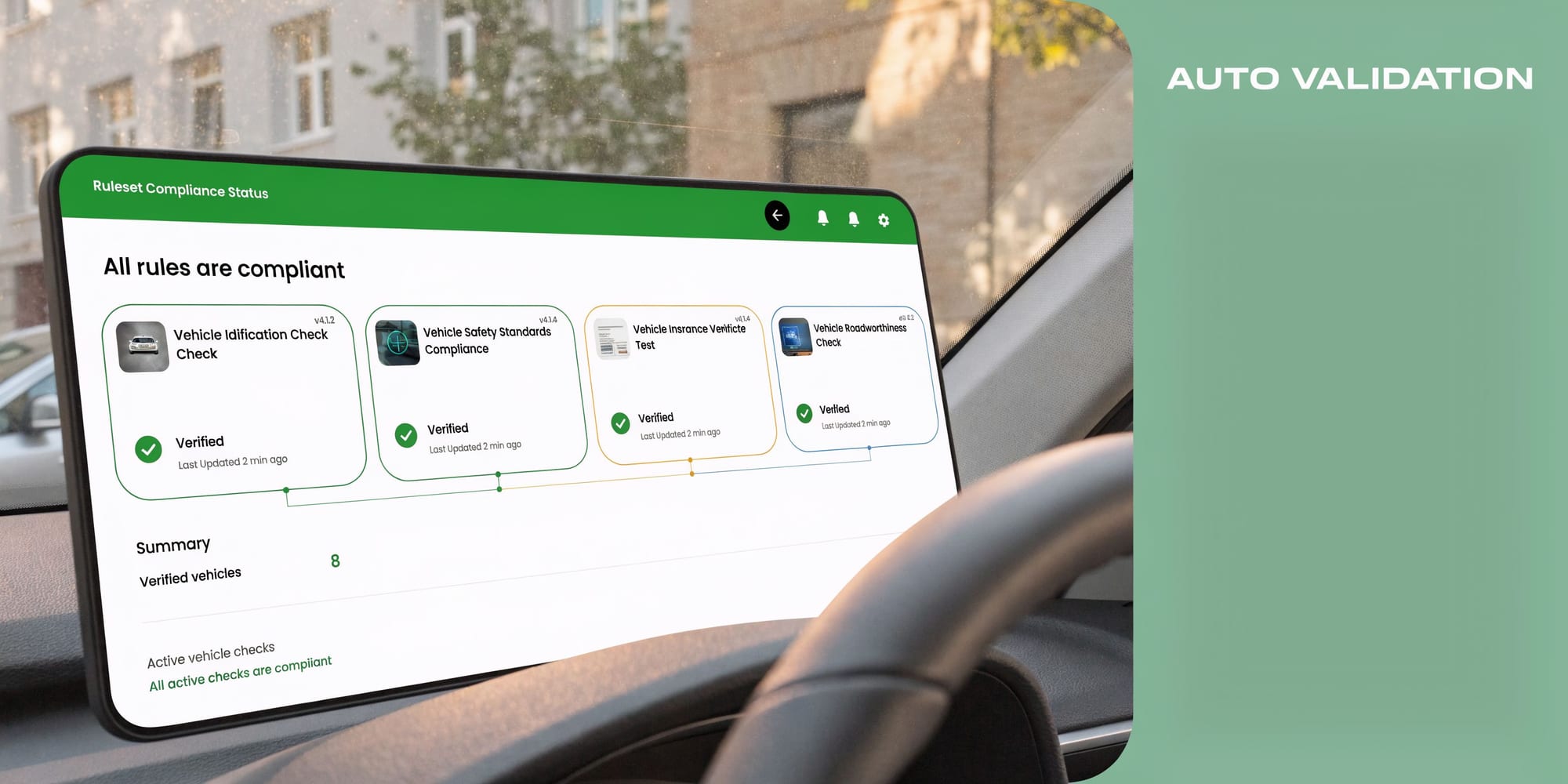
Why browser checks stop being enough
A developer can open DevTools, reject consent, reload the page, and inspect requests. That’s helpful, but narrow.
It will not consistently catch:
- Conditional tag firing tied to route changes or asynchronous events
- PII leaks in event payloads that appear only on certain forms or user states
- Unexpected destination drift after a vendor-side update
- App and server-side inconsistencies that don’t show up in a single browser session
- Rogue requests introduced by another team outside the main implementation path
Automated validation is essential here. Not because manual checks have no value, but because they can’t keep pace with modern stacks.
What automated validation should verify
If you’re evaluating your Tealium controls critically, your validation layer should answer these questions regularly:
| Validation question | Why it matters |
|---|---|
| Did a blocked vendor receive data anyway | Confirms consent enforcement is real |
| Did a new property appear in payloads | Catches accidental PII or schema drift |
| Did a known event stop reaching a destination | Reveals broken analytics after changes |
| Did region-specific behavior change | Protects against routing mistakes |
| Did a new endpoint appear unexpectedly | Flags unmanaged collection paths |
The compliance risk often isn't the rule you wrote. It’s the exception nobody noticed after the next release.
The practical standard
A strong Tealium setup in 2026 needs an independent validation layer that watches what leaves the implementation, not only what the profile says should happen.
That means monitoring actual event flows from the data layer to the final destinations and checking them against expected consent and schema behavior. Without that, you’re still relying on spot checks and assumptions.
The teams that handle GDPR well don’t trust published configuration on its own. They verify live outputs. Regularly. Across environments. Across channels.
Establishing Continuous Monitoring and Alerting
“Set it and forget it” is how privacy programs decay.
A Tealium implementation can be compliant on launch day and risky a month later because of a new vendor, a revised mobile SDK, a changed naming convention, or an internal team that added a pixel through a path nobody documented.
Post-2025, compliance is evolving beyond initial GDPR rules to address new ICO and CNIL fines for incomplete consent and trends like cookieless tracking, making continuous monitoring essential because reliance on a data processor like Tealium alone is insufficient, according to Tealium’s GDPR tactical steps video.
What day-two governance should include
A reliable monitoring program watches for change, not only failure.
Focus on alerts for:
- New destinations that appear without approved consent mapping
- Schema changes that introduce fields your governance model never reviewed
- Consent-state mismatches where requests don’t align with stored user choices
- Missing events after site releases, app updates, or server-side edits
- Unexpected identifiers showing up in outbound payloads
The point isn’t to create alert noise. It’s to identify the small implementation changes that become privacy incidents when nobody notices them.
Build alerts around ownership
Monitoring works best when someone owns the response.
A simple operating model works best:
- Privacy or governance team reviews consent and PII alerts
- Analytics engineering handles schema drift and missing-event alerts
- Marketing operations reviews vendor and campaign tagging changes
- Developers own remediation when release changes break approved behavior
If an alert doesn’t have a team attached to it, it becomes background decoration.
Don’t confuse processor controls with full compliance
Tealium is powerful, but it is a data processor in this context. That creates an important trade-off.
Tealium can help enforce consent logic, route data responsibly, support subject rights, and operate within a strong security framework. It can’t make your vendor choices lawful. It can’t decide whether your payload fields are justified. It can’t tell you whether a downstream platform is being used in a way your policy permits unless you actively monitor and govern the implementation around it.
The mature posture is simple. Use Tealium as the control plane, then add ongoing oversight so your live stack stays aligned with policy.
What resilience looks like
A resilient privacy setup has these characteristics:
- Changes are visible
- Exceptions are logged
- Alerts are routed
- Evidence is retained
- Teams can explain why a request was allowed or blocked
That’s what turns tealium gdpr compliance tools from a one-time implementation project into a maintainable operating model.
If you want that validation layer in place, Trackingplan helps teams monitor analytics, marketing pixels, schema changes, PII leaks, and consent misconfigurations across web, app, and server-side setups without relying on manual audits. It’s a practical way to keep a Tealium implementation observable after launch, when most compliance drift starts.