
TL;DR:
- Time decay attribution assigns more credit to touchpoints closer to a conversion, emphasizing recent interactions. It is best suited for sales cycles under 30 days and requires accurate timestamp data for reliable results. Adjust the half-life parameter to match your actual sales cycle length for optimal channel insights.
Time decay attribution is defined as a multi-touch attribution model that assigns more credit to marketing touchpoints occurring closer to a conversion, and less credit to earlier interactions. Unlike last-touch or first-touch models, this approach recognizes that the full customer journey matters, while still reflecting the reality that late-stage touchpoints carry stronger buying intent. The model uses an exponential decay function, typically with a default half-life of 7 days, to calculate how much credit each touchpoint earns. For digital marketers managing complex, multi-channel campaigns, understanding this model is the first step toward smarter budget decisions and more accurate campaign analysis.
What is time decay attribution and how does it work?
Time decay attribution is a form of multi-touch attribution that weights each touchpoint based on how recently it occurred before a conversion. The closer a touchpoint is to the sale, the more credit it receives. This reflects a core assumption: a customer who clicked a retargeting ad two days before buying was more influenced by that ad than by a brand awareness post they saw three weeks earlier.

The model sits between two extremes in the spectrum of marketing attribution types. First-touch attribution gives all credit to the first interaction. Last-touch attribution gives all credit to the final one. Time decay attribution distributes credit across every touchpoint, but skews the distribution toward the end of the journey. That balance makes it one of the most practical rule-based models for marketers who want full-funnel visibility without ignoring conversion-stage signals.
The model is also called time-based attribution in some analytics platforms. Both terms describe the same mechanism: a decay function that reduces credit as time distance from conversion increases.
How does the time decay attribution model calculate credit?
The standard formula is: Credit = 2^(negative time since touchpoint divided by half-life). The result for each touchpoint is then normalized so that all credits sum to 100%. The default half-life is 7 days, meaning a touchpoint 7 days before conversion receives half the credit of one that happened on the day of conversion.
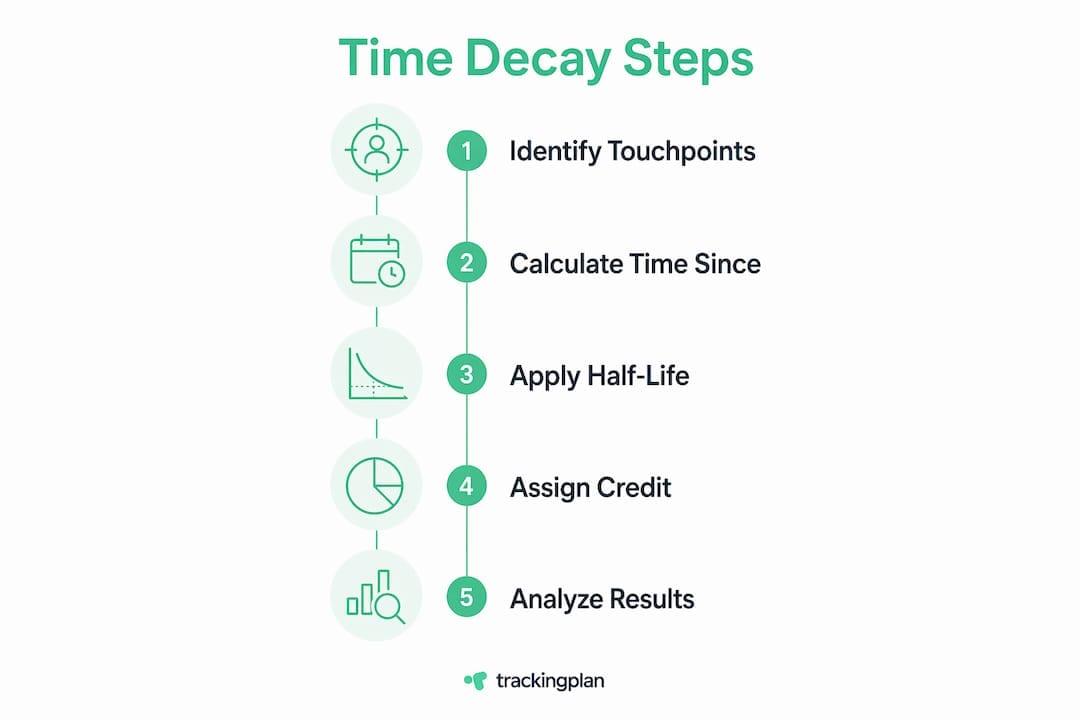
A concrete example makes this clear. Suppose a customer converts after four touchpoints:
| Touchpoint | Days before conversion | Raw credit (half-life = 7 days) |
|---|---|---|
| Display ad | 21 days | 12.5% |
| Email click | 14 days | 17.6% |
| Paid search | 7 days | 25.0% |
| Retargeting ad | 1 day | 44.9% |
The retargeting ad earns nearly 45% of the credit, while the display ad earns only 12.5%. That distribution reflects the model’s core logic: recency signals intent. After normalization, all four values sum to 100%, so the total credit assigned across the journey stays consistent regardless of how many touchpoints exist.
Pro Tip: Run the formula manually on a sample of your own conversion paths before implementing the model in your analytics platform. Seeing the raw numbers helps you spot whether the default 7-day half-life fits your actual sales cycle, or whether you need to tune it.
What are the advantages and limitations of time decay attribution?
Time decay attribution correlates 18% better with actual channel impact than linear models for B2B sales cycles under 90 days. That improvement matters because linear attribution treats a brand awareness touchpoint from six weeks ago the same as a demo request from yesterday, which distorts channel performance data.
Where time decay outperforms simpler models
The model rewards channels that drive final-stage conversions, such as branded paid search, retargeting, and direct email. Marketers who rely on last-touch attribution miss the contribution of mid-funnel channels entirely. Time decay attribution solves that problem by distributing credit, while still emphasizing high-intent interactions like product demos and pricing page visits that occur close to conversion.
Compared to first-touch attribution, time decay is far more useful for operational decisions. First-touch tells you where awareness came from. Time decay tells you which channels are actually closing deals.
Where the model falls short
Rule-based models like time decay inherently bias toward recency. That bias is not a bug in the formula. It is a deliberate design choice, and it can mislead you if your business relies heavily on long-nurture channels like content marketing or SEO. A blog post that educates a prospect over three months will earn almost no credit under a 7-day half-life model, even if it was the primary reason the prospect entered the funnel.
The model also struggles with long sales cycles. Time decay is recommended for sales cycles under 30 days. For B2B deals that take 90 or 180 days to close, the model systematically undervalues early-stage channels and overvalues the last few touches before the contract is signed.
Google’s shift to algorithmic attribution reflects a broader industry move away from rule-based models. Algorithmic models offer better accuracy but less transparency. Time decay remains valuable precisely because you can see and explain every credit assignment, which matters when you need to justify budget decisions to stakeholders.
How to tune the half-life parameter for your sales cycle
The half-life parameter is the single most important variable in a time decay model. Advanced practitioners use shorter half-lives of 3–5 days for e-commerce and longer half-lives of 14–30 days for B2B. Getting this wrong produces channel rankings that do not reflect reality.
Choosing the right half-life
Start by calculating your median time to conversion from first touchpoint. That number gives you a baseline. If most of your customers convert within 5 days of their first interaction, a 7-day half-life will over-weight very recent touches and under-weight the initial discovery moment. A 3-day half-life would better match that behavior.
For B2B teams with 60-day sales cycles, a 14-day half-life still compresses too much credit into the final two weeks. A 21 or 30-day half-life spreads credit more evenly across the nurture phase while still rewarding late-stage interactions.
Key considerations when tuning:
- Match half-life to median conversion time. Use your CRM or analytics data to find the actual distribution of time to conversion, not an assumed average.
- Test multiple values. Run the model with three different half-life settings and compare the resulting channel rankings against your business intuition and revenue data.
- Watch for rank reversals. If changing the half-life flips which channel ranks first and second, you are in a sensitive zone. That sensitivity means the model is picking up real differences in timing, not noise.
- Avoid overfitting. Tuning the half-life to perfectly match one month of data often produces a model that performs poorly the next month. Validate on a holdout period before committing.
Pro Tip: If your sales cycle varies significantly by product line or customer segment, consider running separate time decay models for each segment rather than forcing one half-life across all conversions.
When should marketers apply time decay attribution in campaigns?
Time decay attribution works best in specific scenarios. Applying it indiscriminately across all campaigns produces misleading results. The model earns its value when the conditions match its assumptions.
The strongest use cases, in order of fit:
- Short to medium sales cycles. Any cycle under 30 days is a natural fit. E-commerce, SaaS free trials, and event registrations all fall into this category. The 7-day default half-life aligns well with these conversion windows.
- Retargeting and paid search optimization. These channels operate close to conversion. Time decay attribution correctly credits them for their role in closing, which helps justify their cost-per-click spend.
- Email campaign analysis. When a nurture sequence leads to a purchase within two weeks, time decay shows which emails in the sequence drove the final decision, not just which one was opened first.
- Operational channel management. Use time decay to decide which channels to scale or cut in the current quarter. Its recency bias is actually an asset here because you want to reward what is working right now.
- Multi-model comparison. Pair time decay with a linear or first-touch model to get a full picture. Comparing models reveals which channels look strong under one framework but weak under another, which points to where your funnel has gaps.
For long B2B sales cycles, time decay attribution works better as a supplementary lens than a primary model. Use it to analyze the final 30 days of a deal, then use a different model for the full journey. That combination gives you both operational clarity and strategic depth. Analytics in marketing that drives better ROI consistently relies on this kind of multi-model thinking rather than committing to a single framework.
What are the best practices for implementing time decay attribution?
Accurate implementation depends on data quality before anything else. Timestamped touchpoint data is the foundation of every time decay calculation. If your event timestamps are wrong by even a few hours, the credit distribution shifts in ways that misrepresent channel performance.
Common mistakes to avoid:
- Missing touchpoints. If your tracking setup does not capture every channel interaction, the model assigns credit only to what it can see. Channels with poor tracking coverage appear weaker than they actually are.
- Over-crediting the last touchpoint. A very short half-life combined with a touchpoint that fires just minutes before conversion can absorb nearly all the credit. Check your data for touchpoints that cluster unnaturally close to conversion events.
- Ignoring offline interactions. For businesses with phone sales or in-store visits, failing to import those touchpoints into the model creates a systematic blind spot.
Incrementality testing should run alongside your time decay model, not replace it. Attribution tells you which channels received credit. Incrementality testing tells you which channels actually caused the conversion. The two answers are often different, and the gap between them is where your biggest optimization opportunities live.
Pro Tip: Use Trackingplan to audit your tracking implementation before running any attribution analysis. Missing pixels, broken tags, and schema mismatches corrupt the timestamp data that time decay attribution depends on. Clean data in, accurate attribution out.
Combining time decay insights with broader attribution tracking practices also helps you catch model drift over time. As your marketing mix changes, the half-life that worked last quarter may no longer reflect your current conversion patterns.
Key Takeaways
Time decay attribution delivers the most accurate channel credit when your sales cycle is short, your data is timestamped correctly, and you tune the half-life to match your actual conversion window.
| Point | Details |
|---|---|
| Default half-life is 7 days | The standard formula halves credit for each 7-day period away from conversion. |
| Tune half-life to your cycle | Use 3–5 days for e-commerce and 14–30 days for B2B to improve accuracy. |
| Best for cycles under 30 days | Longer sales cycles systematically undervalue early-stage channels. |
| Combine with other models | Pairing time decay with linear or first-touch models reveals full-funnel gaps. |
| Data quality is non-negotiable | Accurate timestamps are the foundation of every time decay calculation. |
The model I keep coming back to, and why
I have worked with most of the standard attribution models across dozens of campaigns, and time decay attribution is the one I return to most often for operational decisions. Not because it is perfect, but because it is honest about what it is doing. You can see exactly why each channel received its credit, and you can explain it to a client or a CFO without a statistics degree.
What I have learned the hard way is that the half-life setting matters far more than most guides admit. I once ran a B2B campaign with the default 7-day half-life and watched our content marketing team get almost zero credit for a blog series that had clearly driven pipeline. Switching to a 21-day half-life changed the picture entirely. The content team’s contribution became visible, and we reallocated budget accordingly.
The shift toward algorithmic attribution is real, and I understand the appeal. But algorithmic models are black boxes. When a model you cannot explain tells you to cut a channel, you need a lot of trust in that model before you act. Time decay gives you a framework you can interrogate, test, and adjust. That transparency has real value, especially in teams where attribution decisions need buy-in from multiple stakeholders.
My honest recommendation: use time decay as your primary operational model, run incrementality tests quarterly to pressure-test its outputs, and revisit your half-life setting every time your sales cycle changes. The model is not the final word on attribution. It is a structured way to start the conversation.
— David
How Trackingplan supports accurate attribution data
Attribution models are only as good as the data feeding them. Broken pixels, missing events, and schema mismatches silently corrupt the timestamp data that time decay calculations depend on.

Trackingplan automatically audits your entire tracking implementation across websites, apps, and server-side environments. It detects missing or broken pixels, campaign misconfigurations, and data gaps in real time, then alerts your team via Slack, email, or Teams before those errors distort your attribution results. For teams running time decay models, that means cleaner inputs, more reliable channel rankings, and budget decisions you can actually trust. See how it works and learn how Trackingplan keeps your analytics implementation accurate at every stage of the funnel.
FAQ
What is time decay attribution in simple terms?
Time decay attribution is a multi-touch model that gives more credit to marketing touchpoints that occurred closer to a conversion. Touchpoints further back in time receive progressively less credit based on an exponential decay formula.
What half-life should I use for my time decay model?
Use a 3–5 day half-life for e-commerce and a 14–30 day half-life for B2B, matching the setting to your median time to conversion for the most accurate results.
How does time decay attribution differ from last-touch attribution?
Last-touch attribution gives 100% of the credit to the final touchpoint before conversion. Time decay attribution distributes credit across all touchpoints, with the most recent ones receiving the largest share.
When should I avoid using time decay attribution?
Avoid time decay attribution as your primary model for sales cycles longer than 30 days, since it systematically undervalues early-stage channels like content marketing and SEO that influence buyers over longer periods.
Does time decay attribution work with multi-touch attribution strategies?
Time decay attribution is itself a form of multi-touch attribution. Pairing it with linear or first-touch models gives a more complete view of funnel performance across all stages.