
Crafting Your Website QA Strategy
The fastest way to waste QA effort is to jump straight into test cases. Teams do it all the time. They build a long spreadsheet of checks without agreeing on what quality means for the business, which journeys matter most, or which failures are unacceptable.
A workable strategy starts with quality criteria tied to actual requirements. BugHerd's website QA workflow recommends defining quality criteria from user and business requirements, setting up a staging environment that closely mirrors production, preparing realistic test data, and running structured test cases before launch. That's the right order because it keeps testing grounded in how the site will really be used.
Define what counts as a release blocker
Not every defect deserves the same treatment. A typo in a secondary FAQ page isn't the same as a broken add-to-cart flow, inaccessible navigation, or a missing purchase event.
Start by sorting requirements into three buckets:
- Critical user journeys
These are the flows the business depends on. Sign-up, login, lead submission, checkout, account recovery, subscription changes. - Experience requirements
Responsive layout, readable content, keyboard access, stable rendering, expected browser behavior. - Measurement requirements
Analytics events, attribution pixels, consent behavior, dataLayer consistency, campaign parameter handling.
If a site is marketing-led or analytics-heavy, that third bucket belongs in the main QA plan, not in a separate analyst checklist after launch.
Practical rule: If a broken event changes reporting, attribution, or optimization decisions, it's a QA issue, not “just an analytics issue.”
Scope the environments and coverage
The strategy document should answer simple operational questions:
- Which environments matter most
Usually staging first, then controlled validation in production for release verification. - Which browsers and devices are in scope
Focus on the combinations your users rely on. - Which personas need special attention
New visitors, returning customers, logged-in users, editors, mobile users, assistive technology users. - Which integrations can break unnoticed
Payment providers, embedded forms, chat widgets, consent managers, analytics tags.
A staging environment that doesn't mirror production closely will produce false confidence. Differences in tags, cookies, redirects, CDN behavior, or consent configuration can invalidate test results quickly.
Shift QA earlier than the release week
Teams that wait until the end force QA to act like emergency cleanup. That's expensive and avoidable. QA works better when acceptance criteria are defined while features are still being designed and instrumented.
For analytics specifically, this is the same principle behind shifting left your analytics testing. Decide what should be tracked, when it should fire, what properties are required, and how consent should affect collection before implementation starts.
A short strategy document is enough if it covers the essentials. It should name the core journeys, target environments, testing responsibilities, and release gates. If those are vague, the rest of the QA process will stay reactive.
Building Your Comprehensive Test Suite
Once the strategy is clear, the next job is building a test suite people can actually use. Most bad test suites fail in one of two ways. They're either so vague that anyone can mark them “done,” or so bloated that nobody maintains them after the second release.
The fix is to separate checklists from test cases.
Use checklists for breadth and test cases for depth
A checklist is for fast regression coverage. It answers, “What areas do we need to touch before release?” A detailed test case is for high-risk flows where sequence, expected behavior, and data validation matter.
For example, “Test checkout” is a weak checklist item. A proper test case for checkout should include product add, cart update, login state, address validation, payment handoff, confirmation state, email trigger, and analytics event validation.
Here's a simple structure that works well for detailed cases:
- Test ID
A stable reference teams can reuse in bugs and release notes. - Scenario
Example: guest user submits lead form from mobile landing page. - Preconditions
Environment, browser, test account, consent state, campaign parameters. - Steps to reproduce
Sequential and specific. - Expected result
Functional outcome, UI state, and tracking outcome. - Notes
Known risks, browser quirks, dependencies, screenshots, console issues.
Build category coverage deliberately
A complete website QA testing suite should cover more than visible bugs. Marker.io's guide describes cross-browser testing, accessibility testing, regression testing, and performance testing as core parts of a complete QA process, and it references WCAG 2.2 AA as the accessibility benchmark in website QA work. You can read that directly in Marker.io's website QA guide.
That means your suite should include at least these categories:
For a broader pre-release sweep, a high-level checklist is often enough. For anything tied to revenue, compliance, or reporting, write the detailed case.
Don't treat analytics as a separate audit
Many teams still lag in this area. They test UX and functionality before launch, then ask an analyst to check tags afterward. That sequencing is backwards. Analytics and marketing pixels sit inside the same user journeys you're already validating.
If you're tightening your release process, this website auditing checklist is a useful reference point for turning scattered checks into a repeatable review.
Good test suites don't try to predict every bug. They make critical failures hard to miss and easy to retest.
Mastering Tests for Functionality and Compatibility
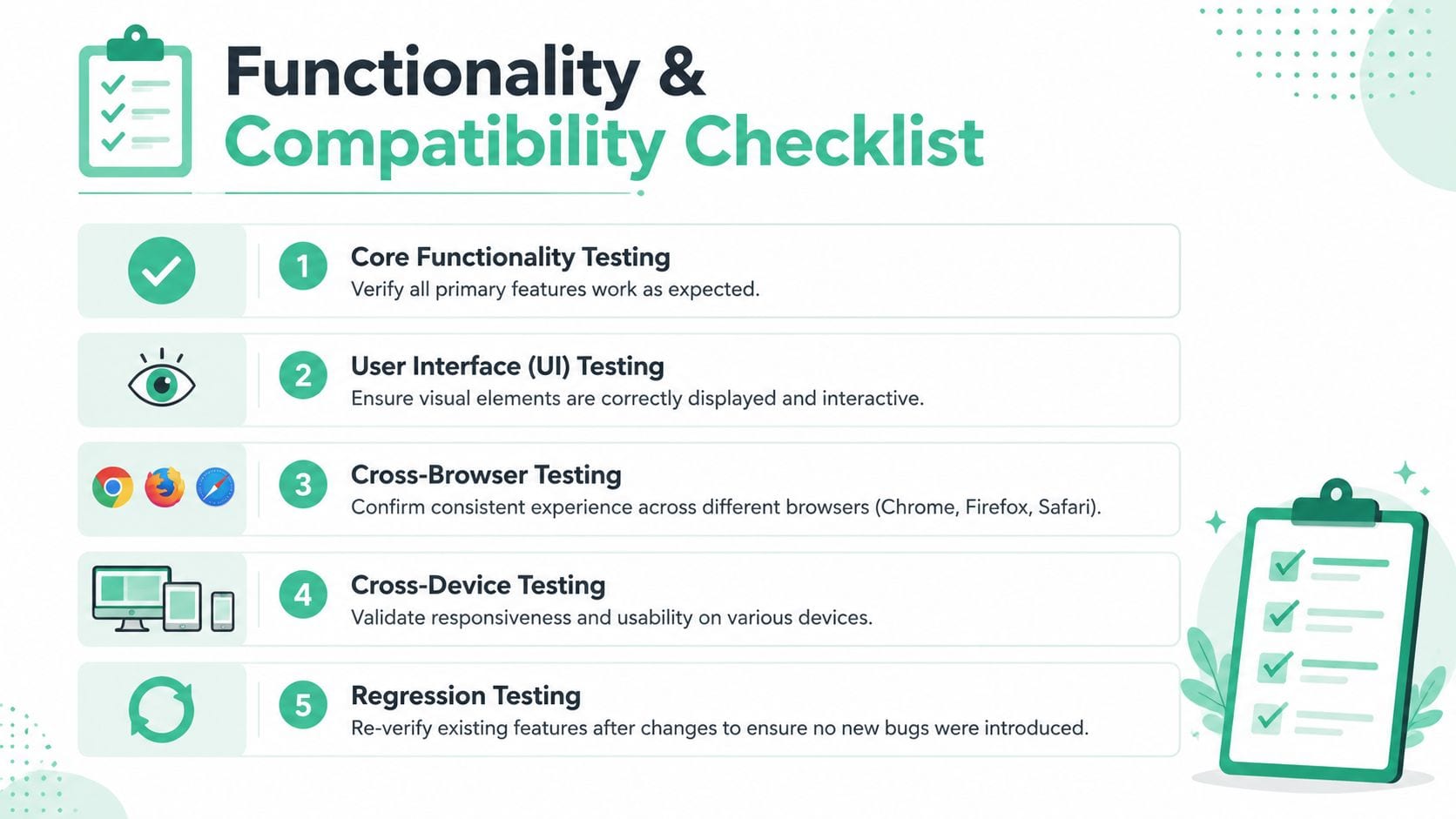
The most effective manual QA still starts with a concrete journey. Not a page. Not a component. A journey.
Take a checkout flow. A tester adds a product to cart on Chrome desktop, updates quantity, applies a discount code, logs in, enters shipping details, moves through payment, and lands on confirmation. Then the tester repeats the same journey in Safari on iPhone and again in Firefox. The goal isn't only to see whether the order completes. It's to see where the experience diverges.
Test the flow like a user, not like a script
Scripted steps catch expected failures. Exploratory passes catch the weird stuff. During a checkout test, a senior tester will deliberately vary behavior:
- Change input order
Fill address before login, then log in and see whether state persists. - Use invalid and edge-case values
Overlong names, special characters, incomplete fields, expired promo codes. - Interrupt the flow
Refresh on payment step, open a new tab, go back, change device orientation. - Check system feedback
Error messages, loading states, disabled buttons, duplicate submissions.
That's usually where real defects appear. Not in the happy path, but in state transitions and recovery behavior.
Cross-browser means behavioral parity, not pixel perfection
Teams still waste time chasing tiny rendering differences that don't affect usability, while missing browser-specific failures in navigation, forms, local storage, or embedded scripts.
A better standard is this: can users complete the intended task, with a consistent enough experience, across the browsers and devices you support?
Marker.io's guidance frames cross-browser and standards-based QA as an established practice because sites must work across browsers and assistive technologies, with accessibility testing aligned to WCAG 2.2 AA as part of a complete process. That's the shift from “does it work on my machine?” to measurable experience validation.
Accessibility belongs inside functional testing
A checkout flow isn't “working” if a keyboard user can't reach the payment button, or if focus disappears inside a modal, or if form fields don't have programmatic labels.
When teams separate accessibility into a late audit, they miss issues that are easiest to catch while testing ordinary interactions. Functional QA should include questions like:
- Can the full flow be completed by keyboard?
- Is focus visible after each action?
- Do errors announce clearly and appear next to the right field?
- Do form labels and instructions still make sense without visual context?
For analysts and QA engineers working closely with browser tooling, this comparison of Chrome DevTools MCP vs Playwright MCP for digital analysts is useful when deciding how much of this validation should stay manual versus move into automated browser workflows.
Validating Performance Accessibility and Security
A website can be functionally correct and still fail users badly. It can render too slowly, block assistive technology, or expose data in ways nobody notices until much later. That's why non-functional QA needs the same discipline as button-click testing.
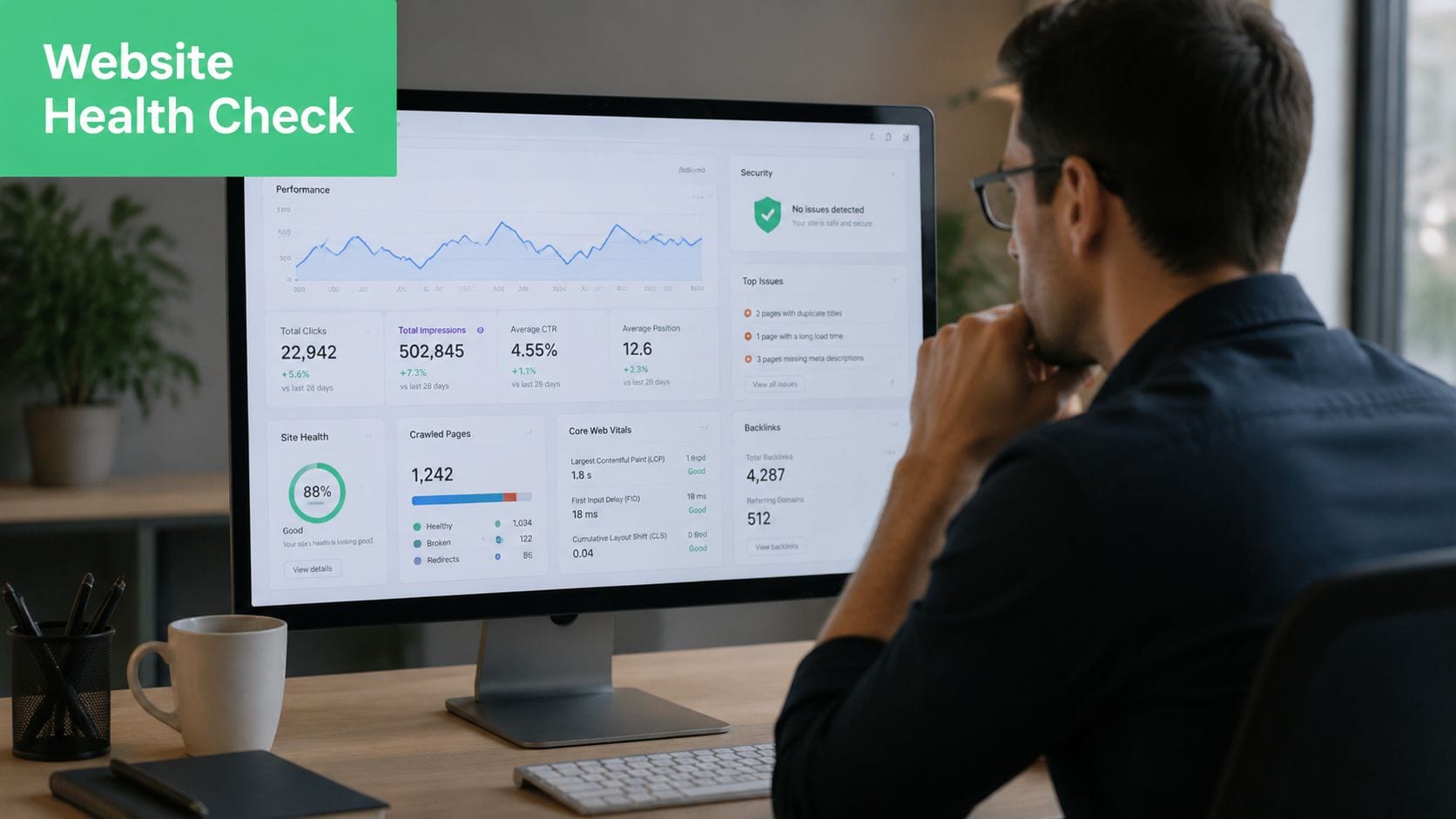
Testlio's website QA guidance notes that about 47% of users expect web pages to load in 2 seconds or less, which is why performance testing belongs in core QA. When performance slips, users abandon sessions earlier, and analytics quality suffers because sessions end before key interactions complete.
Performance checks that matter in practice
Marker.io highlights Largest Contentful Paint (LCP) and Time to First Byte (TTFB) as part of modern website QA. In practical terms, I'd treat performance review as a release gate on high-value pages, not a one-time technical audit.
Check these areas consistently:
- Rendering path
Is key content visible quickly, or blocked by scripts, fonts, or large media? - Third-party impact
Do analytics tags, chat widgets, A/B scripts, or pixels delay the page? - Broken assets
Missing files and failed requests often show up first as “slowness.” - Mobile behavior
Pages that feel acceptable on a laptop often degrade badly on mobile networks.
Slow pages don't just reduce user patience. They also change the data you collect, because fewer users finish the journey you intended to measure.
Accessibility needs repeatable checks, not occasional good intentions
Accessibility work gets derailed when teams treat it as a specialist audit that happens after design and development are finished. The stronger approach is to embed repeatable checks inside release QA.
A practical accessibility pass should include:
- Keyboard-only navigation across menus, forms, modals, and checkout steps.
- Visible focus states so users can tell where they are.
- Label and error validation for forms, including clear recovery paths.
- Heading and structure review so pages make sense to assistive technology users.
- Media review for captions, alternatives, and usable controls.
Security baseline checks for web QA
QA isn't a replacement for dedicated security engineering, but it should catch obvious release-level mistakes. That includes checking HTTPS behavior, authentication flows, exposed data in forms or URLs, consent-related leakage, and whether error handling reveals implementation details.
For teams building a broader operational checklist around security hygiene, this guide to network security for small business is a useful companion resource because web QA often intersects with wider infrastructure and access control decisions.
The mistake I see most often is splitting these concerns across separate owners with no release gate tying them together. Performance is “for dev,” accessibility is “for compliance,” and security is “for IT.” In practice, the user experiences all three at once.
Automate Your Analytics QA for Continuous Observability
Manual analytics QA works for small sites and short-lived calm periods. It breaks down as soon as your website changes often, multiple teams publish content, marketing adds tags, product teams run experiments, and engineers ship frequently.
That breakdown is predictable. Analytics implementations don't fail only when someone rewrites a funnel. They fail when a CMS template changes, a consent rule shifts, a new pixel is added, or a front-end release alters event timing.
TestGrid's QA discussion points to a major gap here: post-release regression for accessibility, privacy, and security together is often underserved, even though routine updates, A/B tests, CMS changes, and new tags can introduce failures after launch. The same logic applies directly to analytics. If you only validate tracking before release, you're assuming the implementation stays stable afterward. It won't.
Why manual analytics checks stop scaling
A human can open DevTools, walk a flow, inspect requests, compare payloads against a tracking plan, verify consent behavior, and confirm destination tags. That's still useful. It just doesn't scale as a default operating model.
Manual-only analytics QA tends to fail in four places:
- Coverage gaps
Nobody retests every meaningful flow after every release. - Schema drift
Event names stay the same while properties change without notice. - Silent tag issues
Pixels disappear, duplicate, or fire under the wrong conditions. - Privacy regressions
Consent handling and PII exposure can change without obvious UI symptoms.
What continuous observability changes
Continuous observability shifts the question from “Did we manually test this release?” to “Are we continuously detecting change and validating expected behavior?”
That means monitoring the live implementation for issues like:
- missing or rogue events
- property mismatches
- destination changes
- campaign tagging errors
- broken marketing pixels
- possible privacy leaks
For teams that want to reduce manual tag checks, testing a tag is a good starting point because it shows how quickly event validation gets messy when done one request at a time.
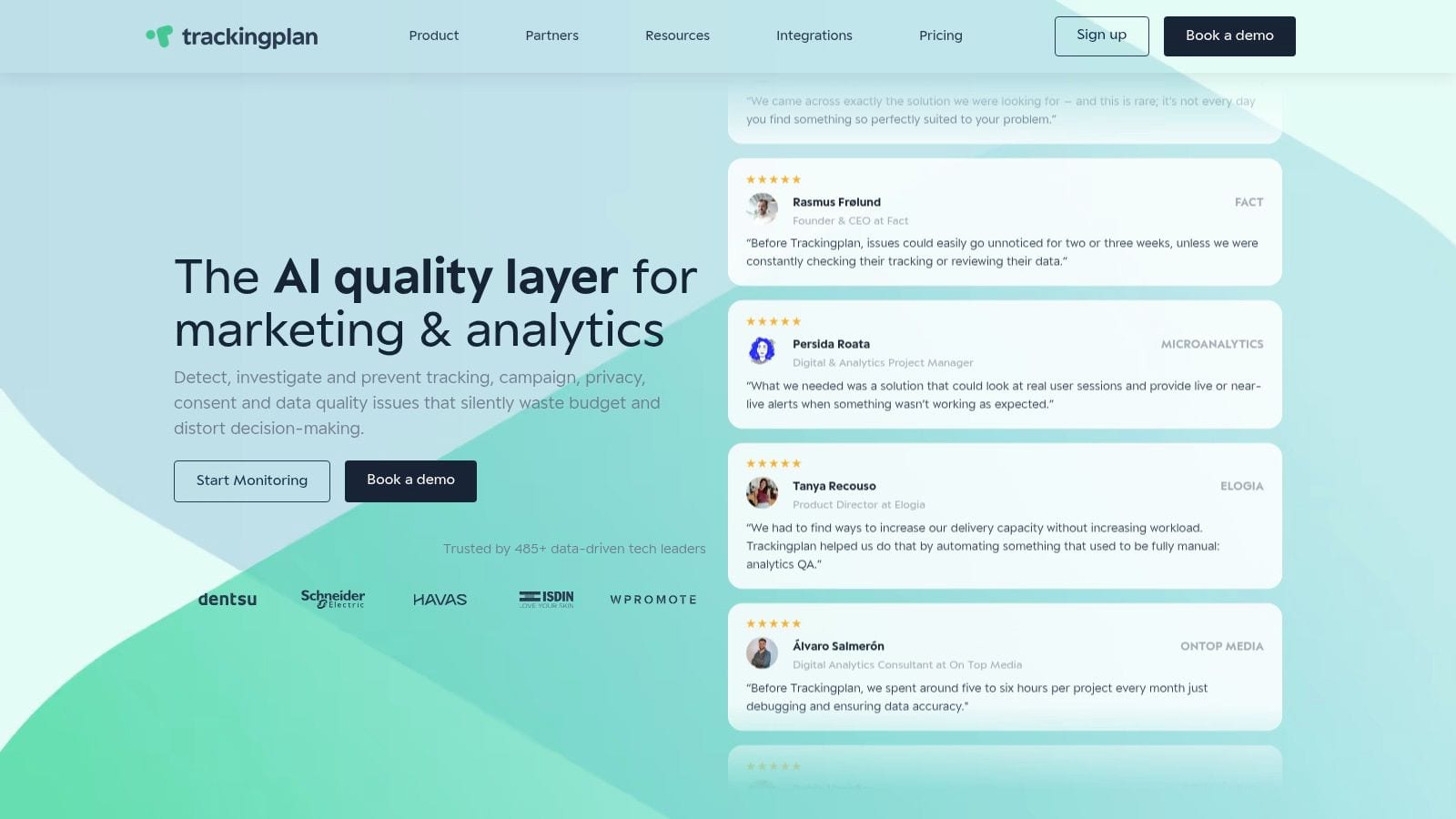
One option in this category is Trackingplan, which continuously discovers and monitors analytics implementations across websites and related destinations, helping teams detect event, pixel, schema, and consent issues without relying only on brittle manual audits.
A short product walkthrough makes the observability model easier to picture in practice:
Keep manual QA, but use it where judgment matters
Automation shouldn't replace human testing. It should absorb repetitive verification so people can focus on investigation, edge cases, and release risk.
The model that works best is simple:
- manual QA for journey validation and exploratory discovery
- automation for regression, alerting, and environment-to-environment comparison
- observability for post-release monitoring across analytics, privacy, and tags
That's what makes website QA testing sustainable in a data-driven business. If reporting quality matters, analytics QA can't live as an afterthought.
Effective Triage and Cross-Team Collaboration
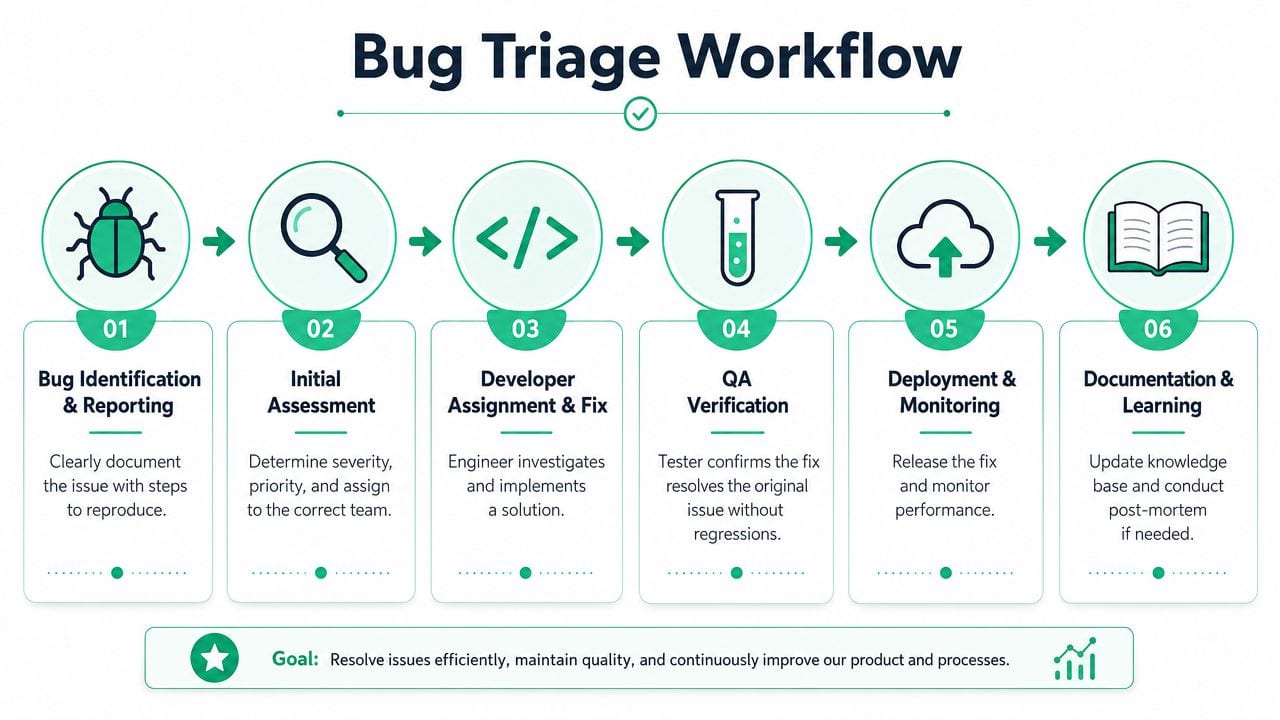
Finding a bug is useful. Closing the loop around it is where QA starts improving the organization.
Most website teams don't struggle with bug discovery. They struggle with messy handoff. Marketing reports “tracking is off.” QA says the form works. Engineering asks for reproduction steps. Analytics says the payload changed. Two days disappear before anyone agrees on what broke.
Write bug reports that shorten the fix cycle
A bug report should remove ambiguity, not add ceremony. The most useful reports include:
- Observed behavior
What happened, exactly? - Expected behavior
What should have happened? - Steps to reproduce
Clear, minimal, and ordered. - Environment details
Browser, device, page, user state, consent state, campaign context. - Evidence
Screenshot, console output, network request details, affected event names.
When the issue touches analytics or pixels, include both the visible symptom and the data symptom. Example: “Form submits successfully, but no lead event appears in the request stream after consent is granted.”
Prioritize by impact, not by volume
A long bug backlog usually mixes cosmetic issues with business-critical failures. Triage works better when severity reflects business effect, not annoyance.
A practical sort looks like this:
A broken reporting event on a high-value conversion path may matter more than five visible UI bugs on low-traffic pages.
Use QA metrics to improve the process, not decorate a dashboard
For governance, Virtuoso QA's process guidance recommends tracking defect density, test coverage, automation rate, release velocity, defect escape rate, mean time to detect and resolve defects, and test maintenance effort. It also notes a common operating target of 60 to 80% automation for regression and repetitive scenarios, with 20 to 40% manual exploratory testing. Just as important, it warns against over-automating brittle UI checks and relying on poor staging fidelity.
Those trade-offs matter. Teams get into trouble when they automate flashy UI tests that break every sprint while leaving critical data validation manual and inconsistent.
Build one shared view of quality
Cross-functional QA gets easier when devs, marketers, and analysts can all see the same issue from the same evidence set. Shared dashboards, common defect language, and release gates tied to both user experience and data integrity reduce a lot of the usual finger-pointing.
The strongest QA cultures treat defects as process feedback. If the same class of issue keeps escaping, adjust the acceptance criteria, test data, staging fidelity, or automation scope. Don't just close the ticket and move on.
If your team needs a tighter handle on analytics and pixel reliability inside website QA testing, Trackingplan is worth evaluating as part of the toolset. It's designed for continuous analytics observability, so marketers, analysts, and developers can detect tracking, schema, consent, and pixel issues earlier and collaborate from a shared source of truth.