
A website audit is the closest thing you can get to a complete health check-up for your most valuable digital asset. It’s a systematic look under the hood of your site's performance, user experience, and technical foundation to find the hidden issues that are quietly hurting your traffic, conversions, and revenue.
A good audit turns guesswork into a strategic roadmap for improvement.
Understanding What a Website Audit Actually Is
Think of your website like a high-performance car. You wouldn't drive it for years on end without checking the engine, changing the oil, or rotating the tires, right? A website audit is exactly that—it’s the regular, in-depth inspection that ensures every part of your digital engine is running smoothly and efficiently.
Without these check-ups, small issues can quickly snowball into major problems. A slow-loading page might not seem like a big deal, but it could be costing you a fortune. We know that 40% of visitors will abandon a site that takes more than three seconds to load. A single broken link might feel trivial, but enough of them can damage your search engine rankings and create a frustrating experience for users.
More Than Just a Technical Checklist
A modern website audit goes way beyond a simple list of technical errors. It gives you a holistic view of your entire digital presence, answering the big questions that actually matter to the business:
- Is our website even visible to the right people? This is all about checking how well you rank on search engines for keywords that your customers are actually using.
- Are we giving people a good experience? This dives into site speed, mobile-friendliness, and whether visitors can easily find what they came for.
- Is our content actually doing its job? An audit looks at whether your blog posts, landing pages, and product descriptions connect with users and meet their needs.
- Can we trust our data? This involves making sure your analytics and tracking systems are implemented correctly. Understanding the basics here is key, which is where learning what is web tagging can give you some valuable context.
At the end of the day, a website audit isn't just about finding what's broken; it's about uncovering opportunities. It helps you focus your time and money on the fixes that will deliver the biggest results.
An audit is the foundational step in turning your website from an online brochure into a powerful engine for business growth. It provides the data-driven clarity needed to make smarter marketing decisions and put your resources where they’ll count.
The Strategic Value of an Audit
By systematically evaluating your site, you shift from constantly reacting to problems to proactively optimizing for success. This process is essential whether you're benchmarking against competitors, planning a website redesign, or just trying to get a clear picture of your performance.
For any business focused on growth, a data-driven audit for conversion rate improvement is often the first step toward boosting the bottom line. This structured analysis gives you actionable insights you can immediately implement to improve your website's overall return on investment.
The Six Pillars of a Comprehensive Website Audit
A proper website audit isn't a one-and-done task. It's a deep, multi-faceted investigation into every corner of your digital presence. Think of it like a general contractor inspecting a house before a big sale. They don’t just glance at the foundation; they check the plumbing, test the electrical wiring, assess the roof, and even critique the interior layout. Each system is vital for the house to be safe, functional, and ultimately, valuable.
In the same way, a website audit breaks down into distinct pillars, each one representing a core system of your site. By looking at them one by one, you can piece together a complete picture of your website’s health, pinpoint specific weaknesses, and build a targeted plan for improvement.
Let’s unpack the six pillars that form the foundation of any truly complete analysis.
Technical SEO and Performance
This is the engine and chassis of your website. A Technical SEO Audit is all about making sure search engines like Google can efficiently crawl, index, and understand your content. It’s where you hunt down issues like broken links, sloppy redirects, and crawlability roadblocks that can render your site invisible to search engines.
Right alongside this is the Performance Audit, which measures how fast and responsive your site feels to a real person. Here, you’re diving into metrics like page load times and interactivity. In a world of shrinking attention spans, speed isn't a luxury—it's a critical factor for keeping visitors from bouncing.
This diagram shows how different audit types, like performance, user experience, and technical analysis, form the core of a complete website review.
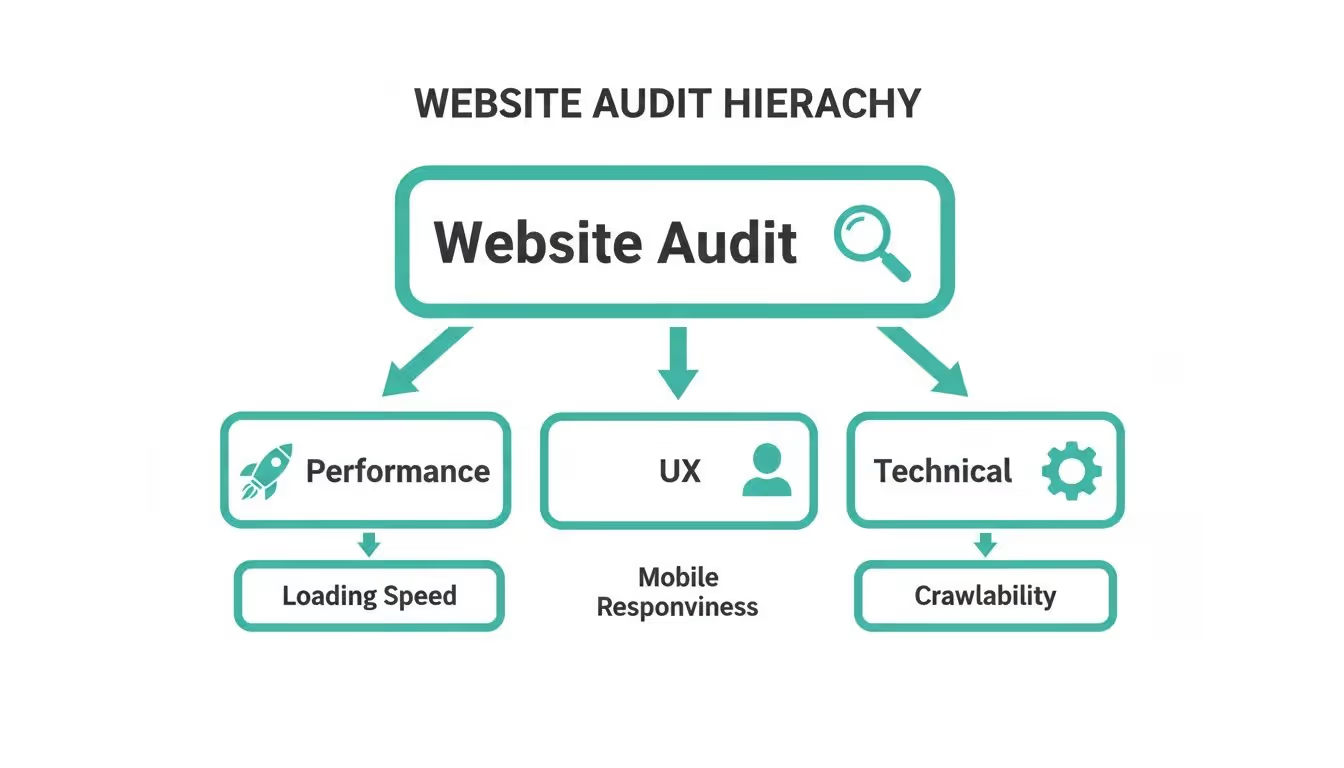
This visual drives home the point that a modern audit is a structured way to reduce risk by addressing foundational technical health, user-centric performance, and the overall experience.
On-Page SEO and Content
If technical SEO is the engine, the On-Page & Content Audit is the fuel you put in it and the message you broadcast. This part of the audit is all about evaluating the quality, relevance, and structure of the words and images on your pages. It asks some tough questions:
- Are you targeting the keywords your audience is actually searching for?
- Is your content logically structured with clear headings and optimized meta tags?
- Does your copy answer user questions and guide them toward taking action?
A content audit will quickly expose underperforming pages, content gaps your competitors are happily filling, and golden opportunities to refresh old material to better serve your audience. It makes sure your message is not only getting out there but is also compelling and effective.
User Experience and Accessibility
The UX & Accessibility Audit puts the focus squarely on the people visiting your site. A User Experience (UX) analysis digs into how intuitive and easy your website is to use. It’s a hunt for friction points, confusing layouts, or broken user journeys that cause frustration and send visitors packing.
A crucial part of great UX is accessibility, which ensures your site is usable by everyone, including people with disabilities. An accessible website isn't just an ethical or legal must-do; it genuinely improves the experience for all users and widens your potential audience. This audit makes sure your digital front door is open and welcoming to every single visitor.
A great website isn't just one that ranks well on Google; it's one that provides a seamless, helpful, and inclusive experience for every person who lands on it. The UX and Accessibility pillar ensures the human element remains at the center of your digital strategy.
Analytics and Security
Finally, we have the pillars that protect your business and prove your efforts are working. The Analytics & Tracking Audit is a check-up on your data integrity. It verifies that your analytics tools are configured correctly and capturing accurate information. Making business decisions with bad data is like trying to navigate with a broken compass.
The Security Audit is your site's defense system. It scans for vulnerabilities, outdated software, and weak spots that could be exploited by bad actors. Protecting your website and your users' data is non-negotiable for building trust and maintaining your brand's reputation.
Statistically speaking, a modern website audit is a structured risk-reduction exercise across performance, search visibility, and data quality. For instance, only about 33% of sites meet Google’s Core Web Vitals thresholds, meaning two-thirds have measurable issues a technical audit can fix. With 60.9% of global website traffic now coming from mobile devices, slow or unstable mobile pages represent a quantifiable revenue risk that audits are designed to expose. You can discover more research on SEO and performance statistics to see the full picture.
Your Actionable Website Audit Checklist
Knowing the six pillars of a website audit is one thing, but putting that knowledge into practice is something else entirely. To help you bridge the gap from theory to action, we’ve put together a practical checklist. This isn’t just a random to-do list; it's a structured framework that will walk you through a solid foundational audit, organized by the pillars we’ve already discussed.
Think of this as your pre-flight check before takeoff. Each item is a critical step to ensure your website is cleared for takeoff—ready for optimal performance, better visibility, and happier users. Following this checklist helps you catch the big problems first and focus on the fixes that will actually make a difference.

Technical SEO and Performance Audit
This is where you inspect the nuts and bolts of your site. Technical health determines whether search engines can even find and understand your content, while performance sets the user's very first impression. Get this right, and everything else becomes easier.
- Check for Crawl Errors: Dive into Google Search Console to find pages Googlebot is struggling to access. Those dreaded "404 Not Found" errors or server issues can make entire sections of your site invisible to search.
- Analyze Core Web Vitals: Use a tool like Google PageSpeed Insights to measure your site's loading speed, interactivity, and visual stability. Poor scores here can directly harm your rankings and send visitors bouncing.
- Identify and Fix Broken Links: Broken internal and external links create dead ends for both users and search crawlers. They kill the user journey and dilute your hard-earned SEO authority.
- Ensure Mobile Responsiveness: With most traffic now coming from mobile devices, your site must offer a seamless experience on a small screen. Use Google's Mobile-Friendly Test for a quick check.
On-Page SEO and Content Audit
Once your technical foundation is solid, it’s time to look at the quality and relevance of what’s actually on your pages. This part of the audit makes sure your message is clear, targeted, and connecting with the right audience.
- Review Meta Tags: Scan your most important pages to ensure each one has a unique, optimized title tag and meta description. These are your first—and sometimes only—chance to make an impression in the search results.
- Analyze Keyword Targeting: Are your pages actually ranking for the keywords you think they are? Hunt down pages with low rankings and look for opportunities to better align the content with what users are searching for.
- Assess Content Quality: Read through your key pages with a critical eye. Is the information outdated? Is it genuinely helpful and easy to read? Pruning irrelevant content and updating your best assets can deliver a quick win.
- Check Heading Structure: Make sure your pages use a logical hierarchy of headings (H1, H2, H3). This simple step helps both users and search engines grasp the structure and importance of your content at a glance.
UX and Accessibility Audit
Now it's time to step into your visitors' shoes. A great website isn't just functional; it's intuitive, easy to navigate, and accessible to everyone.
A website audit checklist helps you move from asking "Is my website working?" to "Is my website working for my users?" The shift from a technical view to a human-centric one is where real growth happens.
- Test Key User Journeys: Walk through your most important conversion paths yourself. Try signing up for a newsletter, filling out a contact form, or completing a purchase. Take notes on any point of friction or confusion.
- Simplify Site Navigation: Is your main menu cluttered or confusing? A simple, logical navigation structure is absolutely critical for helping users find what they need without getting frustrated and leaving.
- Run an Accessibility Scan: Use an automated tool to check for basic accessibility issues, like missing alt text on images or poor color contrast. Fixing these ensures you aren't shutting out a portion of your audience.
Analytics, Security, and Privacy Audit
Finally, you need to trust your data and protect your users. This pillar is all about reliability—both in your metrics and in how you handle your visitors' information.
- Verify Key Tracking Tags: Manually check that your main analytics and marketing pixels (like Google Analytics or a Meta pixel) are firing correctly on key pages. This is especially important on "thank you" or confirmation pages after a a conversion.
- Review UTM Convention Usage: Are your marketing campaigns using consistent and clean UTM parameters? Messy tagging leads directly to messy, unreliable data in your analytics platform.
- Check for PII Leaks: Make sure no personally identifiable information (PII) like email addresses is being accidentally captured in URLs or sent to third-party analytics tools. This is a huge privacy and compliance risk.
- Scan for Security Vulnerabilities: Use a security scanner to check for outdated software, vulnerable plugins, or other common issues that could put your site and your users' data at risk.
How to Prioritize Your Audit Findings
After running through the checklist, you’ll likely have a long list of things to fix. The key is not to get overwhelmed but to prioritize effectively. A simple impact vs. effort matrix can be a lifesaver here.
This framework helps you categorize each finding so you can focus on the quick wins and high-impact projects first, while scheduling the more intensive tasks for later.
Website Audit Prioritization Matrix
Priority LevelImpactEffortExample FindingsP1: Quick WinsHighLowFixing broken internal links, optimizing meta tags for key pages, updating outdated content.P2: Major ProjectsHighHighA complete site redesign for mobile, migrating to HTTPS, overhauling the site architecture.P3: Fill-in TasksLowLowAdding missing alt text to a few images, cleaning up UTM conventions for a minor campaign.P4: Re-evaluate LaterLowHighA complete rewrite of low-traffic blog posts, major backend platform changes with minimal user impact.
By sorting your to-do list into these buckets, you create a clear roadmap. Start with the P1 tasks to build momentum, plan for the P2 projects, and sprinkle in the P3 tasks whenever you have a bit of extra time.
Working through this checklist requires a mix of manual checks and the right software. You can explore various free website audit tools to automate parts of this process. And for those tricky, deep-seated analytics issues, a specialized tool can help you debug analytics problems with Trackingplan to ensure your data is always accurate.
Common Website Problems and How to Fix Them
Think of your website audit as a diagnostic report from a doctor. The report itself is useful, but the real value comes from the treatment plan. It's turning those findings into concrete actions that separates a struggling website from a successful one.
Interestingly, many of the issues we uncover are surprisingly common, popping up across all sorts of industries and site sizes. Knowing what to look for—and more importantly, how to fix it—gives you a clear roadmap for improvements that actually move the needle on performance, user experience, and business results.

Let's dig into the most frequent culprits an audit will reveal and the straightforward, actionable ways you can solve them.
Slow Mobile Page Speed
One of the most damaging and frequent problems is slow load speed, especially on mobile. With over 60% of all website traffic now coming from mobile devices, a sluggish site is a direct path to lost revenue. In fact, up to 40% of visitors will bounce if a page takes more than three seconds to load. Every extra second is literally pushing customers away.
How to Fix It
First things first, run your key pages through Google's PageSpeed Insights tool. This gives you a baseline score and a specific to-do list. The most common fixes are usually:
- Compressing Images: Big, unoptimized images are the usual suspects. Use tools to shrink their file size without making them look grainy.
- Minimizing Code: Bloated HTML, CSS, and JavaScript can seriously slow down rendering. Clean up any unnecessary code.
- Leveraging Caching: Browser caching is a lifesaver. It stores parts of your site on a visitor's device, so return visits are lightning-fast because not everything has to load from scratch.
Duplicate Content and Keyword Cannibalization
Duplicate content is when you have the same, or nearly identical, content living on multiple URLs. This creates a headache for search engines, forcing them to guess which page to rank and splitting the authority between them. This often leads to keyword cannibalization, where two of your own pages end up competing against each other for the same keyword, hurting both of their chances to rank.
How to Fix It
Your audit will flag any pages with overlapping content. Once you have that list, you have a couple of solid options:
- Consolidate Pages: If two pages are basically serving the same purpose, merge them into one powerhouse page. Then, use a 301 redirect to send all traffic from the old URL to the new one.
- Use Canonical Tags: Sometimes you need separate pages with similar content (like product pages with slight variations). A canonical tag is a simple piece of code that tells search engines, "Hey, this is the main version I want you to index."
Broken Conversion Tracking and Analytics Errors
Making business decisions on bad data is like driving with a blindfold on. Audits frequently find broken or misconfigured tracking, like a Google Analytics or Meta pixel that isn't firing on a "thank you" page after a purchase. The result? Underreported conversions, a skewed ROI, and a whole lot of wasted ad spend.
An audit that finds data integrity issues delivers one of the highest returns you can get. Fixing a single broken conversion pixel can instantly clarify ad performance, save thousands in wasted budget, and restore your confidence in the numbers.
How to Fix It
Manually checking every single tag is a nightmare, but you can start with the most important ones.
- Verify Key Conversion Points: Walk through your main conversion funnels yourself. As you go through the checkout or fill out a lead form, use browser extensions like the Meta Pixel Helper or Google Tag Assistant to make sure your tags are firing correctly.
- Standardize UTM Naming: Create a strict, consistent naming system for UTM parameters across all your marketing campaigns. This is the only way to ensure your traffic sources are reported accurately in analytics.
- Implement Automated Monitoring: For true peace of mind, automated analytics QA tools are the way to go. They continuously scan your site to catch broken pixels, data leaks, or schema errors the moment they happen, sending you an alert so you can fix it fast.
Moving from Manual Audits to Automated Monitoring
Think of a traditional website audit as a deep, annual physical for your website. It's a powerful way to diagnose foundational issues that might be holding you back. But here's the catch: it has one massive limitation. It’s just a snapshot in time.
The second an audit report hits your desk, your website is already changing. Developers are pushing new code, marketers are spinning up campaigns, and content is constantly being tweaked. This means new problems can crop up minutes after an audit gives you the all-clear, leaving you completely blind until the next one rolls around.
The Problem with a Snapshot Approach
Imagine only checking your car's oil level once a year. You might get a clean bill of health on inspection day, but a slow leak could spring up the very next week, putting your engine at risk for months before you'd ever know. A manual website audit works pretty much the same way.
Let's say an audit in March confirms all your conversion tracking pixels are firing perfectly. Great. But a minor code update in April could break them without anyone noticing. You'd then be operating with corrupt data for months, potentially wasting thousands in ad spend based on totally inaccurate performance metrics.
Historically, audits were manual, document-heavy exercises you did once or twice a year. Today, smart teams are pairing those periodic deep-dives with automated observability platforms. This allows them to monitor site health and analytics quality around the clock, shrinking the time it takes to spot an error from months to mere minutes. It’s a complete game-changer.
Embracing Continuous Automated Monitoring
The modern solution is to complement those deep-dives with continuous, automated monitoring. It adds a new layer of protection that works 24/7, acting like a real-time security system for your website’s most critical functions—especially your analytics.
Analytics QA and observability platforms were built for this exact job. Instead of a person manually checking tags once a quarter, these systems automatically validate your entire data implementation on a constant loop. They catch problems that manual audits almost always miss.
- Broken Tracking Pixels: Get an instant alert when a critical Google Analytics or Meta pixel stops firing right after a new code deployment.
- Data Schema Errors: Immediately flag when an event sends the wrong kind of data, like a text string where a number should be, before it can break your dashboards.
- Potential PII Leaks: Detect when sensitive user info, like an email address, is accidentally sent to an analytics platform, preventing a serious privacy breach.
This screenshot shows how an automated platform gives you a real-time pulse on your data's health.
The big idea here is moving from reactive problem-finding to proactive, constant validation. It’s about ensuring your data is reliable, all the time.
From Detection in Months to Minutes
Making the switch from manual spot-checks to automated monitoring shrinks the time-to-detection for critical errors from months down to minutes. An issue that might have festered for 3 months until the next quarterly review can now be identified and flagged within 3 minutes of happening. For maintaining data integrity, that speed is everything.
Automated monitoring doesn't replace the strategic value of a comprehensive audit. Instead, it enhances it by protecting your data between those deep-dive analyses, ensuring the business decisions you make every day are based on information you can always trust.
By combining the strategic depth of traditional audits with the tactical speed of automation, you create a truly robust framework for website health. You can still run your annual deep-dive to shape long-term strategy, but you also get the daily confidence that your analytics foundation is solid. To get a better handle on this approach, check out our automated marketing observability guide for more details.
Common Questions About Website Audits
As we wrap things up, you probably have a few questions floating around. It's one thing to understand the what and why of a website audit, but it’s a whole other ball game when you start thinking about applying it to your own business. Practical questions about timing, tools, and real value always come up.
Let's tackle the most common ones we hear. The goal here is to give you that final bit of clarity so you can move forward with confidence, knowing not just what an audit is, but how to actually make it work for you.
How Often Should I Conduct a Website Audit?
For most businesses, a massive, deep-dive audit that covers all six pillars is best done annually. Think of this as your big-picture strategic review. It helps you set the roadmap for major projects in the year ahead. But your website is always changing, and waiting a full year between check-ups is a recipe for trouble.
A much smarter approach is a hybrid model.
- Quarterly Mini-Audits: Pick a specific area, like technical SEO or performance, and give it a focused look. A quick site crawl to find new 404 errors or a check-up on your Core Web Vitals can catch small issues before they snowball.
- Semi-Annual Content Reviews: Take a hard look at your key landing pages and blog posts. Are they still hitting the mark? Is the information fresh and relevant? This keeps your messaging sharp.
- Continuous Automated Monitoring: This is non-negotiable for anything business-critical. Your analytics and tracking implementation, for instance, should be monitored 24/7. You need to know the second a data integrity issue pops up, not weeks later.
This tiered approach ensures you catch both the slow-burning strategic problems and the immediate, day-to-day errors that can quietly sabotage your user experience or data.
Can I Do a Website Audit Myself?
Absolutely. Kicking things off with a do-it-yourself audit is a great way for any site owner to get their hands dirty. With free and surprisingly powerful tools like Google Search Console and PageSpeed Insights, you can uncover a ton of actionable intel on common culprits like broken links, slow pages, and mobile usability headaches.
But let's be realistic. A truly exhaustive audit often needs a seasoned expert to diagnose the really gnarly, hidden problems. We’re talking about tricky JavaScript rendering flaws that make your content invisible to Google, complex international SEO mistakes, or subtle implementation errors in your analytics stack that are nearly impossible to spot without specialized knowledge.
A DIY audit is perfect for maintaining fundamental website health. But for a website that's critical to your business, investing in a professional audit or an automated platform for key areas will dig much deeper and deliver a far bigger impact.
What Are the Essential Tools for a Website Audit?
A proper audit isn't a one-tool job. You need a well-rounded toolkit where different tools tackle different pillars of the audit. Using them in concert is what gives you the complete, 360-degree view of your site's health.
Here are the essentials for any serious audit:
- Technical & SEO Health: Google Search Console is your ground zero—it's how Google tells you what it thinks of your site. For deep crawls and backlink analysis, tools like Screaming Frog or Ahrefs are the industry standard.
- Performance Measurement: Google PageSpeed Insights is indispensable. It gives you the full scoop on Core Web Vitals and a prioritized to-do list for speeding things up.
- User Behavior Insights: To understand the "why" behind your numbers, you need tools like Hotjar. Heatmaps and session recordings literally show you where users are clicking, scrolling, and getting stuck.
- Analytics QA & Validation: Manually checking if your tracking is working is slow, tedious, and you're guaranteed to miss things. This is where automated platforms shine, continuously validating your entire data setup to catch errors that manual spot-checks just can't.
What Is the Real ROI of a Website Audit?
The return on investment from an audit isn't some fuzzy, abstract concept. It's directly tied to fixing problems that are actively leaking money from your business. An audit shines a bright light on these financial leaks and hands you a clear roadmap to patch them up.
Think about it in concrete terms:
- Increased Organic Traffic: Fixing a single technical SEO issue that was blocking Google from indexing thousands of your product pages can open the floodgates to a massive, sustained wave of qualified traffic.
- Improved Ad Spend Efficiency: Discovering and fixing a broken conversion pixel means your ad budget is suddenly being guided by accurate data. This directly boosts campaign profitability and cuts down on wasted spend.
- Higher Conversion Rates: The link between page speed and conversion rates is undeniable. Shaving even one second off your load time can lead to a measurable lift in sales and leads.
At the end of the day, an audit transforms your website from a simple online brochure into a finely tuned business engine. It pinpoints the highest-impact opportunities, letting you focus your time and money where they’ll generate the biggest return.
A healthy website is built on a foundation of accurate, real-time data. Trackingplan provides a fully automated observability platform that validates your analytics and marketing pixels 24/7, catching errors before they have a chance to corrupt your data. It's time to move from periodic manual checks to continuous monitoring and ensure every decision is based on information you can trust. Discover how Trackingplan can safeguard your data integrity today.