What is google tag gateway and how it restores first-party data for GA4 and Google Ads in a cookieless world; discover how.
With the digital world moving decisively away from third-party cookies, Google Tag Gateway offers a practical answer to an increasingly tricky problem. Think of it as a secure mail-forwarding service for your website's data. It's a technology that makes tracking requests to Google services like GA4 and Ads appear as if they’re coming directly from your own domain, not from Google's servers.
What Google Tag Gateway Means for Your Data

Let’s break that down. Traditionally, when a user lands on your site, your analytics tags fire off data directly to Google. From a browser's perspective, this is a "third-party" request, and modern browsers and ad blockers are built to heavily restrict or even block these requests to safeguard user privacy.
The Google Tag Gateway steps in as an intermediary. It essentially changes the sender's address on your data packets. So, instead of requests going to a domain like google-analytics.com, they are first routed through your own subdomain, something like tracking.yourdomain.com. This simple rerouting transforms them into "first-party" requests.
To give you a clearer picture, here’s a quick summary of the core concepts and their impact.
Google Tag Gateway Core Concepts at a Glance
This table breaks down the fundamental components and outcomes of using the Google Tag Gateway.
Ultimately, these components work together to ensure the data you need for accurate measurement actually makes it to your analytics and advertising platforms.
The Impact of First-Party Requests
Why is this shift from third-party to first-party so important? Because browsers and privacy tools treat first-party requests much more leniently, viewing them as a core part of a website's own operations. By routing your analytics data through your domain, you see several immediate benefits:
- Bypass Browser Restrictions: You can effectively navigate around Safari's Intelligent Tracking Prevention (ITP) and similar features in other browsers that shorten third-party cookie lifespans.
- Avoid Ad Blockers: Many ad blockers have a blacklist of known tracking domains like Google's. By serving scripts and sending data from your own domain, you make them far less likely to be identified and blocked.
- Increase Data Accuracy: When more of your data signals successfully reach their destination, you get more reliable conversion tracking and much healthier analytics reports.
By transforming third-party Google tags into first-party requests, the Gateway directly addresses the core challenge of signal loss. This ensures your analytics and advertising platforms receive more complete data, which is critical for accurate measurement and optimization.
This isn't about finding a loophole to get around user privacy. It’s a necessary adaptation to a new reality where the phase-out of third-party cookies demands a new approach. It allows you to continue measuring user behavior effectively while still operating within the bounds of modern privacy standards.
Why First-Party Data Is Your Most Valuable Asset
For a long time, the digital marketing world operated on rented land—third-party data. It was a convenient setup, but you never truly owned your analytics foundation. Now, that entire model is being dismantled, making the switch to first-party data ownership less of a choice and more of a necessity.
This shift isn’t happening in a vacuum. It’s being driven by two powerful forces: stricter privacy laws like GDPR and the phase-out of third-party cookies by major browsers, including Chrome. To get a full picture of what this data is and why it matters, you can find a complete breakdown in our dedicated guide to first-party data.
The Problem with Rented Data
Relying on third-party cookies and tracking scripts always came with risks. Marketers grew accustomed to data that was often shaky and hard to verify, creating some serious weak spots in their strategies.
- Data Instability: Your entire measurement framework could shatter overnight with a simple browser update or a user changing their privacy settings.
- Inaccurate ROI: When conversions aren't tracked properly, proving the ROI of your marketing spend becomes a guessing game, leading to misguided budget allocation.
- Eroding Trust: Consumers have become increasingly skeptical of cross-site tracking, which can tarnish a brand's reputation.
The old way of "renting" third-party data was convenient but unstable. The new standard is "owning" your first-party data stream—a clean, direct, and reliable source of truth that you control completely.
This move toward first-party data collection isn't just a trend; it's a fundamental change in how we measure digital impact. As tech giants continue to phase out third-party cookies, the industry is quickly adapting. You can read more about Google's official stance on preparing for this privacy-centric future.
Building a Foundation of Ownership
This is exactly where a tool like the Google Tag Gateway comes into play. Think of it not just as a technical workaround, but as a strategic decision to build your marketing house on a solid foundation of owned, first-party data. By making sure your analytics and advertising tags run in a first-party context, you take back control of your data.
This approach gives you the stability you need for dependable measurement. When you own the data stream, you're no longer vulnerable to the whims of external platforms and their shifting policies. You can finally trust your reports, make smarter decisions, and measure the real impact of your marketing with confidence.
How the Google Tag Gateway Architecture Works
So, how does the Google Tag Gateway actually pull this off? Let's pop the hood and look at the architecture. The whole system works by cleverly rerouting how your website talks to Google, but—and this is the best part—it does so without you having to change the core Google tags you already have in place, like your GA4 or Google Ads tags.
At its heart is a proxy server, which you’ll typically run through a Content Delivery Network (CDN) like Cloudflare or a similar service. This proxy acts as a middleman. Instead of a user’s browser sending data straight to google-analytics.com, the request gets sent to a subdomain you control, like tracking.yourdomain.com.
This simple change marks a strategic shift from renting third-party data to truly owning your data stream.
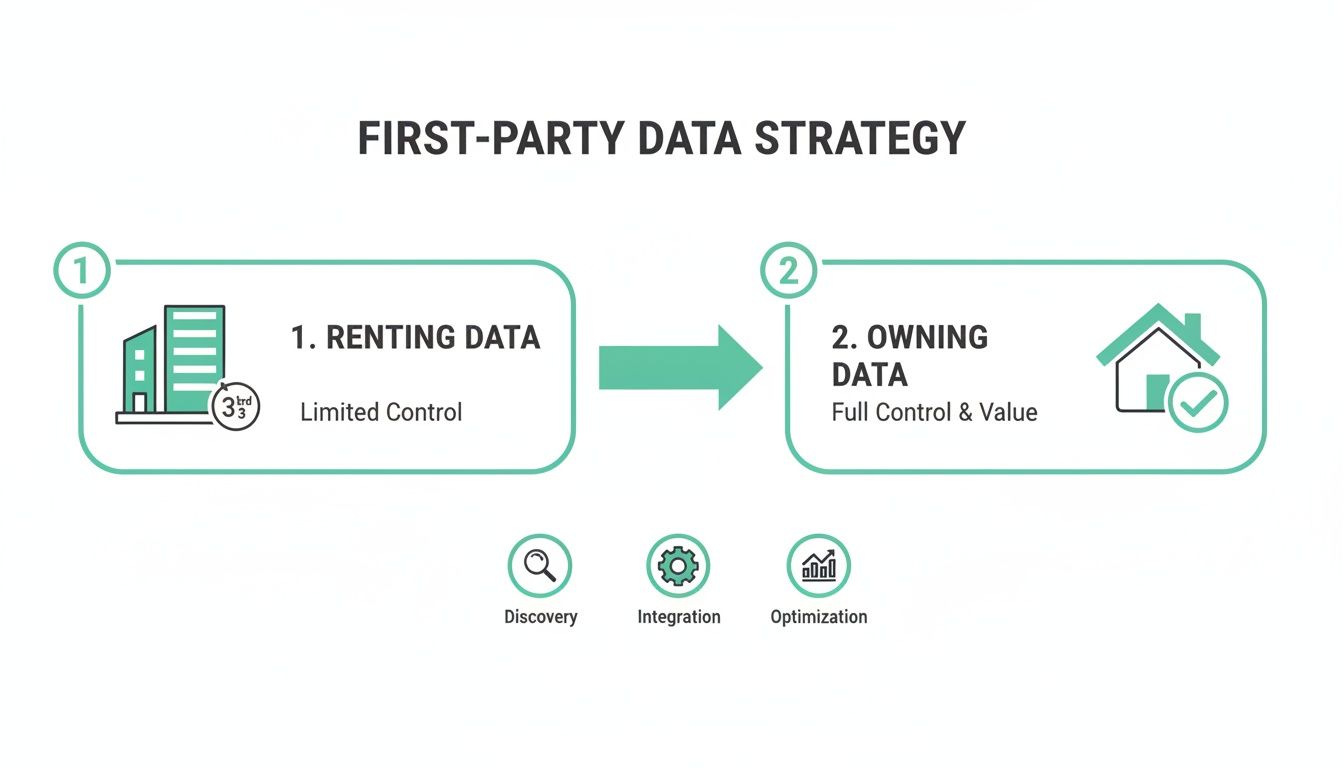
As you can see, the Tag Gateway is your bridge from an unstable dependency on third-party data to a solid, first-party foundation you control.
The Data Journey Explained
With a Tag Gateway, the data’s journey from the user to Google looks completely different. This new route is precisely what allows it to sidestep the browser restrictions and ad blockers that are so good at spotting and stopping requests to third-party domains.
Here’s a step-by-step look at how the data travels:
- User Action: A visitor lands on your site and does something, like clicking a call-to-action button.
- Tag Fire: Your existing Google tag fires just like it always has, but it’s been configured to send its data payload to your own gateway subdomain instead of directly to Google’s servers.
- Gateway Proxy: Your gateway, running on your CDN, receives this request. Because the request is going from
yourdomain.comtotracking.yourdomain.com, the browser sees it as a first-party request and lets it through without any issue. - Forwarding to Google: On the backend, your gateway immediately forwards that exact same data payload on to Google's collection servers. Google gets the data it needs, but the user's browser never sees this final handoff.
This process essentially wraps the request in a first-party context, making your data collection far more resilient to outside interference.
By serving Google's scripts and forwarding data requests through your own domain, the Tag Gateway makes tracking look like a native part of your website's functionality. This simple architectural change is the key to preserving the integrity of your analytics data.
Contrasting with Traditional Tagging
The old-school, client-side approach is much more direct—and much more vulnerable. In that setup, every piece of analytics data makes an obvious third-party call right from the user's browser straight to Google’s servers.
This direct path is a massive red flag for privacy tools like Safari's ITP and most ad blockers, which are built specifically to identify and block those calls. By inserting the gateway as a proxy, you create a far more robust system that keeps the data flowing while playing by the browser's rules, since the initial request never leaves your own domain.
Of course. Here is the rewritten section, following all of your instructions.
The Business Case for Implementing Google Tag Gateway
Beyond the technical setup, the real question is simple: what does a Google Tag Gateway actually do for your business? Think of this not as just another IT project, but as a direct investment in your marketing results and business intelligence. It’s about restoring confidence in your GA4 and Google Ads reports so you can make decisions that count.
The core value is its ability to reclaim data signals that would otherwise vanish. By routing tracking requests through your own domain, they are no longer seen as third-party calls by browsers and ad blockers. This one change makes a huge difference in your data quality, which in turn fuels smarter bidding and more reliable performance analysis.
Quantifying the Impact on Your Data
This isn't just a theoretical gain; the results are measurable. Businesses putting this tracking method into practice are seeing an average 11% uplift in signals compared to their old third-party tracking setups. That improvement directly translates into more valuable insights for analysts and marketers. You can take a closer look at these findings and understand the full scope of what the Google Tag Gateway offers.
Having a more complete dataset creates a ripple effect that touches both your strategy and your revenue:
- Smarter Bidding in Google Ads: Automated bidding strategies like Target CPA or Target ROAS depend entirely on the quality of your conversion data. When you feed them more complete data, the algorithms make better choices, optimizing your ad spend for real results—not just the conversions that happened to make it past the blockers.
- Improved Conversion Modeling: Even with first-party data, some signals will inevitably be lost. A richer dataset, however, gives Google’s models a much stronger foundation to accurately fill in the gaps, painting a clearer picture of campaign performance when direct measurement isn’t possible.
- Trustworthy GA4 Reports: When your analytics reports are missing big chunks of data, every decision is a gamble based on an incomplete story. Boosting your signal volume restores trust in your reports, giving your team the confidence to make data-driven moves.
A More Resilient Marketing Funnel
Ultimately, implementing a Google Tag Gateway fortifies your entire marketing measurement system. For marketers and agencies, it makes demonstrating ROI to clients and stakeholders much more straightforward. The connection becomes crystal clear: a more complete dataset from the gateway leads to better decisions, which drives higher revenue and more reliable insights.
Think of it as patching the leaks in your data pipeline. Each recovered signal—every click, conversion, and user interaction that was previously lost—contributes to a more accurate and powerful analytics foundation, making your marketing efforts more efficient and effective.
Tag Gateway vs. Server-Side GTM: Choosing the Right Path
When you start looking into first-party data solutions, it’s common to lump Google Tag Gateway and server-side Google Tag Manager (sGTM) into the same category. While it's true both operate on the server to improve data quality, they’re built to solve very different problems. Knowing which one does what is the key to picking the right strategy for your business.
Think of the Google Tag Gateway as a focused, specialized tool. Its main job is to act as a simple proxy, making Google’s own tracking scripts (like for GA4 and Google Ads) look like they're coming directly from your domain. It’s designed specifically to make Google tag delivery more resilient against browser restrictions and ad blockers.
Server-side GTM, on the other hand, is a much more powerful and flexible platform. It’s a complete server environment where you don't just receive data—you can transform it, enrich it, and send it to countless destinations, whether they're Google products or third-party tools.
Key Differences at a Glance
So, how do you choose? It really boils down to your immediate needs, your team's technical resources, and where you want to take your data strategy in the long run. Are you looking for a quick win to boost the quality of your Google signals, or are you building a central hub to manage all your server-side data flows?
This table breaks down the comparison to help you find your answer.
Google Tag Gateway vs. Server-Side GTM Comparison
Deciding between Tag Gateway and a full sGTM setup depends entirely on your goals. Here’s a side-by-side look at what each solution offers.
As the table shows, Tag Gateway is a fantastic entry point into the world of first-party data. If you want to dig deeper into the architecture of a full server-side setup, our guide on everything you need to know about server-side tracking is a great place to start.
Google Tag Gateway is the scalpel—a precise tool for one critical job. Server-side GTM is the Swiss Army knife—a versatile tool with broad capabilities for complex data operations.
We're seeing Google Tag Gateway gain traction with businesses whose tracking relies almost entirely on client-side Google tags. But it's not always an either-or choice. Many organizations are now combining both in hybrid models to get the best of both worlds: resilient tag delivery at the browser level and total data control on the server. This balanced approach is becoming more popular for balancing measurement with governance, a trend explored in this insightful analysis on unlocking more conversions.
Ultimately, your decision comes down to whether you need a simple fix or a comprehensive data management platform.
Ensuring Data Quality After Implementation
Recovering more data with a Google Tag Gateway is a massive step forward, but it’s only half the battle. This boost in data quantity must be matched by a focus on data quality. After all, what good is more data if it’s inaccurate, incomplete, or riddled with errors?
The gateway does its job by increasing the volume of signals reaching your analytics tools. However, it doesn't validate what's inside those signals. Things like schema changes, broken tracking events, or accidental PII leaks can still slip through, corrupting your reports and leading to flawed business decisions.
Bridging the Gap with Analytics Observability
This is where a platform like Trackingplan comes in. It acts as an automated QA layer for your entire analytics stack, ensuring the integrity of the increased data flow coming from your Google Tag Gateway. Think of it this way: while the gateway opens the floodgates for more data, Trackingplan ensures the water is clean.
Observability platforms work by continuously monitoring your data implementation in real time. They automatically discover your entire tracking setup, from the dataLayer on your website all the way to its final destination in GA4.
For a clearer idea of how this works, see how Trackingplan can help you automatically validate your Google Analytics 4 implementation. The platform provides a single source of truth that all your teams can rely on.
From Data Recovery to Data Trust
An analytics observability solution provides a crucial safety net. It validates every event and property against your defined tracking plan, giving you the confidence that the data you collect is actually reliable.
Implementing a Google Tag Gateway fixes the data delivery problem. An analytics observability platform like Trackingplan fixes the data quality problem, creating a truly trustworthy and high-performing analytics stack.
Here are some of the key functions an observability platform provides:
- Real-Time Validation: It constantly checks incoming data against expected formats and values, catching issues the moment they happen.
- Automatic Issue Detection: The system sends instant alerts for critical problems such as broken tracking, schema errors, or missing events.
- Privacy and Compliance: It helps you monitor for accidental PII leaks and ensure your tracking fully respects user consent configurations.
This continuous monitoring is the final, critical piece of the puzzle. It shifts your team from reactive, manual audits to proactive, automated governance. By combining the signal recovery of a Google Tag Gateway with the quality assurance of an observability platform, you build a resilient analytics foundation that you can finally trust to drive growth.
Frequently Asked Questions About Google Tag Gateway
When you start exploring a solution like Google Tag Gateway, a few common questions always seem to pop up. Let's tackle them head-on to clear up any confusion and help you decide your next steps.
Does Google Tag Gateway Make My Site Slower?
Actually, no. When you set it up correctly with a modern CDN like Cloudflare, the impact on site speed is negligible.
In fact, because the CDN caches Google's scripts and serves them from a server that's geographically closer to your users, you might even see a slight performance boost.
Is It a Replacement for Server-Side GTM?
Not exactly. It’s better to think of the gateway as a lighter, more focused alternative. Its main job is to improve the delivery and persistence of Google’s own tags, like those for GA4 and Ads.
A full server-side GTM setup, on the other hand, is a much bigger beast. It gives you extensive capabilities for transforming and enriching data, then routing it to dozens of non-Google destinations. The two can even work together to create an incredibly resilient tracking setup.
The gateway is a streamlined solution for fortifying Google tag delivery, while sGTM is a powerful system for comprehensive data management. Choosing depends on whether you need a targeted fix or a versatile platform.
What Is the Main Cost of Using It?
Your primary cost will be the CDN service you use to proxy the requests. The good news is that many providers, including Cloudflare, offer generous free tiers that are often more than enough for smaller websites.
For larger sites with more traffic, the cost is usage-based but is generally very low—especially when you consider the value of the data you'll recover. After implementing Google Tag Gateway, it's crucial to establish robust Data Quality Frameworks to maintain data integrity.
Is Implementing Google Tag Gateway Complicated?
The complexity really depends on your CDN provider. Solutions like Cloudflare's Zaraz have made the process incredibly simple, sometimes boiling it down to just a few clicks in a dashboard.
A manual setup is more technical, as it involves a bit of configuration for DNS records and worker scripts. However, the process is well-documented for those with the right expertise.
By ensuring the data you collect with Google Tag Gateway is accurate and reliable, you can finally trust your reports. Trackingplan provides the automated observability needed to validate every signal in real time, giving you a single source of truth for your entire analytics stack. Start protecting your data quality today.