
TL;DR:
- Choosing the right AI-powered analytics platform requires matching AI types and governance quality to your team’s workflow and data quality.
- Proactive alerts suit weekly decision cycles, while query-based tools are better for ad-hoc investigations, but data accuracy remains crucial for trustworthy insights.
Choosing the right tool from the current ai-powered analytics tools list is genuinely hard. You are no longer picking between a few dashboards. You are deciding between platforms with natural language querying, proactive AI agents, embedded semantic models, and consumption-based pricing that can quietly blow your budget. This article cuts through the noise by giving you a criteria-driven framework, detailed tool breakdowns, a side-by-side comparison, and audience-specific recommendations so you can match the right platform to your team’s actual needs.
Table of Contents
- Key takeaways
- How to evaluate the AI-powered analytics tools list
- Detailed overview of top AI analytics tools
- AI analytics tools comparison
- How to choose the right tool for your team
- My honest take on AI analytics tool adoption in 2026
- Make sure your AI analytics tools are working with clean data
- FAQ
Key takeaways
| Point | Details |
|---|---|
| Match AI type to your workflow | Proactive agents and query-based assistants serve fundamentally different decision cadences, so choose accordingly. |
| Governance drives AI accuracy | Semantic modeling quality matters more than raw LLM sophistication for trustworthy analytics results. |
| Pricing hides in usage | Consumption-based billing can multiply your actual costs well beyond the advertised list price. |
| Skill level shapes your shortlist | Non-technical users thrive on Julius AI or Zoho; SQL-fluent analysts get more from Hex or Sigma. |
| Data quality underlies everything | Even the best AI analytics tool produces unreliable outputs when the underlying tracking data is broken. |
How to evaluate the AI-powered analytics tools list
Before you open a single vendor pricing page, you need a framework. The tools below differ more in their AI interaction model than in their charting capabilities, and that distinction shapes everything from user adoption to your monthly bill.
Types of AI interaction models
There are three dominant UX patterns in modern analytics software with AI today. The first is natural language querying, where you type a question and get a chart or number. The second is proactive agents that continuously monitor your data and push insights to you before you ask. The third is metric monitoring, where AI watches KPIs and fires alerts when anomalies appear.
Proactive tools push alerts continuously, while query assistants respond on demand. That operational difference matters enormously. If your team checks dashboards once a week, a proactive agent adds real value. If you run ad-hoc investigations daily, a fast natural language query interface probably matters more.
Governance and data quality
This is where most evaluations fall short. Semantic model quality, not just LLM capability, is the primary driver of accurate AI analytics. A natural language query is only as reliable as the metric definitions and join logic sitting beneath it. Validation workflows that re-run queries and flag discrepancies are a non-negotiable feature for any team making financial or campaign decisions from AI-generated answers.
Pricing models
Per-user pricing, consumption-based billing, and tiered feature unlocks all carry different risk profiles. AI workload costs can exceed list prices significantly when you account for query volume, dashboard loads, and embedded analytics usage. Always estimate total usage before signing a contract.
Integration and skill fit
Check whether the tool connects to your existing data warehouse, CRM, and ad platforms. Then honestly assess your team’s technical skill. Non-technical users favor platforms like Julius AI and Zoho Analytics, while SQL-proficient analysts extract far more value from tools like Hex or Sigma.
Pro Tip: Before your vendor demo, ask specifically how the platform handles metric conflicts, like when two analysts define “conversion” differently. The answer will reveal more about the platform’s governance maturity than any feature slideshow.
Detailed overview of top AI analytics tools
1. Microsoft Power BI
Power BI is the dominant choice for organizations already inside the Microsoft ecosystem. Its Copilot integration brings AI into report creation, data summarization, and narrative generation. A notable 2026 update raised Copilot prompt input limits to 10,000 characters, which allows far more expressive, context-rich queries than the previous 500-character ceiling.
Power BI’s AI adoption success depends on how well your data model is built in Power Query and DAX. Without clean, well-structured semantic models, Copilot answers can mislead rather than inform. Pricing starts at $10 per user per month for Pro, with Premium capacity licensing for enterprise deployments.
2. ThoughtSpot
ThoughtSpot is purpose-built around AI-powered search. You type a business question in plain English and the platform returns a visualization instantly. It is one of the most advanced tools for self-service analytics at scale.
ThoughtSpot’s Essentials plan starts at $25 per user per month for five to fifty users, with Pro at $50 per user per month supporting up to one thousand users. The embedded analytics variant carries additional query consumption costs that can surprise teams at high usage volumes. This platform is best suited to enterprises with a data team to build and maintain its SpotIQ semantic layer.
3. Amplitude
Amplitude is the go-to for product and growth teams tracking user behavior. Its AI capabilities have matured significantly with the introduction of AI agents that act as always-on analysts. Amplitude’s Global Agent synthesizes data from experiments, taxonomies, and dashboards to surface product insights continuously rather than waiting for someone to ask.
The free plan covers up to 10 million monthly events, which is generous for early-stage products. Paid plans scale with event volume and feature access. Amplitude is especially strong for teams running A/B experiments who want AI to connect experiment results to downstream retention metrics automatically. You can see how tools like this integrate with data quality monitoring to keep the underlying event data clean.
4. Mixpanel
Mixpanel has historically competed with Amplitude in the product analytics space, but its 2026 AI release takes a distinct approach. Mixpanel AI blends specialized agents and context engines to deliver continuous product intelligence without requiring users to formulate queries. It monitors usage patterns and surfaces insights proactively.
Mixpanel offers a free tier up to 20 million monthly events. Its strength is funnel analysis, cohort segmentation, and retention tracking with AI layered on top to flag changes before your team notices them manually. It is a strong pick for product managers who want less time in dashboards and more time acting on signals.
5. Tableau
Tableau remains a powerhouse for data visualization, and its Tableau Pulse feature adds a proactive AI layer on top of traditional dashboards. Rather than requiring users to open a dashboard, Pulse delivers personalized metric updates via email or Slack, along with AI-generated explanations of why a number changed.

This proactive delivery model fits organizations where executives and non-technical stakeholders need regular metric updates without learning to navigate a BI tool. Tableau’s licensing is enterprise-grade, which means it is priced accordingly. It integrates with nearly every data source in the market and is particularly strong for organizations with dedicated BI developers managing the semantic layer.
6. Looker
Looker is Google Cloud’s enterprise BI platform built around LookML, its proprietary semantic modeling language. Looker’s governed modeling via LookML ensures that AI-powered natural language queries return trustworthy, consistent answers because every metric is defined once and reused everywhere.
This governance-first architecture makes Looker the right choice for large organizations where data consistency across departments is a compliance or operational requirement. It is not the easiest platform to set up, and it requires a data engineer comfortable with LookML. But for teams where AI analytics trust is non-negotiable, few platforms match it.
7. Julius AI
Julius AI is a conversational AI analytics tool designed specifically for non-technical users. You upload a CSV or connect a data source, ask questions in plain English, and get analysis, charts, and summaries generated automatically. There is no SQL, no semantic model to configure, and no BI layer to maintain.
Pricing starts at around $20 per month, making it one of the most accessible options on any best AI analytics tools list. It is ideal for small business owners, marketing managers, or consultants who need fast answers from structured data without a data team. The tradeoff is limited scalability and no enterprise governance features.
8. Metabase
Metabase occupies the open-source, self-hosted end of the spectrum. Its AI features are more modest than the enterprise platforms, but its question-and-answer interface allows non-technical users to build queries without writing SQL. The open-source version is free; the hosted cloud version starts at $500 per month.
For budget-conscious organizations with a developer who can manage deployment, Metabase delivers significant value. It is best suited to startups and small teams that want visibility into their database without the overhead of an enterprise BI contract.
9. Zoho Analytics
Zoho Analytics includes an AI assistant called Zia that handles natural language queries, trend predictions, and automated report generation. It integrates natively with the broader Zoho ecosystem, including Zoho CRM, Zoho Marketing Automation, and over 50 third-party connectors.
Pricing starts at $24 per month for two users, making it one of the most affordable AI data analysis tools for small to mid-sized businesses. It is particularly strong for teams already using Zoho products, where the native integration eliminates the need for custom data pipelines.
10. Qlik
Qlik Sense uses an associative data engine that differs fundamentally from SQL-based query models. Its AI layer, called Insight Advisor, generates charts and analysis suggestions automatically as users explore data. Qlik is often chosen for enterprise deployments where the associative model uncovers relationships that standard pivot tables would miss.
Qlik pricing is enterprise-tier and capacity-based, typically requiring a direct sales conversation. It is a strong fit for organizations with complex, multi-source data environments where standard BI tools produce incomplete pictures.
11. Domo
Domo is a cloud-native BI platform with a broad feature set spanning data integration, dashboards, AI-generated narratives, and embedded analytics. Its AI features include automated alerts, natural language queries through Domo AI, and pre-built connectors to over 1,000 data sources.
Domo is particularly well-suited to organizations that need a single platform covering data ingestion, transformation, visualization, and sharing without stitching together multiple tools. Pricing is usage-based and negotiated directly, which means buyers should model expected query and connector usage carefully before committing.
Pro Tip: When evaluating any platform with a consumption-based pricing component, ask the vendor for a breakdown of what counts as a “query” or “compute event.” The definitions vary significantly and can make identical usage patterns cost two to five times more on one platform versus another.
AI analytics tools comparison
Use this table to quickly contrast the top platforms across the dimensions that matter most for marketing and analytics teams.
| Tool | Best for | AI features | Starting price | Governance depth | Skill level |
|---|---|---|---|---|---|
| Power BI | Microsoft ecosystem teams | Copilot NL query, report narrative | $10/user/mo | Medium | Moderate |
| ThoughtSpot | Enterprise self-service search | SpotIQ, AI search, proactive insights | $25/user/mo | High | Low to moderate |
| Amplitude | Product and growth teams | Global Agent, always-on AI | Free tier available | Medium | Low to moderate |
| Mixpanel | Product managers, PMs | Always-on AI agents, proactive signals | Free tier available | Medium | Low |
| Tableau | Enterprise visualization | Tableau Pulse, proactive delivery | Enterprise pricing | High | Moderate to high |
| Looker | Data governance-heavy orgs | LookML semantic AI, NL querying | Enterprise pricing | Very high | High |
| Julius AI | Non-technical users | Conversational analysis, auto-charts | ~$20/mo | Low | Very low |
| Metabase | Budget-conscious teams | Basic NL querying, auto-suggestions | Free (open source) | Low | Low to moderate |
| Zoho Analytics | SMBs, Zoho ecosystem users | Zia NL assistant, predictions | $24/mo (2 users) | Medium | Low |
| Qlik | Complex multi-source orgs | Insight Advisor, associative AI | Enterprise pricing | High | Moderate to high |
| Domo | All-in-one cloud deployments | Domo AI, NL, 1,000+ connectors | Usage-based | Medium | Moderate |
One pattern stands out in any serious AI analytics tools comparison: platforms with deeper semantic layers and governance controls consistently outperform those that rely on raw LLM capability to interpret poorly defined metrics.
How to choose the right tool for your team
The best AI analytics tool for your organization depends on four variables: technical skill, team size, budget, and how your team actually makes decisions.
For non-technical business users and small teams: Julius AI and Zoho Analytics are the clearest picks. Both offer natural language interfaces that require no SQL knowledge, affordable pricing, and fast time-to-value. Zoho is the stronger choice if you are already in its ecosystem. Julius AI wins on conversational simplicity.
For product and marketing analysts: Amplitude and Mixpanel are purpose-built for behavioral data analysis with AI-driven proactive insights. Both offer AI-driven workflow alerts that surface anomalies before your team manually spots them. If your team runs experiments, Amplitude’s agent-based AI adds measurable value. For funnel and retention focus, Mixpanel is equally strong.
For data-savvy SQL analysts: Metabase with its open-source version serves budget-conscious teams well. For more sophisticated workloads, Looker or a combination of Hex and Sigma gives analysts AI-assisted querying on top of a governed semantic layer. These platforms reward teams that invest in clean data modeling.
For enterprise teams with governance requirements: Looker and Qlik are the most defensible choices. Looker’s LookML semantic model is a genuine competitive advantage when you need consistent metric definitions across hundreds of users. Qlik’s associative engine surfaces cross-data-source relationships that traditional BI tools frequently miss. Consider reviewing data governance best practices before finalizing your semantic model architecture.
For enterprises with large Microsoft footprints: Power BI with Copilot is the lowest-friction path to AI analytics at scale. The expanded prompt input capabilities make it meaningfully more capable for complex business queries than it was even a year ago.
Pro Tip: Before committing to any platform, run a 30-day pilot using a real dataset from your actual marketing or product environment. Generic demo data will not reveal the edge cases and performance bottlenecks that matter for your specific use case. Budget an extra week for integration testing with your data warehouse.
My honest take on AI analytics tool adoption in 2026
I’ve spent considerable time watching teams buy AI analytics tools with high expectations and underutilize them within six months. The pattern is almost always the same. The platform is not the problem. The data underneath it is.
The hard truth is that AI-powered analytics benefits materialize only when the events, properties, and identifiers feeding the platform are accurate, consistently named, and well-governed. I’ve seen companies running Amplitude’s AI agents get completely misleading product insights because their event taxonomy had duplicate event names and missing properties. The agent was working exactly as designed. It was analyzing garbage.
This is why the semantic layer conversation matters so much. Enterprise AI analytics trust grows from consistent semantic layering and metric definitions. That is not a Looker-specific insight. It applies to every platform on this list. The organizations getting real ROI from AI analytics are the ones that treated data governance as a prerequisite, not an afterthought.
The second thing I’d push back on is the idea that proactive AI agents are universally better than on-demand querying. They are better for specific workflows. If your team operates on a weekly review cadence, push-based insights are genuinely powerful. If your team investigates incidents as they happen, you want fast query response more than you want scheduled digests. Matching the AI interaction model to your decision cadence is more important than picking the platform with the most impressive demo.
Finally, watch the total cost of ownership on consumption-based platforms. I’ve seen marketing teams sign contracts at what looked like reasonable per-user rates, then receive invoices three times higher than projected because nobody accounted for the query volume generated by embedded dashboards and automated reports. Estimate total usage including query volume and dashboard loads before you sign. The math is almost always more complex than the vendor’s pricing page suggests.
— David
Make sure your AI analytics tools are working with clean data
AI analytics tools are only as reliable as the data flowing into them. If your tracking implementation has broken pixels, missing events, or schema mismatches, every AI-generated insight is built on a faulty foundation.
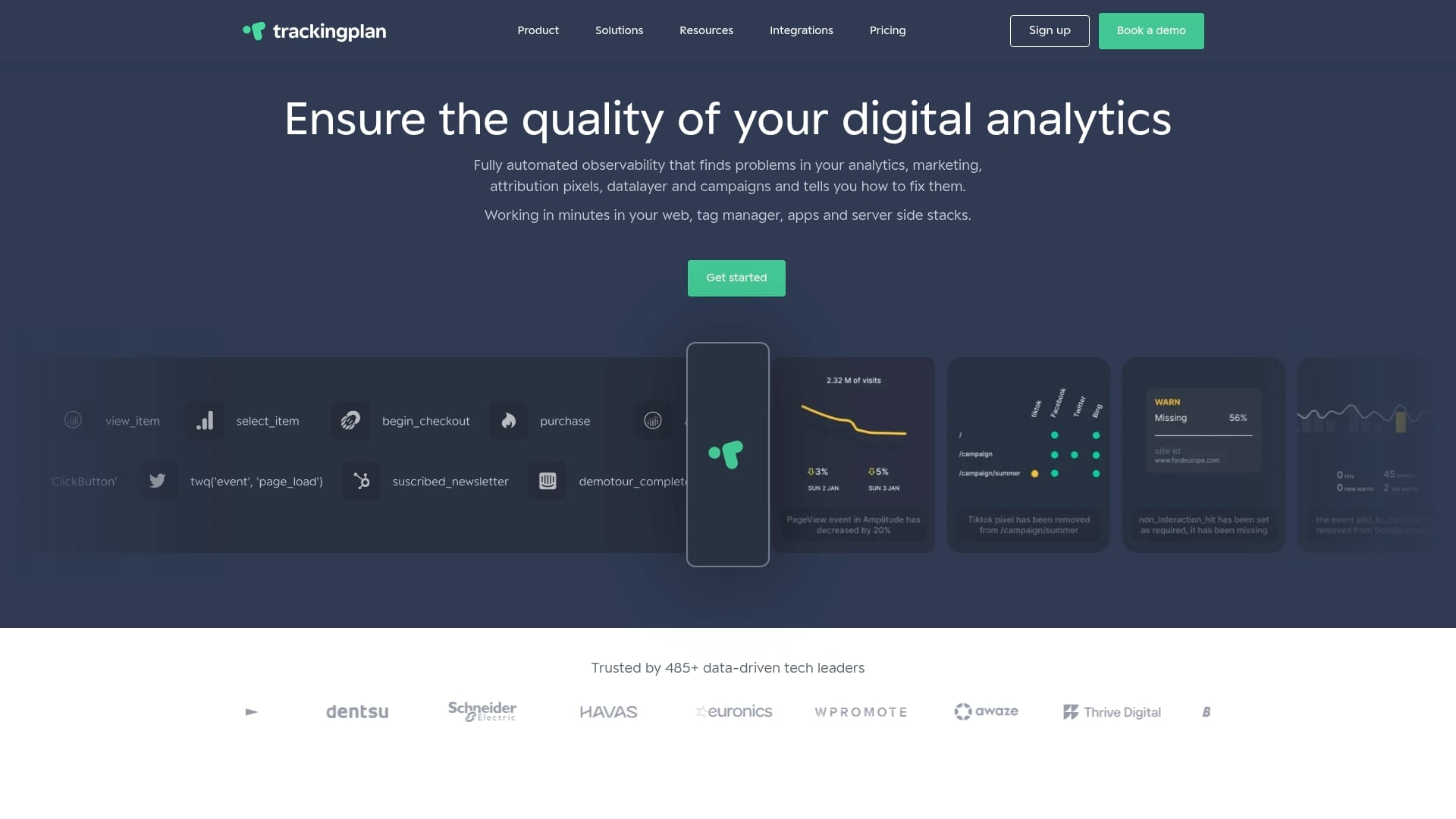
Trackingplan monitors your entire analytics stack in real time, catching tracking errors, pixel failures, and campaign misconfigurations before they corrupt your data. It integrates directly with digital analytics platforms like Amplitude, Mixpanel, and others to validate that the events feeding your AI tools are accurate and complete. Trackingplan also provides web tracking monitoring for ongoing audit and anomaly detection across your full Martech stack. If you want AI analytics to actually work, start by making sure the data going in is trustworthy.
FAQ
What are the best AI analytics tools in 2026?
The top platforms include Power BI with Copilot, ThoughtSpot, Amplitude, Mixpanel, Tableau, Looker, and Zoho Analytics, each suited to different team sizes, skill levels, and use cases.
How do proactive AI analytics differ from query-based tools?
Proactive tools like Amplitude’s Global Agent and Mixpanel AI push insights continuously without requiring user queries, while query-based tools like ThoughtSpot respond when a user asks a specific question.
Why does data governance matter for AI analytics accuracy?
Semantic model quality is more critical than LLM sophistication for reliable AI analytics results, because consistent metric definitions prevent conflicting or misleading AI-generated answers.
How much do AI analytics tools cost?
Pricing ranges from free tiers on Amplitude and Mixpanel to $10 to $50 per user per month for mid-tier platforms, with enterprise tools like Looker, Qlik, and Tableau requiring custom quotes. Consumption-based billing can significantly increase actual costs beyond the advertised starting price.
Which AI analytics tool is best for non-technical users?
Julius AI and Zoho Analytics are the strongest picks for non-technical users, offering conversational interfaces and minimal setup requirements with starting prices under $25 per month.