
TL;DR:
- Automated cookie audits quickly detect all cookies, trackers, and storage mechanisms for compliance.
- Regular manual checks remain essential for verifying runtime behavior and complex consent flows.
- Combining automation with manual review ensures accurate, ongoing website compliance and data quality.
Most websites believe their consent banners are doing the job. They are not. Only 15% of banners are minimally compliant, and hidden cookies continue firing before users ever click accept or reject. For digital marketing and analytics teams, this is not just a legal risk. It is a data quality crisis. Manual audits cannot keep pace with modern web stacks, where scripts load dynamically and third-party tags multiply overnight. Automated cookie audits have become the practical answer, giving teams the speed, coverage, and accuracy needed to stay compliant without burning hours on spreadsheets.
Table of Contents
- What is an automated cookie audit?
- Key features of leading automated cookie audit tools
- How automated cookie audits impact compliance and marketing analytics
- When to combine automated and manual audits for best results
- Why automation alone is not enough: Our take
- Next steps: Elevate your cookie audit process
- Frequently asked questions
Key Takeaways
| Point | Details |
|---|---|
| Speed and coverage | Automated cookie audits rapidly scan and categorize all tracking elements to uncover hidden risks. |
| Tool selection matters | Choosing the right audit platform depends on runtime detection, integration, and compliance reporting capabilities. |
| Blend automation with manual checks | Rely on automation for scale but verify critical flows and edge cases with manual inspection for full compliance. |
| Optimize consent and analytics | High-quality audits directly improve consent rates and the reliability of marketing analytics data. |
What is an automated cookie audit?
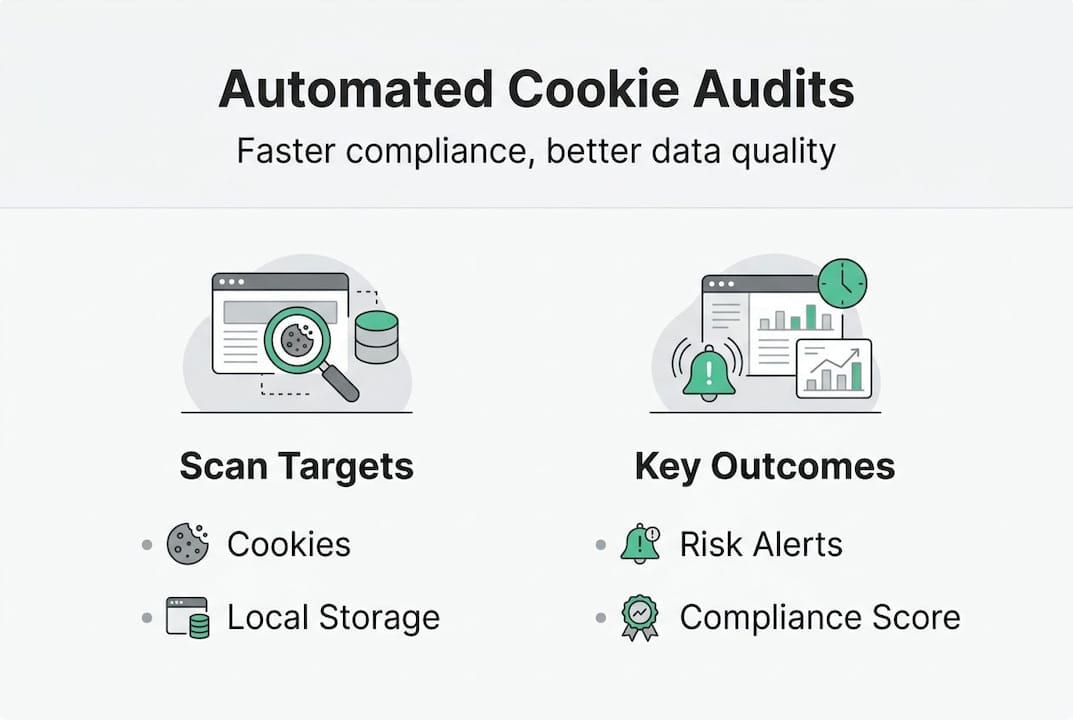
An automated cookie audit is a systematic, tool-driven process that scans a website to detect, categorize, and report on every cookie and tracker present, without requiring a human to manually open DevTools on each page. Unlike manual methods, where an analyst inspects cookies one URL at a time, automation handles entire domains in minutes.
Here is how the process typically works:
- You enter a URL or a list of URLs into the audit tool.
- The tool launches a headless browser that simulates a real user visiting the site.
- It intercepts all HTTP requests and JavaScript execution to capture cookies as they are set.
- Each cookie is classified by type: first-party or third-party, session or persistent.
- Attributes like HttpOnly, Secure, and SameSite are logged for each cookie.
- A report is generated, grouping cookies by category and flagging compliance risks.
This entire process, as cloud-based scanners demonstrate, completes in under two minutes for most sites. That speed matters enormously when you are managing dozens of domains or running audits after every deployment.
What gets scanned goes beyond simple cookies. Modern tools also inspect local storage, session storage, IndexedDB entries, and pixel fires. This matters because tracking can happen through mechanisms that traditional cookie-focused audits miss entirely.
| Scanned element | What it reveals |
|---|---|
| First-party cookies | Session management, login state, analytics IDs |
| Third-party cookies | Ad networks, retargeting pixels, social trackers |
| HttpOnly attribute | Whether cookies are accessible to JavaScript |
| Secure attribute | Whether cookies transmit only over HTTPS |
| SameSite attribute | Cross-site request forgery protection status |
| Local storage | Non-cookie tracking mechanisms |
Pro Tip: When setting up automated audits, always include your checkout flow and login pages. These pages often carry the highest concentration of sensitive cookies and are most likely to trigger compliance violations.
For teams building or refining their process, a solid website auditing checklist can help ensure nothing gets skipped between automated runs. Automation is essential not just for speed but for consistency. Human auditors vary in thoroughness. Automated tools apply the same rules every single time.
Key features of leading automated cookie audit tools
Not all cookie audit tools are built the same. Choosing the right one depends on your site complexity, compliance requirements, and whether you need batch processing across multiple properties.
The most important features to evaluate include:
- Scanning depth: Does the tool crawl subpages, or only the homepage?
- Runtime detection: Can it capture cookies set by JavaScript after page load, not just those in the initial HTTP response?
- CMP integration: Does it connect with your Consent Management Platform to verify banner behavior?
- Batch scanning: Can it process hundreds of URLs simultaneously for enterprise use?
- Reporting format: Does it export to formats your legal and compliance teams can actually use?
Among popular tools including Cookiebot, CookieYes, Trackingplan, Apify, and OneTrust, Cookiebot stands out for its database of over 100,000 known cookies, making categorization faster and more reliable. Apify excels at custom batch scanning for technical teams who need programmatic control. Trackingplan brings real-time audit capabilities directly into your analytics monitoring workflow, which is particularly valuable when you want compliance and data quality managed in one place.
| Tool | Best for | Runtime detection | CMP integration | Batch scanning |
|---|---|---|---|---|
| Cookiebot | SMB to enterprise compliance | Yes | Yes | Limited |
| CookieYes | Small to mid-size sites | Partial | Yes | No |
| Trackingplan | Analytics and compliance teams | Yes | Yes | Yes |
| Apify | Technical/custom workflows | Yes | No | Yes |
| OneTrust | Enterprise governance | Yes | Yes | Yes |
Runtime detection deserves special attention. Many cookies are not present in the initial page response. They are set by JavaScript that executes after load, often triggered by user interaction or third-party scripts. A tool that only scans static HTML will miss these entirely, creating a false sense of compliance.

For a detailed breakdown of the top audit tools in 2026, comparing pricing, detection depth, and integration options, the differences between tools become very clear very quickly. If you want to go further and actively monitor consent behavior in real time, the Consent and Cookies Checker from Trackingplan connects audit findings directly to live tracking data.
How automated cookie audits impact compliance and marketing analytics
Audit findings are not just checkboxes for your legal team. They have a direct, measurable effect on your marketing data quality.
Here is the chain of events most teams overlook:
- A cookie fires before the user consents.
- That cookie feeds data into your analytics or ad platform.
- Your attribution model registers a touchpoint that should not legally exist.
- Marketing decisions are made on polluted data.
- Ad spend is optimized against inaccurate signals.
Empirical benchmarks show that consent rates average between 42% and 58% depending on sector and banner design. In the EU, rates tend to be lower due to stricter regulatory expectations. For eCommerce sites, a poorly configured banner can mean losing consent-based tracking for more than half of all visitors.
Common compliance pitfalls that audits surface include:
- Missing reject buttons or reject-all options buried in submenus
- Marketing cookies firing before any user interaction
- Analytics cookies categorized incorrectly as strictly necessary
- Third-party scripts loading outside the CMP’s control
| Sector | Average consent rate | Pre-consent firing risk |
|---|---|---|
| eCommerce | 52-58% | High (checkout scripts) |
| Media/publishing | 42-48% | Medium (ad networks) |
| B2B SaaS | 55-65% | Low to medium |
| Global (non-EU) | 60-70% | Lower regulatory scrutiny |
As recent compliance research confirms, the gap between perceived compliance and actual compliance remains wide across industries. Teams that run regular automated audits close this gap faster because they catch pre-consent firing events before regulators do.
For a deeper look at how audit results connect to your data strategy, auditing marketing analytics is worth exploring alongside cookie testing for tracking results to see how these two practices reinforce each other.
When to combine automated and manual audits for best results
Automation handles the heavy lifting. But it does not handle everything.
Automated tools reliably cover more than 90% of routine cookie checks across standard pages and user flows. They are fast, consistent, and scalable. However, there are scenarios where manual inspection remains essential:
- A/B testing variants: Automated tools typically scan the default page version. If your A/B test serves a different consent banner to 50% of users, only manual checks will catch discrepancies.
- Post-consent behavior: Some cookies only fire after a user accepts. Simulating this interaction programmatically is possible but not always reliable across all tools.
- Edge case scripts: Third-party scripts that load based on geography, device type, or user segment may not appear in a standard scan.
- Audit log verification: Regulatory audits sometimes require documented human review. Automated reports supplement but do not always replace this requirement.
As manual DevTools verification confirms, runtime consent behavior and reject-scenario compliance often require hands-on inspection to verify accurately. Automated scans give you the map. DevTools let you walk the territory.
“Treating automation as the finish line is the most common mistake teams make. It is the starting line. The finish line is a verified, documented, and regularly updated compliance record.”
Pro Tip: After every major site update, run your automated audit first to catch obvious issues, then spend 15 minutes in Chrome DevTools verifying that your consent banner’s reject flow actually prevents marketing cookies from firing. This two-step process catches what either method alone would miss.
For teams also managing pixel health, auditing marketing pixels alongside cookie audits creates a more complete picture of your tracking stack’s compliance status. And automated cookie scanning tools can be integrated into CI/CD pipelines so audits run automatically on every deployment.
Why automation alone is not enough: Our take
Having worked with analytics and compliance teams across industries, we have seen a recurring pattern. Teams adopt an automated cookie audit tool, set it to run monthly, and then treat compliance as solved. It is not.
Automation shortens audit cycles dramatically and increases coverage in ways no manual process can match. But it cannot account for every user scenario, platform nuance, or regulatory interpretation. A tool that scans your homepage does not know what happens when a returning user with an expired consent cookie lands on a product page via a paid ad.
Human oversight is not optional. It is the layer that catches what automation cannot model: interface changes, new third-party integrations, regional regulatory updates, and the subtle ways consent flows break under real user behavior.
The teams with the strongest compliance records we have seen do three things consistently. They run automated audits on a fixed schedule. They conduct manual reviews after any significant site or stack change. And they keep compliance, analytics, and development in the same conversation. For a deep-dive on audit tools and how to build this kind of disciplined process, the gap between automated coverage and true compliance becomes very clear. Ignoring manual follow-up is almost always the root cause of persistent compliance risks.
Next steps: Elevate your cookie audit process
You now have a clear picture of what automated cookie audits do, which tools lead the field, and where human review still matters. The next step is putting this into a workflow that actually runs.
Trackingplan connects digital analytics tools integration with real-time cookie auditing so your compliance and analytics data stay aligned without manual reconciliation. The Privacy Hub gives your team continuous visibility into consent behavior, pre-consent firing events, and cookie categorization across all your properties. If you are ready to move from reactive auditing to proactive compliance, the Trackingplan platform is built to make that shift practical and measurable for teams of any size.
Frequently asked questions
What is the main advantage of automated cookie audits over manual ones?
Automated cookie audits scan entire domains in under two minutes, covering all cookies at scale with consistent accuracy, while manual audits are slow and prone to human error on complex sites.
How often should I run automated cookie audits?
Run audits monthly and after any major site change. Leading audit platforms recommend this cadence to maintain ongoing compliance and catch new tracking issues before they compound.
Can automated cookie audits ensure full legal compliance?
Automated audits catch most compliance issues, but manual DevTools checks are still needed for runtime consent behavior, reject-scenario validation, and non-standard script configurations.
What metrics should I track from cookie audit reports?
Prioritize consent rates, pre-consent firing events, marketing and analytics cookie counts, and compliance scores. Empirical benchmarks show these metrics directly affect attribution accuracy and ad performance.
Which tools support batch or large-scale automated cookie audits?
Apify, OneTrust, and Trackingplan all support scalable batch scanning. Tool comparisons highlight their enterprise features, including cloud-based crawling and multi-domain reporting for large site portfolios.