Troubleshoot GA4 tracking errors and fix attribution issues with this systematic root cause guide. Reduce '(not set)' traffic and improve analytics data quality in 2026.
Inaccurate digital analytics data disrupts campaign performance and decision-making across marketing teams. Nearly 40% of GA4 properties suffer from misconfigured events that compromise data integrity. These tracking failures lead to wasted ad spend, poor attribution, and missed opportunities. This guide walks you through systematic root cause analysis to identify and resolve common tracking issues, restoring confidence in your analytics data and improving campaign outcomes.
Table of Contents
- Understanding Common Digital Analytics Tracking Problems
- Preparing Your Environment For Root Cause Analysis
- Executing Root Cause Troubleshooting Steps
- Verifying Fixes And Ensuring Ongoing Data Quality
- Improve Your Tracking With Trackingplan
- FAQ
Key takeaways
| Point | Details |
|---|---|
| Accurate attribution requires proper campaign and session data setup | Misconfigured events and timing issues cause most attribution failures |
| Common root causes include SDK initialization errors and container mismanagement | Systematic auditing of event configurations and GTM containers reveals hidden issues |
| Hybrid client-server tracking improves reliability and overcomes ad blockers | Combining both methods with shared event IDs prevents duplicates and data loss |
| Business-aligned monitoring detects issues early | Continuous monitoring with KPI-focused alerts maintains data quality over time |
Understanding common digital analytics tracking problems
Digital analytics teams face recurring tracking and attribution challenges that undermine marketing performance. Understanding these common problems helps you prioritize troubleshooting efforts and recognize patterns across your analytics stack.
Misconfigured events represent the most prevalent issue in GA4 implementations. Nearly 40% of GA4 properties suffer from event configuration errors that cause incomplete or inaccurate data collection. Enhanced measurement features often fire incorrectly, capturing duplicate events or missing critical parameters. When key conversion events lack proper configuration, your attribution models work with flawed data, leading to poor optimization decisions.
Google Tag Manager mistakes compound tracking problems across web and app properties. Common GTM issues include:
- Using wrong container types for specific platforms
- Failing to maintain container version backups for rollback capability
- Implementing tags without proper testing in preview mode
- Overlooking trigger conditions that cause event misfires
- Neglecting workspace management leading to conflicting changes
These container management failures make debugging significantly harder when tracking issues emerge. Without proper version control and documentation, teams waste hours recreating steps that led to broken implementations.
iOS app tracking presents unique attribution challenges that frustrate analytics teams. Many iOS apps report excessive ‘(not set)’ traffic sources because campaign parameters fail to apply before the initial session_start event fires. SDK initialization timing issues combined with consent management delays create gaps in attribution data. This problem intensifies with deferred deep linking scenarios where campaign information arrives after analytics has already begun tracking the user session.
Campaign parameter restoration failures lead directly to poor source/medium attribution in analytics reports. When apps launch from marketing campaigns but fail to capture UTM parameters or referral data properly, you lose visibility into which channels drive conversions. This attribution blindness prevents accurate ROAS calculation and budget allocation across channels. Detecting tracking issues early through systematic monitoring helps prevent these data quality problems from affecting business decisions.
Preparing your environment for root cause analysis
Effective troubleshooting begins with proper environment preparation and clear alignment between your analytics setup and business objectives. Rushing into debugging without establishing this foundation leads to missed issues and incomplete fixes.

Align your analytics configuration with specific business goals before investigating tracking problems. Analytics environments with business alignment detect issues faster because monitoring focuses on metrics that matter. Define which conversions, revenue events, and user behaviors directly impact your KPIs. This clarity helps you prioritize which tracking problems demand immediate attention versus minor issues that can wait.
Prepare your analytics stack with multiple tracking layers to enable comprehensive root cause analysis. A robust setup includes GA4 for user behavior analytics, Google Tag Manager for flexible event implementation, and server-side tracking components for data reliability. Document your current tracking implementations thoroughly, noting which events fire on which pages, what parameters each event captures, and how data flows from client to analytics platforms.
Google Tag Manager requires specific organizational practices for effective troubleshooting:
- Implement consistent naming conventions across tags, triggers, and variables
- Maintain container version backups before making any changes
- Use workspace descriptions to document the purpose of each modification
- Test all changes in preview mode before publishing to production
- Create a change log linking container versions to specific features or fixes
Privacy and consent management directly affects analytics initialization and data capture. Ensure your consent management platform fires before any analytics tags attempt to initialize. Respect user privacy choices by preventing tracking until proper consent is obtained. This compliance-first approach prevents data collection violations while maintaining analytics accuracy for consenting users.
Pro Tip: Create a troubleshooting checklist documenting your current analytics architecture, including SDK versions, GTM container IDs, consent platform configuration, and all third-party integrations. This reference accelerates root cause identification when issues arise.
The following table compares environment readiness factors critical for successful troubleshooting:
| Factor | Prepared State | Unprepared State | Impact on Troubleshooting |
|---|---|---|---|
| Business alignment | KPIs clearly defined and tracked | Generic metrics without purpose | Prepared teams prioritize fixes effectively |
| Documentation | Current tracking spec maintained | No written implementation record | Prepared teams debug 3x faster |
| GTM organization | Named conventions and backups | Ad hoc container changes | Prepared teams isolate issues quickly |
| Privacy compliance | Consent managed before analytics | Tracking fires regardless of consent | Prepared teams avoid legal and data issues |
Establishing these foundations transforms reactive firefighting into systematic digital marketing analytics management. With proper preparation, you can confidently investigate root causes knowing your environment supports accurate diagnosis. Analytics monitoring setup becomes far more effective when built on this organized foundation.
Executing root cause troubleshooting steps
Systematic investigation and correction of tracking issues requires following specific steps that address the most common root causes. This structured approach ensures you resolve problems thoroughly rather than applying temporary patches.
-
Audit event configurations to catch misfires and duplicates. Review every GA4 event in your implementation, checking that parameters match your measurement plan. Use GA4 DebugView to watch events fire in real time, identifying duplicates or events triggering on wrong user actions. Verify that key conversion events include all required parameters for proper attribution. Export your event catalog and compare against documented specifications to find drift over time.
-
Verify GTM container usage, backups, and environment consistency. Confirm you’re using the correct container type for each platform: web containers for websites, iOS containers for iOS apps, Android containers for Android apps. Check that your production container matches your tested staging container. Review trigger configurations to ensure events fire only under intended conditions. Validate that all custom JavaScript variables execute without errors in browser console.
-
Check SDK initialization sequence to ensure campaign data applies before session start. Examine your app’s initialization code to confirm the analytics SDK receives campaign parameters before logging the first session_start event. This timing is critical for proper attribution. Review consent management integration to ensure analytics initialization waits for user consent decisions. Test cold app launches from campaign links to verify attribution data captures correctly.
-
Implement deferred deep linking restoration for campaign parameters on first app launch. Configure your deep linking solution to preserve campaign parameters through app installation and first launch. Restoring attribution before initialization dramatically reduces ‘(not set)’ source issues in mobile app analytics. Pass UTM parameters and referral data to your analytics SDK immediately upon app launch, before any session events fire. Test this flow by installing your app from various campaign sources.
-
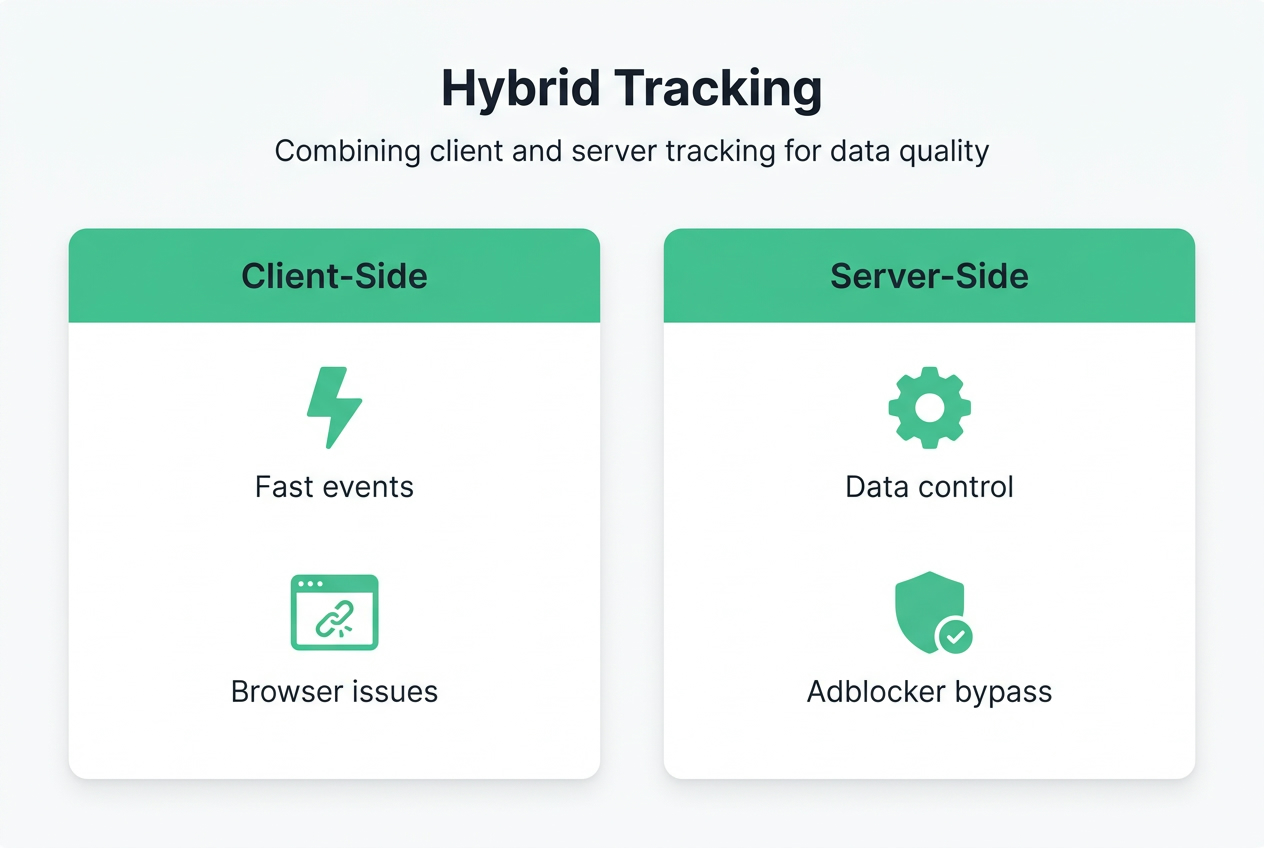
Use a hybrid tracking method combining client and server-side to minimize blockers and data loss. Implement dual event sending where critical conversions fire from both client browsers and your server infrastructure. Assign shared event IDs to prevent duplicate reporting when both methods succeed. Server-side tracking captures conversions even when ad blockers or browser restrictions interfere with client-side pixels. This redundancy significantly improves data completeness for marketing analytics data integrity.
Pro Tip: Hash personally identifiable information like email addresses and phone numbers before transmission to analytics platforms. Use SHA-256 hashing client-side before events leave the browser or app. This practice maintains privacy compliance while enabling user identification for attribution and remarketing purposes.
These troubleshooting steps address the root causes behind most tracking failures. Executing them systematically rather than randomly testing fixes saves time and ensures comprehensive resolution. Document each step you complete and the results observed to build institutional knowledge for future troubleshooting efforts.
Verifying fixes and ensuring ongoing data quality
Applying fixes solves immediate problems, but validation and continuous monitoring prevent regression and catch new issues before they impact business decisions. Effective verification requires both immediate testing and long-term monitoring frameworks.
Validate your fixes by tracking specific metrics that should improve after implementation. Monitor the percentage of ‘(not set)’ sessions in GA4, which should decrease significantly after addressing SDK initialization and campaign parameter restoration. Check event counts for consistency, ensuring conversion events fire the expected number of times without duplicates. Review attribution reports to confirm marketing channels now receive proper credit for driving conversions. Compare data quality metrics before and after fixes to quantify improvement.
Implement ongoing monitoring frameworks with alerts aligned to your business KPIs. Configure notifications for sudden drops in conversion event volume, spikes in ‘(not set)’ attribution, or changes in event parameter schemas. Set thresholds based on normal variance in your data so alerts fire only for genuine anomalies requiring investigation. Connect monitoring alerts to your team communication channels like Slack or Teams for immediate visibility when issues emerge.
The following table evaluates different tracking approaches for data quality and reliability:
| Approach | Data Completeness | Ad Blocker Impact | Implementation Complexity | Best Use Case |
|---|---|---|---|---|
| Client-side only | 70-80% | High (20-30% loss) | Low | Non-critical analytics, simple setups |
| Server-side only | 90-95% | None | High | Privacy-focused implementations |
| Hybrid | 95-99% | Minimal | Medium | Mission-critical conversion tracking |
Hybrid tracking using shared event IDs provides the optimal balance of data completeness and implementation practicality. This approach captures conversions at their source while maintaining backup paths when client-side tracking fails.
Privacy compliance remains essential throughout ongoing monitoring and data collection. Continue hashing user identifiers before transmission to analytics platforms. Manage consent state changes dynamically, stopping data collection immediately when users revoke consent. Document your privacy practices and regularly audit compliance with GDPR, CCPA, and platform-specific requirements. Privacy violations carry significant legal and reputational risks that far outweigh any analytics benefits.
Maintain clear documentation of all fixes applied and monitoring configurations established. Create a change log linking specific fixes to the issues they resolved, including before and after metrics demonstrating improvement. Document monitoring alert thresholds and the business logic behind them. This documentation proves invaluable when new team members join or when investigating whether current issues relate to past problems.
Best practices for sustaining high-quality analytics data over time include:
- Schedule quarterly audits of your entire tracking implementation against your measurement plan
- Review and update monitoring alert thresholds as your business scales and data volumes change
- Test tracking implementations in staging environments before deploying to production
- Maintain communication channels between analytics, development, and marketing teams for rapid issue response
- Invest in server-side tracking infrastructure as your business grows and data reliability becomes more critical
- Keep SDK versions and tracking libraries updated to benefit from bug fixes and new features
- Document and review privacy compliance practices annually as regulations evolve
Understanding what is server-side tracking helps you make informed decisions about evolving your analytics architecture. As tracking reliability becomes more challenging with browser restrictions and privacy regulations, server-side approaches provide greater control and data completeness.
Continuous monitoring transforms analytics from a reactive troubleshooting exercise into a proactive data quality program. Teams that invest in systematic monitoring catch and fix issues before they accumulate into significant data gaps affecting business decisions.
Improve your tracking with Trackingplan
Maintaining accurate digital analytics requires continuous vigilance and tools that catch issues before they impact your data quality. Trackingplan automates the detection and diagnosis of tracking problems across your entire analytics stack.
Trackingplan provides automated monitoring that alerts you instantly when events misfire, parameters change unexpectedly, or attribution data degrades. The platform integrates seamlessly with digital analytics tools you already use, providing a unified view of data quality across GA4, marketing pixels, and attribution platforms. Automated auditing reveals configuration drift and implementation errors that manual reviews often miss.
Web tracking monitoring solutions from Trackingplan help marketing and analytics teams maintain trustworthy data for optimization and reporting. Real-time alerts via email, Slack, or Teams ensure your team responds immediately when tracking breaks. Comprehensive dashboards provide ongoing visibility into your analytics health, helping you prioritize fixes and demonstrate data quality improvements to stakeholders. Explore how Trackingplan can transform your analytics troubleshooting from reactive firefighting into proactive quality assurance.
FAQ
How do I identify the root cause of tracking errors in Google Analytics 4?
Start by auditing your event configurations in GA4 to identify misfires, missing parameters, or duplicates. Review Google Tag Manager containers to verify correct setup and trigger conditions. Check SDK initialization timing to ensure campaign data applies before the first session_start event fires. Use tracking issue detection tools to automate discovery of configuration problems and data gaps across your analytics stack.
What causes the ‘(not set)’ source/medium issue in iOS apps using GA4?
The ‘(not set)’ attribution issue occurs when campaign parameters haven’t been applied before the first session_start event fires in your analytics SDK. Campaign data timing problems often result from deferred deep linking delays or consent management flows that postpone SDK initialization. Restoring attribution parameters before analytics initialization significantly reduces these attribution failures.
How does hybrid client-server tracking improve data accuracy?
Hybrid tracking combines client-side and server-side event sending to bypass ad blockers and improve data coverage. Shared event IDs prevent duplicate reporting when both methods successfully transmit the same conversion. Server-side tracking captures conversions at their origin, ensuring data collection even when browser restrictions block client-side pixels. This dual approach provides 95-99% data completeness compared to 70-80% for client-side only implementations. Learn more about server-side tracking implementation to enhance your analytics reliability.
What tools help maintain ongoing analytics data quality?
Implement automated monitoring platforms that alert you to tracking anomalies, event schema changes, and attribution degradation. Configure alerts tied to your specific business KPIs so notifications reflect genuine issues requiring attention. Use analytics audit tools that compare your implementation against documented specifications to catch configuration drift. Establish regular review schedules for your tracking setup, typically quarterly, to proactively identify and fix emerging problems before they accumulate into significant data gaps.
Recommended
- How to Detect Tracking Issues for Reliable Analytics Data | Trackingplan
- Debug Analytics Problems with Trackingplan | Trackingplan
- Analytics Implementation Guide 2026: 90% Error Detection | Trackingplan
- Tracking Horror Stories: Tales from the Digital Analytics Trenches | Trackingplan
- Digital Marketing Strategies for Moving Companies: A Complete Guide - Virtual Estimate Blog