
TL;DR:
- Many marketing teams assume their analytics are accurate after initial setup, but measurement errors often develop silently and distort key data. Proper digital measurement involves continuous validation of event parameters, consent compliance, and schema consistency to ensure reliable insights for campaign optimization. Regular auditing and proactive monitoring of tracking implementations are essential for maintaining data integrity and maximizing marketing performance.
Most marketing teams assume their analytics are working the moment they finish the setup. They fire the pixel, confirm the tag loads, and move on. But measurement errors do not announce themselves. They accumulate quietly, distorting the data that informs every budget decision, campaign adjustment, and attribution report you rely on. The gap between “configured” and “accurate” is where real tracking performance is won or lost, and closing that gap requires understanding the mechanics behind modern digital measurement at a much deeper level than most guides cover.
Table of Contents
- What is digital measurement and why it matters
- How modern analytics tools structure measurement
- Consent mechanics and their impact on measurement accuracy
- Practical strategies for implementing and auditing measurement
- What most experts overlook about digital measurement
- Next steps: Connecting your measurement strategy to best-in-class tools
- Frequently asked questions
Key Takeaways
| Point | Details |
|---|---|
| Measurement goes beyond setup | Effective digital measurement requires ongoing configuration and validation, not just initial analytics setup. |
| Event-driven analytics risks | Misaligned parameters can propagate errors throughout reporting in modern analytics platforms like GA4. |
| Consent changes tracking | Consent Mode alters tracking behavior and attribution, demanding focused audits on tag and parameter handling. |
| Audit and troubleshoot regularly | Continuous audits and alignment checks are essential to avoid attribution gaps and maintain measurement accuracy. |
| Tools accelerate performance | Using advanced integration, monitoring, and privacy tools streamlines measurement and boosts campaign results. |
What is digital measurement and why it matters
Digital measurement is not simply the act of placing a tracking tag on a page. It is the continuous process of capturing, validating, and structuring user behavior data so that it reliably reflects what actually happened across your digital properties. That distinction matters enormously when you are trying to understand unlocking marketing analytics growth at scale.
At its most practical level, digital measurement covers several distinct data types. Pageviews are the foundation. Events capture specific interactions like button clicks, form submissions, and video plays. Enhanced conversions attach richer data to those events, like email or phone number, to improve match rates. Offline tracking bridges the gap between digital interactions and physical outcomes, such as in-store visits or phone calls driven by an online ad.
Each layer adds value, but also introduces risk. Data accuracy in digital marketing analytics depends directly on whether each layer is collecting what it claims to collect. A misconfigured enhanced conversion can overreport revenue. A missing offline event import can make a top-performing campaign look average. These are not edge cases. They happen constantly in production environments.
Here is where measurement errors tend to undermine performance:
- Broken event triggers cause entire conversion categories to drop from reports without warning
- Duplicate tags inflate session counts, making cost-per-session look artificially low
- Missing UTM parameters strip source and medium from campaigns, sending traffic to the dreaded “direct / none” bucket
- Schema mismatches between your data layer and your analytics tool mean parameters fire but land in the wrong fields
- Unvalidated offline data imports introduce future-dated or misformatted records that corrupt attribution windows
Industry estimates suggest that a significant portion of campaigns run on data distorted by improper configuration, with some analyses pointing to more than 40% of analytics implementations containing at least one critical error that affects optimization decisions.
“In digital measurement, data collection accuracy depends on correctly configuring measurement itself and then validating what is actually being sent, including offline and on-app events and enhanced measurement where enabled.”
That quote captures the entire problem. Configuration is step one. Validation is the step most teams skip. And skipping it means you are making decisions on data you have never actually verified.
The practical consequence is that measuring marketing effectiveness becomes unreliable precisely when you need it most, during bid strategy optimization, audience segment creation, and budget reallocation.
How modern analytics tools structure measurement
To understand where errors hide, you need to understand how modern analytics platforms are built. Google Analytics 4 fundamentally changed the architecture of measurement. Instead of sessions and pageviews as the primary unit, GA4’s event-driven model treats everything as an event. Every interaction is an event with parameters, and those parameters become the dimensions and metrics you see in reports.
This sounds elegant. And it is, when it works. But it creates a subtle chain of dependency that amplifies errors. If a parameter is missing or named incorrectly, the dimension it was supposed to populate either stays blank or gets incorrectly bucketed. Aggregations across that dimension then produce numbers that look plausible but mean nothing. This is why a well-structured digital marketing analytics guide always emphasizes parameter validation before you build a single report.

Here is a comparison of the two measurement models to make the structural difference concrete:
| Feature | Event-driven (GA4) | Session-based (Universal Analytics) |
|---|---|---|
| Primary unit | Event with parameters | Session with hits |
| Dimensions source | Event parameters | Hit and session attributes |
| Custom data | Custom parameters and dimensions | Custom dimensions and metrics |
| Error propagation | Parameter level, impacts aggregations | Hit level, impacts session roll-up |
| Flexibility | High, but requires strict naming | Lower, but schema is more forgiving |
| Attribution model | Data-driven by default | Last-click by default |
The error propagation row is the critical insight. In a session-based model, a misconfigured hit is relatively contained. In an event-driven model, a misconfigured parameter can corrupt every metric that relies on that dimension across thousands of events.
To ensure parameter alignment and accurate reporting, work through these steps in order:
- Define a parameter naming convention before implementation. Use a schema document that maps every event to its required and optional parameters with exact casing and data types.
- Implement a data layer that structures parameters consistently before they are read by any tag manager or SDK.
- Validate parameter values in a staging environment using real interaction flows, not just page loads.
- Cross-reference parameters in the GA4 DebugView to confirm each event fires with the expected parameter set.
- Monitor for schema drift after deployments by comparing parameter structure before and after releases.
- Build anomaly alerts that flag events firing without required parameters, such as a purchase event missing a transaction ID.
Pro Tip: Always validate event parameters before relying on aggregated reports. A purchase event that fires without a value parameter will still count as a conversion but will report zero revenue. You will not see the error in your conversion count, only in your revenue totals, and by then the bidding algorithm has already acted on it.
Fixing marketing data errors at the parameter level is far less costly than correcting attribution models after weeks of flawed data have already influenced campaign spend.
Consent mechanics and their impact on measurement accuracy
Consent Mode is not just a legal checkbox. It is an active technical layer that modifies how GA4 behaves based on what a user agrees to. Understanding this distinction is what separates teams that maintain measurement accuracy under privacy regulations from those that quietly lose attribution coverage without realizing it.
When a user denies analytics storage consent, Consent Mode limits tracking in specific and important ways. GA4 stops storing the GA client ID cookie, which means the user can no longer be recognized across sessions. The platform switches to modeled measurement, using aggregated, anonymized signals to estimate what might have happened. This is better than nothing, but it is not the same as observed data.
Here is how tracking behavior changes depending on consent state:
| Behavior | Analytics storage granted | Analytics storage denied |
|---|---|---|
| GA client ID cookie set | Yes | No |
| Session tracking | Full | Modeled |
| User ID persistence | Yes | No |
| Conversion attribution | Observed | Partially modeled |
| Audience creation | Full | Limited |
| Real-time reporting | Full | Delayed or absent |
| Cross-device tracking | Available | Not available |
The operational impact is significant. When a large portion of your traffic operates under denied consent, your attribution reports show a systematically incomplete picture. Campaigns targeting privacy-conscious audiences or operating in markets with high consent denial rates will appear to underperform compared to campaigns where most users accept cookies.
The most common challenges digital marketers face under restrictive consent environments include:
- Attribution compression: Last-touch models over-credit channels that interact with users after consent is accepted, while earlier touchpoints in the funnel are invisible
- Audience size reduction: Remarketing pools shrink because unidentified users cannot be added to behavioral segments
- Conversion rate distortion: Checkout completions from non-consenting users may appear in Measurement Protocol data but lack the session context to attribute correctly
- A/B test contamination: Experiment assignment relies on user identity. Cookieless users may be randomly re-bucketed across sessions, polluting test results
- Budget misallocation: Automated bidding strategies optimize toward the data they can see, which under-represents certain audiences and skews spend toward already-consenting users
Preventing premature tag firing before consent is captured is one of the most impactful things you can do for data quality. Tags that fire before the consent management platform has resolved user preferences create dirty data that cannot be cleaned retroactively.
There is also a second, less obvious problem. Even teams that have Consent Mode implemented correctly often fail to audit the parameters those consent tags actually pass. A tag can fire in the right sequence and still send incorrect consent state values due to CMP misconfiguration. Auditing consent mode compliance means checking the actual parameter values, not just tag firing order.
Pro Tip: Prioritize auditing the parameters set by your consent tags, not just whether the tags fire. A tag that fires correctly but passes "analytics_storage: “granted”` before the user has made a choice is just as damaging as a tag that fires at the wrong time. Use your browser’s network tab or a dedicated consent management platform audit tool to inspect actual parameter values across different consent scenarios.
Practical strategies for implementing and auditing measurement
With the architectural and consent layers understood, the focus shifts to execution. Strong digital measurement does not happen from a single configuration pass. It comes from a structured process that covers setup, validation, integration, and ongoing review.
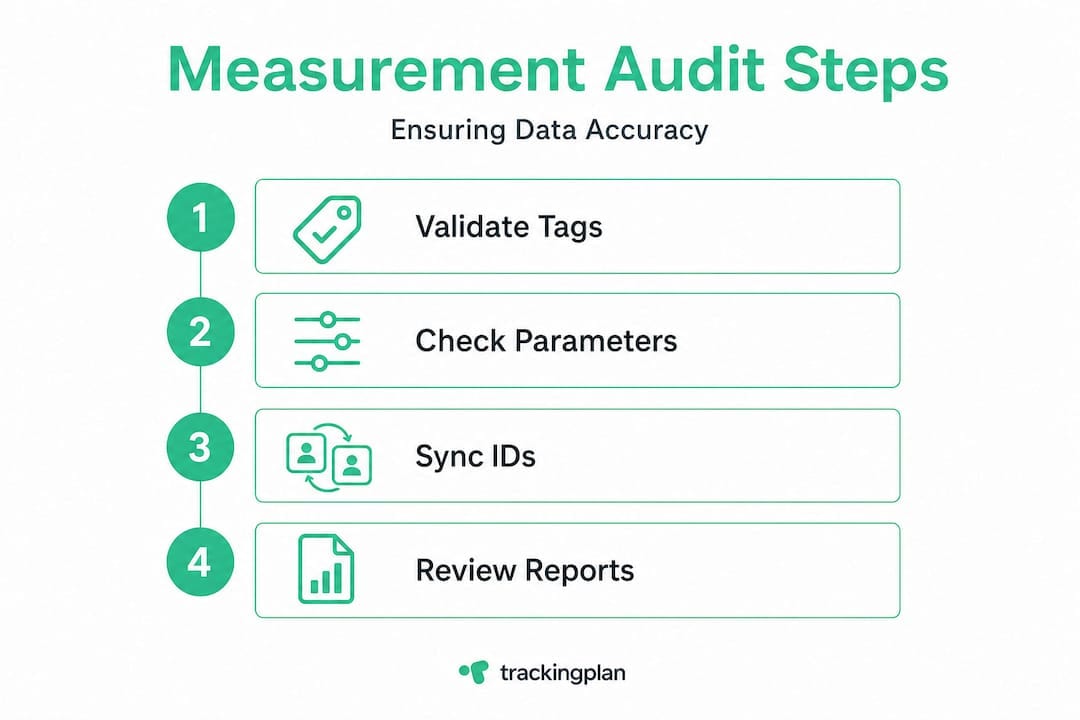
Here is a practical audit process to follow:
- Inventory all measurement touchpoints across web, app, and server-side environments. List every event, its trigger conditions, its required parameters, and where it sends data.
- Validate each event against your schema document using real user flows in a staging environment. Do not rely on manual QA alone. Automated validation catches regressions that humans miss.
- Check offline event integration by verifying that uploaded data matches the format expected by the receiving platform, including event name, timestamp format, and user identifier type.
- Audit source and medium assignment across sessions by testing major entry paths including paid search, organic, email, and direct. Confirm UTM parameters survive redirects and landing page loads.
- Review Measurement Protocol implementations to confirm they are enriching existing sessions rather than creating standalone hits with no session context.
- Run a consent state audit to confirm that tags pass the correct parameters under each consent scenario including granted, denied, and pending.
- Compare report totals across platforms for the same time period and reconcile unexplained gaps between ad platform conversions and analytics conversions.
One area that creates persistent problems is Measurement Protocol. It is a powerful tool for sending server-side events into GA4, particularly for offline conversions. But it is frequently misused.
“Measurement Protocol is intended to enrich existing web measurement rather than initiate new sessions or users. Incorrect session and user identifiers or mismatched timing can lead to attribution gaps such as missing source and medium fields.”
In plain terms: if you send a Measurement Protocol hit with a client ID that does not match an existing GA4 session, the event will land in a void. It will count, but it will attribute to nothing. The source and medium fields will be empty, and your last-click conversion report will show that a purchase came from direct traffic because there was no session to inherit attribution from.
Ensuring accurate data collection across both client-side and server-side streams requires treating the user identifier as a contract. The client ID on the Measurement Protocol hit must match the client ID from the browser session that preceded the offline action.
Pro Tip: Avoid missing source and medium fields in Measurement Protocol data by passing the session ID in addition to the client ID when available. The session ID creates a tighter link to the originating session and reduces attribution loss significantly in GA4’s newer measurement architecture.
Optimizing attribution tracking across hybrid environments where client-side and server-side data merge requires careful attention to identifier alignment and timing tolerances. Events sent hours after the session ends will behave differently from events sent within the same session window.
What most experts overlook about digital measurement
Here is an uncomfortable truth about the analytics industry: most teams implement digital measurement, confirm the basics work, and then treat it as done. They focus their energy on interpreting data rather than questioning whether the data is still valid. This is the single biggest blind spot in modern marketing measurement.
The problem is not ignorance. It is tempo. Analytics tools evolve constantly. GA4 has had multiple measurement architecture changes since its release. Consent Mode v2 introduced new parameter requirements. Tag manager containers accumulate technical debt. Data layers get modified by developers who do not know they are touching something measurement-critical. Every one of these changes can silently corrupt your tracking without triggering a visible error.
The best-performing analytics teams we observe treat digital measurement as an ongoing operational process, not a project with an end date. They build structured audit cycles into their calendar, not as reactions to data anomalies, but as proactive maintenance. They review parameter schemas after major site deployments. They re-test consent flows after CMP updates. They reconcile platform conversion totals monthly.
This approach also changes how teams respond to data surprises. When a campaign suddenly shows a cost-per-acquisition spike, teams with ongoing measurement hygiene can quickly rule out tracking errors and focus on actual campaign factors. Teams without that discipline spend days or weeks trying to determine whether the spike is real or a measurement artifact. That delay has a real cost in budget, team time, and missed optimization windows.
The conventional wisdom says to fix your tracking once and focus on strategy. Our view is the opposite: tracking accuracy is a strategic asset that requires the same ongoing investment as your creative or targeting decisions. Treating it as infrastructure that runs itself is how you end up with a six-month blind spot in your attribution model.
Marketing analytics growth does not come from having more data. It comes from having data you can trust completely, and that trust has to be earned continuously.
Pro Tip: Establish recurring calendar reminders for measurement audits and parameter reviews. A 30-minute monthly review of anomaly alerts, parameter schemas, and consent audit logs will catch the majority of drift issues before they compound into larger data quality problems.
Next steps: Connecting your measurement strategy to best-in-class tools
Getting measurement right requires more than a checklist. It requires continuous visibility across your entire analytics stack, from tag firing order and parameter schemas to consent state validation and cross-platform reconciliation.
Trackingplan gives marketing and analytics teams exactly that. The platform provides automated discovery and monitoring of your digital analytics tools integration across web, app, and server-side environments, surfacing schema mismatches, broken pixels, and tracking regressions in real time. For teams managing the complexities of Consent Mode, the privacy hub solutions enable compliance auditing alongside measurement accuracy checks, so you never have to choose between privacy and data quality. The web tracking monitoring solution keeps your measurement validated continuously, with AI-powered alerts that notify your team via Slack, Teams, or email the moment something drifts. If you are ready to move from reactive tracking fixes to proactive measurement confidence, explore what Trackingplan can do for your analytics stack.
Frequently asked questions
How does GA4’s event-driven model affect measurement accuracy?
GA4 relies on event parameters for every metric and dimension, so missing or misaligned parameters propagate directly into reporting errors that can affect optimization decisions across your entire campaigns.
What happens when a user denies consent in Consent Mode?
When analytics storage is denied, GA4 stops setting the GA client ID cookie and switches to cookieless or modeled measurement, which significantly limits attribution accuracy and audience creation capabilities.
Can Measurement Protocol be used to start new sessions or users?
No. Measurement Protocol is designed to enrich existing sessions initiated by the browser or app SDK. Using it to create standalone sessions produces attribution gaps, particularly missing source and medium values.
What are common challenges caused by digital measurement errors?
Errors such as misconfigured parameters, unvalidated offline events, and consent state mismatches produce incorrect campaign attribution, inflated or deflated conversion counts, and suboptimal automated bidding decisions that compound over time.
How often should digital measurement configurations be audited?
Best practice is to run a formal audit monthly and after every major analytics update or site deployment, since tool changes and code releases are the most common triggers for undetected measurement regressions.