
PPC monitoring is the continuous check of the data your campaigns learn from: conversions and pixels firing, browser and server events counted once, click IDs and UTMs reaching the site, consent reaching the ad tags, and spend matched against conversions. To monitor your PPC tracking between audits, watch those signals on real traffic every day, check again after every tag manager release, and get an alert when one changes instead of waiting for the next audit to find it.
Most pages about PPC monitoring are about performance: bids, budgets, pacing, competitors on your brand terms. Those matter. This page is about what sits underneath them, because every bid, budget rule and ROAS report is computed from the conversions your site sends.

What PPC monitoring covers
An audit describes one day. Monitoring covers what happens between that day and the next audit: a release, a new consent banner, a redirect someone added to a landing page, a campaign launched with new UTMs.
Six signals do most of the work.
| What to watch | Where it breaks | How you notice |
|---|---|---|
| Conversions and pixels firing | A release removes the tag from checkout, or the purchase fires only on reload | Purchases per platform drop against your orders; the pixel is missing from a page that gets paid traffic |
| Pixel and server events counted once | The server event loses its event_id, or the browser and server use different names | Platform conversions rise above real orders |
| Click IDs and UTMs | A redirect, a link shortener or a consent wall drops gclid, fbclid, ttclid or the UTMs | Paid clicks land as direct or referral; conversions lose their click ID |
| Consent reaching the ad tags | A banner update changes the order, or a tag ignores the choice | Ad tags fire before opt-in, or never fire after it |
| Tag manager releases | A publish changes a trigger, a variable or a tag without a note | A step change in any signal on the day of a publish |
| Spend against conversions | Tracking breaks while the campaign keeps spending | Spend steady, conversions gone; clicks with no matching traffic on the site |
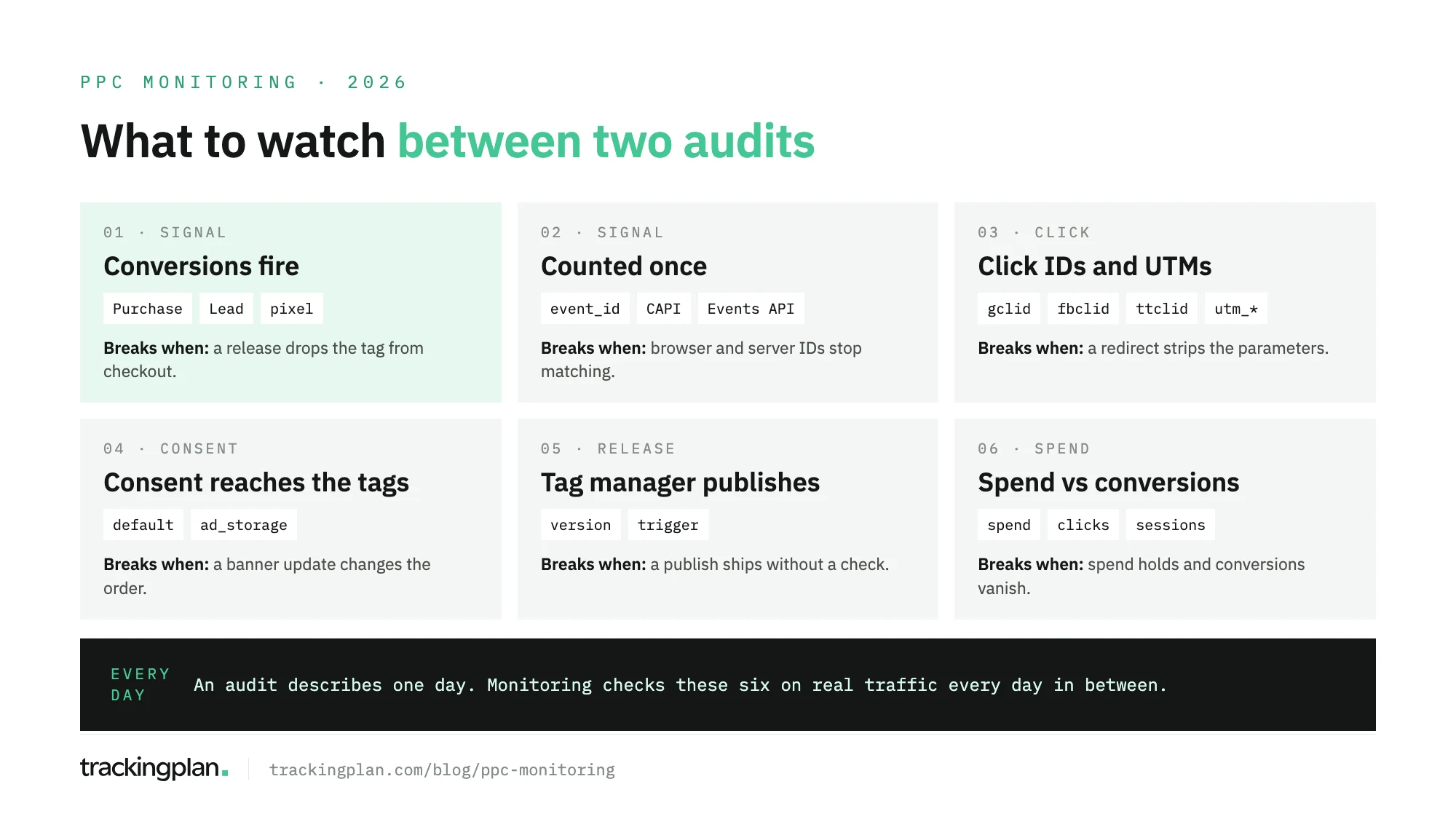
What monitoring doesn’t cover: bid strategy, creative, audiences and account structure. Those belong to the audit and to the people running the account.
Start from an audit
Monitoring needs a known good state to compare against, and an audit gives you one. Run it once per platform, then monitor the result:
- Google Ads audit: conversion tracking, UTMs and
gclid, structure and search terms. - Meta audit: the Pixel and the Conversions API, the click, the account and the backend.
- TikTok audit: the Pixel and the Events API, then the account.
- LinkedIn Ads audit: the Insight Tag, the lead data and the account.
- Microsoft Ads audit: the UET tag, the click and the account.
- Amazon PPC audit: attribution windows, ACOS and structure.
For the tracking side across all of them, the pixel audit walks through Meta, Google Ads and TikTok in one pass. The PPC audit checklist covers the ten points that break campaigns most often.
Each of those posts ends at the same place. The audit describes one day, and the next release can change everything it checked.
Conversions and pixels firing
The first question every day: did each conversion reach each platform? Compare purchases or leads per platform with your orders or your CRM for the same day. A purchase that drops by half on one platform and not the others points to a tag, not to demand.
Google Ads shows a status for each conversion action, but you have to open it, and Google Ads Help notes that it may take up to 48 hours for the tag status to update after a fix. Two days of bidding on a broken signal is a long time.
Watch presence too. A pixel that disappears from the landing pages you pay to send traffic to costs conversions before anyone opens a report. This post on ad pixel monitoring tools covers what to check per pixel.
Pixel and server events counted once
When the browser and the server both send a conversion, each platform has to merge the pair. If it can’t, the purchase counts twice and the campaign learns from a number above your real orders.
The rule is close on Meta and TikTok:
- Meta. The Pixel’s
eventIDmust match the Conversions API’sevent_id, and the event names must match too. Meta’s developer docs merge pairs received within 48 hours of the first event. - TikTok. The
event_idgoes through both the Pixel and the Events API. TikTok’s help center describes merging identical events with the sameevent_idwithin a 48-hour window.
Deduplication breaks quietly. A developer renames the purchase event on the server, or a new checkout generates the ID in the browser only. Nothing errors. The conversion count just goes up. The failure patterns are in this post on CAPI deduplication issues.
What to watch: conversions per platform against orders, and the share of server events that carry the same ID as their browser twin.
Click IDs and UTMs surviving the click
A click ID ties a conversion back to the ad. Lose it between the ad and the landing page, and the platform still counts the click while the conversion arrives without it.
- Google Ads. Google Ads Help says auto-tagging adds the
gclid, which is required for website conversion tracking. Another Google Ads Help page adds that with redirects, thegclidmust reach the final landing page, and that some sites reject arbitrary URL parameters. More in our post on the GCLID. - Meta. Meta’s developer docs say the Pixel stores the
fbclidin the_fbccookie, and that the value is case sensitive, so nothing should modify it on the way. See also what fbclid is. - TikTok. TikTok’s help center describes
ttclidas a parameter appended to the landing page URL on an ad click. TikTok matches it to the events you send for attribution and optimization.
UTMs break the same way, plus one more: naming. utm_source=facebook, fb and meta are three sources in GA4. Watch for paid clicks that land without UTMs, sources that don’t follow your convention, and conversions that arrive without a click ID. The UTM tracking audit has the cleanup steps.
Consent signals reaching the ad tags
Consent breaks in two directions. An ad tag that fires before the visitor answers is a compliance problem. A tag that never fires after the visitor accepts is a measurement problem, and the campaign loses those conversions.
Order matters. Google’s tag platform documentation says the default consent command must run on every page before any command that sends measurement data, and that defaults won’t work if the consent code runs out of order. With ad_storage denied, no new advertising cookies are set.
A banner update, a new CMP version or a tag moved to another trigger can change that order without anyone touching the ads account. Watch which ad tags fire before opt-in, per market, and whether conversions from consenting visitors still arrive after a banner change.
Tag manager releases
Most of the breaks above arrive with a publish. Google’s help center describes a version as a snapshot of the container that can make it easier to recover from mistakes, and you can set an earlier version as the latest and publish it.
Recovering is the easy part. Knowing which publish broke what is harder:
- Name and describe every version, so the history says what changed.
- Check the signals in this list on the day of each publish, not at the end of the month.
- When a signal changes, start from the publishes of that day.
When a change lines up with a release, check the release first.
Spend against conversions
The last signal joins the ad account with the site. A campaign that keeps spending while its conversions fall to zero is the most expensive failure on this list, because bidding keeps optimizing on it.
Look for three patterns:
- Spend with no traffic. The campaign spends, and no paid sessions reach the site. Usually a broken landing page or lost UTMs.
- Conversions the platform counts and the site never sent. Modeled or view-through conversions explain part of it. A sudden change doesn’t.
- A drop that is not demand. A holiday or a paused campaign explains a fall. A tag that stopped firing on Tuesday doesn’t.
Catching these takes both sides in one place: the ad account’s numbers and the hits the site sends. Trackingplan reads both, which is why it can tell a dying campaign from a broken tag. How to keep spend tied to verified conversions day to day is in our post on ad spend tracking. Before automated bidding relies on any of this, this post on PPC automation lists the checks to run.
Is there a tool that alerts you when conversion tracking breaks?
Yes, at different depths. The ad platforms flag some failures in their own interfaces, such as a tag status in Google Ads or a low deduplication warning in Meta’s Events Manager, but you have to open each one, and each sees only its own tag. Account monitoring tools alert on what the ad account reports. A real-traffic monitoring tool watches the hits your site sends and alerts you when a conversion stops, doubles, or loses its value or click ID.
The difference is where they look. The ad account sees conversions after they arrive. The site is where they break.
Best PPC monitoring tools, by what they watch
The best PPC monitoring tool depends on what you need watched. Most teams combine two: one for the account and one for the tracking.
| Type | What it watches | Examples |
|---|---|---|
| Ad platform diagnostics | Its own tag and conversions, after they arrive | Google Ads conversion status, Meta Events Manager |
| Account and performance monitoring | Budgets, pacing, KPI and conversion anomalies, disapprovals, as the ad account reports them | Adalysis (Google Ads checks, including billing and conversion tracking issues), Optmyzr (budget pacing and KPI alerts) |
| Brand and compliance monitoring | Ads that bid on your brand terms or break partner rules | BrandVerity |
| Real-traffic tracking and campaign data monitoring | The hits your site sends to each platform (conversions, deduplication, click IDs, UTMs, consent), joined with spend, CPC, conversions and the tagging of each ad from the ad accounts | Trackingplan |
The first three read the ad account or the search results. The last one reads the requests your site sends and the ad accounts together, which is where most of the failures in this post happen. For one-off reviews rather than daily watching, see our roundup of PPC audit tools.
Where Trackingplan fits
Trackingplan watches the conversion data on real traffic. It checks that the same purchase is counted once, with the same value, across the Meta Pixel, the Conversions API, GA4 and the other ad platforms, and it watches click IDs, match-rate signals, UTMs and the consent state of each hit. The paid media use case shows what that looks like, and the pixel checker shows which pixels and CAPI events fire on your site.
It learns a baseline from your traffic, per hour of day and day of week, compares every hour against it, and posts only the deltas that matter, with links to the affected hits, in the channel that owns them. Consent breaches are tracked per market and per hit. When a pixel disappears from a page you send traffic to, Pixel Monitoring warns you.
It also monitors the campaigns themselves. From eleven ad networks, including Google Ads, Meta Ads, TikTok Ads, LinkedIn Ads, Microsoft Ads and Amazon Ads, it reads per campaign:
- Spend and delivery: spend, impressions, clicks, CTR, CPC and CPM.
- Results: conversions and conversion value as each platform reports them, so ROAS per campaign sits side by side across networks.
- Tagging: the UTMs, tracking templates, final URLs and auto-tagging (
gclid,fbclidand their equivalents) of each ad.
With the ad click on one side and what the pixels capture on the site on the other, it follows each campaign from the click to the conversion. That is how it flags clicks that arrive without UTMs, conversions a platform counts that the site never sent, campaigns that spend without traffic, and campaigns credited to the wrong source because of their tagging. You can ask the agent which campaigns lost ROAS this week, or where spend went with no traffic behind it. It doesn’t replace your attribution model: it shows where the data each platform claims and the data your site sent stop agreeing. Gaps come quantified in money and go to whoever owns the tag. Scheduled checks, such as UTM naming or tag manager changes, run daily or weekly.
Teams using it describe detection in hours, not weeks. “With Trackingplan, we can now detect and fix incidents in less than 24 hours,” as CSA (Havas Media Network) puts it.
Trackingplan doesn’t bid, change budgets or edit campaigns. It checks the data the bidding learns from, and tells you what to fix before the next audit has to.
FAQ
What is PPC monitoring?
PPC monitoring is the continuous check of the data paid campaigns learn from: conversions and pixels firing, browser and server events counted once, click IDs and UTMs reaching the site, consent reaching the ad tags, tag manager releases, and spend against conversions. It covers the days between one audit and the next.
How is PPC monitoring different from a PPC audit?
An audit is a full review on one day: the account, the structure, the tracking and a reconciliation with the backend. Monitoring watches a short list of signals every day after that, so a release that breaks a conversion is caught before the next audit, not at it.
Is there a tool that alerts me when my conversion tracking breaks?
Yes. Google Ads and Meta show a tag status or warnings in their own interfaces, but you have to open them, and Google says a status can take up to 48 hours to update. A real-traffic monitoring tool such as Trackingplan watches the hits your site sends and alerts you when a conversion stops, doubles, loses its value or its click ID.
How often should I check PPC tracking?
Watch conversions and pixels on real traffic every day, check after every tag manager publish or site release, and review UTMs, consent and spend against conversions at least weekly. Run a full audit when you take over an account, before a migration, and after a large redesign.
Does PPC monitoring change bids or budgets?
No. Monitoring the tracking tells you whether the conversions are real before bidding acts on them. Bids and budgets stay with the ad platform or your campaign management tool, and Trackingplan doesn’t change them.