
Execute a complete server-side tracking audit with our step-by-step playbook. Learn to validate events, check privacy, reconcile data, and ensure accuracy.
A lot of teams reach server-side tracking for the right reasons and still end up with the wrong numbers.
The pattern is familiar. Client-side tags were getting blocked, attribution looked thin, and media teams wanted cleaner conversion signals for GA4, Google Ads, Meta, or a CDP. Engineering shipped a server container, events started flowing again, dashboards improved, and everyone moved on. Then a few weeks later someone noticed purchase counts no longer matched backend orders, consent logic looked inconsistent, or one destination was receiving values in a different format than another.
That’s why a server-side tracking audit matters. The question isn’t whether data is moving. It’s whether the right data is moving, once, with the right consent state, to the right destinations, in a way your team can keep trustworthy after the next release.
Why Your Server-Side Data Needs an Audit
A server-side implementation often creates a false sense of safety. Teams see events arriving in GA4 or ad platforms and assume the hard part is done. It isn’t. Moving collection from the browser to a server gives you more control, but it also adds more places where data can break unnoticed.
A typical failure chain looks like this. Marketing launches a campaign based on a stable-looking conversion trend. Paid media starts optimizing against server-sent purchase events. Then finance or CRM reporting shows a mismatch. The cause isn’t always dramatic. It might be a missing deduplication key, a value field sent as text in one route, or consent logic applied in the web layer but not enforced before forwarding to a destination.

The business case for auditing starts with what server-side can recover. Real implementations measured by Stape Analytics showed +7.06% recovered requests from ad blocker users and +40% from tracking prevention mechanisms such as ITP and ETP in its server-side ROI analysis. That recovery is valuable, but it also raises the stakes. If you recover more data and route it incorrectly, you’re not just missing performance. You’re scaling errors.
Data collection isn't data quality
Server-side tracking solves different problems than it creates. It can reduce browser-side losses, help centralize data filtering, and simplify tag delivery. It can also hide issues from the people who usually catch them, because server-side failures are less visible than a broken browser pixel.
Practical rule: If a team can’t explain how a conversion is generated, deduplicated, consented, transformed, and forwarded, the implementation isn’t production-safe yet.
That’s the primary reason to audit. You’re not checking whether a setup exists. You’re verifying whether it deserves trust.
A strong baseline is to review the implementation against a practical model for how server-side tracking works in modern stacks. That gives everyone, from analysts to engineers, the same frame before the first payload review starts.
What an audit changes
A proper audit changes team behavior. It forces explicit answers to questions that often stay fuzzy:
- Which conversions matter most: Purchase, lead, signup, trial start, subscription renewal, or another event.
- Which system is authoritative: Backend orders, CRM opportunities, app events, or ad platform conversions.
- Which discrepancies are acceptable: Minor timing differences are one thing. Structural mismatches are another.
- Which controls exist: Deduplication, schema validation, consent enforcement, and alerting.
An audit turns server-side from a migration project into an operational discipline. That’s where confidence starts.
Preparing for the Audit Scope and Prerequisites
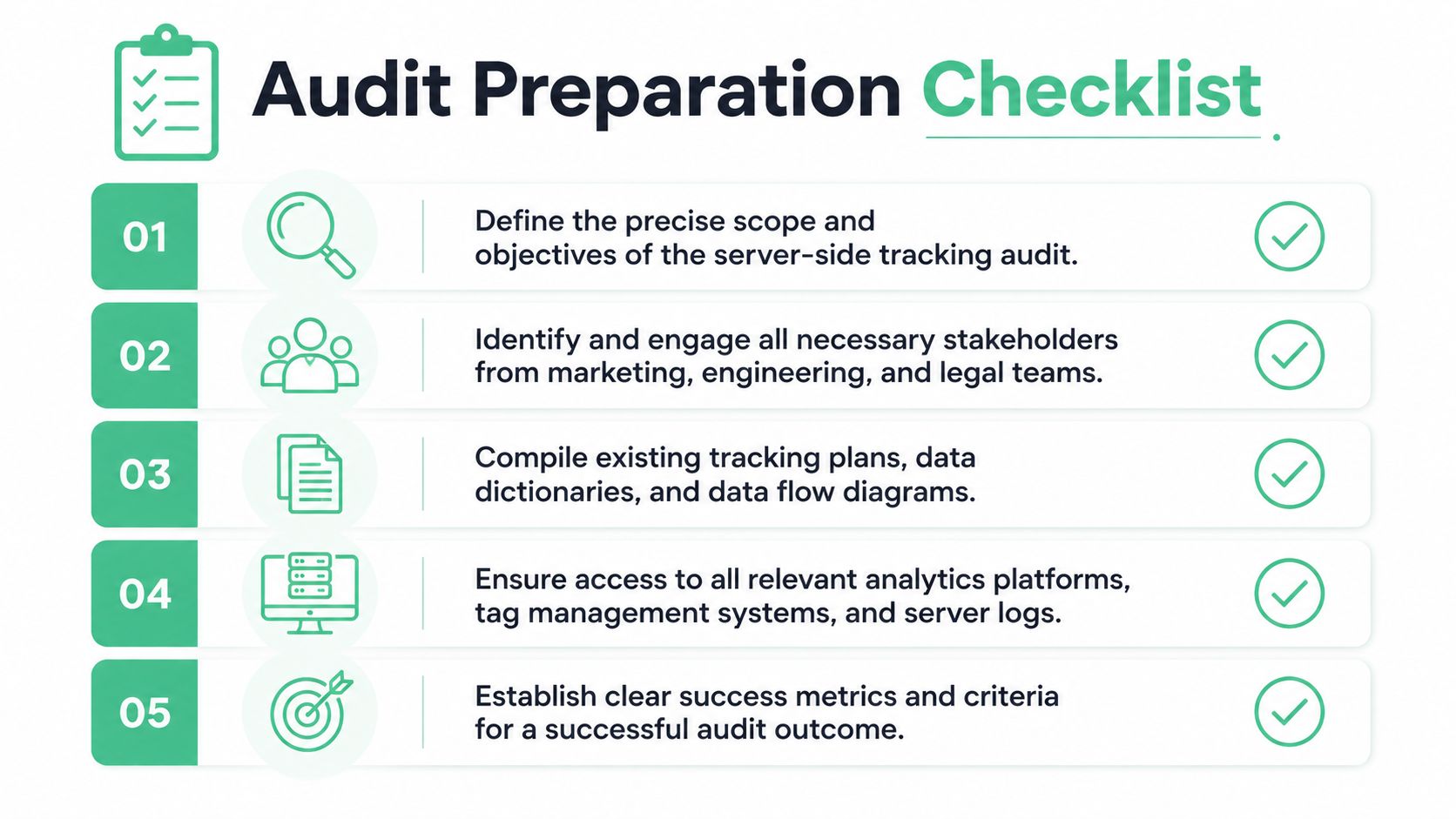
Most failed audits don’t fail in the validation phase. They fail earlier because nobody defined the scope tightly enough.
One team thinks the audit is about GA4 parity. Another expects Meta CAPI validation. Legal expects consent enforcement review. Engineering assumes you only care about whether the endpoint responds successfully. Those are different projects. You need one document that settles the boundary before anyone opens DevTools or a warehouse query.
Agency-standard rollouts usually follow a 4 to 8 week roadmap, with Weeks 1 and 2 dedicated to discovery and audit before implementation and QA, as described in this server-side tracking roadmap. That timeframe is useful because it sets expectations. A serious audit isn’t a same-day pixel check. It’s a structured review of data flows, business logic, and operational ownership.
Define the scope before the tools
Start with entities, not platforms. List the user journeys and conversion points that affect money, reporting, or optimization. Typically, that means some mix of landing page sessions, product views, add to cart, checkout, purchase, lead submit, signup, and qualified pipeline events.
Then name the systems in play:
- Collection layers: Website, app, backend, CRM, offline imports
- Routing layers: GTM web, GTM server, custom middleware, CDP
- Destinations: GA4, Meta CAPI, Google Ads, Adobe, Segment, warehouse
- Control layers: CMP, consent mode, proxy tooling, monitoring
The scope should also exclude things. If this audit does not cover app events, internal employee traffic, affiliate redirects, or CRM enrichment payloads, write that down.
Gather the documents people usually skip
Good audits move faster because they start with documentation, even if the documentation is messy.
Collect these before you validate anything:
Tracking plan or event dictionary
Event names, parameter definitions, ownership, and destination mapping.Data flow diagrams
Even rough diagrams help. You need to know which events originate in browser code, backend services, or a data layer.Consent logic documentation
Which signals are captured, how they’re stored, and where decisions are enforced.Release history
Dates of migrations, campaign launches, checkout updates, and CMP changes.Access matrix
Who can inspect server logs, server containers, cloud monitoring, analytics configs, and ad platform diagnostics.
Documentation doesn’t need to be elegant. It needs to be honest enough that an auditor can follow one event from user action to final destination.
Build the working toolkit
A server-side tracking audit needs both browser and server visibility. If you only use browser tools, you’ll miss forwarding and transformation issues. If you only inspect server logs, you’ll miss client triggers, consent timing, and data layer defects.
A practical toolkit usually includes:
- Charles Proxy or Fiddler: To inspect requests, headers, and payloads across devices and environments.
- Browser DevTools: For network requests, storage, cookies, and consent timing.
- GTM Preview and server logs: To trace event intake and routing logic.
- Warehouse query client: BigQuery, Snowflake, Redshift, or whichever system stores event copies.
- Analytics debug views: GA4 DebugView or platform test consoles for destination checks.
- Issue tracker: Jira, Linear, GitHub Issues, or any place to log findings with severity.
If your team is preparing a migration rather than auditing a mature stack, it helps to align with practical best practices for moving to server-side tagging before you define acceptance criteria. That prevents a common mistake where the audit inherits a weak implementation design.
Set pass-fail criteria that reflect business risk
Not every issue deserves the same urgency. A typo in a non-critical metadata property is annoying. A duplicated purchase event is expensive. A consent failure is risky.
Use a simple severity frame:
- Critical: Revenue events wrong, duplicated, or missing
- High: Consent enforcement gaps, broken destination forwarding, transaction ID issues
- Medium: Schema drift, wrong typing, inconsistent naming
- Low: Optional properties missing, noisy events, cosmetic taxonomy issues
That scope document becomes the reference for the rest of the audit. Without it, teams argue about findings instead of fixing them.
Discovery and Validation From Endpoints to Payloads
The audit transitions from theory to practice. You need to watch events move, compare them across layers, and prove whether the payloads are structurally sound.
The first step is simple. Identify every endpoint involved in intake and forwarding. Don’t trust naming conventions. A subdomain that looks first-party may just be a collection point for a server container, and a server container may be forwarding to several destinations with different transformations.
Start with endpoint discovery
Use Charles Proxy, Fiddler, or browser network tools to capture requests during the key user journeys you scoped earlier. Filter by collect, event, mp, batch, g, or other patterns your stack uses. Then map each request to one of these categories:
- browser to first-party collection endpoint
- browser to third-party destination
- app or backend to event intake API
- server forwarding to analytics or ad platform APIs
Don’t stop at the request URL. Inspect request method, body shape, headers, event timestamps, consent markers, and any IDs used for deduplication or session stitching.
A quick working note that saves time: build an endpoint inventory table as you go. Include trigger source, payload format, destination mapping, and owner. This approach helps in discovering undocumented routes.
Run client and server in parallel long enough to compare behavior
A clean audit usually includes a parallel validation window. During that period, the same key events are visible in both client-side and server-side paths so you can compare counts, timing, and structure.
Many broken implementations are often revealed. In high-traffic audits, missing deduplication IDs caused doubled conversions in 60% of initial GA4 and Meta deployments, and structured validation resolved 85% of discrepancies while achieving a schema pass rate above 98%, according to e-cens best practices and audit benchmarks.
If purchase is sent from both browser and server, deduplication is not a nice-to-have. It’s the control that keeps optimization and reporting from drifting apart.
Use that parallel window to answer three practical questions:
- Are the same business events visible in both paths?
- Are transaction and event IDs consistent enough to reconcile?
- Are differences caused by expected platform behavior or by implementation flaws?
Validate the payload, not just the event name
An event called purchase isn’t useful if value is missing, currency is malformed, or transaction_id changes format by destination. Audit payload quality the way an engineer audits an API contract.
Here’s a compact validation framework you can use.
| Check Category | What to Verify | Common Failure Example |
|---|---|---|
| Identity | Event ID, transaction ID, user/session identifiers present where required | Purchase reaches Meta without the deduplication key used in GA4 |
| Typing | Numbers are numeric, booleans are boolean, timestamps are consistent | value sent as a string in one route and number in another |
| Completeness | Required business fields exist for the event type | Lead event missing form type or source context |
| Naming | Event and parameter names follow the tracking plan | sign_up, signup, and register all used for the same action |
| Consent state | Consent markers are attached and honored before forwarding | Event forwarded to ad destination despite denied marketing consent |
| Attribution context | UTM, click IDs, referrer, and page context persist where expected | Cross-domain journey drops campaign parameters before conversion |
| Deduplication | Shared event key available across browser and server sends | Browser and server both count as separate purchases |
For automated checks at scale, define validation rules per event type. This can be as simple as a YAML spec in engineering workflows or a warehouse-side rule set maintained by analytics engineering.
Use warehouse queries to find drift at scale
Manual checks catch obvious issues. Queries catch pattern-level failures.
Here’s a generic SQL pattern for missing required fields by event type:
SELECTevent_name,COUNT(*) AS total_events,SUM(CASE WHEN transaction_id IS NULL OR transaction_id = '' THEN 1 ELSE 0 END) AS missing_transaction_id,SUM(CASE WHEN value IS NULL THEN 1 ELSE 0 END) AS missing_value,SUM(CASE WHEN currency IS NULL OR currency = '' THEN 1 ELSE 0 END) AS missing_currencyFROM analytics_eventsWHERE event_name IN ('purchase', 'generate_lead', 'sign_up')GROUP BY event_name;For type consistency, a practical check is to compare parsed values versus raw payload storage:
SELECTevent_name,COUNT(*) AS checked_rows,SUM(CASE WHEN SAFE_CAST(value AS NUMERIC) IS NULL AND value IS NOT NULL THEN 1 ELSE 0 END) AS invalid_value_formatFROM analytics_eventsWHERE event_name IN ('purchase', 'refund')GROUP BY event_name;For duplicate transaction detection:
SELECTtransaction_id,COUNT(*) AS event_countFROM analytics_eventsWHERE event_name = 'purchase'GROUP BY transaction_idHAVING COUNT(*) > 1;And for naming drift:
SELECTevent_name,COUNT(*) AS occurrencesFROM analytics_eventsGROUP BY event_nameORDER BY occurrences DESC;These queries don’t need to be fancy. They need to reveal whether the implementation is stable under real traffic.
Test edge cases on purpose
The strongest audits don’t only test the happy path. They test what usually breaks:
- logged-in versus logged-out sessions
- coupon use and discount adjustments
- multi-step forms
- failed payments and retries
- cross-domain navigation
- Safari and Firefox journeys
- consent accepted, denied, and changed mid-session
If your stack includes server transformations, test replay behavior too. Retries can create subtle duplicates if idempotency rules are weak.
A useful operational reference for this stage is an approach to automating event validation in server-side tagging. The core idea is simple. Don’t make humans compare payloads forever. Turn known expectations into repeatable checks.
Auditing for Privacy Consent and Security
A tracking setup can be technically accurate and still create legal or governance problems. That’s why privacy review shouldn’t be treated as a separate compliance project. It belongs inside the same server-side tracking audit.

The first thing to verify is whether consent state survives the full event path. It’s common to see a browser correctly capture user choice while the server container forwards data as if all permissions were granted. That happens when consent is checked in the web layer but not enforced at the forwarding layer.
Follow consent from browser to destination
Trace one event under different consent states and inspect what changes. Check whether consent flags are present in the browser request, whether the server receives them, and whether forwarding rules honor them.
Review these points carefully:
- Collection timing: No marketing or analytics requests should fire before the agreed consent logic allows them.
- Forwarding rules: Destinations should receive only the categories of data allowed by the user’s choice.
- Storage behavior: Server-side setups shouldn’t surreptitiously rebuild user identity beyond what your policy allows.
- Documentation: Teams should be able to point to the exact rule set governing data forwarding.
For teams tightening this area, a practical walkthrough on preventing tags from firing before consent is useful because it forces the audit to look at timing, not only final payload state.
Hunt for PII before it leaves your control
Most PII leaks aren’t malicious. They’re accidental. An email gets captured in a query string. A form field is serialized into a custom event. A CRM identifier gets forwarded to a destination that never needed it.
Audit payloads and logs for high-risk fields and patterns:
- email addresses
- phone numbers
- full names
- street addresses
- free-text form content
- internal customer IDs that can identify a person directly
If a vendor or processor touches this data in any step, teams should also confirm contractual coverage and operational responsibilities. A clear agreement on processing customer data is useful as a reference point when you’re checking whether data handling terms match the actual event flow.
Privacy review works best when legal, analytics, and engineering inspect the same payload examples together. Policy language alone rarely catches implementation mistakes.
Later in the review, a short technical explainer can help teams align on server-side mechanics before discussing controls:
Check for hidden or cloaked server-side tracking
This is the part most audits skip.
A 2024 PoPETs study of 7,367 websites found 389 sites, or 5.3%, using cloaked domains for server-side tracking, with additional first-party-capacity cases that can bypass browser restrictions and evade traditional client-side review, as detailed in the PoPETs paper on hidden server-side tracking. For auditors, the implication is clear. If you only inspect obvious browser tags, you can miss important data flows.
Use a deeper inspection method:
- Review first-party subdomains that receive event traffic but aren’t documented in the tracking plan.
- Compare browser-visible requests with server forwarding logs.
- Inspect payload signatures for destinations that appear absent on the page but still receive data.
- Look for unexplained response patterns from collection endpoints during consent-denied sessions.
A cloaked setup is not automatically non-compliant. But an undocumented cloaked setup is a governance problem. If your team can’t explain what the endpoint does, who owns it, and which data it forwards, the audit isn’t complete.
Remediation and Continuous Monitoring
Most audits create a findings deck, a backlog, and a brief burst of cleanup work. Then the next site release ships, a checkout plugin changes the payload, or a CRM field gets renamed, and the same data quality problems return.
That’s why remediation has to be operational, not cosmetic.
Prioritize fixes by business damage
Don’t start with the easiest issue. Start with the one that distorts business decisions the most.
A practical remediation order looks like this:
Revenue-impacting events
Purchase, subscription, lead qualification, and any event that feeds ad optimization or executive reporting.Deduplication and identity controls
If these are wrong, every downstream tool inherits the problem.Consent and PII enforcement
These issues combine governance risk with technical debt.Schema quality and naming drift
Important, but usually second-wave work unless they break routing.Secondary metadata
Useful for analysis, lower priority for immediate stabilization.
Write each finding as an engineering-ready issue. “Purchase event broken” is not useful. “Server route omits transaction_id when checkout retries after payment failure” is useful.
Build remediation into the delivery workflow
A reliable fix usually needs three owners. Analytics defines the expected behavior. Engineering changes the implementation. QA verifies it under realistic conditions.
That workflow works best when every fix includes:
- A reproducible test case
- Expected payload examples
- Destination-specific acceptance rules
- Regression checks for nearby events
- Rollback notes if the change affects production routing
Teams often discover that server-side issues are harder to spot after launch. One source on post-implementation governance notes that incomplete event configurations are harder to detect on the server side and that automated monitoring creates a single source of truth for ongoing control in multi-client environments, as described in this server-side governance discussion.

Manual audits don't scale well
Manual QA still matters. It’s how you understand the implementation thoroughly enough to trust automation later. But manual QA is weak at persistence. It doesn’t watch every release, every traffic spike, every destination outage, or every schema drift.
That’s where continuous monitoring changes the game.
A mature monitoring setup should detect:
- Traffic anomalies: Sudden drops or spikes in event volume
- Schema mismatches: Required fields missing or changing type
- Rogue events: New names or properties not present in the plan
- Forwarding failures: One destination stops receiving valid events
- Consent problems: Data reaching a destination under the wrong consent state
- Potential PII leaks: Sensitive fields appearing in payloads unexpectedly
The strongest analytics teams don’t wait for dashboard users to report that something looks off. They catch breakage where the event is created.
What continuous monitoring should look like
The goal isn’t just alerts. It’s useful alerts with enough context to fix the issue fast.
A practical operating model includes:
- Near-real-time anomaly detection for core events
- Ownership mapping so each event or destination has a responsible team
- Change awareness tied to releases, CMS updates, and tag changes
- Persistent validation rules based on the tracking plan
- Shared visibility across marketing, analytics, engineering, and privacy
For this, teams use different combinations of warehouse tests, cloud logs, custom scripts, and observability tools. One option is Trackingplan, which continuously discovers implementations across web, app, and server-side layers and monitors events, schema changes, missing pixels, consent issues, and potential PII leaks in real time. The value isn’t that it replaces engineering review. It reduces the lag between breakage and detection.
Create an audit culture, not an audit ritual
The best outcome of a server-side tracking audit isn’t a cleaner spreadsheet. It’s a change in operating habits.
That usually means:
- product releases include analytics regression checks
- new events require naming and schema approval
- consent changes trigger tracking review
- critical events have ongoing health checks
- teams stop treating tracking as “done” after launch
When that culture exists, audits become lighter because the stack is already observable. Without it, every audit starts from partial blindness.
Conclusion From Audit to Assurance
A strong server-side tracking audit does more than verify tags. It tests whether your measurement stack can support decisions, optimization, and compliance without constant doubt.
The practical path is consistent. Define the scope tightly. Trace endpoints and payloads. Validate deduplication, schema quality, and destination forwarding. Check consent handling and PII exposure. Then turn the findings into a remediation workflow with regression checks and persistent monitoring.
That last step matters most. A one-time audit can fix today’s errors. It can’t protect next month’s release, the next CMP change, or a silent routing failure in a destination API. Teams that trust their data over time build systems that watch for drift continuously.
That’s the shift from audit to assurance. You stop asking whether the numbers are probably right. You create enough visibility and control that your team can rely on them.
Frequently Asked Questions about SST Audits
How often should a server-side tracking audit happen
Run a full audit after a new implementation, a major migration, a checkout or lead-flow redesign, or a consent platform change. Between those milestones, keep ongoing monitoring in place so issues are caught between formal reviews.
What’s the first thing to check if numbers suddenly jump
Check deduplication and event routing first. Sudden jumps often come from browser and server events both counting, retries being treated as new conversions, or a route forwarding the same event twice to one destination.
Which events deserve the deepest validation
Start with the events tied to money or optimization. Purchase, qualified lead, signup, renewal, and any conversion imported into ad platforms should get the strictest payload, identity, and consent review.
Can a server-side setup still leak personal data
Yes. Server-side gives you more control, but it doesn’t remove risk automatically. If a form field, query parameter, or CRM identifier enters the payload and no filtering rule strips it out, the server can forward that data just as efficiently as it forwards clean data.
Do I need engineers involved in the audit
Yes. Analysts can define expected behavior and identify discrepancies, but server-side fixes usually require engineering access to routes, transformations, logs, or middleware. Legal or privacy stakeholders should also review consent and data handling.
What’s the biggest mistake teams make
They treat the audit as a migration checkbox. The implementation passes a launch review, then nobody watches for schema drift, silent forwarding failures, or new undocumented events after releases.
If your team wants to move from periodic debugging to continuous data quality control, Trackingplan is worth evaluating. It gives analysts, marketers, developers, and QA teams a shared view of what’s firing, what changed, and what needs attention before broken tracking reaches your dashboards or ad platforms.