
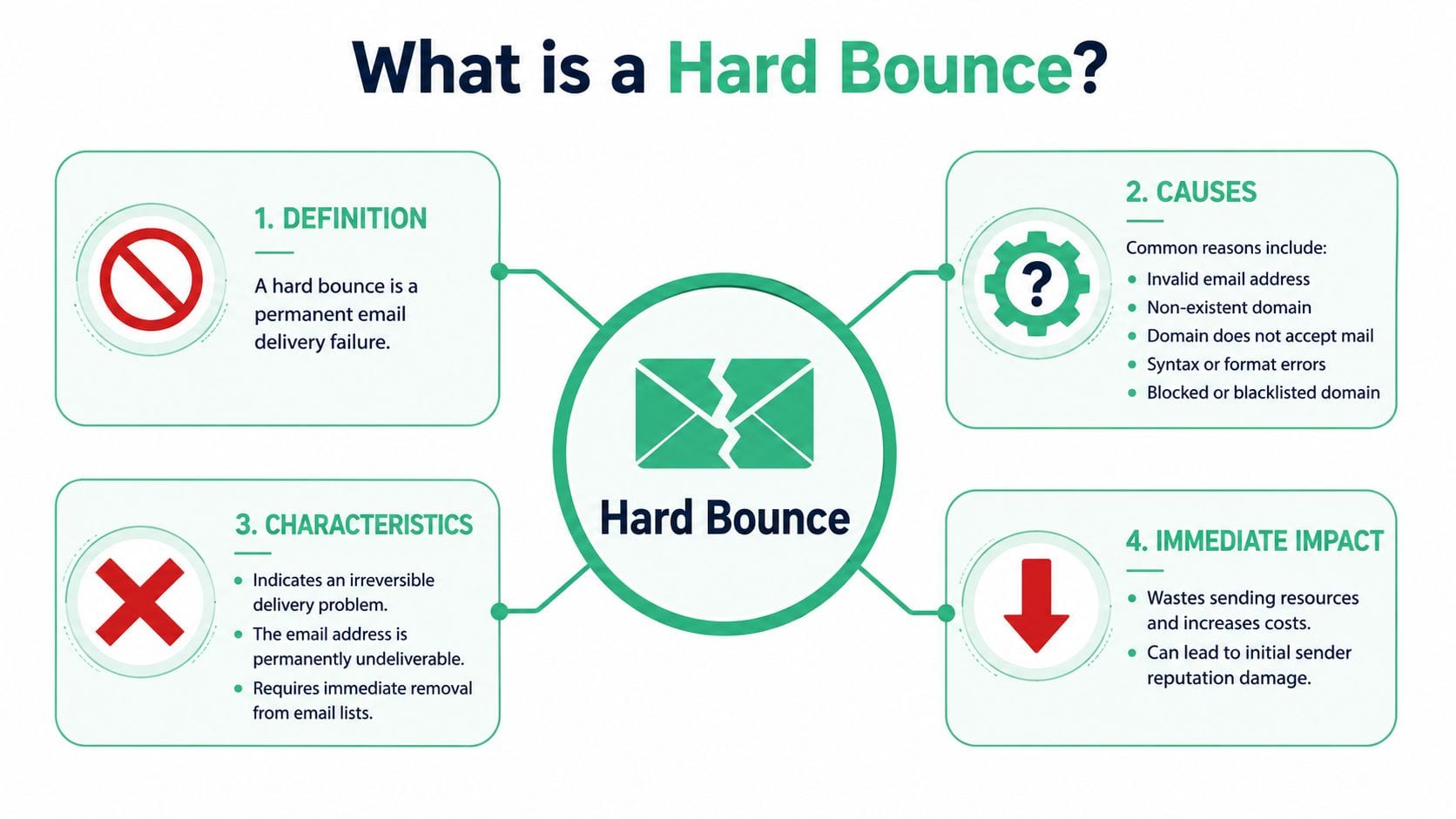
A hard bounce is a permanent email delivery failure caused by an invalid address, and the email shouldn't be sent again. Healthy programs keep hard bounces around 0.5% and total bounces under 2%, while rates above 5% need immediate cleanup.
You launch a campaign, the creative is solid, segmentation looked right, and the first dashboard view seems fine. Then the bounce report comes in, and a chunk of the send never had a chance. That's not a copy problem or a timing problem. It's a data quality problem.
For marketing teams, hard bounces waste sends and weaken deliverability. For analysts and developers, they often point to broken collection paths upstream: bad form validation, CRM sync issues, stale imports, or inconsistent identity handling across tools.
Understanding the Permanent Email Delivery Failure
A hard bounce is the email equivalent of a letter marked “return to sender, address unknown.” The receiving mail server rejects the message with an SMTP 5xx response, which means the failure is permanent, not temporary. Omnisend defines this as a “Permanent Negative Completion” reply, meaning the message can't be delivered now or later, and the sending server shouldn't retry (Omnisend on hard bounce vs soft bounce).
That permanent signal matters because teams often treat all bounces like temporary friction. They aren't. A soft bounce is the temporary version. The mailbox may be full, or the recipient server may be unavailable for the moment. A hard bounce says something fundamental is wrong with the destination.
Why the distinction matters operationally
If an address hard-bounces, continuing to send to it tells mailbox providers that your list hygiene is weak. That can happen when a signup form accepts malformed input, when sales ops imports old contacts without validation, or when analytics and CRM systems drift out of sync.
A lot of teams only notice the issue after it hits campaign reporting. By then, the bad data has already moved through forms, enrichment, CDPs, CRMs, and email platforms. That's why this isn't just an ESP problem. It starts much earlier in the stack, often where teams capture and classify customer data. If your collection strategy depends on reliable owned identifiers, it helps to tighten the foundation around first-party data collection.
Practical rule: If the server says the address is permanently undeliverable, don't retry it. Fix the source of the bad data instead.
What marketers should take from this
Hard bounces are a signal that the address is bad, the domain is bad, or the sender has been permanently rejected. In all cases, the message didn't fail because the campaign was weak. It failed because the destination was never valid for delivery.
That's why “what is a hard bounce in email” isn't just a glossary question. It's a question about whether your acquisition, analytics, and CRM processes are producing trustworthy records.
Hard Bounce vs Soft Bounce A Clear Comparison
Teams get into trouble when they lump every failed delivery into one bucket. The treatment is different, the cause is different, and the risk is different.
MessageFlow draws the line clearly: a hard bounce is a permanent delivery failure tied to SMTP 5XX codes, while a soft bounce is a temporary failure tied to 4XX codes. Their example, “550 User unknown,” is the classic hard-bounce response because it confirms the address or domain is not valid for delivery and retrying is pointless (MessageFlow on hard vs soft bounce).
Permanence is the real dividing line
A hard bounce is a wrong address. A soft bounce is a reachable address with a temporary obstacle.
That sounds simple, but in practice it changes your workflow. Hard bounces belong in suppression logic. Soft bounces belong in monitoring and retry logic, or at least in a queue for review.
A hard bounce closes the door. A soft bounce means the door may open later.
What changes technically
The SMTP code tells your sending system how to interpret the failure. With a hard bounce, the receiving system is saying the problem won't resolve through another attempt. With a soft bounce, the receiver is saying the failure may clear without changing the address itself.
For marketers, that means the same campaign can contain two very different kinds of non-delivery. One reflects bad address quality. The other may reflect timing, mailbox capacity, or temporary receiving conditions.
The response should never be the same
If your team retries hard-bounced addresses, you're teaching providers that you send to bad records. If your team suppresses every soft bounce after one event, you'll throw away valid subscribers.
Here's the clean comparison:
What works in practice
The best teams don't argue over category labels after the campaign. They map bounce handling directly into platform behavior:
- For hard bounces: immediate suppression, source tracing, and list audit
- For soft bounces: pattern review, resend policy, and deliverability monitoring
- For mixed spikes: investigate the acquisition source, import process, and recent system changes
That distinction keeps good addresses from being dropped and bad addresses from lingering.
Why Hard Bounces Happen Common Causes and Triggers
The mechanical cause is straightforward. Braze notes that the clearest cause of a hard bounce is an invalid or non-existent email address, including a mistyped username, deleted mailbox, or incorrect domain, and those addresses should be suppressed immediately to avoid sender reputation damage (Braze on hard bounce causes).
What matters in the real world is how those invalid records got into your systems in the first place.
Technical causes
Some hard bounces come from obvious failures at the address level:
- Mistyped local part: the user enters a wrong name before the @
- Wrong domain: a typo turns a valid provider into a non-existent destination
- Deleted mailbox: the address used to work, but the recipient account no longer exists
- Permanent server rejection: the destination server refuses delivery on a non-recoverable basis
These are email failures, but they usually originate in collection workflows rather than in sending workflows.
Process failures upstream
Many overlook the underlying issue. Hard bounces often reflect bad operational discipline.
- Manual entry errors: call center staff, sales reps, or event teams type addresses incorrectly
- Old CRM records: legacy contacts stay active long after the mailbox is gone
- List purchases or low-quality imports: external data introduces addresses that were never permissioned or never valid
- Weak form validation: frontend forms accept malformed values because nobody tested edge cases
- Broken syncs between systems: one platform stores a corrected address while another keeps the stale version
If you use Mailchimp or a similar ESP, the source of the problem may still sit outside the sending tool. It often helps to inspect how addresses move into your email platform and where validation happens across Mailchimp-connected workflows.
The bounce event happens in the inbox layer. The mistake usually happened much earlier.
The hidden analytics angle
Data teams should care because email fields are often passed through analytics events, tag managers, lead forms, backend APIs, and attribution tools. If one form starts collecting malformed values, that bad data can spread across multiple destinations before anyone notices.
That's why hard bounces shouldn't be treated as isolated ESP clean-up tasks. They're often symptoms of weak governance around data capture, transformation, and activation.
The Damaging Impact on Sender Reputation and Deliverability
Hard bounces don't just waste a send. They corrode trust with mailbox providers.
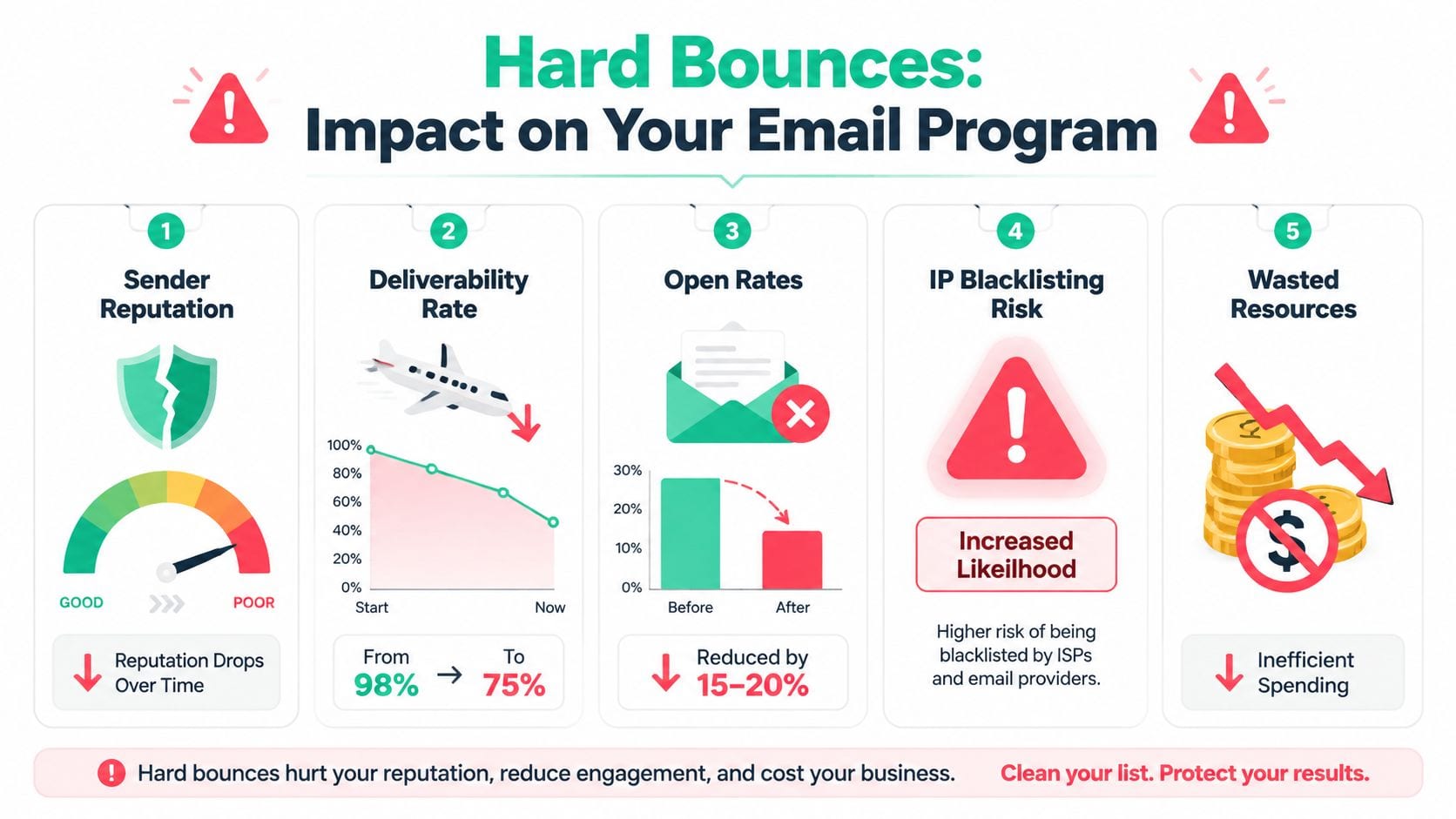
Campaign Monitor states that a total bounce rate below 2% is considered safe and healthy by most ISPs, while rates above 5% are a clear warning sign that requires immediate cleanup (Campaign Monitor on bounce rate thresholds). That's the line many teams cross before they realize the issue is systemic, not incidental.
Why mailbox providers care
ISPs read bounce behavior as a quality signal. If you keep sending to invalid addresses, they infer one of two things. Either your data hygiene is poor, or your sending practices resemble spam behavior.
Mailgun makes this explicit: persistent hard bounces damage sender reputation, reduce future inbox placement, and can trigger automatic suppression by ESPs when bounce rates move beyond acceptable levels (Mailgun on sender reputation and hard bounces).
What that looks like in the business
The damage shows up in ways marketing teams feel quickly:
- Inbox placement weakens: more mail lands outside the primary inbox
- Campaign performance gets distorted: strong creative looks weak because fewer messages reach real people
- Segmentation becomes less trustworthy: lists appear larger than their reachable audience
- Spend becomes less efficient: teams pay to store, process, and send to records that can't convert
There's also a compliance and governance angle. When bad identity data moves through your stack unchecked, it's often a sign that other data controls are loose too. That includes exposure risks around PII data compliance.
Bottom line: Providers don't see your intent. They see your sending behavior.
Thresholds teams should actually use
The operational thresholds are simple:
- Under 2% total bounce rate: generally healthy, based on ISP benchmarks cited by Campaign Monitor
- Between 2% and 5%: warning range that needs investigation
- Above 5%: serious enough to trigger immediate list cleanup
- Hard bounces near 0.5%: the target benchmark cited in the verified industry guidance
- A send of 10,000 with 45 hard bounces: 0.45%, which falls in the healthy range according to the benchmark summary in CUFinder's hard bounce overview
These aren't vanity metrics. They're operating limits. Cross them often enough and mailbox providers start limiting your future reach.
How to Fix and Prevent Hard Bounces
The first rule is simple. Remove the bad address fast.
Biscred's guidance is direct: hard-bounced addresses should be removed immediately after the first occurrence because they represent bad data that won't be fixed by retrying, unlike soft bounces that may resolve on their own (Biscred on removing hard-bounced addresses).

Reactive fixes
Start with cleanup. Don't keep debating whether the address might work next time if the server already told you it won't.
- Suppress the address at once
Make sure your ESP or sending platform won't attempt delivery again. This protects reputation and keeps future metrics cleaner. - Review the bounce reason text
Some hard bounces are plainly invalid addresses. Others can reflect permanent block conditions. The distinction matters when you're tracing the source of the issue. If multiple team members review these bounce notifications, it's helpful to use a shared mailbox to keep everyone aligned. - Audit the acquisition source
Look at where the bad records came from. Common culprits are webinar imports, sales-uploaded CSV files, referral forms, offline event lists, and legacy CRM syncs. - Run list verification before your next major send
If you're evaluating vendors, this roundup of top tools for email list verification is useful because it compares common options in one place.
Proactive prevention
Cleanup is necessary. Prevention is cheaper.
The strongest email programs reduce hard bounces before the record reaches the ESP. That means fixing form handling, validation, and data movement across the stack.
- Use real-time email validation on forms: catch malformed syntax and obvious domain mistakes before submission
- Apply double opt-in where it fits the journey: confirmation forces one more layer of address quality
- Validate imports before activation: don't trust spreadsheets just because they came from another team
- Monitor field consistency across tools: email values should match across forms, analytics events, CDPs, and ESP syncs
- Watch for broken tracking and schema drift: when event structures change unexpectedly, identity fields often break too
A lot of this sits at the intersection of analytics QA and marketing operations. If a web form starts sending malformed emails, or a backend event stops passing the expected user identifier, you want to catch that before it contaminates downstream activation and reporting. That's the same discipline teams apply when diagnosing email click-through rate reporting issues, because the underlying problem is often bad instrumentation rather than channel performance.
Don't treat hard bounces as an email-only problem. Treat them as a data pipeline problem with an email symptom.
A practical operating model
The teams that keep bounce rates healthy usually follow a simple pattern:
- Marketing owns list policy
- Data and analytics teams own input quality
- Developers own validation and event integrity
- Operations owns suppression and sync hygiene
For teams that want more guidance on data governance workflows, it's worth checking the videos on the Trackingplan YouTube channel. They're a practical fit for analysts and implementation teams who need to monitor collection quality before bad records spread.
There's also a more nuanced edge case to keep in mind. Mailgun has highlighted that some newer hard bounces are reputation-driven rather than caused by invalid addresses, and estimates 15% to 20% of hard bounces in 2024-2025 fall into that category in this emerging pattern (Mailgun on dynamic hard bounces). That doesn't change the need for suppression, but it does mean teams should read bounce reason detail carefully instead of assuming every hard bounce came from a typo.
Conclusion Maintaining Healthy Email Deliverability
A hard bounce is a permanent delivery failure. At the technical level, it means the receiving server has rejected the message in a way that tells your system not to try again. At the business level, it means your data quality has already failed somewhere upstream.
The common advice is to remove bad emails, and that advice is right. But it's incomplete. If your forms accept poor input, if your CRM keeps stale contacts active, or if your data pipelines pass broken identity fields into your ESP, you'll keep recreating the same problem.
The strongest fix is prevention at the source. That means tighter form validation, better import controls, cleaner suppression logic, and better visibility into how customer data moves across web, app, server-side, CRM, and email systems. When teams connect deliverability to analytics QA, they stop treating hard bounces as isolated email events and start handling them as a signal of system health.
If you're still asking what is a hard bounce in email, the practical answer is simple: it's a permanent failure that exposes bad data. The strategic answer is more useful. It tells you where your capture and governance processes need work.
If you want to catch bad data before it turns into hard bounces, Trackingplan helps teams monitor analytics and martech implementations across web, app, and server-side environments, detect schema mismatches and broken data flows, and keep the inputs to marketing systems clean enough to protect deliverability over time.