
TL;DR:
- Broken or unauthorized tags can distort e-commerce analytics and waste ad budgets.
- Effective tag audits require automation, real-time testing, and compliance checks.
- Regular, structured audits improve data accuracy, regulatory compliance, and marketing performance.
Most e-commerce teams are flying blind. They trust their analytics dashboards without ever questioning whether the underlying tags are actually firing correctly. The reality is that broken, duplicate, or unauthorized marketing tags quietly distort every report you rely on, inflating cost-per-acquisition numbers, misattributing conversions, and draining ad budget on campaigns that look better than they are. Established tools like ObservePoint, Tag Inspector, and AuditTags provide automated audit capabilities recognized across the industry, and for good reason. This article covers how tag audit tools work, what features matter most, how leading solutions compare, and a practical step-by-step implementation plan to help you stop guessing and start making decisions on accurate data.
Table of Contents
- Why marketing tag audits matter for e-commerce
- Key features to look for in a marketing tag audit tool
- Comparing leading marketing tag audit tools
- Step-by-step: How to run a successful marketing tag audit
- Advanced strategies and common pitfalls in tag audit implementation
- What most teams get wrong about tag audit tools
- Get more from tag audits with the right solution
- Frequently asked questions
Key Takeaways
| Point | Details |
|---|---|
| Critical for e-commerce | Marketing tag audits are key to accurate tracking, better ROI, and compliance for fast-paced online businesses. |
| Choose wisely | Prioritize tools with strong automation, integration, and privacy compliance features matched to your tech stack. |
| Repeat, don’t relax | Regular audits and closed feedback loops are more effective than one-off checks for maintaining reliable data. |
| Leverage expert resources | Use detailed checklists and combine audit tools for the highest level of confidence in your marketing analytics. |
Why marketing tag audits matter for e-commerce
Marketing tags are the invisible infrastructure behind every analytics report, every retargeting campaign, and every attribution model your team depends on. Google Analytics tags measure traffic. Pixel tags fuel Facebook and Google Ads audiences. Conversion tags confirm purchases. When any of these fire incorrectly, or fail to fire at all, the consequences ripple across your entire marketing operation.
The problem is especially acute in e-commerce. Product pages change constantly. New promotions require new tags. Third-party integrations get added and removed. Each change is a potential point of failure, and most teams only discover the damage weeks later when conversion numbers look suspicious.
Here is what unmanaged tags typically cause:
- Broken tracking: Tags that silently stop firing after a site update, creating gaps in analytics data
- Duplicate firing: Tags that fire multiple times per page visit, inflating session counts and conversion metrics
- Unauthorized tags: Third-party scripts added without approval, creating security and privacy exposure
- Schema mismatches: Data layer variables that no longer match what tags expect, breaking downstream reporting
- Attribution errors: Misrouted conversion signals that credit the wrong channel, skewing your ROAS calculations
The scale of real-world risk here is significant. Over 10,000 enterprise sites audited by Tag Inspector revealed more than $100 million in compliance and technology risk reduced through systematic auditing. That figure reflects not just technical errors but real regulatory exposure, data integrity failures, and campaign waste that teams never knew existed.
“Accurate tracking is not a technical nicety. It is the foundation of every marketing decision. Without it, optimization is just expensive guessing.”
Maintaining analytics tag compliance goes beyond catching errors. It protects your budget, your attribution models, and your ability to optimize with confidence. Teams that prioritize accurate marketing tag monitoring consistently outperform those relying on periodic manual checks, because they catch issues in hours instead of weeks.
For e-commerce specifically, marketing data integrity determines whether your product feed optimization, audience segmentation, and lifetime value modeling are built on facts or on noise.

Pro Tip: Schedule tag audits monthly as a baseline, and trigger an immediate audit after any major site release, platform migration, or third-party integration change. Tag errors compound over time, so catching them early is always cheaper than fixing them late.
Key features to look for in a marketing tag audit tool
Not every tag audit tool is built equally, and the difference between a tool that saves you time and one that creates extra work often comes down to a handful of specific capabilities. Before you commit to any platform, here is what to evaluate carefully.
Automated scanning across real browsers: Tools that simulate real user sessions catch far more than those running simple URL scans. Real browser testing exposes tags that only fire on interaction events, scroll depth, or checkout completion steps, precisely the ones e-commerce teams care about most.
Consent and compliance checks: With privacy regulations tightening globally, your audit tool must verify that tags respect user consent choices. If a tag fires before consent is granted, you have a compliance problem regardless of whether the analytics data looks clean.
Data layer validation: Many tag failures originate not in the tag itself but in the data layer beneath it. A strong audit tool checks that variables like "product_id, transaction_id, and user_type` are present, correctly formatted, and consistently populated.
Native support for GA4, GTM, and Shopify: ObservePoint is recognized for weekly tracker updates, tag mapping, and automated audits. For e-commerce teams on Shopify, AuditTags is designed specifically for GA4, GTM, and Shopify checkout coverage, which matters because standard audit tools often miss tags inside Shopify’s protected checkout environment.
Here are the must-have features for most e-commerce audit workflows:
- Automated scheduled scans (daily or weekly options)
- PII exposure detection and alerting
- Tag inventory and change tracking over time
- Customizable error alerts by severity level
- Integration with Tag Management Systems like GTM and Tealium
- Multi-site support for brands managing several storefronts
- Role-based access controls for enterprise teams
For larger organizations, audit log history and exportable reports become important for demonstrating compliance to legal and privacy teams. A good website audit checklist maps these feature requirements to specific business objectives, making it easier to evaluate vendors against your actual needs rather than generic criteria.
If your stack includes server-side tagging, make sure your chosen tool can audit those implementations as well. Our guide to server-side tagging explains why client-side audits alone miss a growing portion of modern tracking setups.
Pro Tip: Choose a tool that plugs directly into your existing analytics stack. A tag audit tool that requires manual exports and separate workflows creates friction that reduces audit frequency and follow-through.
Comparing leading marketing tag audit tools
The market for tag audit tools has matured significantly, and ObservePoint, Tag Inspector, and AuditTags represent the top vendors, each with distinct strengths suited to different team types and use cases.
| Tool | Automation level | E-commerce fit | Compliance features | Pricing tier |
|---|---|---|---|---|
| ObservePoint | High | Strong (multi-platform) | Advanced (PII, GDPR) | Enterprise |
| Tag Inspector | High | Strong (broad coverage) | Advanced | Enterprise/Mid |
| AuditTags | Medium | Excellent (Shopify/GA4) | Basic to Medium | SMB/Mid |
| analytics-auditor | Manual | Developer-dependent | Minimal | Free/Open source |
Free options include analytics-auditor on GitHub and a limited free tier from Tag Inspector, but these work best for technically skilled teams comfortable with manual setup and interpretation. For most e-commerce operations running multiple campaigns and dealing with privacy obligations, enterprise solutions deliver far more value through automation and compliance depth.
Factors that should drive your selection decision:
- Platform compatibility: Does it support your CMS, tag manager, and analytics stack without workarounds?
- Automation depth: Can it scan dynamically rendered pages and single-page application routes?
- Regulatory support: Does it check for GDPR, CCPA, or other relevant privacy frameworks?
- Onboarding timeline: Enterprise tools may require weeks of configuration before delivering full value
- Cost vs. coverage: Match the investment to the scale of your tag environment and compliance obligations
For teams evaluating alternatives, a detailed breakdown of ObservePoint competitors can help clarify where different tools lead and fall short. The benefits of automated audits go well beyond catching tag errors. They include faster remediation cycles, better cross-team accountability, and a documented history that protects you during regulatory reviews. You should also consider cookie audit tools alongside tag auditors, since cookie behavior and tag firing are deeply connected in consent-driven environments.
Step-by-step: How to run a successful marketing tag audit
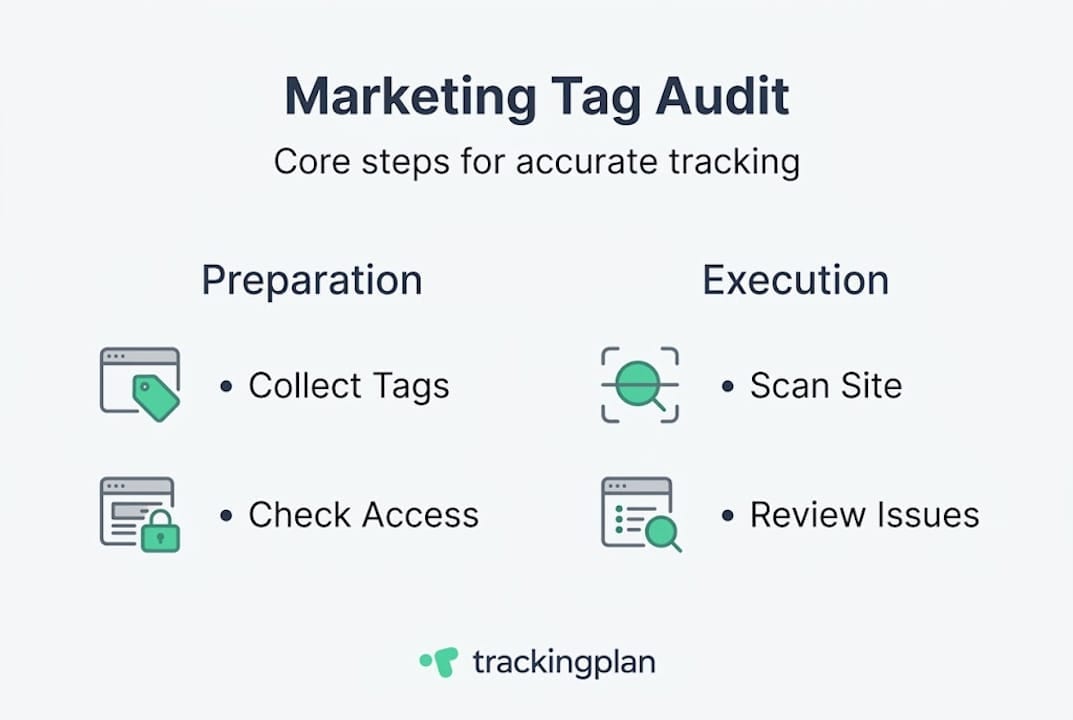
Knowing which tool to use is only half the battle. Running a tag audit effectively requires a structured process that connects technical findings to business outcomes. Here is a workflow that works across team sizes.
- Preparation: Define scope. List all pages, funnels, and events that matter to your business. Document which tags should be present on each.
- Tool setup: Configure your audit tool with crawl settings, authentication for logged-in states, and any custom rules for your data layer schema.
- Scan run: Execute the audit across your full site, including mobile viewports and checkout flows. Capture both tag presence and firing behavior.
- Error triage: Sort findings by severity. Broken conversion tags take priority over cosmetic data layer mismatches.
- Remediation: Assign fixes to the right owner, whether that is a developer, analytics engineer, or marketing ops specialist.
- Validation: Re-run the audit on affected pages to confirm fixes resolved the issue without introducing new errors.
- Ongoing monitoring: Set up scheduled scans and alert thresholds so future regressions surface automatically.
Combining tools with comprehensive checklists like Analytics Mania’s 75-step GTM planning guide significantly increases success rates by ensuring no common failure mode goes unchecked.
Sample tag audit action log
| Step | Issue identified | Recommended fix | Owner | Status |
|---|---|---|---|---|
| Scan | GA4 purchase tag missing on order confirmation | Add tag via GTM | Analytics engineer | In progress |
| Scan | Meta pixel firing twice on PDP | Remove duplicate trigger | Developer | Resolved |
| Triage | transaction_id undefined in data layer | Fix ecommerce push | Developer | Open |
| Validation | Google Ads conversion tag firing pre-consent | Update consent mode setup | Analytics engineer | Resolved |
Using a website auditing checklist ensures your team covers every page type and event category systematically. For paid media specifically, connecting audit findings to your Google Ads audit process creates a direct feedback loop between tag health and campaign optimization decisions.
Advanced strategies and common pitfalls in tag audit implementation
Once your team moves past basic audits, the real value comes from using audit data strategically. Here is how leading teams scale their approach.
Advanced strategies to consider:
- Run separate audit configurations for each brand or regional storefront if you manage multiple properties
- Create custom compliance rules that reflect your specific data layer schema and business logic rather than relying on default templates
- Use audit findings to inform attribution modeling by identifying which touchpoints have reliable tracking and which carry uncertainty
- Integrate audit alerts with your existing incident management workflows so tag failures get treated with the same urgency as site outages
Common pitfalls that undercut audit value:
- Skipping remediation follow-up: Finding errors and logging them without fixing them is worse than not auditing, because you now know about a problem and chose to ignore it
- No change documentation: Every tag fix should be logged with a date, description, and owner, so future audits can distinguish new regressions from known historical patterns
- Alert fatigue from default settings: Tools configured with default sensitivity levels often generate so many low-priority alerts that teams stop paying attention
Large enterprises prioritize regulatory compliance including PII detection and advanced scheduling, because the cost of a compliance failure far outweighs the cost of a thorough audit program. Pairing your audit practice with dedicated tools for data quality compliance and a solid understanding of GDPR cookie compliance requirements ensures you are covering both the technical and legal dimensions.
Pro Tip: Avoid running audits on default settings indefinitely. Customize alert thresholds, crawl depth, and tag expectation rules to match your actual stack. Generic settings catch generic problems. Your business has specific risks that need specific detection logic.
What most teams get wrong about tag audit tools
Here is an uncomfortable truth: most teams treat tag audits like a compliance checkbox rather than a continuous operational practice. They run one audit, fix the obvious errors, and assume the job is done. Then three months later, a site redesign or a new campaign integration breaks half their conversion tracking, and nobody notices until the quarterly review.
The bigger mistake is over-relying on dashboards. Audit tool dashboards are excellent at surfacing patterns. They are poor substitutes for actual collaboration between your analytics team, your marketing managers, and your developers. The real blind spots almost always live at the intersection of those teams, in handoffs where tag requirements were communicated verbally, implemented loosely, and never validated.
Manual spot checks still matter, even with the best automation in place. Walking through a checkout flow with browser developer tools open, watching tags fire in real time, reveals context that automated scans miss. It also builds intuition about where your tracking is fragile.
The most effective teams we see treat auditing as a closed feedback loop. Audit surfaces an issue. Fix gets implemented. Validation confirms the fix. Process gets updated to prevent recurrence. That loop, repeated consistently, is how reliable audit practices actually improve data quality over time rather than just producing periodic reports that nobody acts on.
Tag audit tools are force multipliers, not replacements for operational discipline.
Get more from tag audits with the right solution
If your team is serious about tag accuracy, Trackingplan offers automated monitoring and auditing built specifically for e-commerce analytics environments. Instead of waiting for broken tags to surface in campaign reports, Trackingplan continuously watches your tracking implementation and alerts you the moment something goes wrong.
Trackingplan integrates with digital analytics tools your team already uses, from GA4 to Shopify, delivering end-to-end visibility without requiring a complete workflow overhaul. Its web tracking monitoring capabilities give you real-time insight into tag health across your full funnel. If you are currently evaluating enterprise audit platforms, explore how Trackingplan compares as one of the leading alternatives to ObservePoint, combining automation depth with faster setup and more accessible pricing for growing e-commerce teams.
Frequently asked questions
What is a marketing tag audit tool?
A marketing tag audit tool automatically scans your website to check for broken, missing, or unauthorized analytics and marketing tags, ensuring accurate data collection and regulatory compliance across your full tracking implementation.
How often should I conduct a marketing tag audit?
E-commerce sites should run a tag audit at least monthly, plus immediately after major site updates or campaign launches, since regular scheduled audits consistently reduce compliance risk and protect campaign performance data.
What are the risks of not auditing marketing tags?
Skipping audits exposes your team to inaccurate analytics, misattributed conversions, and compliance violations. Tag Inspector found more than $100 million in risk reduced across enterprise sites through systematic auditing, illustrating how significant undetected tag issues can become.
Are there any free marketing tag audit tools?
Free options like analytics-auditor on GitHub and Tag Inspector’s free tier work well for technical teams, but most e-commerce operations need paid enterprise tools to cover compliance requirements and scale across complex site environments.