Compliance > Privacy opens your Privacy Report: the data in your tracking that might be sensitive, sorted by how sensitive it is.
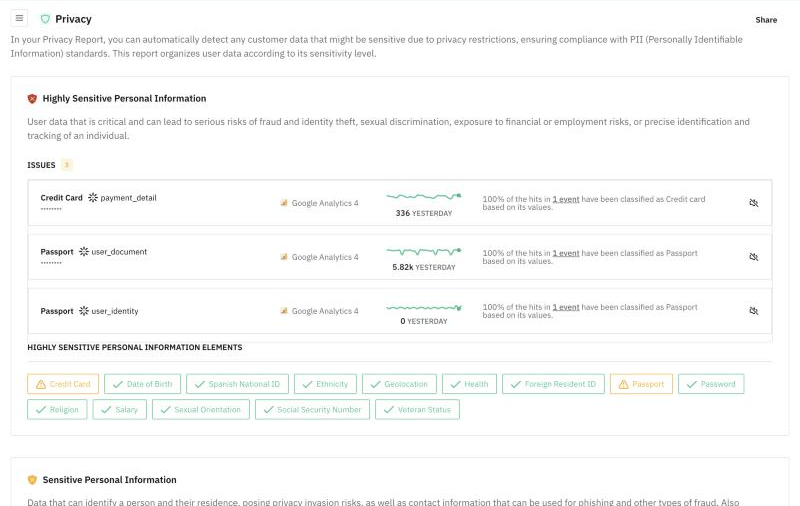
What you see
The screen has three blocks, one per level: Highly Sensitive Personal Information, Sensitive Personal Information and General Information. Each block explains what the level means and shows its number of Issues.
For each one, you see:
- The type of data detected, such as Credit Card, Passport, Email or Phone.
- The property that carries it and the destination that receives it.
- How many hits carried it yesterday.
- Why it was flagged: the share of hits classified by the property's name, by its values, or by both.
Under each block, a list shows every data type Trackingplan checks for at that level, with the ones it found marked.
Share, at the top, gives you a read-only link to your tracking plan, handy for legal or your DPO.
To learn how detection works and how to mask values at the source, see Privacy Monitoring.