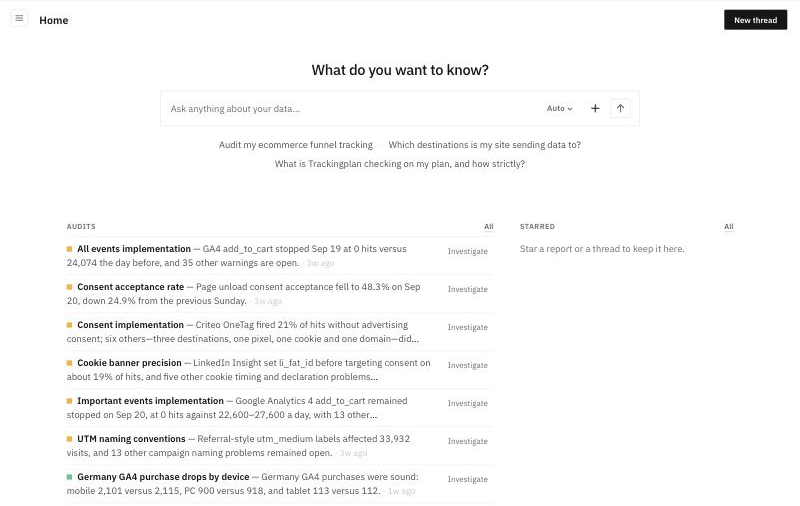
Your plan opens on Home. From there you can ask a question, see how your audits are doing and find what you starred. The Get started checklist walks you through your first four steps.
Home
- What do you want to know?: ask anything about your data, or click one of the example questions under the box. The answer opens in a thread.
- Audits: the latest result of each audit on the plan. Investigate opens the audit's latest run. See Audits.
- Starred: the reports and threads you star, to keep them at hand.
The Get started checklist
Get started walks you through four steps:
- Ask your first question: in a thread.
- Run your first audit: from the Library of Audits.
- Create your first report: in Reports.
- Share a report or a thread: see Sharing.
Your first visit
The first time you open a plan, Trackingplan gives you a head start: a guide to reports, a sample report with invented figures, and example threads. They show what to ask and when to use a thread, a report or an audit. A guided tour shows you the first steps from Home. Write in your own language: answers follow the language of your message.
Teach Trackingplan about your setup
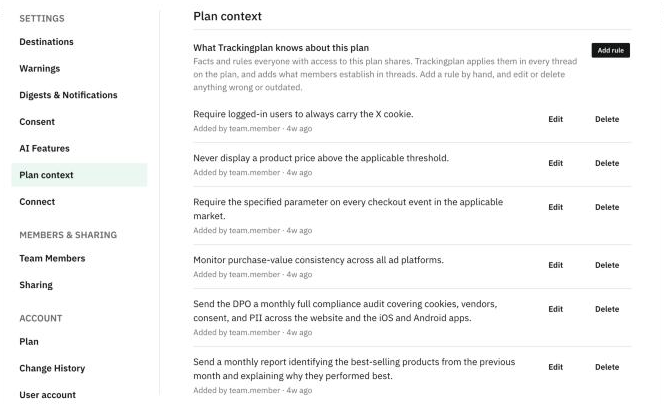
Tell the agent facts about your setup in any thread, for example "the Meta pixel was retired" or "exclude our test domain". Trackingplan keeps them as Plan context and applies them in every thread and audit on the plan, for everyone with access. You can review, add, edit or delete them in Settings & Members > Plan context.
A little context goes a long way. For example:
- Say what kind of site it is. Tell it your site is an ecommerce, and the agent knows which events matter most, such as the checkout and the purchase.
- Add your calendar of public holidays. Add the holidays of the countries where most of your traffic comes from. When traffic drops on a holiday, the agent reads it as seasonality, not as a tracking problem.
- Point out what is expected. A retired pixel, a test domain to leave out, or a campaign that has ended: the agent stops flagging them as problems.